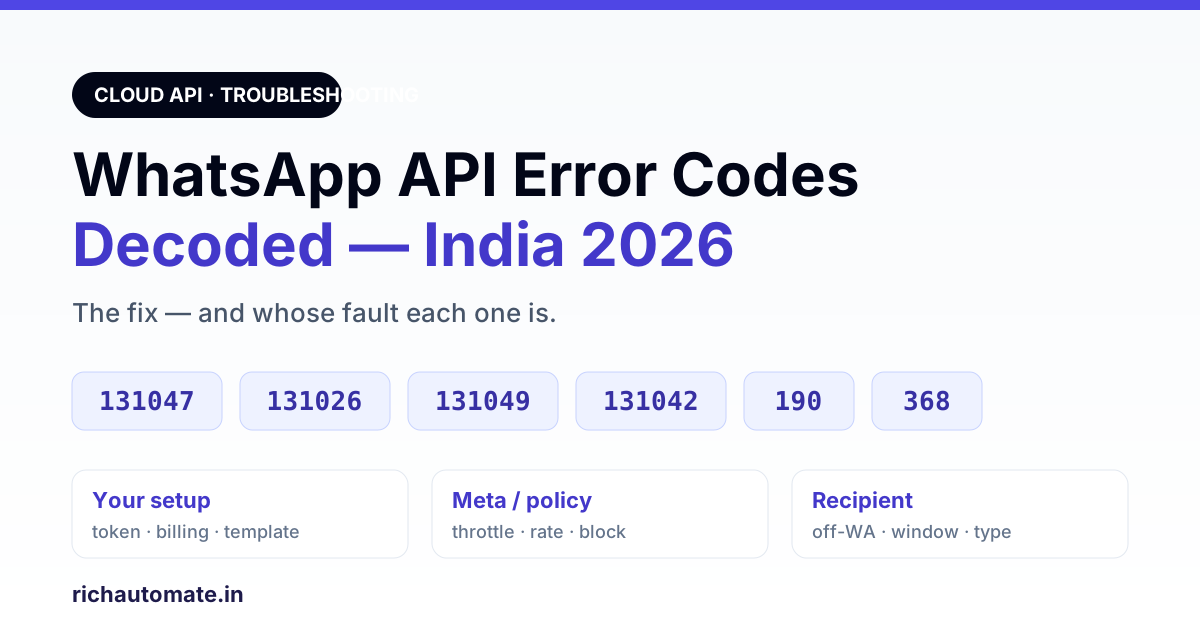
131049 means Meta did not deliver a marketing message "to maintain healthy ecosystem engagement" — wait at least 24 hours before sending that user another template. 131026 means the message could not be delivered to that recipient (not on WhatsApp, an outdated app or terms not accepted), and 131047 means more than 24 hours have passed since the customer last replied, so you must send an approved template. A WhatsApp Business API error code is Meta's machine reason a message failed — and most of them are not your bug: 131042 is a payment-method problem, 190 is an expired access token, and 368 means the account was restricted for a policy violation. This guide decodes the error codes an Indian business actually hits in 2026, gives the fix for each, and — most usefully — tells you whose fault it is so you stop debugging the wrong side. Verify every code against Meta's current Cloud API error reference, which changes periodically.
Disclosure: this guide is published by RichAutomate, a WhatsApp Business API platform. Each code's meaning and fix below was checked against Meta's Cloud API error-code reference on 30 October 2026; where we describe how RichAutomate handles a code, that is taken from our own sending code.
Still building on the +1 555 sandbox? Error 131030 and an expired temporary token (190) are explained in our guide to WhatsApp test number sandbox limits.
Where these error codes come from
On the official WhatsApp Business API (Meta Cloud API), a failure surfaces in one of two places. A send-time error comes back in the API response when you call the messages endpoint — the request was rejected before it ever reached the recipient. A delivery error arrives later, asynchronously, on the status webhook: the message was accepted, given a message ID, then failed on its way to the phone. Both carry a numeric code and a human title/message. The number is the thing to search — the wording changes, the code is stable.
Two practical consequences. First, a message can get a wamid (message ID) and still fail — success at send time is not delivery. Second, the error object is often nested; log the whole errors[] array, not just the top-level HTTP status, or you will chase a generic "400 Bad Request" when the real reason sits one level down. Everything below is "verify against the live Meta reference as of 2026" — Meta renumbers and re-scopes codes over time.
The fastest triage: whose fault is it?
Before the full catalog, the single most useful cut. Most wasted debugging time comes from fixing the wrong side of the connection. Sort every failure into one of three buckets first:
| Bucket | Typical codes | What it means |
|---|---|---|
| Your setup | 190, 100, 131042, 133xxx, template errors | Token, permissions, billing, number registration or template are wrong on your side — fixable by you. |
| Meta / policy | 131049, 368, 131048, 130429, 131031, 131056 | Meta is throttling, rate-limiting or restricting you for quality/policy reasons — fix behaviour, then wait. |
| The recipient | 131026, 131047, 131051, 131050 | The number can't or won't receive this message right now (not on WhatsApp, window closed, unsupported type, opted out of marketing) — nothing to "fix" in code. |
If you only remember one thing: a burst of 131026 means your list is bad, a burst of 131049/131048 means your sending behaviour is bad, and a single 190 means your token died. Three completely different fixes.
Access token & permission errors (your setup)
190 — access token expired or invalid
The most common "everything suddenly stopped" cause. A short-lived or rotated token expired, or the token was revoked. Fix: regenerate a valid (ideally long-lived / system-user) token and update it wherever your app stores credentials. If sends died all at once across every number, suspect the token before anything else.
100 — invalid parameter
A catch-all for a malformed request: a missing required field, a wrong phone_number_id, an unsupported parameter, or a permission the token does not hold (for example calling a catalog or flow endpoint without the required scope). Read the nested error_data — it usually names the exact offending field. This is a request-shape bug, not a WhatsApp-policy issue.
131031 — account locked / disabled
Meta's reference: the WhatsApp Business Account associated with the app "has been restricted or disabled for violating a platform policy". This is not a code fix — it needs the account issue resolved (appeal / verification) before sending resumes; Meta points you to its Policy Enforcement document and the Health Status API to see the reason for the lock. See quality-rating recovery for what drives numbers into restriction.
The 24-hour window & re-engagement errors (the recipient / timing)
These are the codes people misread most, because the message "failed" but nothing is broken — you just sent the wrong kind of message for the moment.
131047 — re-engagement message / outside 24-hour window
You tried to send a free-form (non-template) message more than 24 hours after the customer last messaged you. Outside that service window you may only send a pre-approved template. Fix: send an approved utility/marketing template instead, or wait for the customer to re-open the window by messaging you. Not a bug — it is the platform working as designed.
470 — re-engagement (legacy window-expired)
An older variant of the same 24-hour-window failure seen in some accounts/logs. Same root cause, same fix: a template is required because the free-form window has closed. It is not listed in Meta's current Cloud API reference, so if you see it you are reading old logs or an older integration.
131051 — unsupported message type
The message type you sent isn't supported for that recipient or context. Fix: fall back to a supported type (text/template/media as appropriate) for that thread.
131047 almost always means "you needed a template here," not "the API is broken."Delivery failures on the recipient side
131026 — message undeliverable
The recipient cannot receive the message. Common real causes: the number is not on WhatsApp, is an invalid/mistyped number, is on an incompatible WhatsApp version, or has not accepted the latest terms. A spike of 131026 across a campaign is the classic symptom of a stale or scraped contact list — the fix is list hygiene, not code. One-off 131026 to a hand-typed number is usually a typo. Meta's own suggested fix is to confirm the person can message your number, has accepted the latest terms and has updated WhatsApp — or to reach them on a non-WhatsApp channel.
131000 — generic "something went wrong"
An unspecified internal error on Meta's side. Usually transient. Fix: retry with backoff; if it persists across many messages, check the Meta platform status and your payload for anything unusual.
Throughput, quality & policy throttles (Meta's side — fix behaviour)
This cluster is where Indian broadcasters get burned, because the message "sent fine" for a while and then a wall of failures appears. These are Meta deliberately slowing or blocking you.
Get the India 2026 WhatsApp BSP price comparison
Wati vs AiSensy vs Interakt vs RichAutomate: Meta rates, platform fees and hidden costs, side by side. We send it to your WhatsApp in a minute.
131049 — marketing message throttled for quality
Meta is limiting how many marketing-category messages it delivers to a given user to protect their experience — the message is dropped, not permanently failed. This is a throttle, not a bug. It rises when you push marketing volume at users who don't engage. Fix: send fewer, more relevant marketing messages to opted-in, engaged contacts; lean on utility templates where appropriate. Meta's guidance is to wait at least 24 hours before resending to that user, because a sooner retry will likely fail again. RichAutomate treats 131049 and 131026 as final for a campaign recipient and does not keep retrying them. (This exact code is expected background noise on a healthy marketing account — do not treat every 131049 as an incident.)
131048 — spam rate limit hit
Meta's reference: the message failed "because there are restrictions on how many messages can be sent from this phone number" — usually after quality has dropped. Fix: check the number's quality status in WhatsApp Manager, slow down, clean the list, and let quality rating recover. Repeatedly hitting this is what drives a number toward restriction.
130429 / 80007 — rate limit / throughput exceeded
Two different ceilings. 130429 means Cloud API message throughput for the number has been reached (too many messages per second); 80007 means the WhatsApp Business Account hit its rate limit for API calls. Fix: throttle your sender, add backoff, reduce query frequency, and respect your current messaging tier. See messaging limits & tiers for how the ceilings step up.
368 — restricted for policy violations
Meta's reference describes 368 the same way as 131031: the WhatsApp Business Account has been restricted or disabled for violating a platform policy. Fix: read the Policy Enforcement notice for the reason, stop the offending behaviour (usually unsolicited/aggressive sending), and correct what triggered it before you appeal or resume. No provider can honestly promise "no ban" — bulk sends to non-consenting users are exactly what causes this.
Billing & eligibility errors (your setup)
131042 — business eligibility / payment issue
Meta's reference: "There was an error related to your payment method." Typical causes are no payment account attached to the WABA, a credit line that is inactive or exhausted, a missing currency or timezone on the billing setup, or a deleted or suspended payment account. This is the sneaky one: health status can read "available" while sends still fail with 131042, because billing is enforced at delivery. Fix: open the WABA's payment settings in Business Manager, attach a valid payment method or restore the credit line, and confirm currency and timezone are set. Business Verification is a separate step that governs your messaging limit, not this error.
Template errors (your setup)
Template failures are their own family, usually in the 132xxx range, and they mean the message and the approved template don't match — or the template is no longer usable.
| Code | Meaning | Fix |
|---|---|---|
132000 | Parameter count mismatch — variables sent ≠ variables in the approved template | Send exactly the number of parameters the template defines |
132001 | Template does not exist (wrong name or language/locale) | Match the exact template name and language code that was approved |
132005 | Translated text is too long (the filled-in template exceeds the length limit) | Check the translated template in WhatsApp Manager and shorten the variable values |
132007 | Template content violates a WhatsApp policy | Review Meta's template review rules, revise the content and re-submit |
132012 | Parameter format mismatch (e.g. bad type in a variable) | Send the parameter in the expected format |
132015 | Template is paused (poor quality) | Edit the template to improve quality and send again once it is approved; see the recovery playbook below |
132016 | Template is disabled (repeated low quality) | Create a fresh, higher-quality template |
Prevention beats debugging here: get templates approved cleanly the first time (template rejection fixes) and keep them out of the paused/disabled states by keeping quality high and content honest. A paused template can often be recovered rather than rebuilt.
Seeing 131061 or 131065 on a marketing template? Both come from templates with a max price, and our WhatsApp Marketing Messages API optimization_spec guide explains each fix.
Media & number-registration errors (your setup)
Media errors (131052 / 131053)
These two point in opposite directions. 131052 means Meta could not download media a customer sent you; check error_data.details on the webhook and ask the customer to resend. 131053 means Meta could not upload the media in your outgoing message — Meta calls a mismatched MIME type the common cause, followed by unsupported formats and files over the limit (16 MB for video and audio, 5 MB for images). Fix: validate type and size before sending, and download inbound media on receipt: Meta media URLs expire after 5 minutes and media IDs in webhooks after 7 days.
Registration errors (133xxx)
The number's registration/PIN/deregistration state is wrong — for example 133010 (phone number not registered on the WhatsApp Business Platform), 133005 (two-step-verification PIN incorrect) or 133006 (the number must be verified before it can be registered). Fix: complete (or reset) number registration with the correct PIN before sending.
Newer codes worth knowing in 2026: 131050, 131056, 131021
Three codes show up more often now that more businesses run marketing and automation on the API. They are easy to mistake for bugs:
131050— the user stopped marketing messages. Meta: the recipient "has chosen to stop receiving marketing messages on WhatsApp from your business." Stop retrying that user for marketing, mark them as opted out in your CRM, and subscribe to theuser_preferenceswebhook so you see opt-outs and opt-ins as they happen. Utility messages about their orders are a separate category.131056— too many messages to one person, too fast. This is a pair rate limit between your number and one recipient; messages to other numbers are unaffected. It usually means a loop: a bot answering its own echo, or a retry job hammering one contact. Wait, then fix the loop.131021— sender and recipient are the same number. Common in testing, when someone sends a test to the business number itself. Send to a different phone.
If a code is not in this guide, search Meta's reference for the number itself — the description and recommended fix sit next to it.
A logging habit that ends most of this
The teams that never panic about error codes do three boring things:
- Log the full
errors[]object (code + title +error_data.details), not just the HTTP status — the real reason is almost always in the nested detail. - Consume the status webhook so you catch delivery-time failures (
131026,131049) that never appear in the send response — a message with awamidcan still fail later. - Alert on ratios, not single events. One
131026is a typo; 40%131026is a dead list. One131049is normal; a131048/368is a behaviour problem to fix now.
On RichAutomate this is handled for you: failures are captured with their code, delivery status flows back through the webhook, and refunds on failed billable sends are idempotent so a retry never double-charges. See how billing handles failed messages.
If fixes like this take days with your current provider, compare a Gupshup alternative and a Wati alternative, and estimate your monthly bill with the WhatsApp API cost calculator.
Bottom line
WhatsApp Business API error codes look intimidating but resolve to a short triage: is this your setup (190, 100, 131042, template 132xxx), Meta throttling you (131049, 131048, 368, 130429), or the recipient (131026, 131047)? Fix your side, change behaviour for Meta's side, and stop debugging the recipient's side. Log the full error object, read the status webhook, and alert on ratios. Verify each code against Meta's current Cloud API error reference as of 2026 — the semantics shift over time. See the platform on features and pricing.
Catch most of these errors before launch with a structured WhatsApp Business API testing checklist.