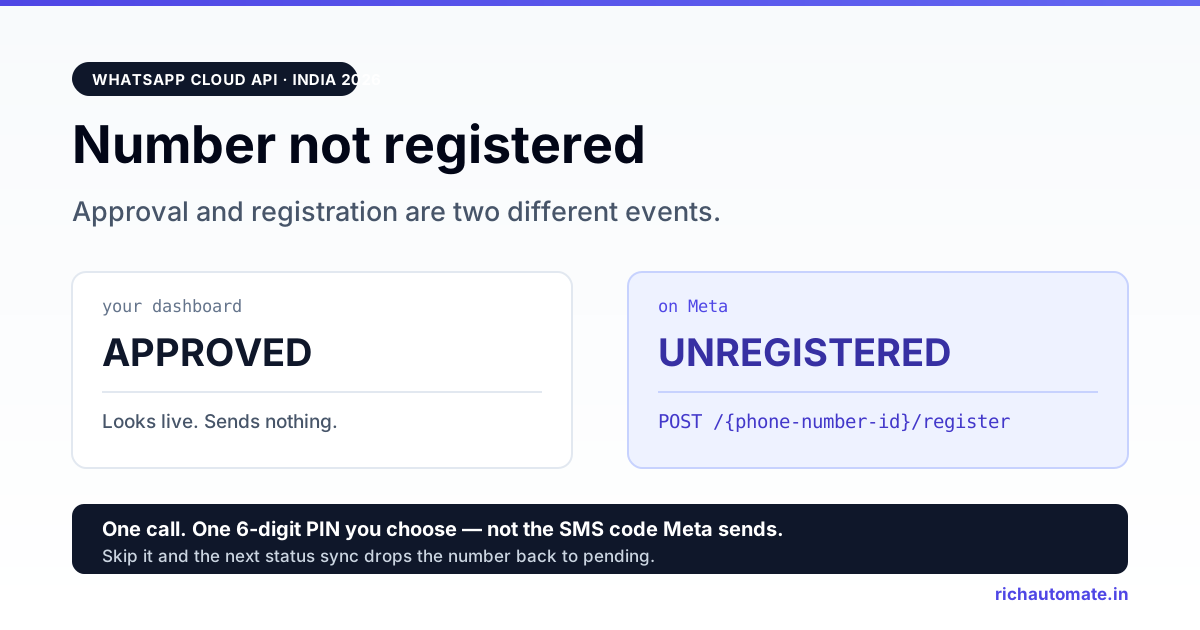
A WhatsApp Business API number that is approved but not registered can neither send nor receive a single message. Approval and registration are two separate events: approval is Meta clearing your number for the API, registration is the one API call that actually binds that number to Cloud API infrastructure with a 6-digit PIN — and until it succeeds, the number is inert no matter how green your dashboard looks.
This page is about the registration step specifically: what /register does, why a number silently reverts to pending without it, and how the two different PINs in the WhatsApp stack get confused. If you have not reached this stage yet, start with the WhatsApp Business API setup guide for India. If your number is registered and messages still are not landing, that is a different failure class — see message delivery troubleshooting.
Direct answer — why your number is "not registered"
A number reaches the API through a sequence, and most teams stop one step early:
| # | Step | What it proves | Can you send after it? |
|---|---|---|---|
| 1 | Number added to the WhatsApp Business Account | The number exists in your WABA | No |
| 2 | Ownership verified by SMS or voice code | You control the SIM | No |
| 3 | Display name reviewed | The name customers see is cleared | No |
| 4 | Registered on Cloud API with a 6-digit PIN | The number is bound to messaging infrastructure | Yes |
Steps 1 to 3 are what dashboards show you. Step 4 is an API call that many onboarding flows — including, at one point, our own direct-signup path — quietly skipped. The result is a number that reads as approved everywhere a human looks, and fails every send.
What the register call actually does
Registration is a single POST against the phone number node:
POST https://graph.facebook.com/v24.0/{phone-number-id}/register

{
  "messaging_product": "whatsapp",
  "pin": "<your 6-digit PIN>"
}
Two things happen when it succeeds. The number is bound to Cloud API hosting, so inbound webhooks start firing and outbound sends stop rejecting. And the PIN you passed becomes the number's two-step verification PIN — the credential you will be asked for the next time the number is registered anywhere, including a migration to another provider.
Three properties of this call matter operationally:
- It is idempotent in practice, not in status code. Calling it on an already-registered number returns an error, not a success. Sane implementations inspect the error and treat "already registered" as a pass — ours does exactly that, so a re-run of onboarding does not blow up on a number that is already live.
- It requires the number to be verified first. Registration is not a substitute for the SMS or voice code step. An unverified number cannot register.
- It is per phone number, not per WABA. Adding a second number to an existing WABA means a second register call with its own PIN.
The trap: APPROVED in your dashboard, UNREGISTERED on Meta
This is the failure worth internalising, because it is self-concealing. Most BSP dashboards — ours included, before we fixed it — write a status row when Meta approves the number, then display that row. Registration state is a different field on a different node. Nothing forces the two to agree.
So the number sits at APPROVED in the platform you are looking at, while Meta considers it unregistered. Every template send fails. Every inbound message is dropped before it reaches your webhook. And then the second-order effect: the next time your platform syncs status from Meta, the authoritative unregistered state overwrites the local one and the number drops back to pending. Teams read that as "Meta un-approved us" and open a support ticket about approval, which is the wrong problem entirely.
The tell is asymmetric failure. If both directions are dead — nothing sends, nothing arrives, no webhook fires at all — suspect registration. If sends fail but inbound still works, or only some sends fail, you are looking at an account-level block or a per-message delivery issue instead.
How to check registration state without guessing
Read the phone number node directly rather than trusting a dashboard:
GET https://graph.facebook.com/v24.0/{phone-number-id}
    ?fields=verified_name,code_verification_status,quality_rating,
            certificate,messaging_limit_tier
What the fields tell you:
| Field | Reads as | Interpretation |
|---|---|---|
code_verification_status | VERIFIED | Ownership step done. Registration may still be missing. |
code_verification_status | EXPIRED | The verification aged out. Common on numbers onboarded long ago; re-verification may be required before a fresh register call. |
code_verification_status | NOT_VERIFIED | Step 2 never completed. Registration will fail until it does. |
messaging_limit_tier | Present, e.g. a tier value | Meta is treating this as a live messaging number — a strong signal registration went through. |
certificate | Present | The display-name certificate exists. Needed for on-premise-style registration flows. |
Note what is not in that list: there is no single boolean called "registered". You infer it. The most reliable practical test is behavioural — attempt a register call and read what comes back. An "already registered" error is the cleanest possible confirmation that the number is live.
Two different PINs, one word
Almost every registration support thread is really a PIN vocabulary problem. There are two distinct credentials and they are routinely conflated:
| Registration / two-step PIN | Verification code | |
|---|---|---|
| Length | 6 digits | 6 digits |
| Who creates it | You choose it | Meta generates it |
| How you get it | You set it in the register call | Sent to the number by SMS or voice call |
| Lifetime | Persists on the number until changed | Expires in minutes, single use |
| Where it bites you later | Migrating the number to another BSP; re-registering after a move | Only during initial verification |
Both are six digits and both arrive during onboarding within minutes of each other, which is why teams store the wrong one. The one you must record in your own credential store is the PIN you chose. Lose it and you cannot cleanly re-register or migrate the number — the recovery path runs through Meta support and costs days. Treat it as infrastructure credential material, not as an onboarding scratch value: unique per number, stored in your secrets manager, never a shared default across a fleet.
Get the India 2026 WhatsApp BSP price comparison
Wati vs AiSensy vs Interakt vs RichAutomate: Meta rates, platform fees and hidden costs, side by side. We send it to your WhatsApp in a minute.
When registration fails — reading the error properly
The registration endpoint returns errors in the 133xxx family, and the numeric code alone is a weak signal. Our own integration deliberately matches on the error message rather than the code when deciding whether "failure" actually means "already done", because the code attached to an already-registered number has not been stable across API versions.
Practical triage, in the order worth checking:
- Message mentions "already registered". Not a failure. The number is live. Continue onboarding.
- Wrong PIN. The number carries a two-step PIN from a previous registration — often set by a previous BSP. You need that PIN, or you need it disabled from the account that holds it before you can set a new one.
- Number not verified.
code_verification_statusis notVERIFIED. Complete the SMS or voice code step and retry. - Number still attached elsewhere. A number in use on the consumer WhatsApp app, WhatsApp Business app, or another WABA cannot be registered here. It must be deleted from that surface or deregistered from that account first.
- Rate limiting. Repeated registration attempts against the same number get throttled. Back off rather than retrying in a loop — hammering the endpoint extends the lockout.
Retry loops are the standard mistake here. Registration is not a flaky call that succeeds on the fourth attempt; each of the failure classes above is deterministic. If it failed, something is genuinely wrong, and the fix is upstream.
The India-specific parts
Two things bite Indian businesses on this step more than most.
The number is usually already on WhatsApp. Indian SMBs almost universally run the business number on the WhatsApp Business app before moving to the API. That number cannot be registered on Cloud API while the app still holds it — it has to be deleted from the app, and the chat history on that phone does not come with it. The full trade-off is covered in using an existing number for the WhatsApp Business API.
OTP delivery to Indian mobile numbers is unreliable enough to plan around. DND registrations, operator filtering, and international-sender-ID rules mean the SMS verification code frequently does not arrive. The voice-call option is the fallback and it works more consistently — choose it early rather than burning three SMS attempts and hitting the retry cooldown. Keep the SIM physically in hand for the call; forwarding to a different device defeats the check.
Deregistration — the reverse operation
Deregistering releases the number from Cloud API. It is the correct move in exactly two situations: you are retiring the number, or you are moving it to a different WABA or provider. It is not a troubleshooting step, and using it as one is how teams turn a broken send into a broken account.
What it costs you: the number goes dead for messaging immediately, and re-registering is a fresh register call with the PIN. What survives: the number itself and its ownership verification. What is at risk on a move: templates and quality history do not automatically follow the number to a new account — see migrating your WhatsApp BSP for what actually transfers and what you rebuild.
One sequencing rule worth stating plainly: never deregister a production number to "reset" it during business hours. There is no guaranteed re-registration window, and if the PIN turns out to be wrong or the verification has expired, you have converted a partial outage into a total one with no rollback.
Registration checklist
- Confirm
code_verification_statusisVERIFIED, notEXPIRED. - Confirm the number is not active on the WhatsApp or WhatsApp Business app on any handset.
- Choose a unique 6-digit PIN per number and write it to your secrets store before the call, not after.
- Call
/registerwithmessaging_productand the PIN. - Treat an "already registered" error as success.
- Re-read the phone number node —
messaging_limit_tierappearing is your confirmation. - Send one real template message to a number you control. This is the only test that proves the whole chain.
- Confirm your display name is what you expect while you are in there — see changing a WhatsApp display name, since the live name is frequently not the one teams assume.
Step 7 is not optional. Every field check above is an inference; a delivered message is evidence.
Frequently asked questions
If the number is registered and inbound messages still never appear, the silence is on the webhook side — see the five checkpoints an inbound event must survive.
That is the sender side of the problem. When it is the recipient that will not resolve, see WhatsApp API invalid phone number errors.
Before you assume a contact is not on WhatsApp, check the correct Indian WhatsApp number format (91 plus the 10-digit mobile).
Further reading
- WhatsApp Business API setup in India, step by step — the full onboarding sequence this step sits inside.
- WhatsApp message delivery troubleshooting — for when the number is registered and individual messages still fail.
- Account-level send blocks — the failure class where everything stops at once for a billing or policy reason.
- Migrating your WhatsApp BSP — where the PIN you stored during registration becomes essential.
Get the number live without the guesswork
RichAutomate runs the register call as part of onboarding, records the PIN against the number, and reconciles registration state against Meta rather than trusting a local status row — which is precisely the gap that leaves numbers approved-but-dead elsewhere. If you have a number stuck between approved and working, talk to us and we will read the actual state on Meta before anyone touches anything.