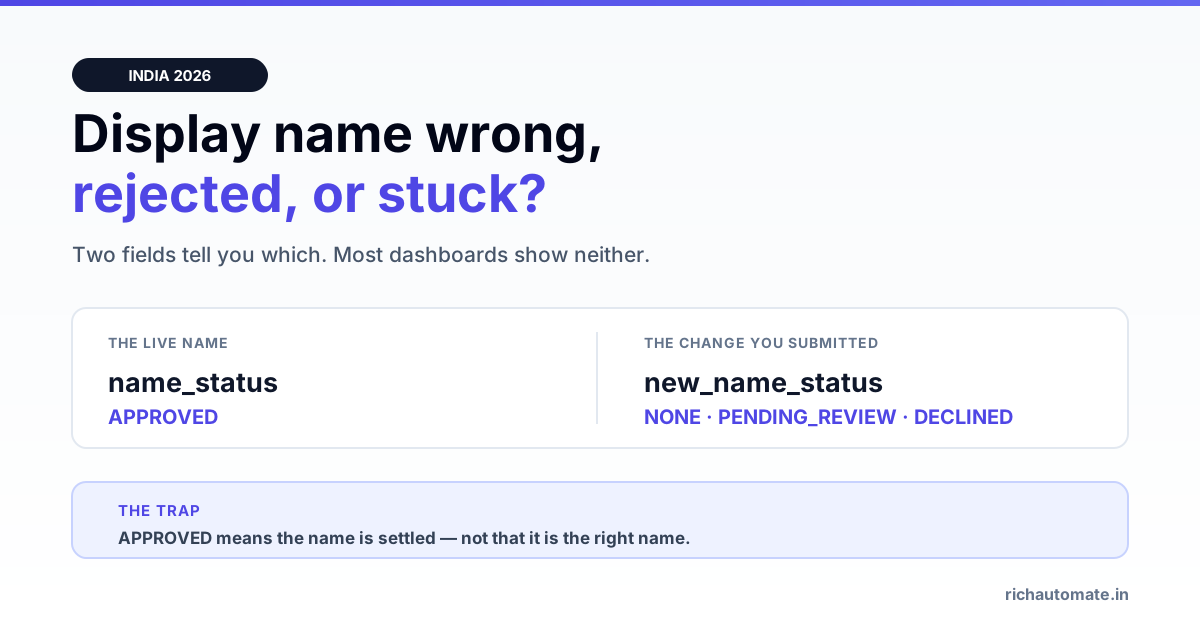
A WhatsApp display name that is rejected, stuck in review, or simply wrong is a two-field problem: name_status holds the name customers see today, and new_name_status holds whatever change you submitted after it. One read-only Graph API call returns both, and between them they tell you exactly where you are — approved, pending, declined, or never submitted at all.
This page is about the display name after onboarding: changing it, unsticking a rejection, and understanding what a change costs you. If you are still setting the number up for the first time, the display-name step sits inside our WhatsApp Business API setup guide for India, and the notability bar for the badge is covered in green tick verification. Neither of those tells you what to do when the name is already live and wrong.
The two fields that decide everything
Most guidance treats the display name as a single yes-or-no. It is not. Meta tracks the current name and a proposed name independently, which is why a business can be sending normally under an old name while a change sits in review behind it.
| Field | What it describes | Why it matters |
|---|---|---|
verified_name | The string customers actually see in the chat header | This is the live name. Compare it against your branding — it is often not what you think. |
name_status | The review state of the live name | APPROVED means the current name is settled. Nothing is pending. |
new_name_status | The review state of a name change you submitted | NONE means no change is in flight. PENDING_REVIEW means you are waiting. DECLINED means it was rejected and the old name stayed live. |
The states you will see in either field are the same set:
| State | Meaning | What to do |
|---|---|---|
APPROVED | Name is cleared and in use | Nothing. This is the resting state. |
PENDING_REVIEW | Submitted, Meta has not decided | Wait. Resubmitting does not speed it up and can reset the clock. |
DECLINED | Rejected — the previous name remains live | Fix the name against the rules below, then resubmit once. |
AVAILABLE_WITHOUT_REVIEW | You may set a name with no review step | Change it immediately. This state is a window, not a permanent grant. |
EXPIRED | The submission lapsed without a decision | Resubmit. Nothing carried over. |
NONE | Nothing submitted in this slot | For new_name_status this is normal. For name_status it means no approved name exists. |
One Graph call tells you where you are stuck
You do not need a support ticket to find out what state a display name is in. A single read-only GET against the phone number node returns everything:
GET https://graph.facebook.com/v24.0/{phone-number-id}
    ?fields=display_phone_number,verified_name,name_status,
            new_name_status,code_verification_status,quality_rating
    &access_token={token}
A live response from a number we operate, read in July 2026:
{
  "display_phone_number": "+91 7XXXX XXXXX",
  "verified_name": "…",
  "name_status": "APPROVED",
  "new_name_status": "NONE",
  "code_verification_status": "EXPIRED",
  "quality_rating": "RED",
  "platform_type": "CLOUD_API"
}
Read that carefully, because it is the common real-world shape. name_status: APPROVED and new_name_status: NONE together mean the current name is settled and nobody has asked to change it — not that the name is correct. Those two fields are silent about whether the string matches your brand. That check is yours to make.
Note also that code_verification_status and quality_rating are unrelated axes. An expired verification code or a red rating does not block a name change, and a name change does not repair either. If sends are failing outright, the cause is elsewhere — work through account-level send blocks instead, and a red rating has its own recovery path.
The stale-brand trap
The failure we see most often is not a rejection. It is a display name nobody ever looked at again.
A WABA gets created during a pilot, or under an earlier trading name, or by an agency using their own naming. The name is approved, sending works, and the field is never revisited. Months later the business has rebranded, the website says one thing, and every WhatsApp message customers receive is signed with a name they do not recognise. Nothing errors. No dashboard warns you. name_status cheerfully reads APPROVED, because it is — it is approving the wrong name.
We found exactly this on a number we run: the approved display name was a legacy brand from an earlier phase of the business, still live, still being shown to every recipient, with no pending change and no alert anywhere in the stack. The only way to catch it is to read verified_name and compare it to your own branding by eye.
Do this once, today, for every number you operate. It takes one API call and it is the cheapest trust fix available on WhatsApp.
Why display names get rejected
Meta reviews the proposed string against your verified business identity. Rejections cluster into a short list:
- Generic functional words alone. "Support", "Sales", "Help", "Customer Care" as the whole name. A functional word attached to a real brand is fine; the function on its own is not a business identity.
- No relationship to the verified entity. The name must be your legal entity or a trade name clearly connected to it. An unrelated string on a verified business reads as impersonation risk.
- Impersonation or third-party brands. Naming yourself after a brand you do not own is a hard decline, not a fixable one.
- Category or keyword stuffing. "Best Sarees Online Cheap" is a search phrase, not a name. Register the brand and use the brand.
- URLs, phone numbers, emoji-only strings. The display name is an identity field, not a marketing slot.
Only the first two are usually arguable. If your name is a legitimate trade name that Meta did not recognise, the fix is evidence, not rewording — see the trade-name section below.
Changing the name on a live account: what keeps running
A display-name change is not an outage. While new_name_status sits at PENDING_REVIEW:
- Messaging continues. Templates and free-form replies keep sending under the existing approved name.
- Approved templates stay approved. The display name is a property of the phone number, not of your template library. You do not resubmit templates because the name changed.
- Your messaging tier and quality rating are untouched. Neither is keyed to the name.
- The old name stays visible until the new one is approved. There is no in-between state customers can see.
If the change is declined, nothing breaks — the previous name simply remains. The cost of trying is a review cycle, not risk to your sending.
Get the India 2026 WhatsApp BSP price comparison
Wati vs AiSensy vs Interakt vs RichAutomate: Meta rates, platform fees and hidden costs, side by side. We send it to your WhatsApp in a minute.
The one real exception is the badge, below.
What a change costs you if you have the green tick
Meta treats a display-name change on a verified account as an identity event. The badge was granted against a specific brand identity; changing the name asks Meta to re-establish that the verified business and the new name are the same entity.
Practically, that means: do not change the display name on a green-tick account casually, and if you must, expect the branding across your website, social profiles and WABA to be consistent with the new name before you submit — not after. Mismatched branding is one of the standard rejection reasons for the badge in the first place, and it applies again on re-review. The full notability and consistency bar is in our green tick guide.
If you do not have the badge, this concern does not apply to you and you should fix a wrong name immediately.
When your display name must differ from your GST entity
This is the most common legitimate mismatch in India, and it is not a rejection you should accept quietly.
Many Indian businesses trade under a brand that is not the registered company name — a hotel operating under a property brand, a restaurant group running several named outlets, a Pvt Ltd whose consumer-facing label is nothing like the certificate of incorporation. Meta permits a registered trade name, not only the legal entity name. The burden is showing the link.
What establishes it, roughly in order of weight:
- The trade name appearing on the GST certificate itself (GST registrations carry a trade name field distinct from legal name — if yours is filled in, this is your strongest single document).
- A trademark registration or application in the trade name.
- A website on a domain matching the trade name, with the legal entity named in the footer or terms.
- Consistent social profiles and public listings under the trade name.
Where this goes wrong: the business submits the brand name with only the legal-entity documents attached, Meta cannot connect the two, and the name is declined for being unrelated to the verified business. The failure is evidentiary, not a naming problem — rewording the name usually makes it worse. Get the trade name onto the GST record and the website first, then resubmit once.
Note that going live on the WhatsApp Business API in India effectively requires GST in the first place, so this document is one you already have. Related: Meta business verification covers the entity-side document checks that gate everything above.
A working order of operations
- Read the current state. One Graph GET for
verified_name,name_status,new_name_status. - Compare
verified_nameto your branding by eye. This is the step everyone skips. - If
new_name_statusisPENDING_REVIEW, stop. Wait it out. A second submission is not a nudge. - If it is
DECLINED, diagnose which rejection class you hit before rewriting anything — generic, unrelated, impersonating, or stuffed. Only the "unrelated" class is fixed with documents. - If it is
AVAILABLE_WITHOUT_REVIEW, act now. Set the correct name while no review is required. - Fix the evidence before resubmitting if you are using a trade name — GST trade-name field, website, socials.
- Resubmit once and let it sit.
Where RichAutomate sits
We surface the phone-number fields Meta exposes rather than hiding them behind a status pill, because the difference between name_status and new_name_status is the difference between "your name is wrong" and "your fix is in the queue" — and a single green checkmark cannot tell you which.
What no provider can do, us included, is approve a display name. That decision is Meta's, it is made against your verified business identity, and any BSP promising a guaranteed name approval is selling you something they do not control. What a provider can reasonably do is read the state honestly, tell you which rejection class you are in, and stop you from burning review cycles on resubmissions that were never going to pass. If you are also weighing a provider move, our BSP migration guide covers what carries across — the display name, being a property of the number, is one of the things that does.
Frequently asked questions
How do I check my current WhatsApp display name via the API?
Send a read-only GET to https://graph.facebook.com/v24.0/{phone-number-id}?fields=verified_name,name_status,new_name_status with your access token. verified_name is the string customers see, name_status is the review state of that live name, and new_name_status is the state of any change you have submitted since.
Does changing my WhatsApp display name stop my messages?
No. While a name change sits in PENDING_REVIEW, messaging continues normally under the existing approved name. Approved templates stay approved, your messaging tier is unchanged, and if the change is declined the previous name simply remains live.
Why was my WhatsApp display name rejected?
Almost always one of five reasons: it is a generic function word on its own ("Support", "Sales"), it has no demonstrable relationship to your verified business entity, it uses a brand you do not own, it is keyword-stuffed rather than a real name, or it contains a URL, phone number or emoji. Only the "unrelated to the entity" class is fixed with documents; the rest need a different name.
Can my WhatsApp display name be different from my registered company name?
Yes. Meta permits a registered trade name, not only the legal entity name — which matters in India where a Pvt Ltd often trades under a completely different brand. You need to evidence the link: the trade name on the GST certificate's trade-name field, a trademark, a matching domain with the legal entity in the footer, and consistent public listings.
What does AVAILABLE_WITHOUT_REVIEW mean?
It means you can set a display name with no review step. If you see it, change the name immediately — treat it as a window rather than a permanent permission, and use it to get the correct brand name in place without spending a review cycle.
Will changing my display name affect my green tick?
Yes, potentially. Meta treats a display-name change on a verified account as an identity event and can re-review the badge against the new name. Before submitting, make your website, social profiles and WABA branding consistent with the new name — mismatched branding is a standard rejection reason on re-review, exactly as it is on first application.
Your display name now has a companion: an @handle. See how to reserve a WhatsApp username for your business and keep it consistent with your display name.
Before you submit, check the common reasons WhatsApp display names get rejected in India so your approval isn't delayed by an avoidable naming mistake.