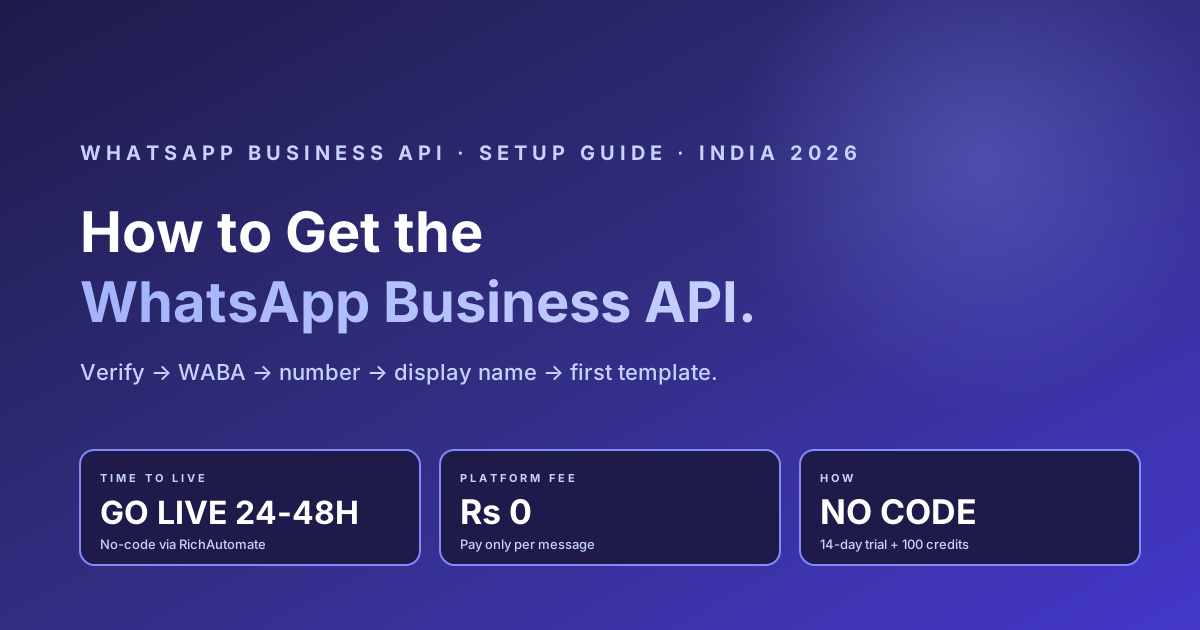
Quick answer: To get the WhatsApp Business API in India you need a Meta (Facebook) Business Manager account, a verified legal business, and a phone number that is not already active on the WhatsApp consumer or Business app. From there you pick one of two paths — build directly on Meta Cloud API (you write code and run a webhook) or go live with no code through a Business Solution Provider (BSP). For most Indian SMBs the no-code BSP route is faster and cheaper to start: with RichAutomate the platform fee is Rs 0, you go live in roughly 24 to 48 hours, and you pay only per message. This guide walks the full setup end to end — prerequisites, the two paths, the exact step-by-step, real cost, timeline, the rejection reasons that trip up most applicants, and the green tick after.
Prerequisites — What You Need Before You Apply
Three things have to be in place before any WhatsApp Business API onboarding will succeed. Get these right first and the rest of the process is smooth.
- A Meta (Facebook) Business Manager account. This is the control panel where your WhatsApp Business Account (WABA) lives. Create one free at business.facebook.com if you do not already have it. As of 2026, confirm the exact entry point in Meta Business Manager, since Meta moves screens periodically.
- A registered, verifiable business. You need a legal entity whose name, website and documents match. Meta Business Verification checks your GST certificate, incorporation or registration document, and a matching utility bill or bank statement. Name mismatches across these are the single biggest reason applications get rejected.
- A dedicated phone number not on WhatsApp. The number you connect must not currently be active on the regular WhatsApp app or the WhatsApp Business app. If it is, delete that account first. Any Indian operator works (Jio, Airtel, Vi, BSNL); a landline that can receive an OTP call also works. Keep this number reserved only for the API.
Unlike SMS in India, WhatsApp Business API does not require DLT registration with TRAI — template approval is handled inside Meta, not through a telecom DLT portal. That removes a whole layer of friction for Indian senders.
| Requirement | Why it is needed | Common mistake to avoid |
|---|---|---|
| Meta Business Manager account | Hosts your WABA and verification | Using a personal profile instead of a Business Manager |
| Verified legal business | Unlocks higher messaging limits and the green tick path | Legal name not matching the website or GST certificate |
| Registration + address documents | Proves the entity to Meta | Expired, unsigned, or non-English documents (translate to English) |
| Dedicated phone number | Becomes your sending number | Number still active on the WhatsApp app |
| Website with matching domain | Cross-checked during verification | Email domain or website that does not match the business name |
The Two Paths — Cloud API Direct vs No-Code BSP
Once prerequisites are ready, there are two ways to actually get the API live. They lead to the same Meta infrastructure; they differ in how much you build yourself.
Cloud API direct means you create a Meta app, connect your WABA, write the code to send and receive messages, and stand up a public webhook endpoint to catch incoming messages and delivery statuses. You get the lowest possible per-message cost (Meta charges only the conversation fee), but you need engineering time and you own all the tooling — inbox, automation, analytics, template management.
No-code via a BSP means a WhatsApp Business Solution Provider like RichAutomate handles the technical plumbing — WABA provisioning, webhook wiring, template syncing — and gives you a dashboard with a shared inbox, drag-and-drop chatbot builder, broadcast tools and analytics out of the box. You go live without writing code, usually in 24 to 48 hours.
| Factor | Cloud API direct | No-code BSP (RichAutomate) |
|---|---|---|
| Coding required | Yes — app, API calls, webhook | No — dashboard onboarding |
| Time to go live | Days to weeks of dev work | Roughly 24 to 48 hours |
| Platform fee | None (you build everything) | Rs 0 with RichAutomate |
| Per-message cost | Meta conversation fee only | Client Pay Rs 0.10/msg + Meta direct, or SaaS Pay Rs 1.50/Rs 0.50 |
| Inbox, automation, analytics | Build it yourself | Included out of the box |
| Template + display-name handling | Manual via API | Managed for you |
| Best for | Teams with in-house engineers wanting full control | SMBs and teams that want to go live fast, no code |
When to pick which: choose Cloud API direct if you have an engineering team, need deep custom integration, and want to minimise per-message cost at the expense of build time. Choose the no-code BSP route if you want to be live this week, prefer a ready inbox and automation, and would rather not maintain webhook infrastructure. Most Indian SMBs and marketing teams start with the BSP route and never need to leave it.
Step-by-Step: How to Set Up WhatsApp Business API
Here is the full sequence. It is the same backbone whether you go direct or via a BSP — the BSP simply does the technical steps for you.
- Create or open Meta Business Manager. Set up your business profile with your legal name, website and address at business.facebook.com.
- Complete Meta Business Verification. Submit your registration document and a matching address proof. Use the exact legal name on your GST or incorporation certificate. This typically resolves in a few days to about two weeks.
- Create your WhatsApp Business Account (WABA). Under your verified business, create the WABA — directly in Meta, or in one click through a BSP dashboard.
- Add and verify your phone number. Connect the dedicated number (not on the WhatsApp app) and verify it via SMS or call OTP.
- Set your display name. Submit the public-facing business name customers will see. Match your real brand exactly — avoid generic words like Sales or Support on their own.
- Submit your first message template. Create at least one utility or marketing template (for order updates, OTPs, or offers) and submit it for Meta approval, which usually takes a few minutes to 24 hours.
- Send a test message and go live. Once the template is approved and the number is connected, send your first message to a opted-in contact and you are live.
As of 2026, the precise location of these screens inside Meta Business Manager can move — verify the current path in Meta Business Manager, or let your BSP drive the steps. With RichAutomate, steps 3 through 6 are handled inside one onboarding flow, which is why most accounts go live in 24 to 48 hours.
Timeline Expectations
Set realistic expectations with stakeholders. The bottleneck is almost always Meta Business Verification, which Meta controls. Be wary of any vendor that promises a hard all-in-X-days guarantee — the final call on verification is Meta's, not the BSP's.
Get the India 2026 WhatsApp BSP price comparison
Wati vs AiSensy vs Interakt vs RichAutomate: Meta rates, platform fees and hidden costs, side by side. We send it to your WhatsApp in a minute.
| Stage | Typical time | Notes |
|---|---|---|
| Meta Business Verification | A few days to ~2 weeks | Faster with clean, matching documents |
| WABA creation | Minutes to a few hours | Near-instant via a BSP dashboard |
| Phone number onboarding | Minutes | OTP verification by SMS or call |
| Display name approval | Minutes to a few days | Faster when the business is already verified |
| First template approval | Minutes to 24 hours | Utility templates approve faster than marketing |
| End to end (no-code BSP) | ~24 to 48 hours | Assuming verification documents are ready |
Real Cost — What You Actually Pay
There is no licence fee from Meta to get the WhatsApp Business API. You pay only per conversation, plus whatever your provider charges on top. With many BSPs that on-top fee is a monthly platform charge plus a per-message markup. With RichAutomate the platform fee is Rs 0 — no setup, no monthly floor, no commitment.
You choose how Meta costs are billed. On the Client Pay model you pay Rs 0.10 per message to RichAutomate and Meta's conversation charges are billed directly to you — the most transparent option. On the SaaS Pay model RichAutomate fronts Meta's costs at a blended Rs 1.50 (marketing) and Rs 0.50 (utility/service) per conversation, so you get a single predictable rupee rate. Every new account starts with a 14-day free trial plus 100 free credits to test verification, templates and delivery before you commit a single rupee. GST applies as per Indian law. For an exact estimate against your monthly volume, use the WABA cost calculator linked below.
Common Rejection Reasons — and Fixes
Most failed applications fail for the same handful of reasons. Fix these before you submit and you will likely clear on the first attempt.
- Legal name does not match. Your business name on the website, GST certificate and Business Manager do not all match. Fix: align all three to the exact legal name before submitting.
- Documents are weak. Expired, unsigned, self-declared, or non-English documents get bounced. Fix: submit current, officially signed or sealed documents; translate to English if needed.
- Website or domain issues. The website is down, inaccessible, or the email domain does not match the business. Fix: ensure the site is live and uses a matching domain before you apply.
- Number already on WhatsApp. The number you are connecting is still active on the WhatsApp app. Fix: delete that WhatsApp account first, then onboard the number.
- Phone or email mismatch. The contact details on your documents do not match what you entered. Fix: make the document, website and form details consistent.
- Re-submitting the same ID too often. Repeated failed verification attempts with one admin can stall. Fix: have a different Business Manager admin submit, with corrected documents.
If you are rejected, Meta emails a high-level reason; open Meta Business Manager then Security Center to see specifics and resubmit. A good BSP reviews your documents before submission so you do not waste a rejection cycle.
The Green Tick After You Are Live
The green tick — Meta's Official Business Account (OBA) badge — is a separate layer that sits on top of an already-live WABA. You do not need it to send messages, but it lifts trust and effective click-through because customers see a Meta-verified brand. To request it you need completed Meta Business Verification, a WABA in good standing, an approved display name matching your brand, and a credible digital footprint (website, active social profiles, ideally some press). Meta evaluates notability and does not publish a fixed checklist. Plan for an additional few weeks, and treat the green tick as something you build toward after launch — not a day-one checkbox. As of 2026, confirm the current OBA request entry point in Meta Business Manager, since Meta updates it periodically.
Skip the setup hassle — go live in 24 to 48 hours.
RichAutomate provisions your WhatsApp Business API end to end on official Meta Cloud API infrastructure — Meta Business Verification guidance, WABA setup, number onboarding, display-name and first-template approval — with no code on your side. Rs 0 platform fee. Client Pay Rs 0.10/msg + Meta direct, or SaaS Pay Rs 1.50 marketing / Rs 0.50 utility per conversation. 14-day free trial + 100 free credits. We pre-check your documents so you clear verification the first time.
Start free trial → · WhatsApp 918160311319 · Book a 30-min call
The click-to-WhatsApp link generator produces the link and the QR code together if you need both.
Related reading: WhatsApp green tick verification guide · AiSensy vs Interakt vs Wati vs RichAutomate pricing decoded · Best WhatsApp CRM for India 2026 · WhatsApp Business API cost: 10 questions answered · RichAutomate pricing · WABA cost calculator.
Related guides in this cluster
- Meta Business verification for WhatsApp
- WhatsApp Business API vs Business App
- WhatsApp green-tick verification: application guide
- Best WhatsApp Business API provider (7-BSP comparison)
- Cloud API vs on-premise: which to pick
- WhatsApp Business API cost in India (2026 pricing)
- Message template categories: marketing vs utility vs auth
- WhatsApp OTP authentication: cost & deliverability
One step worth revisiting after launch: the display name. It is approved once and then almost never checked again, so a pilot-era or agency-chosen name can stay live for months. Reading verified_name and its status fields takes one API call and is the cheapest trust fix on WhatsApp.
Before you submit, check the common reasons WhatsApp display names get rejected in India so your approval isn't delayed by an avoidable naming mistake.