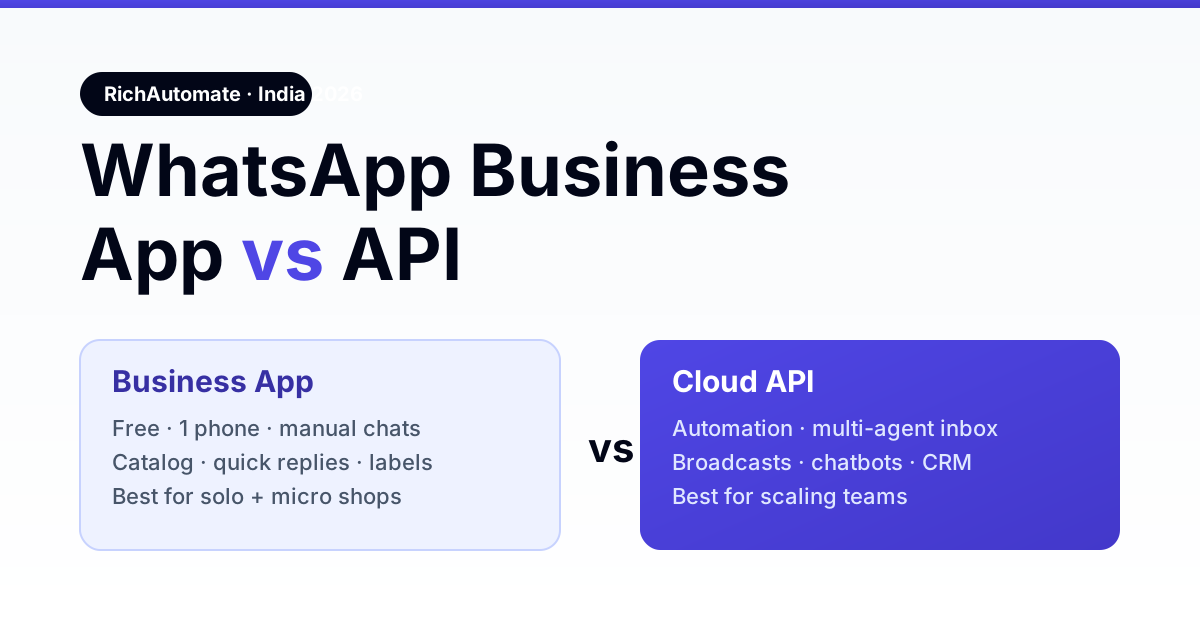
The WhatsApp Business App is the free, single-phone messaging app for solo owners and micro-shops who reply to customers by hand; the WhatsApp Business API (Cloud API) is the automation layer that powers chatbots, multi-agent shared inboxes, template broadcasts, and CRM integrations for teams that have outgrown manual chat. If you handle every conversation yourself on one number, use the App — the moment two people need to answer, or you want to send bulk notifications and automate replies, you need the API through a provider like RichAutomate.
Both run on the same WhatsApp network and both can carry a verified business profile, but they are built for opposite ends of the volume curve. This 2026 India guide breaks down the real differences — cost, limits, automation, and compliance — and gives you a clear rule for which to pick.
WhatsApp Business App vs API: the 30-second answer
| Factor | Business App | Business API (Cloud API) |
|---|---|---|
| Who it's for | Solo owner, 1–2 person shop | Teams, growing SMBs, enterprises |
| Cost | Free to download + use | Per-conversation / per-message pricing + provider fee |
| Devices / agents | 1 phone (up to 5 linked devices) | Unlimited agents via shared inbox |
| Automation | Away messages, quick replies only | Full chatbots, flows, auto-reply, CRM sync |
| Bulk messaging | Broadcast lists capped at 256 saved contacts | Approved template broadcasts to opted-in lists |
| Interface | The WhatsApp app itself | No native app — runs inside your software / dashboard |
| Green tick verification | Not available | Eligible to apply |
What the WhatsApp Business App does well
The Business App is a free download on Android and iOS. You get a business profile (address, hours, catalog, website), quick replies, greeting and away messages, chat labels, and broadcast lists to up to 256 saved contacts. For a boutique, a home baker, a local clinic front-desk, or a freelancer, it is genuinely enough — you answer chats personally from your phone, and the whole thing costs nothing.
Its ceiling is people. Everything is manual, tied to one phone number, and there is no way for three team members to work the same inbox at once or to trigger a reply while you sleep. Broadcast lists only reach contacts who have saved your number, which quietly kills most marketing sends.
What the WhatsApp Business API unlocks
The API has no app of its own — it plugs WhatsApp into your own software. That is the point: a shared team inbox where five agents handle one number, chatbots that qualify leads at 2am, order and delivery notifications fired automatically from your backend, and marketing broadcasts sent through Meta-approved message templates to customers who opted in. Sending is governed by messaging limit tiers that scale as your quality rating stays healthy.
Get the India 2026 WhatsApp BSP price comparison
Wati vs AiSensy vs Interakt vs RichAutomate: Meta rates, platform fees and hidden costs, side by side. We send it to your WhatsApp in a minute.
You reach the API through a provider (BSP or a platform like RichAutomate) that handles hosting, template approval, and the dashboard. You do not code against Meta directly unless you want to.
How much does each cost in India?
The App is free. The API carries Meta's conversation-based charges — moving to a per-message pricing model through 2026 — plus your provider's platform fee. Utility and service conversations are cheap or free within the 24-hour window; marketing templates cost the most. For most Indian SMBs the API still lands well under ₹1 per delivered message, and the automation it unlocks pays for itself against the cost of manual labour. See the full breakdown on our pricing page.
Can you switch from App to API later?
Yes, but plan the number. A phone number can be registered on either the Business App or the API — not both at once. Migrating an existing App number to the API is supported and keeps your chat display name, but your old on-device chat history does not carry over to the API inbox. Many businesses keep the App number for walk-in personal chat and register a second number on the API for automation and broadcasts.
The decision rule
- Stay on the App if one person handles all chats, you send under a few hundred messages a month, and you don't need automation.
- Move to the API the moment you need multiple agents, automated replies or chatbots, template broadcasts to opted-in lists, the green tick, CRM/e-commerce integration, or API-run WhatsApp groups.
Most Indian businesses start on the App and graduate to the API within their first year of real growth. When that day comes, RichAutomate handles the migration, template approval, and shared-inbox setup so you go live without touching Meta's raw platform.
Not sure WhatsApp is the right channel at all? Our WhatsApp vs Telegram business comparison covers reach, cost and automation.
Planning a member or customer community as well? Our WhatsApp Community vs Group vs Channel comparison shows where each fits next to the API.
API numbers can also claim a handle. See how to reserve a WhatsApp business username through WhatsApp Manager.
Related: Read the new WhatsApp unanswered message limit on the Business app, and how to stay under it.