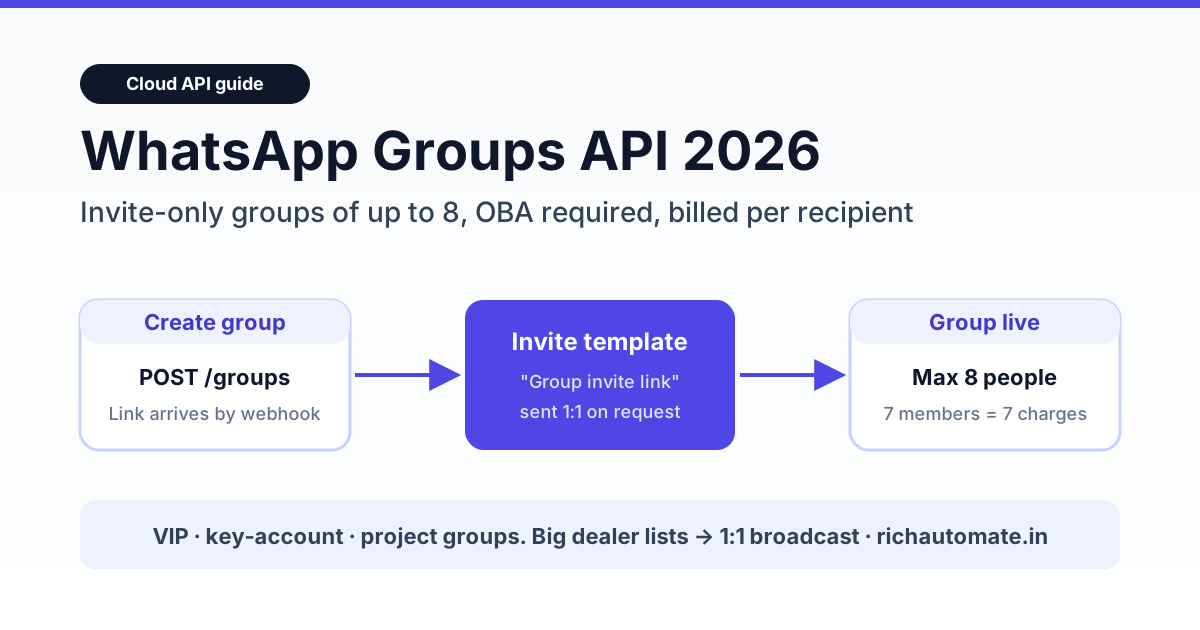
The WhatsApp Groups API lets a business on the Cloud API create invite-only WhatsApp groups, capped at 8 participants, and message them from its own business number. You need an Official Business Account (the blue/green verified badge). People join only through an invite link. Every delivered message is billed per recipient at the normal 1:1 rate. That makes it a tool for small VIP, account-team and project groups, not for 500-member mandi, ceramic or brass rate groups.
Indian traders search for "WhatsApp group link" every day: Morbi ceramic dealers, sugar-rate watchers, Jamnagar brass buyers, CSC operators. Many assume the Business API can automate those big groups. It can't, and building on that assumption wastes months. This guide covers what Meta's Groups API actually allows in 2026, what it costs in rupees, and which jobs belong on 1:1 broadcasts, Channels or Communities instead.
Short version: Groups API = small, invite-only, OBA-only, Cloud-API-only, billed per member per message. Up to 10,000 such groups per number, but only 8 people in each. For audiences bigger than 8, use 1:1 API broadcasts (opt-in) or a WhatsApp Channel.
What the WhatsApp Groups API is (2026)
Meta added groups to the WhatsApp Business Platform so a business can run a shared thread with a few customers at once. Typical uses are a jeweller's bridal-order group (bride, mother, designer, store manager), a B2B account group with a distributor's owner and purchase head, or a service group for a home-renovation project. The business number creates the group, gets an invite link back through a webhook, and sends that link to customers with an approved template. Customers tap the link and join.
Three design choices shape everything else:
- Invite-only. There is no endpoint to add a participant. A customer joins only by tapping the invite link.
- Small by design. The cap is 8 participants per group, against roughly 1,024 members in a normal app group.
- One API business per group. Two Cloud API businesses cannot share the same group.
The Groups API is a Meta platform feature, not a RichAutomate one. RichAutomate today runs 1:1 conversations, broadcasts, chatbot flows and a shared team inbox on the Cloud API. We don't sell a Groups API product, so this article sticks to what Meta's API allows and where it fits.
Who can use it: OBA and Cloud API only
Eligibility is narrower than most features on the platform. According to Meta's developer documentation (Groups → Get started, accessed October 2026):
- The business phone number must be an Official Business Account. If you don't have the badge yet, start with our WhatsApp green tick verification guide.
- The number must be on the Cloud API. The feature isn't available to WhatsApp Business app numbers.
- Numbers set up for Multi-solution Conversations are excluded.
For most Indian SMBs the OBA requirement is the real blocker, not the code. Meta grants OBA for notability, meaning press coverage and a recognisable brand. A new D2C store or a local distributor usually won't qualify on day one. If you are still on the Business app and unsure whether to move, read WhatsApp Business app vs API first.
API groups vs app groups vs Communities vs Channels
"Group" means four different things on WhatsApp. This table compares them on the points that matter for a business. App-side member numbers are widely reported figures, not Meta API limits.
| Feature | Groups API group | App group | Community | Channel |
|---|---|---|---|---|
| Max size | 8 participants | ~1,024 members | Up to ~100 groups; announcement group ~5,000 | Unlimited followers |
| Who runs it | Cloud API business number (OBA) | Any phone admin | Any phone admin | Any account |
| How people join | Invite link only | Admin adds or link | Admin adds or link | Follow button or link |
| Automation / webhooks | Yes (API + webhooks) | No | No | No |
| Members can talk | Yes | Yes | In sub-groups | No (one-way) |
| Cost to the business | Per delivered recipient, 1:1 rates | Free | Free | Free |
| Best for | VIP, account or project groups | Trade rate groups, staff | Associations, multi-branch | Daily rates, offers, news |
For the full app-side comparison, see WhatsApp Community vs Group vs Channel for business. If you run a trade body or membership club, our trade associations playbook shows how Communities and 1:1 API reminders work together.
How the invite-link flow works, step by step
Meta's flow has five steps and only one of them involves the customer:
- Create the group.
POST /<PHONE_NUMBER_ID>/groupswith a subject (required, up to 128 characters) and an optional description (up to 2,048 characters). Join approval defaults to auto-approve. - Receive the link. Meta sends a
group_lifecycle_updatewebhook that contains the group ID and the invite link. Your webhook endpoint must be live first. Our webhook setup guide covers verification and signatures. - Send the invite. Message the customer 1:1 using the "Group invite link" template from Meta's Template Library (the "group invite upon request" use case). Meta's docs frame this as an invite the customer asked for, not a cold blast.
- Customer joins. They tap the link. You get a
group_participants_updatewebhook. If you turned on join approval, you approve or reject the request. - Run the group. Send text, media and template messages into the group by group ID. Track sent, delivered and read statuses per participant.
Two quirks catch teams out. Resetting an invite link (POST /<GROUP_ID>/invite_link) kills every older link, so a forwarded old link stops working. And once you remove someone, they cannot rejoin through the invite link.
Endpoints and webhooks you'll use
| Call / event | What it does | Watch out for |
|---|---|---|
POST /<PHONE_NUMBER_ID>/groups | Creates a group | Subject ≤128 chars; link arrives by webhook, not in the response |
GET /<GROUP_ID>/invite_link | Fetches the current invite link | Share only with opted-in customers |
POST /<GROUP_ID>/invite_link | Resets the link | Old links die immediately |
DELETE /<GROUP_ID>/participants | Removes participants | Max 8 per call; removed users can't rejoin by link |
GET /<GROUP_ID>?fields=… | Reads group info and participants | Use it for reconciliation jobs |
DELETE /<GROUP_ID> | Deletes the group | Removes everyone, including the business |
group_lifecycle_update | Group created or deleted, plus the invite link | Store the link against your CRM record |
group_participants_update | Joins, leaves, join requests | Drive approval logic from here |
group_settings_update / group_status_update | Subject, description and status changes | Log them for audit |
A business number can hold up to 10,000 groups. A jeweller running one group per bridal order, or a distributor running one per key account, won't hit that ceiling.
Get the India 2026 WhatsApp BSP price comparison
Wati vs AiSensy vs Interakt vs RichAutomate: Meta rates, platform fees and hidden costs, side by side. We send it to your WhatsApp in a minute.
What you can and cannot send in an API group
Supported message types are text, media (images, documents, video, audio), and text-based or media-based templates. Meta's list of unsupported features is long:
- Interactive messages: buttons, lists, Flows
- Commerce messages: catalogues, product messages
- Authentication (OTP) templates
- Voice and video calling
- Disappearing and view-once messages
- Editing or deleting sent messages, and hiding the participant list
Meta also recommends creating new templates for groups rather than reusing your 1:1 templates, and template analytics aren't available for group sends. If your current WhatsApp funnel depends on quick-reply buttons or a catalogue, it won't carry over into a group.
Groups API pricing in India: worked numbers
This is where most estimates go wrong. Meta's Groups pricing page says each group message is charged per delivered recipient, at the 1:1 rate for that recipient's country. A marketing template that reaches all 7 customers in a group is 7 charges, not 1.
The categories changed on 1 October 2026, and the window logic has its own rules:
- group_marketing: billable, as before.
- group_utility: billable even inside an open group customer-service window. Group utility is not eligible for volume tiers.
- group_service (free-form messages): billable once the number's free tier is used. The 1,000-message free tier is shared with your 1:1 service messages, and each group send uses one unit per delivered recipient.
- When any member sends a message, the customer-service window opens or refreshes for the whole group.
For context on the wider October changes, see WhatsApp API price changes, October 2026. The numbers below use Meta's current India rates of ₹0.8631 per marketing message and ₹0.115 per utility message, before GST, with every member assumed to be in India.
| Scenario | Calculation | Meta charge (pre-GST) |
|---|---|---|
| 1 marketing template to a 7-member group | 7 × ₹0.8631 | ≈ ₹6.04 |
| 1 utility template to the same group | 7 × ₹0.115 | ≈ ₹0.81 |
| 50 VIP groups × 7 members × 8 marketing messages a month | 2,800 deliveries × ₹0.8631 | ≈ ₹2,416.68 / month |
| Compare: 1:1 marketing broadcast to 500 opted-in dealers (Client Pay) | 500 × (₹0.8631 + ₹0.10 platform fee) | ≈ ₹481.55 |
| Compare: 1:1 utility rate update to 500 dealers (Client Pay) | 500 × (₹0.115 + ₹0.10) | ≈ ₹107.50 |
Per person reached, the Groups API costs about the same as 1:1 messaging, so it saves no money. What it adds is shared context: everyone sees the same thread, and the business can automate inside it. The 1:1 rows include RichAutomate's ₹0.10 Client Pay platform fee. Meta bills its own charges to your card directly. Full plan prices are on our pricing page.
Who should use it in India, and who shouldn't
The Groups API fits when a few named people need to see the same updates:
- Jewellery and bridal: one group per order with the family, designer and store manager. Share design photos, karigar updates and delivery dates.
- B2B key accounts: a distributor's owner, purchase head and accounts person, with your sales rep and an automated dispatch or e-way-bill update.
- Real estate and interiors: a site group with the buyer couple and the project manager.
- Premium education and coaching: a parent-plus-mentor group for a small batch.
- Healthcare concierge: patient, caregiver and coordinator, using text and documents only.
It is the wrong tool for the "group link" use cases behind most Indian searches:
- Morbi ceramic or tile dealer groups with hundreds of members
- Daily sugar, cotton, metal or mandi rate groups
- Jamnagar brass parts buyer and supplier groups
- CSC or VLE operator networks, CNG and transport groups
At 8 people per group, a 500-dealer network would need more than 60 groups, plus invite-link chasing for every dealer, and you'd still pay per recipient. For these audiences, keep the free app group or Community for peer chat. Push rates and offers through a WhatsApp broadcast list or Channel, or through opted-in 1:1 API broadcasts that deliver to each dealer's personal chat, with read receipts and replies landing in one team inbox.
Groups API vs 1:1 broadcast for dealer networks
For most Indian distributors and manufacturers, the choice is between the Groups API and a 1:1 broadcast:
- Reach: a 1:1 broadcast reaches every opted-in dealer in one send. Groups API reaches 8 per group.
- Privacy: 1:1 keeps dealers from seeing each other's numbers or prices. Group members see each other.
- Interactivity: 1:1 supports buttons, lists, catalogues and Flows. Groups don't support interactive or commerce messages.
- Replies: 1:1 replies land as separate conversations your team can assign. Group replies are visible to the whole group.
- Cost per person reached: about the same, since both bill per delivered recipient.
Use the Groups API for small, high-touch threads where everyone needs the same context. For everything bigger, use 1:1 broadcasts.
Setup checklist before you build
- Confirm the number is on the Cloud API and has OBA status. Without OBA, stop here.
- Get an HTTPS webhook live and subscribe to the group webhook fields, because the invite link only arrives there.
- Create group-specific templates and pick the "Group invite link" template from the Template Library.
- Record invite consent in your CRM before sending any link. Never post invite links publicly.
- Store group IDs, invite links and participant lists. Reconcile them nightly with
GET /<GROUP_ID>. - Budget per delivered recipient, and remember that utility messages inside an open group window are billable from 1 October 2026.
- Write a removal policy. Removed users can't rejoin by link, so decide who gets removed and why.
Sources: Meta for Developers, WhatsApp Business Platform documentation for Groups (overview, Get started, Reference, Pricing), accessed 24 October 2026. Third-party implementation notes from Unipile and Woztell. India rates are from RichAutomate's live public pricing feed. Meta can revise limits and rates, so check the official docs before you commit a budget.
Need WhatsApp automation for a dealer network that's bigger than 8 people?
RichAutomate runs opt-in 1:1 broadcasts, chatbot flows and a shared team inbox on the official WhatsApp Cloud API. ₹0 setup, plans from ₹0/month (PAYG), and a ₹0.10 per-message platform fee on Client Pay. Start with a 14-day free trial.