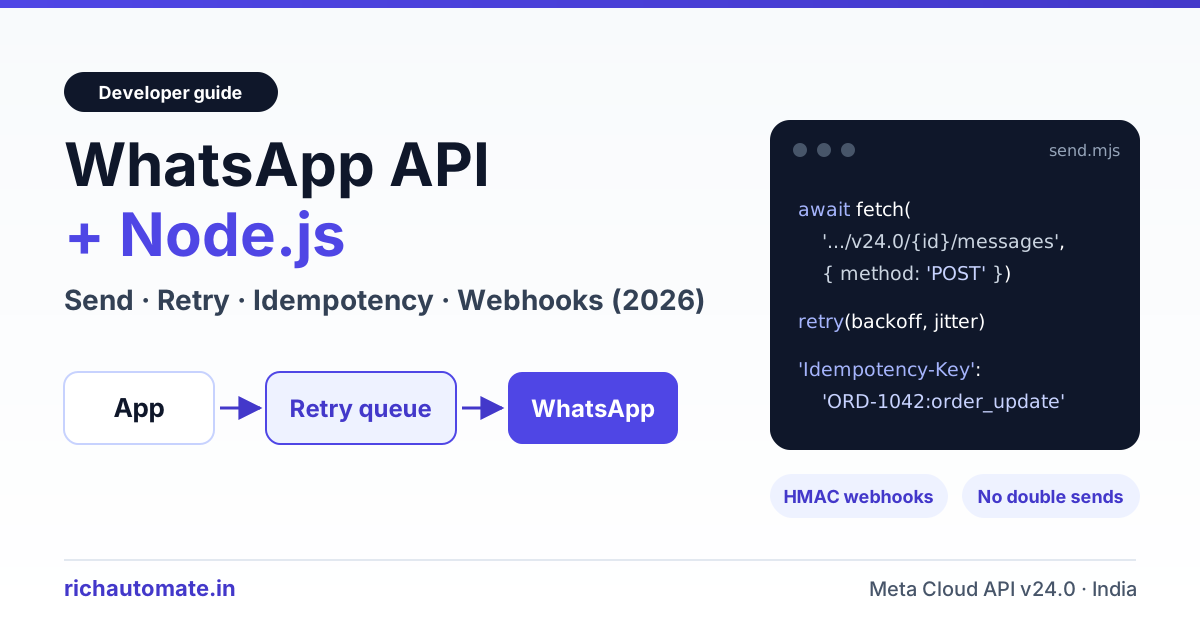
To send WhatsApp messages from Node.js, POST a JSON payload to Meta's Cloud API at https://graph.facebook.com/v24.0/{phone-number-id}/messages with the global fetch, wrap the call in exponential backoff with jitter that retries only rate-limit, 5xx and transient errors, and store an idempotency key per logical message so a retry never sends the same message twice. If you would rather not build that layer, a managed WhatsApp API such as RichAutomate accepts an Idempotency-Key header and replays the first response for 24 hours, so retries are safe by default.
Quick answer: Call POST /v24.0/{phone-number-id}/messages from Node 18+ with a Bearer token, send approved templates outside the 24-hour window, retry 429, 130429, 131000 and 5xx with jittered backoff, and treat timeouts as "maybe sent" until a webhook confirms. Keep a key-to-wamid record so each logical message goes out once, and verify webhooks with HMAC-SHA256 on the raw body. A managed API gives you the same safety with one header.
Every snippet below uses Node 18+ built-ins, needs no SDK and fits into an existing Express or Fastify service. You will build a send helper, a retry wrapper, an idempotency layer and a verified webhook receiver.
What you need before writing Node.js code
The WhatsApp Cloud API is plain HTTPS and JSON, so most setup happens in Meta's dashboard, not in npm. Collect these values and keep them in environment variables, never in source control:
- Node.js 18 or newer. It ships a global
fetchandAbortSignal.timeout(), so you do not need axios or node-fetch. - Phone number ID (
WA_PHONE_NUMBER_ID) from WhatsApp Manager. This is the numeric ID Meta assigns to your number, not the number itself. - A permanent system user access token (
WA_TOKEN) with WhatsApp messaging permission. The temporary token on the API setup page expires within about 24 hours. - App Secret (
META_APP_SECRET) for webhook signatures, plus a verify token (WA_VERIFY_TOKEN), a random string you choose. - At least one approved template, for example a utility template named
order_updatewith one body variable. - Redis or a table with a unique constraint for idempotency keys and webhook deduplication. The examples use ioredis, but any store with an atomic "insert if absent" works.
Definition: A wamid is the WhatsApp message ID Meta returns when it accepts a send request. Every later status webhook for that message carries the same ID.
How to send a WhatsApp message from Node.js with fetch
Every outbound message goes to one endpoint, POST https://graph.facebook.com/v24.0/{PHONE_NUMBER_ID}/messages, with an Authorization: Bearer header. The body always includes "messaging_product": "whatsapp", a recipient in international format without the plus sign (for India, 91 followed by the 10-digit number) and a type. A successful call returns {"messages":[{"id":"wamid...."}]}. Treat that ID as the receipt you will match against webhooks later.
Send an approved template (business-initiated)
A business can only start a conversation with an approved template. Meta reviews each template, puts it in the marketing, utility or authentication category, and you fill its variables at send time. The helper below applies a 10-second timeout and throws an error carrying both the HTTP status and Meta's numeric error code, so the retry layer can decide what to do.
// send.mjs (Node 18+, global fetch, no SDK)
const GRAPH = `https://graph.facebook.com/v24.0/${process.env.WA_PHONE_NUMBER_ID}/messages`;

export async function graphSend(payload) {
  const res = await fetch(GRAPH, {
    method: 'POST',
    headers: { Authorization: `Bearer ${process.env.WA_TOKEN}`, 'Content-Type': 'application/json' },
    body: JSON.stringify({ messaging_product: 'whatsapp', ...payload }),
    signal: AbortSignal.timeout(10_000),
  });
  const data = await res.json().catch(() => ({}));
  if (!res.ok) {
    throw Object.assign(new Error(data.error?.message ?? `HTTP ${res.status}`),
      { status: res.status, code: data.error?.code });
  }
  return data.messages[0].id; // "wamid.HBgM..."
}

// Business-initiated: approved template
await graphSend({ to: '919876543210', type: 'template', template: {
  name: 'order_update', language: { code: 'en' },
  components: [{ type: 'body', parameters: [{ type: 'text', text: 'ORD-1042' }] }] } });

// Free-form: only inside the 24-hour window
await graphSend({ to: '919876543210', type: 'text', text: { body: 'Your order has shipped.' } });
Send free-form text inside the 24-hour window
The 24-hour customer service window opens when a user messages your business and closes 24 hours after their latest message. Inside it you can send free-form text, images and documents without a template, as in the last line above. Outside it, Meta rejects free-form messages with error 131047. The fix is to send a template, not to retry. Store each contact's last inbound time so your code picks the right message type before calling the API.
Retry WhatsApp API calls with exponential backoff and jitter
Some WhatsApp API failures are temporary and worth retrying. Others are permanent, and retrying them wastes throughput. Default throughput is about 80 messages per second per phone number, which Meta can raise up to 1,000 (as of 2026, verify on Meta's developer site). Bursting past it returns 130429. Our guide to WhatsApp Cloud API rate limits covers queue sizing; the table below is the short version for your error handler.
| Error | Meaning | Retry? | What to do |
|---|---|---|---|
| HTTP 429 / 130429 | Throughput limit reached | Yes | Back off with jitter and slow the queue |
| 131056 | Pair rate limit: too many messages to one recipient | Yes, that recipient only | Delay that contact, keep others moving |
| 131000 / HTTP 5xx | Transient error at Meta | Yes | Back off, alert if it persists |
| Timeout / connection reset | Unknown: Meta may have accepted it | Only behind an idempotency key | Wait for the status webhook |
| 131049 | Meta is limiting marketing messages to this user | Not immediately | Try much later or skip |
| 131047 | 24-hour window closed | No | Send an approved template |
| 131026 | Message undeliverable | No | Mark failed, check the number |
| 132001 | Template missing or not approved in that language | No | Fix the template name or language code |
| 190 | Access token expired or invalid | No | Refresh the token, then resend |
Exponential backoff with full jitter waits a random time between zero and a doubling, capped delay before each retry, so thousands of queued jobs do not hit Meta in the same instant. The wrapper below retries up to five times with a 30-second ceiling. It separates definite errors, where Meta answered and said no, from ambiguous ones, where the request timed out and you cannot know whether Meta accepted it.
// retry.mjs
const RETRYABLE_CODES = new Set([130429, 131000, 131056]);

// Ambiguous: the request may have reached Meta, so a blind retry can double-send
export const isAmbiguous = (err) => err.name === 'TimeoutError' || err.message === 'fetch failed';

function isRetryable(err, retryAmbiguous) {
  if (isAmbiguous(err)) return retryAmbiguous;
  if (err.status === 429 || err.status >= 500) return true;
  return RETRYABLE_CODES.has(err.code);
}

const sleep = (ms) => new Promise((r) => setTimeout(r, ms));

export async function withRetry(fn, { retries = 5, baseMs = 500, capMs = 30_000, retryAmbiguous = false } = {}) {
  for (let attempt = 0; ; attempt++) {
    try {
      return await fn();
    } catch (err) {
      if (attempt >= retries || !isRetryable(err, retryAmbiguous)) throw err;
      // Full jitter: random wait between 0 and the capped exponential delay
      await sleep(Math.random() * Math.min(capMs, baseMs * 2 ** attempt));
    }
  }
}
By default the wrapper skips ambiguous failures on purpose: a timeout after Meta queued the message looks exactly like a request that never arrived, and blind resends are a common cause of duplicate order updates.
Idempotency: why Meta has none and how to stop double sends
Idempotency means sending the same request twice has the same effect as sending it once. Many payment APIs support it with a key header. Meta's WhatsApp Cloud API has no such header as of 2026, so every accepted POST is a new message, even an exact copy of one sent a second earlier. For a broader diagnosis of where duplicates come from, see how to fix duplicate WhatsApp messages.
The pattern: create your own key for each logical message, such as the order ID plus template name, and claim it atomically before calling Meta. Redis SET ... NX or a unique database constraint ensures only one worker wins, even if a job runs twice. The key also travels to Meta as biz_opaque_callback_data, a free-text field of up to 512 characters that Meta echoes back in status webhooks, which lets you settle sends whose HTTP response was lost.
Get a 1-minute BSP audit on WhatsApp
Drop your WhatsApp number — we line-item your current invoice against Meta India rates in under 60 seconds. India-hosted, DPDP-compliant.
// send-once.mjs: one logical message = one WhatsApp send
import Redis from 'ioredis';
import { graphSend } from './send.mjs';
import { withRetry, isAmbiguous } from './retry.mjs';

const redis = new Redis(process.env.REDIS_URL);

export async function sendOnce(key, payload) {
  const k = `wa:idem:${key}`;
  // Atomic claim: only the first caller for this key gets 'OK'
  const claimed = await redis.set(k, 'pending', 'EX', 7 * 86400, 'NX');
  if (!claimed) return { duplicate: true, wamid: await redis.get(k) };
  try {
    const wamid = await withRetry(() => graphSend({ ...payload, biz_opaque_callback_data: key }));
    await redis.set(k, wamid, 'EX', 30 * 86400);
    return { duplicate: false, wamid };
  } catch (err) {
    // Definite rejection: free the key so a later attempt can send.
    // Ambiguous (timeout/reset): keep 'pending'; the status webhook settles it.
    if (!isAmbiguous(err)) await redis.del(k);
    throw err;
  }
}

// await sendOnce(`${order.id}:order_update`, { to, type: 'template', template });
At-most-once or at-least-once: choose on purpose
With the raw Cloud API you must pick a trade-off. At-most-once leaves a timed-out message "pending" until a webhook confirms it; if Meta never accepted it, it is never sent. That suits marketing and reminders, where a duplicate annoys more than a gap. At-least-once also retries ambiguous failures (pass retryAmbiguous: true), accepting a rare duplicate so nothing is missed, which suits OTPs and critical alerts. A middle ground is a sweeper that resends keys still pending after a few minutes with no status webhook. The raw API cannot promise exactly-once delivery; you can only make duplicates rare and detectable.
Verify WhatsApp webhooks in Node.js
Meta reports delivery statuses and inbound messages by calling your webhook URL. First comes a one-time GET handshake: Meta sends hub.mode=subscribe, your hub.verify_token and a random hub.challenge, and you echo the challenge if the token matches. After that, every event arrives as a POST with an X-Hub-Signature-256 header: sha256= plus an HMAC-SHA256 of the raw body, keyed with your App Secret. The dashboard steps are in our WhatsApp webhook setup guide.
The most frequent Node.js mistake is letting express.json() parse the body before the signature check. Re-serialised JSON rarely matches the original bytes, so valid events fail. Use express.raw() on the webhook route and compare with crypto.timingSafeEqual after a length check, because that function throws on buffers of different lengths. Edge cases such as secret rotation and body-rewriting proxies are covered in WhatsApp webhook signature verification.
// webhook.mjs (Express)
import express from 'express';
import crypto from 'node:crypto';
import { queue } from './queue.mjs'; // e.g. a BullMQ Queue

const app = express();

app.get('/webhooks/whatsapp', (req, res) => {
  const ok = req.query['hub.mode'] === 'subscribe'
    && req.query['hub.verify_token'] === process.env.WA_VERIFY_TOKEN;
  return ok ? res.status(200).send(req.query['hub.challenge']) : res.sendStatus(403);
});

app.post('/webhooks/whatsapp', express.raw({ type: 'application/json' }), async (req, res) => {
  const expected = 'sha256=' + crypto.createHmac('sha256', process.env.META_APP_SECRET)
    .update(req.body).digest('hex');
  const got = Buffer.from(req.get('x-hub-signature-256') ?? '');
  const want = Buffer.from(expected);
  if (got.length !== want.length || !crypto.timingSafeEqual(got, want)) return res.sendStatus(401);
  await queue.add('wa-event', JSON.parse(req.body.toString('utf8'))); // persist first...
  res.sendStatus(200); // ...then ACK fast; real work happens in the worker
});

app.listen(3000);
Verify, persist, then return 200. Meta retries webhooks that fail or time out, so slow work before responding only invites redeliveries.
Process status webhooks idempotently
WhatsApp webhooks are delivered at least once, so the same event can arrive more than once, and statuses can arrive out of order. Each outbound message moves through sent, delivered and read, or ends in failed with a code in its errors array. A handler is safe when running it twice on the same event changes nothing the second time.
// status-worker.mjs (redis = ioredis client, db = your data layer)
export async function handleEvent(body) {
  for (const entry of body.entry ?? []) {
    for (const change of entry.changes ?? []) {
      for (const st of change.value?.statuses ?? []) {
        // Same wamid + same status = the same event redelivered
        const fresh = await redis.set(`wa:st:${st.id}:${st.status}`, '1', 'EX', 7 * 86400, 'NX');
        if (!fresh) continue;
        if (st.biz_opaque_callback_data && st.status !== 'failed') {
          // Settles a send that timed out: the key now maps to a real wamid
          await redis.set(`wa:idem:${st.biz_opaque_callback_data}`, st.id, 'EX', 30 * 86400);
        }
        // Forward-only: a late 'sent' must never overwrite 'read'
        await db.updateMessageStatus(st.id, st.status, st.errors?.[0]?.code);
      }
    }
  }
}
The dedupe key combines wamid and status, so a redelivered "delivered" is skipped while the later "read" still gets through. Inbound customer messages arrive in value.messages with their own IDs. Dedupe them the same way before triggering replies, or one redelivered "Hi" starts your chatbot flow twice.
Raw Cloud API vs a managed WhatsApp API for Node.js
Everything above is roughly 100 lines of code, plus Redis, a queue, monitoring and token rotation. That trade works for teams with platform engineers and on-call cover. For smaller teams, choosing the best WhatsApp API service for Node.js with built-in retries and idempotency really means deciding whether to own that reliability layer or rent it.
| Concern | Raw Meta Cloud API | RichAutomate API |
|---|---|---|
| Idempotency | None; you build the key store | Idempotency-Key header, first response replayed for 24h |
| Retries to Meta | You write backoff and error classes | Handled by the platform |
| Webhook signatures | You implement HMAC checks | Handled by the platform |
| Rate limits | You meter about 80 mps per number | Rate-limited per API key |
| Templates | Graph API calls | /public/templates plus dashboard |
| Per-message cost | Meta rate only | Meta rate + ₹0.10, or all-in SaaS Pay |
| Best for | Teams with infra and on-call | Teams that want to ship this week |
With RichAutomate, the same order update is one request to https://richautomate.in/api/v1/send-template using an API key from your dashboard. Add an Idempotency-Key header and the first successful response is stored for 24 hours; a retry with the same key and body gets that stored response with Idempotency-Replayed: true instead of a second send. Reusing a key with a different body returns HTTP 409, which catches bugs where two messages share a key. A 409 can also mean the first request with that key is still processing, so wait briefly and retry with the same key. The RichAutomate API quickstart covers key creation and your first send.
// richautomate-send.mjs: retries are safe because the key is stable
const res = await fetch('https://richautomate.in/api/v1/send-template', {
  method: 'POST',
  headers: {
    Authorization: `Bearer ${process.env.RICHAUTOMATE_API_KEY}`,
    'Content-Type': 'application/json',
    'Idempotency-Key': 'ORD-1042:order_update', // same key on every retry
  },
  body: JSON.stringify({ phone: '919876543210', template: 'order_update', language: 'en', variables: ['ORD-1042'] }),
  signal: AbortSignal.timeout(15_000),
});
const data = await res.json();
// "true" = stored first response returned, no second message sent
console.log(res.status, res.headers.get('Idempotency-Replayed'), data);
Other endpoints follow the same shape: POST /send-message for free-form text inside the 24-hour window, GET /message-status/{id} for delivery state, GET /public/balance for your wallet, POST /public/media for uploads, and GET or POST /public/templates to list or submit templates.
What WhatsApp messages cost from India in 2026
Meta bills per delivered template message, priced by category and recipient country. For Indian numbers, rates as of 2026 are about ₹0.86 per marketing message and about ₹0.115 per utility or authentication message, plus 18% GST. Service replies inside the 24-hour window carry no Meta charge. Rates change, so verify them on Meta's site before budgeting; our guide to WhatsApp Business API pricing in India has the fuller picture.
| Template category | Meta rate (approx.) | RichAutomate Client Pay | RichAutomate SaaS Pay |
|---|---|---|---|
| Marketing | about ₹0.86 | about ₹0.96 (Meta + ₹0.10) | ₹1.50 all-in |
| Utility | about ₹0.115 | about ₹0.215 (Meta + ₹0.10) | ₹0.50 all-in |
| Authentication | about ₹0.115 | about ₹0.215 (Meta + ₹0.10) | Check the pricing page |
Meta rates exclude 18% GST. RichAutomate usage plans have ₹0 setup and ₹0 monthly fees. Subscription plans are Starter at ₹499 per month, Pro at ₹899 per month and White-label at ₹1,199 per month. A 14-day trial with 100 credits works without GST registration, but GST registration is required to go live. Current plan details are on RichAutomate pricing.
Production checklist for Node.js WhatsApp integrations
- Put a timeout on every
fetch; a hung socket otherwise blocks a worker indefinitely. - Classify errors by Meta's numeric code, never by message text.
- Pace sends below your throughput limit with a queue instead of leaning on 130429 retries.
- Claim an idempotency key before every business-initiated send and store the returned wamid.
- Verify
X-Hub-Signature-256against the raw body and reject failures with 401. - Dedupe statuses on wamid plus status, and inbound messages on message ID.
- Alert immediately on 190 and 132001; neither fixes itself.
- Log the wamid next to your order or user ID so support can trace any message.
Skip the plumbing. RichAutomate gives your Node.js app a WhatsApp API with idempotency keys, retries to Meta and verified webhooks built in, with ₹0 setup and ₹0 monthly on usage plans. Start a free 14-day trial with 100 credits.