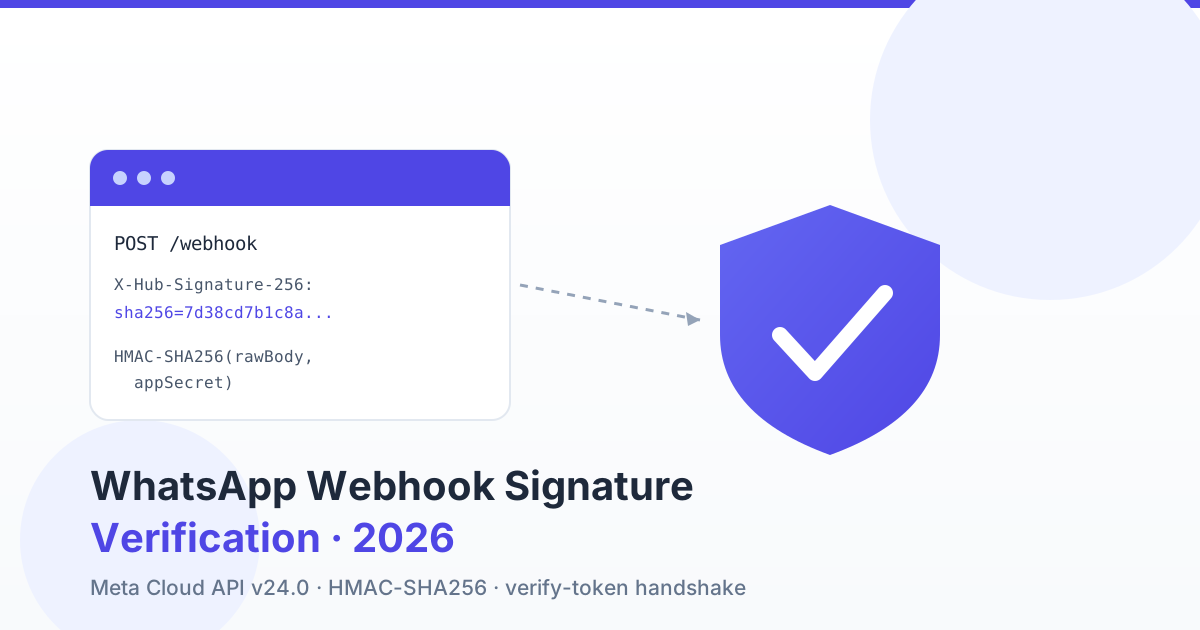
To verify a WhatsApp Business (Meta Cloud API v24.0) webhook, recompute an HMAC-SHA256 of the raw request body using your Meta App Secret and compare it, in constant time, against the value in the X-Hub-Signature-256 header (a sha256=-prefixed hex digest). If the two digests do not match, reject the request with 401/403 and never process the payload — that is how you block spoofed or forged webhooks. The one-time GET handshake is separate: Meta calls your endpoint with hub.mode, hub.verify_token and hub.challenge, and you echo the challenge back only when the token matches the secret you set in the App Dashboard.
Two checks, two jobs: the handshake vs. every payload
Indian developers wiring up WhatsApp automation often conflate two different security mechanisms. They are not interchangeable. The verify-token GET handshake runs once, when you register (or re-register) the callback URL — it proves to Meta that you own the endpoint. The X-Hub-Signature-256 POST check runs on every single inbound webhook for the life of the subscription — it proves that each payload actually came from Meta and was not tampered with in transit.
Checking the verify token once does nothing to protect the thousands of message and status webhooks that follow. Anyone who learns your public callback URL can POST fake "message received" or "payment" events to it. Only the per-request HMAC signature stops that.
| Aspect | Verify-token GET handshake | Signature POST check |
|---|---|---|
| When it runs | Once, at callback registration | Every inbound webhook |
| HTTP method | GET | POST |
| What you inspect | hub.mode, hub.verify_token, hub.challenge query params | X-Hub-Signature-256 header + raw body |
| Secret used | Verify token (you choose it) | App Secret (from App Dashboard) |
| Correct response | Echo hub.challenge with 200 | 200 if valid; 401/403 if not |
| Protects against | Registering a URL you don't own | Spoofed / forged / replayed payloads |
The GET verify-token handshake
When you save a callback URL and verify token in the Meta App Dashboard (or via the Graph API), Meta immediately sends a GET request like:
GET /webhook?hub.mode=subscribe&hub.verify_token=YOUR_TOKEN&hub.challenge=1158201444Your job: confirm hub.mode equals subscribe and hub.verify_token equals the token you configured, then return the raw hub.challenge string with a 200. Any mismatch returns 403 and the subscription is refused.
// Node.js / Express — GET handshake
app.get('/webhook', (req, res) => {
  const mode = req.query['hub.mode'];
  const token = req.query['hub.verify_token'];
  const challenge = req.query['hub.challenge'];
  if (mode === 'subscribe' && token === process.env.META_VERIFY_TOKEN) {
    return res.status(200).send(challenge); // echo challenge verbatim
  }
  return res.sendStatus(403);
});
The verify token is an arbitrary secret string you invent — treat it like a password, keep it in your environment, and never commit it. If your handshake fails, it is almost always a token typo or the endpoint returning JSON instead of the plain challenge text. Our deeper WhatsApp Business API webhook setup guide walks the full subscription flow if the handshake itself is not completing.
The POST signature: X-Hub-Signature-256 explained
Every webhook Meta POSTs to your endpoint carries an X-Hub-Signature-256 header. Its value is the string sha256= followed by the hex-encoded HMAC-SHA256 digest of the exact request body, keyed with your App Secret. A typical header looks like:
X-Hub-Signature-256: sha256=7d38cd7b1c8a...e3f9To validate, you recompute the same HMAC on your side and compare. If they match, the payload is authentic and untampered. If not, drop it. There is also a legacy X-Hub-Signature (SHA-1) header — ignore it and always use the SHA-256 variant.
Why the RAW body is non-negotiable
This is the single most common reason an HMAC "won't match." HMAC is computed over exact bytes. If your framework parses the JSON and you re-serialize it to recompute the hash, the bytes will differ — key ordering, whitespace, Unicode escaping and number formatting all change — and the digest will never line up. You must hash the original, unmodified request body as received on the wire, before any JSON decode. In Express that means express.raw(); in Laravel it means $request->getContent(), not $request->all().
Node.js: timing-safe signature verification
const crypto = require('crypto');
const express = require('express');
const app = express();

// Capture the RAW body as a Buffer — express.json() would re-serialize and break the hash
app.use('/webhook', express.raw({ type: 'application/json' }));

const APP_SECRET = process.env.META_APP_SECRET;

app.post('/webhook', (req, res) => {
  const header = req.get('X-Hub-Signature-256') || '';
  const expected = 'sha256=' + crypto
    .createHmac('sha256', APP_SECRET)
    .update(req.body)            // req.body is the raw Buffer
    .digest('hex');

  const a = Buffer.from(header);
  const b = Buffer.from(expected);
  // length check first — timingSafeEqual throws on unequal lengths
  if (a.length !== b.length || !crypto.timingSafeEqual(a, b)) {
    return res.sendStatus(401); // reject — never process
  }

  const payload = JSON.parse(req.body.toString('utf8'));
  // ... handle payload, then ack fast
  return res.sendStatus(200);
});
PHP / Laravel: hash_hmac + hash_equals
// routes/api.php — POST /webhook
public function handle(Request $request)
{
    $raw    = $request->getContent();                 // RAW body, NOT $request->all()
    $header = $request->header('X-Hub-Signature-256', '');
    $secret = config('services.meta.app_secret');

    $expected = 'sha256=' . hash_hmac('sha256', $raw, $secret);

    // hash_equals is constant-time — prevents timing attacks
    if (! hash_equals($expected, $header)) {
        abort(401); // reject spoofed / forged payload
    }

    $payload = json_decode($raw, true);
    // dispatch to a queue and return 200 quickly
    ProcessWhatsappInbound::dispatch($payload);
    return response('', 200);
}
Notice both languages use a constant-time comparison — hash_equals() in PHP, crypto.timingSafeEqual() in Node. A naive === or == string compare returns as soon as it hits the first differing character, and that tiny timing difference can leak the correct signature byte-by-byte to an attacker probing your endpoint. Always compare digests in constant time.
Get a 1-minute BSP audit on WhatsApp
Drop your WhatsApp number — we line-item your current invoice against Meta India rates in under 60 seconds. India-hosted, DPDP-compliant.
Signature valid vs. invalid: what to do
| Situation | What it means | Action |
|---|---|---|
| Header present, HMAC matches | Authentic Meta payload, untampered | Process (queue it), return 200 |
| Header present, HMAC mismatch | Wrong secret, altered body, or spoof | Reject 401 — do not process |
| Header missing entirely | Not a genuine Meta webhook | Reject 401/403 |
| Body was parsed before hashing | You hashed re-serialized JSON | Fix: hash the raw body, re-test |
| Valid but duplicate event id | Meta retried after a slow ack | Idempotent handling; still 200 |
Return 200 the moment a payload is verified and enqueued — do the real work asynchronously. If you block on processing, Meta's delivery times out and retries, which looks like duplicate webhooks. If webhooks aren't arriving at all, that is a different class of problem covered in our webhook not receiving messages guide.
Common 401 causes and their fixes
| Symptom | Root cause | Fix |
|---|---|---|
| HMAC never matches | Hashing parsed/re-serialized JSON | Hash the raw wire body only |
| Matches locally, fails in prod | Proxy or middleware rewrites body | Capture raw body before any body parser |
| Off-by-prefix mismatch | Forgot the sha256= prefix | Prepend sha256= to your digest |
| Right code, wrong secret | Using verify token as the HMAC key | Key HMAC with the App Secret, not the verify token |
| Intermittent failures after app change | App Secret was reset/rotated | Update env; support dual-secret verify |
| Encoding mismatch | Body decoded to a string then re-encoded | Keep bytes as-is (Buffer / getContent) |
Rotating the App Secret without downtime
App Secrets should be rotated periodically, and immediately if one is ever exposed. The catch: the instant you reset the secret in the App Dashboard, Meta signs new webhooks with the new secret, but requests already in flight (and your old config) still expect the old one. A hard cutover drops webhooks.
The zero-downtime pattern is dual-secret verification: accept a payload if it matches either the current secret or the previous one, for a short overlap window. Deploy the new secret as the primary, keep the old as a fallback, confirm all traffic is signing with the new one, then remove the old. This same pattern solves the trickier case below.
// PHP — verify against multiple valid secrets (rotation / migration)
$secrets = array_filter([
    config('services.meta.app_secret'),      // new / primary
    config('services.meta.app_secret_v1'),   // old / fallback during overlap
]);

$ok = false;
foreach ($secrets as $secret) {
    $expected = 'sha256=' . hash_hmac('sha256', $raw, $secret);
    if (hash_equals($expected, $header)) { $ok = true; break; }
}
if (! $ok) {
    abort(401);
}
The dual-app migration case (V1 → V2)
When you migrate tenants from an old Meta app to a new one — for example moving connections to a fresh "V2" app while existing users still run on "V1" — you have two different App Secrets in play simultaneously. Webhooks for V1 businesses are signed with the V1 secret; V2 businesses with the V2 secret. Both hit the same callback URL. If you verify against only one secret, half your traffic fails with 401.
The dual-secret loop above is exactly the fix: keep both META_APP_SECRET and META_APP_SECRET_V1 in the environment and accept a payload that validates against either. This is, in our experience, one of the most overlooked failure modes during a Meta app migration — the handshake succeeds for the new app, so teams assume everything is wired, then discover inbound messages from legacy tenants silently 401-ing.
Do this in production, not a toy endpoint
Hand-rolling signature verification is easy to get subtly wrong — a parsed body here, a non-constant-time compare there — and each mistake is either a security hole or a silent message-loss bug. On a multi-tenant platform the blast radius is every tenant at once.
RichAutomate verifies the X-Hub-Signature-256 on every Meta webhook server-side, for every tenant, before any payload touches the inbox or billing pipeline — so teams building on it never hand-roll HMAC checks, raw-body capture, or dual-secret rotation. If you are also budgeting the messaging side, our WhatsApp Business API cost breakdown for India and the webhook reliability engineering guide cover the delivery and retry economics that sit around this security layer.
Pricing on RichAutomate is usage-only — ₹0 setup, ₹0 monthly, Client Pay at ₹0.10/message, or SaaS Pay at ₹1.20/marketing message and ₹0.30/utility message — so a hardened, signature-verified webhook layer is included rather than a line item.
Testing verification locally before you go live
You do not need to wait for a real Meta webhook to prove your verification works. Generate a signature yourself from a sample body and your App Secret, then POST it at your endpoint. In a shell you can compute the digest with OpenSSL and confirm your handler accepts a good signature and rejects a tampered one:
# compute the header value for a sample body
BODY='{"object":"whatsapp_business_account","entry":[]}'
SIG="sha256=$(printf '%s' "$BODY" | openssl dgst -sha256 -hmac "$META_APP_SECRET" | awk '{print $2}')"

# valid signature — expect 200
curl -s -o /dev/null -w "%{http_code}
" -X POST http://localhost:3000/webhook   -H "Content-Type: application/json"   -H "X-Hub-Signature-256: $SIG"   --data "$BODY"

# same header, one byte changed in the body — expect 401
curl -s -o /dev/null -w "%{http_code}
" -X POST http://localhost:3000/webhook   -H "Content-Type: application/json"   -H "X-Hub-Signature-256: $SIG"   --data "${BODY}x"
The first call must return 200 and the second 401. If the valid call fails, your handler is almost certainly hashing a re-serialized body rather than the raw bytes — the exact trap this guide keeps returning to. Run this smoke test in CI so a future refactor that quietly re-introduces a body parser in front of your route cannot ship a silently broken signature check. A reverse proxy such as Nginx should pass the body through untouched; if you buffer or rewrite requests upstream, confirm the bytes your app sees are identical to what Meta sent.
Verification checklist
Before you ship a WhatsApp webhook endpoint to production, confirm all of the following: the GET handshake echoes hub.challenge only when the verify token matches; every POST recomputes HMAC-SHA256 over the raw body keyed with the App Secret; you prepend sha256= before comparing; the compare is constant-time (hash_equals / timingSafeEqual); a mismatch returns 401/403 and never processes; the App Secret lives in environment config, never in source; and rotation or a V1→V2 migration is handled by accepting either secret during the overlap.
Get those seven right and spoofed webhooks are dead on arrival, genuine ones flow cleanly, and a secret rotation costs you zero dropped messages.
Ship a verified webhook layer today
Skip the hand-rolled HMAC plumbing and the 3am timing-attack post-mortem. Create your RichAutomate account to run WhatsApp Business API on infrastructure that verifies every Meta webhook signature, captures the raw body correctly, and handles secret rotation for you — on usage-only pricing with no setup fee.