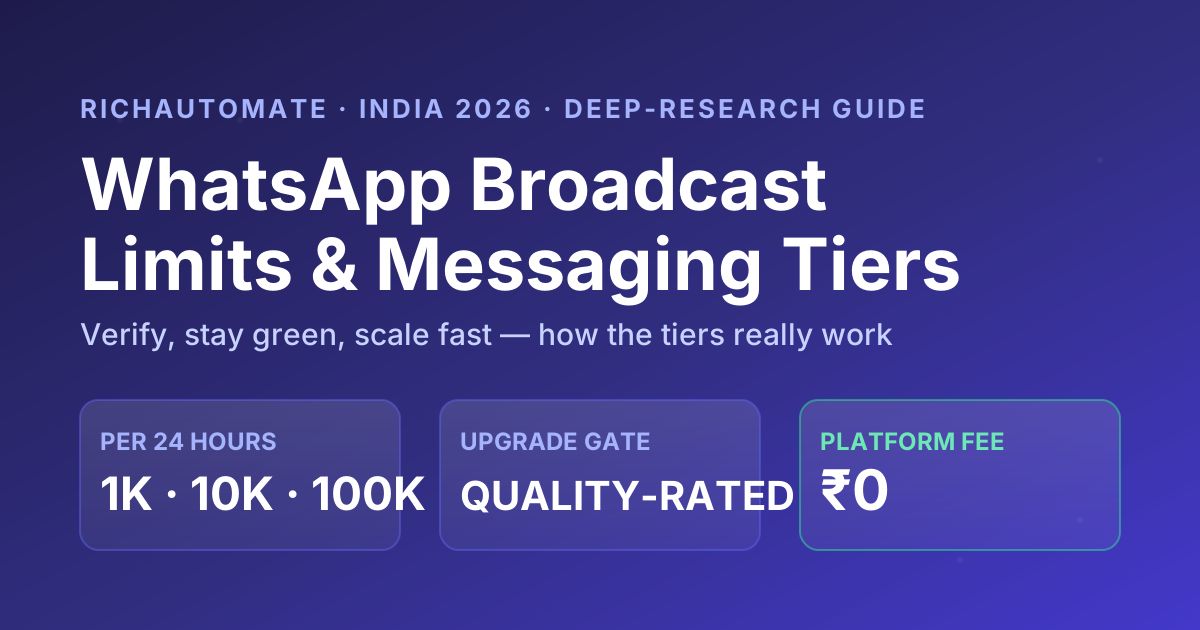
The single biggest source of confusion for any Indian business scaling on the WhatsApp Business API is what the "messaging limit" actually counts — and getting it wrong leads to either panic-buying extra phone numbers that do nothing, or a marketing plan built on a number that means something completely different from what you assumed. A WhatsApp messaging limit is not the number of messages you can send; it is the number of unique customers you can start a new conversation with in a rolling 24-hour window. This deep-research guide walks the full tier ladder for India in 2026 — how the 250 → 1K → 10K → 100K → unlimited rungs work, the messaging-limit-versus-quality-rating relationship that gates every upgrade, how a number gets upgraded and downgraded, what counts toward the limit (business-initiated versus user-initiated and service conversations), the marketing-versus-utility-versus-authentication category nuance that decides cost, and the real per-message cost math at each tier. Every Meta-specific number is hedged "verify as of 2026" because Meta tweaks these mechanics often; all cohort and ROI figures are explicitly illustrative.
What a "messaging limit" actually counts
Start here, because almost every mistake downstream traces back to this one misunderstanding. The tier number is the count of business-initiated conversations with unique phone numbers you can open in a rolling 24-hour period using the Cloud API. A 1,000 limit means you can be the first to message 1,000 distinct customers per day. If a customer then replies and you keep chatting inside the open service window, that back-and-forth does not eat into the tier — only the first business-initiated template message to a fresh number consumes a slot.
Two whole categories sit outside the tier entirely. User-initiated conversations — where the customer messages you first — are effectively unlimited regardless of tier, because you are responding to demand, not pushing outreach. And the WhatsApp Business app (the free green app, not the API) has no tier ladder at all: it offers a flat broadcast list capped at 256 contacts with no progression, so any business that needs to scale past a few hundred recipients has to move to the API — there is no tier progression on the free app at all.
The mental model in one line: the tier caps how many new people you can reach out to per day, not how many messages you send. Replies, ongoing service chats and inbound conversations are free of the cap. So a number on the 10,000 tier can comfortably handle far more than 10,000 total messages a day — it just can't initiate with more than 10,000 fresh customers in any rolling 24 hours.
The tier ladder at a glance
Every WhatsApp Business API number climbs the same ladder. Here is each rung with the daily unique-customer cap and the typical trigger that gets you there. Treat the exact rung names and thresholds as orientation and verify current behaviour on Meta's developer docs as of 2026, because Meta renames and re-tunes these mechanics regularly.
| Tier | Unique customers / 24h | Typical trigger to reach it | Notes |
|---|---|---|---|
| Unverified (start) | 250 | Default at signup, before Business Verification | Hard ceiling for marketing; fine for testing |
| Tier 1 | 1,000 | Complete Meta Business Verification | Free; the only gate off 250 |
| Tier 2 | 10,000 | Reach ~50% of Tier 1 in 7 days at good quality | Quality rating must stay Medium/High |
| Tier 3 | 100,000 | Reach ~50% of Tier 2 in 7 days at good quality | Festival / sale-day scale for most enterprises |
| Unlimited | No cap | Sustained high-quality volume at 100K | Effectively uncapped business-initiated |
A clean, verified business can now move through this ladder in days, not weeks. As of 2026, Meta is understood to re-evaluate a number for an upgrade roughly every few hours rather than on the older 24–48 hour cycle, so verified accounts with engaged audiences can fast-track toward 100K far quicker than before — but the exact re-check cadence and thresholds shift, so verify on Meta's docs as of 2026.
Tier 0: the 250-customer starting line
Every brand-new WhatsApp Business API number begins here. Before you complete Meta Business Verification, you can only start conversations with 250 unique customers per 24 hours. For a small Indian SMB sending order updates or appointment reminders, 250/day is often enough to pilot. But it is a hard ceiling for marketing, and the fix is simple and free: finish Business Verification (PAN/CIN, GST, a verifiable business presence) and the number jumps to Tier 1 automatically. Spending on campaigns before you verify is the most common early waste — you cap your own reach at 250 for no reason.
Tier 1: 1,000 customers a day
Right after verification, the number sits at 1,000 unique customers per 24 hours — where most Indian D2C brands, clinics and local businesses comfortably live for their first few months. In volume terms, if every conversation triggers one marketing template that is up to 1,000 marketing conversations a day, or roughly 30,000 a month (illustrative) if you send every single day. For a brand with a 5,000–20,000 contact list running weekly campaigns, Tier 1 is rarely the early bottleneck — quality discipline matters far more than the cap at this stage.
Tiers 2 and 3: 10,000 and 100,000
To climb from Tier 1 to Tier 2 (10,000/day), the rule of thumb is: within a rolling 7-day window, initiate conversations with at least half of your current limit's unique customers while keeping a Medium or High quality rating. So to qualify for Tier 2 you reach roughly 500 unique customers in a week without quality dropping. The same logic moves Tier 2 → Tier 3 (100,000/day): use about half of your 10,000 cap on real, engaged audiences over 7 days. The 50% figure is a planning guide, not a contract — verify current thresholds on Meta's docs as of 2026. At Tier 3 a single number can open 100,000 conversations a day, which is festival-scale — enough for most enterprise Diwali or sale-day pushes — and sustained high quality past that unlocks an effectively unlimited state.
The two gates: quality rating and verification
You cannot buy your way up the ladder. Two gates control everything. First, Business Verification unlocks Tier 1 and is non-negotiable for anything above 250. Second, quality rating gates every upgrade after that: each number carries a rating of High (green), Medium (yellow) or Low (red), derived from blocks, "report spam" taps and how often recipients simply ignore you. If the rating drops to Low/red the tier freezes — no upgrade — and a sustained red can get the number throttled down to a lower limit. This is precisely why mindlessly scraping a list and blasting it backfires: the very behaviour that "uses 50% of your limit" also tanks quality and stalls the climb. Tier graduation and deliverability are two sides of one coin, which our deliverability and tier-graduation playbook covers in depth.
Get a 1-minute BSP audit on WhatsApp
Drop your WhatsApp number — we line-item your current invoice against Meta India rates in under 60 seconds. India-hosted, DPDP-compliant.
| Quality rating | Colour | Effect on your tier | What it signals |
|---|---|---|---|
| High | Green | Upgrades proceed normally on volume | Engaged audience, low blocks/reports |
| Medium | Yellow | Upgrades still possible; watch closely | Some negative signal creeping in |
| Low | Red | Tier frozen; sustained red can throttle down | Blocks, spam reports, ignored sends |
Business-initiated vs user-initiated: what actually counts
The cleanest way to protect your limit is to understand which conversations consume a tier slot and which don't. A business-initiated conversation — you sending the first template to a customer outside any open window — is what the tier counts. A user-initiated conversation, where the customer messages first, does not count against the tier and opens a 24-hour service window in which you can reply freely. Service/free-form replies inside that open window are also outside the cap. The practical upshot: drive inbound. Click-to-WhatsApp ads, website widgets and opt-in QR codes turn outreach into inbound, which both sidesteps the tier cap and produces the warm, engaged conversations that protect your quality rating and accelerate upgrades.
The compounding effect: warm, opt-in, high-intent first conversations do double duty — they keep your quality rating green (so upgrades keep flowing) and they convert better. Cold, scraped lists do the opposite double damage: they burn tier slots and drag quality toward red, freezing the very growth you were chasing. Audience quality, not list size, is the real lever on the tier ladder.
Marketing vs utility vs authentication: the category nuance
Here is the distinction that decides cost: the tier sets how many conversations you can open, but Meta's conversation category sets what each one costs and how strictly it is policed. Marketing conversations (promotions, offers, re-engagement) are the most expensive and the most quality-sensitive. Utility conversations (order updates, appointment reminders, payment alerts tied to a transaction) are cheaper and less likely to draw complaints. Authentication conversations (OTPs and login codes) have their own pricing and rules. Routing transactional alerts as utility rather than marketing is one of the simplest cost wins available, and because utility messages are expected and welcomed, they also protect quality. Exact category definitions and India rates change — verify Meta's current category rules and rates as of 2026.
What the tiers cost you in India
Reaching a high tier is free — Meta does not charge for upgrades. Sending the messages is where money moves, and the tier has nothing to do with the per-message price; that is set by the conversation category above. Here is the real cost picture for an illustrative 10,000-message marketing day on RichAutomate, whose pricing is flat and in rupees with no platform, setup or monthly fee.
| Cost line | Amount (India, 2026) | Notes |
|---|---|---|
| RichAutomate platform fee | ₹0 | No setup, no monthly, no per-number rent |
| Meta marketing template (Client Pay) | Billed direct by Meta | Meta's published India marketing rate, no markup |
| RichAutomate per-message fee (Client Pay) | ₹0.10 / msg | 10,000 msgs = ₹1,000 (illustrative) |
| SaaS Pay marketing (all-inclusive) | ₹1.20 / msg | Meta cost bundled in |
| SaaS Pay utility (all-inclusive) | ₹0.30 / msg | Order / appointment / payment alerts |
| Free trial | 14 days + 100 credits | Test tiers before you pay |
So the tier sets how many you can send; the category sets what each one costs. Model your own numbers in the WABA cost calculator and see full plans on pricing. For the deeper unit-economics view — how to drive blended per-message cost down by category routing and window discipline — read our WABA pricing and cost-optimisation guide.
How a number gets upgraded — and downgraded
Upgrades are automatic and earned, not requested. Meta watches two things over a rolling window: volume (are you using a meaningful share — around half — of your current cap?) and quality (is your rating Medium or High?). Hit both for the evaluation window and the cap steps up to the next rung; as of 2026 that re-check happens roughly every few hours rather than daily, so a clean push can graduate a number quickly — verify the current cadence on Meta's docs. Downgrades work in reverse: a sustained Low/red rating freezes upgrades and can step the cap back down until quality recovers. The recovery path is unglamorous but reliable — stop messaging unengaged contacts, tighten opt-in, route more sends as utility, and let the rating climb back to green before resuming growth. There is no shortcut and no number you can buy to skip the quality gate.
An illustrative 30-day climb from 250 to 100K
Here is a safe, realistic path (all figures illustrative). Day 0: complete Business Verification first — it is the only thing that gets you off 250 and onto 1,000. Week 1: send only to warm, opt-in contacts from your CRM and click-to-WhatsApp ads, pacing toward ~500 unique customers across 7 days while watching quality daily — this qualifies you for Tier 2 (10,000). Week 2–3: at 10,000, repeat the pattern — reach roughly half (≈5,000) over a 7-day window on genuinely engaged audiences, keep the rating green, and graduate to Tier 3 (100,000). Week 4: sustain quality at 100K to approach the unlimited state. Route alerts as utility (cheaper, safer) and reserve marketing templates for genuine offers — and never one-day-spike a cold list, because a single bad blast drops you to yellow and freezes the whole climb. Done right, a verified Indian brand can go 250 → 100,000 in well under a month while staying green the entire way.
The discipline that wins: verify first, send to people who opted in, pace to ~50% of your cap over 7 days, watch quality every day, and route by category. The brands that try to brute-force the ladder with cold lists and extra numbers stall; the ones that treat audience quality as the lever climb fastest and cheapest.
Climb the tiers safely on RichAutomate
The tier ladder rewards exactly one thing — sending welcome, opt-in messages to engaged audiences — and punishes the opposite. RichAutomate gives you the API access to climb it without a platform tax: ₹0 platform fee, ₹0 setup, ₹0 monthly. On Client Pay it is ₹0.10 per message with Meta's conversation charges billed to you directly by Meta at Meta's own rates — no markup. On SaaS Pay it is all-in at ₹1.20 per marketing conversation and ₹0.30 per utility conversation, so your transactional alerts sit in the cheaper, safer bucket while marketing campaigns land where they belong. Start with a 14-day free trial and 100 credits, verify your business, and pace your first warm campaign. WhatsApp us at 917434901027 or book a 30-minute walkthrough at https://calendly.com/inrichdaddy/30min. (All tier figures here are illustrative and Meta-specific mechanics change — verify current limits, thresholds, categories and rates on Meta's developer docs as of 2026. No platform can guarantee a tier upgrade, message delivery or freedom from policy action; follow Meta's rules and send only to opt-in audiences.)
Start your 14-day free trial → · See full pricing · Run the WABA cost calculator