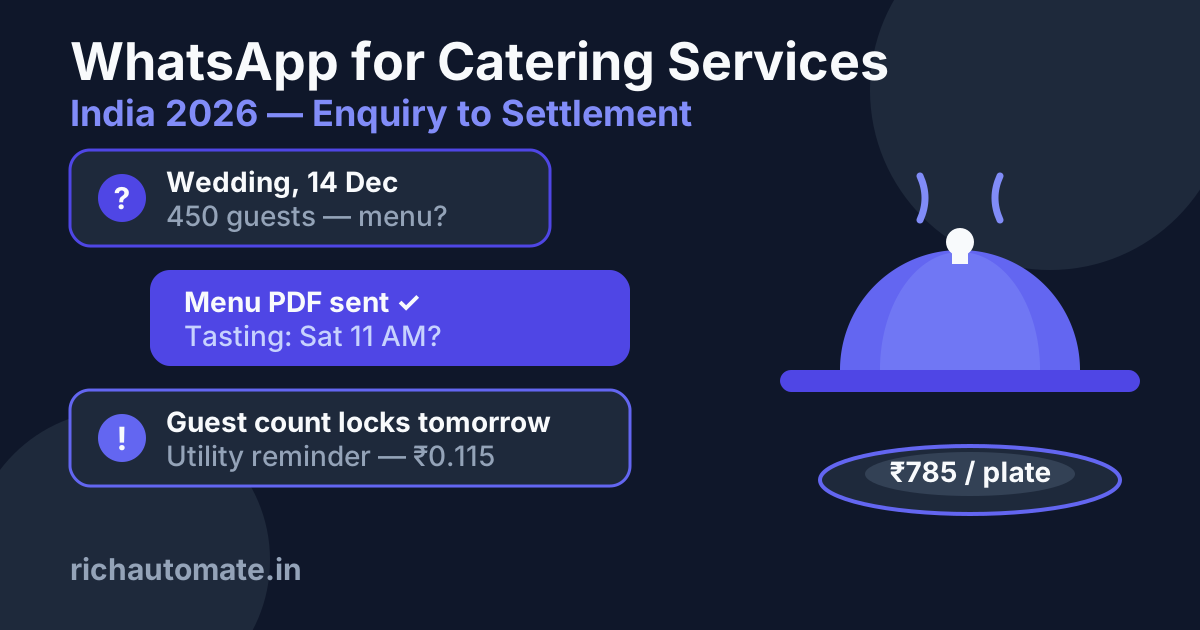
WhatsApp is the fastest way for an Indian catering business to convert an event enquiry into a booked tasting, a locked guest count and a settled invoice in 2026 — because every client who calls you about a wedding or corporate event is already on WhatsApp, and a utility reminder costs just ₹0.115 on the Meta India rate card. This guide covers the full caterer-side workflow: FSSAI paperwork, enquiry → menu PDF → tasting booking, per-plate quote Flows, guest-count locks, advance reminders, the event-day coordination thread, and post-event settlement plus review collection.
One scope note up front: this is the caterer operator's playbook — the team cooking and serving the food. If you run the venue itself (banquet hall, marriage garden, lawns), the workflow is different: venue-side automation revolves around date-availability and hall bookings, while the caterer's revolves around menus, plate counts and kitchen logistics. This article stays on the caterer's side of the pass.
Why is WhatsApp the natural front desk for a catering business?
Catering is an enquiry-heavy, document-heavy, deadline-heavy business. A single wedding order generates dozens of touchpoints: menu options, tasting date, per-plate rate negotiation, guest-count revisions, advance payments, day-of coordination with the client's family, and final settlement. Today most caterers juggle this across phone calls, paper notes and a personal WhatsApp number that one partner controls.
Moving to the WhatsApp Business API changes three things:
- Speed of first response. A client shortlisting caterers for a December wedding typically messages 3–5 vendors. The one who replies in 2 minutes with a menu PDF and a tasting slot usually gets the tasting — and tastings convert.
- Shared inbox. The API runs on a team dashboard, so the owner, the banquet manager and the head chef all see the same conversation thread. No more "bhaiya ke phone pe hai" when a client asks what was agreed.
- Automated deadlines. Guest-count lock reminders, advance-payment nudges and event-eve confirmations go out automatically as utility templates at ₹0.115 each — cheaper than one minute of a coordinator's phone time.
What FSSAI and other licences does a caterer need before scaling on WhatsApp?
Before you automate lead capture, make sure the compliance basics are in place — clients increasingly ask for the FSSAI number in chat before confirming, and corporate procurement teams demand it in writing.
- FSSAI registration or licence. Catering is a food business under FSSAI. Broadly: basic FSSAI registration for very small turnover, a State licence for mid-size operations, and a Central licence for large multi-state or high-turnover caterers. Thresholds and categories change periodically, so confirm your slab on the FoSCoS portal (verify current rules).
- FSSAI number display. The licence number is generally expected on invoices, menus and marketing material (verify current rules). Put it in your WhatsApp Business profile description and on the menu PDF footer — it doubles as a trust signal.
- GST registration. Outdoor catering attracts GST; the applicable rate and input-credit treatment depend on how the service is structured (verify current rules with your CA). Corporate clients will not release payment without a GST invoice.
- Local permissions. Some municipalities require trade licences or temporary event permissions for outdoor setups; venue tie-ups often handle this, but check for standalone lawn events (verify current rules).
On the WhatsApp side itself: to take a WhatsApp Business API number live you'll need business documentation, and for Indian businesses GST registration is effectively required for going live — a trial can start without it, but plan for it before your first campaign.
How do you turn an event enquiry into a tasting booking?
The enquiry-to-tasting funnel is where most catering revenue is won or lost. Here is the automated version:
- Step 1 — Instant capture. The enquiry arrives via your website form, an Instagram/Google ad click-to-WhatsApp button, or a direct message. An automated first reply fires within seconds: greeting, cuisine specialities, and three quick questions — event date, event type (wedding / reception / corporate / birthday), expected guest count.
- Step 2 — Menu PDF. Based on the event type, the chatbot flow sends the matching menu PDF straight in the chat: wedding packages, corporate lunch menus, high-tea options. PDFs in-chat get opened; email attachments get ignored.
- Step 3 — Tasting slot. The flow offers tasting appointments as tappable options ("Sat 11 AM", "Sun 4 PM", "Request another slot"). The confirmed slot is written to the conversation and your team dashboard, and a utility reminder goes out the evening before the tasting.
- Step 4 — Human handoff. Anything beyond the script — Jain-only kitchen questions, live-counter customisation, budget negotiation — routes to a human agent in the shared inbox with the full context already in the thread.
This entire sequence runs inside the free 24-hour service window that opens when the client messages you, so the marginal Meta cost of the whole enquiry conversation is ₹0. Only the pre-tasting reminder (a utility template sent later) costs ₹0.115.
The conversation window cost calculator shows how the 24-hour window changes your per-conversation spend.
How do per-plate quote Flows work on WhatsApp?
Per-plate pricing is the language of Indian catering, and WhatsApp Flows — the native in-chat forms — are built for it. Instead of a 20-minute phone call collecting requirements, the client fills a structured form without leaving WhatsApp:
- Event type and date
- Guest count (with a slider or number field)
- Veg / non-veg / Jain / mixed
- Package tier (silver / gold / platinum) with per-plate anchors shown
- Add-ons: live chaat counter, dessert station, welcome drinks, service staff count
The submission lands in your system, your quoting logic (even a simple spreadsheet formula) computes the per-plate figure, and a quote message goes back into the same thread: "Gold veg package, 450 guests, live pasta counter — ₹785/plate, total ₹3,53,250 + GST. Valid 7 days." Because the quote is generated from structured data instead of a scribbled phone note, disputes over "aapne toh 700 bola tha" disappear — the numbers are in writing, timestamped, in a thread both sides keep.
Two practical tips: keep the Flow short (5–7 fields — longer forms get abandoned), and always show a "talk to our team" escape hatch for clients who prefer negotiating with a human. The Flow's job is to qualify and anchor, not to close the deal alone.
How do you lock guest counts and collect advances without chasing?
Guest-count volatility is the caterer's biggest margin killer: raw-material procurement, staffing and rentals all key off the final plate count, and Indian families revise numbers until the last moment. WhatsApp automation gives you a defensible lock process:
- Booking confirmation template — sent when the advance is received, restating event date, package, per-plate rate, tentative count and the guest-count lock date (typically 72 hours before the event, per your contract).
- Advance reminders — utility templates at your contract milestones: "Reminder: 2nd instalment of ₹1,00,000 for your 14 Dec event is due by 30 Nov. Pay via the link below." Payment link in the message; confirmation auto-acknowledged.
- Guest-count lock sequence — reminders at T-7 days and T-3 days: "Final guest count for 14 Dec locks tomorrow at 6 PM. Current count: 450. Reply with any change; after lock, additions are billed at the contracted rate and reductions are not adjustable." The client's reply — or silence — is timestamped evidence.
- Event-eve confirmation — T-1 message confirming venue address, service start time, counter layout and your on-ground supervisor's name and number.
Every message in this sequence is a utility template at ₹0.115. A full wedding order — booking confirmation, three payment reminders, two lock reminders, one event-eve confirmation — costs about ₹0.81 in Meta fees for the entire lifecycle. Compare that with even one procurement mistake from an unlocked count.
What does an event-day coordination thread look like?
On event day the WhatsApp thread becomes your operations log:
Get a 1-minute BSP audit on WhatsApp
Drop your WhatsApp number — we line-item your current invoice against Meta India rates in under 60 seconds. India-hosted, DPDP-compliant.
- Morning dispatch update — "Team of 22 departed at 6:30 AM with 2 vehicles. ETA venue 8:00 AM." Sent to the client contact; instantly calms the most anxious hours.
- Setup-complete photo — a photo of the finished buffet line before guests arrive. This one image does more for reviews and referrals than any brochure.
- Live escalation channel — the client's family messages the same thread ("need 20 more plates at the mehendi side") instead of hunting for your supervisor in a crowd. Inbound messages during the event are inside the service window — free — and your dashboard shows them to both the office and the on-site lead.
- Count reconciliation note — before teardown, log the actual plates served ("Served: 468 against locked 450; 18 additional plates as per contract") in the thread while the client's team can verify on the spot. Settlement disputes die here, not two weeks later.
How do you handle settlement and reviews after the event?
- T+1 settlement message — final invoice PDF in chat: locked count, extra plates, add-ons consumed, advances received, balance due, payment link. Because the reconciliation note is already in the same thread, the invoice is pre-agreed rather than contested.
- Payment nudges — polite utility reminders at T+3 and T+7 if the balance is pending. Written, timestamped reminders also strengthen your position if a corporate client's finance team sits on the invoice.
- Review request — once settled, a single message with your Google review link. Timing matters: send it while the compliments are still fresh, not a month later.
- Referral seed — 30–45 days later, one marketing template (₹0.8631): "Wedding season slots for Feb–Mar are filling. As a past client, you get priority tasting bookings — forward this to anyone planning an event." Past clients are the cheapest acquisition channel a caterer has.
How should caterers plan around wedding vs corporate seasonality?
Indian catering demand is brutally seasonal, and your WhatsApp strategy should flex with it:
- Wedding season (roughly Nov–Feb, plus auspicious clusters around Apr–May and post-Devshayani windows — dates shift yearly). Enquiry volume spikes 3–5x. Automation earns its keep here: instant menu PDFs and Flow-based quoting keep response times flat while your team is stretched across back-to-back events. Set expectation messages ("Tastings available Tue–Thu only during Dec") directly in the auto-reply.
- Corporate season (steady year-round, spiking at fiscal year-end events, Diwali parties, offsites). Corporate clients want speed, GST invoices and repeatability. Build a separate corporate menu Flow with per-head budgets, monthly-billing options and a dedicated account thread per company. A single corporate account ordering 40 lunches a year is worth automating end-to-end.
- Off-season (monsoon lull). This is when marketing templates matter: early-bird wedding-season offers to your past-enquiry list, tasting-festival invites, and re-engagement of leads who enquired but booked elsewhere. At ₹0.8631 per marketing message, a 1,000-contact off-season campaign costs ₹863 — one converted wedding pays for a decade of such campaigns.
What does WhatsApp messaging actually cost a catering business?
Meta hiked India message prices about 10% on 1 January 2026 (marketing went from ₹0.7846 to ₹0.8631). The current India rate card, and what RichAutomate charges on top, looks like this:
| Message type | Meta India rate (2026) | RichAutomate Client Pay | RichAutomate SaaS Pay |
|---|---|---|---|
| Marketing template (offers, season campaigns) | ₹0.8631/msg | ₹0.8631 (billed direct by Meta) + ₹0.10 platform fee | ₹1.50 all-inclusive |
| Utility template (reminders, confirmations, invoices) | ₹0.115/msg | ₹0.115 (billed direct) + ₹0.10 platform fee | ₹0.50 all-inclusive |
| Authentication template (OTP) | ₹0.115/msg | ₹0.115 (billed direct) + ₹0.10 platform fee | ₹0.50 all-inclusive |
| Service messages (replies within 24h window) | ~₹0.115 (first 1,000/month free) | ~₹0.115 + ₹0.10 platform fee | Free |
| Platform / setup / monthly fee | — | ₹0 | ₹0 |
Worked example for a mid-size caterer doing 12 events a month with ~80 enquiries:
| Activity (monthly) | Volume | Type | Meta cost |
|---|---|---|---|
| Enquiry conversations (menu PDF, tasting, quotes) | 80 threads | Service window | ₹0 |
| Tasting + payment + lock + event-eve reminders | 12 events × 7 msgs = 84 | Utility | ₹9.66 |
| Settlement invoices + review requests | 12 × 3 = 36 | Utility | ₹4.14 |
| Off-season / referral campaign | 500 | Marketing | ₹431.55 |
| Total Meta spend | — | — | ≈ ₹445 |
Under ₹500 a month in Meta fees to run the entire client lifecycle for 12 events — the platform fee on Client Pay adds roughly ₹62 more at these volumes (620 chargeable messages × ₹0.10). If your BSP quotes you a ₹2,000–₹5,000 monthly platform fee for the same thing, read the state of WhatsApp Business API pricing in India 2026 before signing, and see the detailed WhatsApp Business API cost breakdown for India for how per-message maths compounds at scale.
Why RichAutomate for catering businesses?
RichAutomate is built for exactly this kind of operator workflow, and the pricing is deliberately simple:
- ₹0 platform fee, ₹0 setup fee, ₹0 monthly fee — you pay only for messages.
- Client Pay: ₹0.10 per message platform fee, with Meta's rates (₹0.8631 marketing / ₹0.115 utility-auth) billed directly to your own Meta account — full transparency, no markup on Meta's side.
- SaaS Pay: ₹1.50 per marketing message and ₹0.50 per utility/auth message, all-inclusive — one simple bill if you'd rather not manage a Meta billing line.
- 14-day free trial with 100 free credits — enough to wire up your enquiry auto-reply, menu-PDF flow and reminder templates and run them on real client conversations before paying anything.
The feature set maps one-to-one to this playbook: a visual flow builder for the enquiry → menu → tasting sequence, WhatsApp Flows for per-plate quote forms, a shared team inbox for the event-day thread, template campaigns for seasonal marketing, and a developer API if you want to connect your billing software. If you're comparing vendors, start with the cheapest WhatsApp Business API in India pillar and the best WhatsApp Business API providers in India 2026 roundup — and if a competitor claims "free API", the honest answer to is WhatsApp Business API free in India is worth five minutes.
One caution that applies to every caterer regardless of platform: never blast unsolicited marketing to scraped or purchased lists. Meta's quality-rating system throttles and can suspend numbers that generate blocks and reports, and no provider can honestly promise immunity from that. Build your list from genuine enquiries and past clients, keep opt-outs honoured, and your number stays healthy through the season that matters.
How do you get started?
- Week 1: Sign up for the 14-day trial, verify your business (keep GST and FSSAI documents handy), and set up the enquiry auto-reply with your three menu PDFs.
- Week 2: Build the per-plate quote Flow and the reminder template set (booking confirmation, payment reminder, guest-count lock, event-eve confirmation, settlement invoice, review request). Submit templates for approval — utility templates typically clear quickly.
- Week 3: Run one real event end-to-end on the system, then switch all inbound enquiry channels (website, ads, Google Business Profile) to point at the WhatsApp number.
Full plan details are on the RichAutomate pricing page. Questions about your specific setup — multiple kitchens, a corporate-catering vertical, or integrating your billing software? Message us on WhatsApp at +91 81603 11319 or book a free 30-minute walkthrough at calendly.com/inrichdaddy/30min. Wedding season won't wait — your reply speed shouldn't either.
Related: WhatsApp for Sweet Shops & Mithai Chains 2026 — festival pre-orders, corporate hampers and delivery slots on the official API, with FSSAI and GST done right.