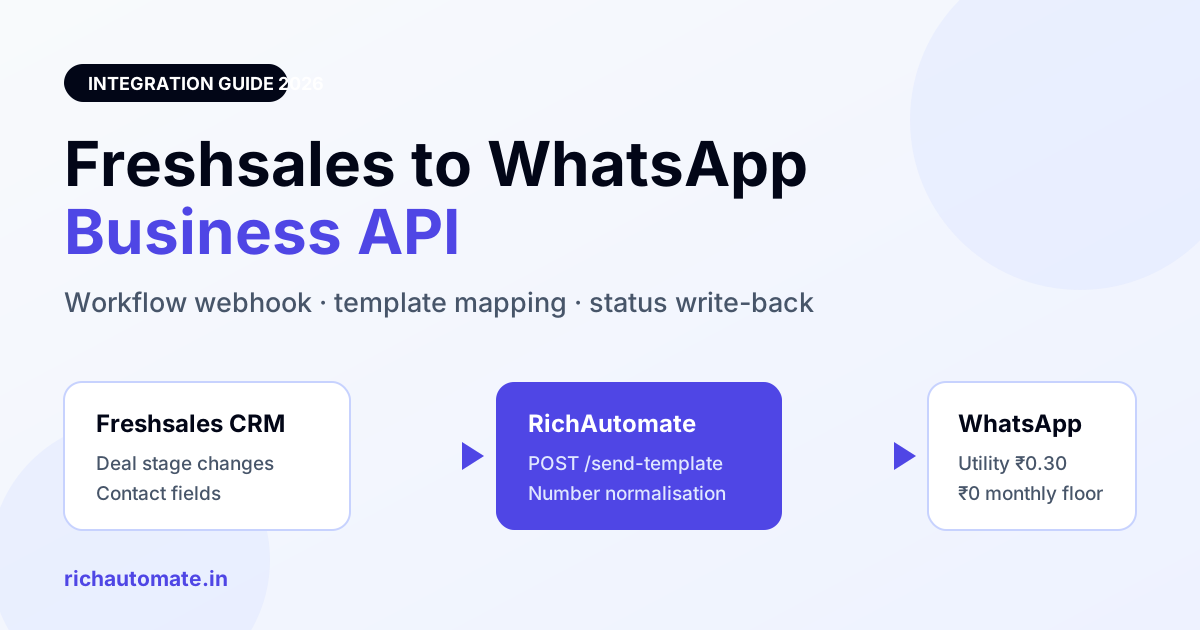
You can connect Freshsales to the WhatsApp Business API in about 40 minutes using a Freshsales workflow webhook plus a WhatsApp Business Solution Provider API key — no middleware subscription and no developer sprint. The practical route for Indian teams is: approve one Meta utility template, create an outbound webhook on the Freshsales deal or contact stage change, POST the contact number and merge fields to your BSP send endpoint, and write delivery status back onto the Freshsales record as a note or custom field.
Freshsales (part of the Freshworks suite) is one of the most common CRMs in Indian SMB sales teams — inside sales, real estate, education counselling, insurance, IT services. The gap is always the same: leads land in Freshsales, the SDR opens WhatsApp Web on a personal number, and nothing about that conversation ever returns to the CRM. Follow-ups get missed, ownership is invisible, and when the SDR leaves, the chat history leaves with them.
This guide covers the exact wiring, what each side can and cannot do, the compliance line under India's DPDP Act, and honest cost math. If you are evaluating other CRMs, we have the same walkthrough for Zoho CRM and LeadSquared.
What the Freshsales WhatsApp integration actually does
Be clear about the two very different things people mean by "Freshsales WhatsApp integration":
1. Inbox-style integration. Agents see and reply to WhatsApp threads from a shared inbox, with the conversation logged against the Freshsales contact. This needs a real WhatsApp Business API number (not WhatsApp Business App on a phone) and a platform that holds the session state.
2. Trigger-based automation. A Freshsales workflow fires on a field or stage change and sends a pre-approved WhatsApp template — new lead assigned, demo booked, quotation sent, payment pending, deal won. This is the higher-ROI half and the one most teams skip.
The WhatsApp template approval checker will tell you whether the wording is likely to clear review before you waste a submission.
You want both. The inbox stops conversations from disappearing; the automation is what actually moves pipeline while your team sleeps.
Prerequisites before you start
- A Freshsales plan with workflows and webhooks. Automation and outbound webhooks sit on Freshworks' paid tiers, not the free plan. Check your plan on the Freshworks pricing page before budgeting time.
- A WhatsApp Business API number. A phone number not currently registered on WhatsApp Business App or personal WhatsApp. Deleting the old account frees the number after roughly 30 minutes.
- A Meta Business Manager account. Business verification is required to lift messaging limits and to display your business name.
- GST registration. For an Indian entity going live on the WhatsApp Business API, GST is effectively mandatory — Meta and your BSP bill against it. You can evaluate on a trial without it, but you cannot run production billing without it.
- Recorded opt-in. Under the DPDP Act 2023 you need demonstrable consent before messaging. Store the timestamp and source as a custom field on the Freshsales contact.
Step-by-step: wiring Freshsales to WhatsApp in about 40 minutes
Step 1 — Connect the WhatsApp number (10 min). Sign in to your BSP dashboard and complete Meta embedded signup. This links your WABA, your phone number ID and your access token. On RichAutomate this is the Connect WhatsApp flow in Settings; the 14-day trial includes 100 free credits so you can test the full loop before paying anything.
Step 2 — Get an approved template (5 min to submit, 24-48 hr to approve). Outbound messages to a contact outside the 24-hour service window must be a Meta-approved template. Submit a utility template such as:
Hi {{1}}, your {{2}} enquiry is with {{3}} from our team. He/she will call you on {{4}}. Reply here if a different time suits you better.
Keep it transactional. Marketing-categorised templates cost more and attract stricter review.
Step 3 — Create an API key (2 min). In RichAutomate, Settings to Developer API generates a key scoped to your tenant. Every send is logged to Message History automatically, which matters for audit later.
Step 4 — Build the Freshsales workflow (15 min). In Freshsales: Admin Settings to Workflows to New Workflow. Pick your trigger (Deal stage changes to Demo Scheduled, or Contact created with Lead Source = Website). Add a Trigger Webhook action:
- Request type: POST
- URL: your BSP send-template endpoint
- Auth: API key header
- Content: Advanced / raw JSON
Map the payload using Freshsales placeholders so the CRM injects live values at fire time:
| Payload field | Freshsales placeholder | Notes |
|---|---|---|
| to | Contact mobile number | Must be E.164 — store as 919xxxxxxxxx, no plus, no spaces |
| template_name | static string | Exactly as approved by Meta, case-sensitive |
| language | static string | Use en — it resolves to en_US |
| variable 1 | Contact first name | Never leave a variable empty, Meta rejects the send |
| variable 2 | Deal name or product interest | Trim to under 60 characters |
| variable 3 | Deal owner name | Personalisation lifts reply rate materially |
Step 5 — Fix the number format (5 min). This is where most Freshsales integrations break. Indian numbers get typed as +91 98765 43210, 098765 43210, or 9876543210. The API needs 919876543210. Add a Freshsales custom field wa_number and a workflow that normalises on save, or let your BSP normalise on ingest. Test with three deliberately messy formats before you go live.
Get the India 2026 WhatsApp BSP price comparison
Wati vs AiSensy vs Interakt vs RichAutomate: Meta rates, platform fees and hidden costs, side by side. We send it to your WhatsApp in a minute.
Step 6 — Write status back (5 min). Point your BSP's delivery-status webhook at a Freshsales record update so sent / delivered / read / failed lands on the contact. Without this your SDRs cannot tell a delivered message from a silently failed one, and you will re-chase people who already replied.
Want to skip the plumbing? RichAutomate ships the webhook endpoint, number normalisation and status write-back out of the box. See real pricing — usage-only, no per-seat fee.
Native app vs marketplace connector vs direct API
| Approach | Setup effort | Two-way inbox | Monthly platform floor | Best for |
|---|---|---|---|---|
| Freshworks marketplace connector | Low | Varies by vendor | Vendor's own per-seat plan on top of Freshsales | Small teams that only need outbound alerts |
| Workflow webhook to a BSP API | Medium — about 40 min | Inbox lives in the BSP, logged back to CRM | ₹0 with RichAutomate — usage only | Most Indian SMB sales teams |
| Custom middleware build | High — dev sprint | Whatever you build | Your engineering cost, ongoing | Teams with unusual routing logic |
For nearly everyone the middle row wins. You keep Freshsales as system of record, the BSP handles Meta's session windows, template versioning and retries, and you avoid a second per-seat licence that scales with headcount instead of with messages sent.
What this actually costs
Two cost layers: the Meta conversation charge, and whatever your platform adds on top. Most Indian BSPs bundle a per-seat or per-month platform floor of ₹2,000 to ₹8,000 before you send a single message. RichAutomate does not — there is no setup fee, no monthly floor, and no per-agent charge.
| Billing model | What you pay us | Who pays Meta |
|---|---|---|
| Client Pay | ₹0.10 per message platform fee | You, billed direct by Meta at their published India rates |
| SaaS Pay | ₹1.50 per marketing message · ₹0.50 per utility or authentication message | We do — all-inclusive, one invoice |
Freshsales workflow sends are almost always utility category — order updates, appointment confirmations, follow-up scheduling. On SaaS Pay that is ₹0.50 all-in. A team firing 3,000 stage-change notifications a month lands near ₹900, with no platform floor underneath it. Model your own volume with the WABA cost calculator, and see the category rules in our breakdown of Meta per-message pricing in India.
Five failures that break Freshsales WhatsApp sends
- Empty template variable. A blank Freshsales field means a blank placeholder, and Meta rejects the whole message. Add a fallback value in the workflow.
- Template name drift. Editing a template in Meta creates a new version; sending the old name returns error 132001. Keep template names in one place, not scattered across ten workflows.
- Messaging outside the window without a template. Free-form text only works within 24 hours of the customer's last message. Outside it, template or nothing.
- No opt-in record. DPDP asks you to show consent. A workflow that blasts every imported contact is both a compliance problem and a fast route to quality-rating damage — and no one can promise you immunity from a block if you send unsolicited volume.
- Silent webhook failures. Freshsales does not loudly surface a webhook returning 500. Check the workflow's activity log weekly for the first month.
Should you use Freshsales or move CRM entirely?
Stay on Freshsales if your team already lives in it and your deal pipeline logic is built there — the webhook route gets you WhatsApp without a migration. Reconsider only if you are paying for Freshsales seats mainly to get WhatsApp logging, in which case a WhatsApp-first platform with a lightweight CRM built in is cheaper. Our comparison of HubSpot, Zoho and Salesforce WhatsApp integrations covers the same decision across the other major suites.
Try the whole loop before you commit. 14-day trial, 100 free credits, ₹0 setup, no card. Start on RichAutomate and fire your first Freshsales workflow into WhatsApp today.
Teams weighing Freshsales against a free-tier suite should also read the Bitrix24 WhatsApp integration guide.
Teams weighing Freshsales against a lighter pipeline tool should also read the Pipedrive WhatsApp integration guide, which covers the Automation-plus-webhook route and the per-message maths at volume.
Comparing CRMs? The same webhook pattern works for Kylas, covered in our Kylas WhatsApp integration guide.