All articles
Integration

WhatsApp Zoho CRM Integration India 2026: Setup Guide

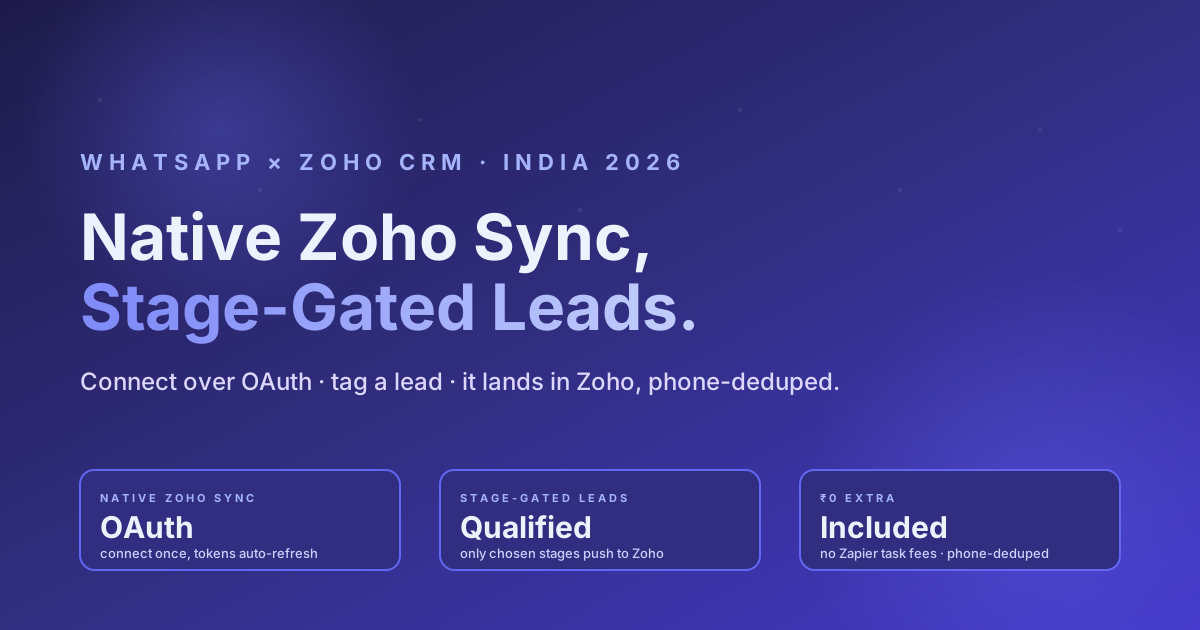
RichAutomate ships a native, stage-gated WhatsApp to Zoho CRM integration: connect Zoho once over OAuth, choose which lead-pipeline stages sync, and the moment you tag a WhatsApp contact into one of those stages it lands in Zoho as a Lead with Lead_Source=WhatsApp, your stage mapped onto Lead_Status, and the phone number deduped so you never get a duplicate. No Zapier task fees, no CSV exports, no manual entry. This guide covers why connecting WhatsApp and Zoho matters, how the native integration works, the two-minute setup, stage-gated use-cases, a native-vs-Zapier-vs-manual comparison, real pricing, and an FAQ.

RichAutomate Editorial
8 min read 0 views
WhatsApp Zoho CRM Integration India 2026: Setup Guide

RichAutomate ships a native, stage-gated WhatsApp → Zoho CRM integration: connect Zoho once over OAuth, choose which lead-pipeline stages should sync, and the moment you tag a WhatsApp contact into one of those stages it lands in Zoho as a Lead — with Lead_Source set to WhatsApp, your stage mapped onto Lead_Status, and the phone number deduped so you never get a duplicate. No Zapier task fees, no CSV exports, no manual data entry. This guide explains why connecting WhatsApp and Zoho matters, exactly how the native integration works, the two-minute setup, the stage-gated sync use-cases, a native-vs-Zapier-vs-manual comparison, real pricing, and an FAQ.

Why Connect WhatsApp and Zoho CRM in 2026

For most Indian sales teams, the first real conversation with a buyer now happens on WhatsApp — a click-to-WhatsApp ad, a website widget, a reply to a broadcast. But the pipeline, the follow-ups, the owner assignment, and the reporting all live in Zoho CRM. When those two systems are not connected, a rep copies a name and phone number from WhatsApp into Zoho by hand, or the lead is exported as a CSV at the end of the day, or it simply never makes it across. Every manual hop is a place where a hot lead goes cold.

Connecting the two solves three concrete problems:

  1. Leads in one place. The WhatsApp conversation and the Zoho Lead record point at the same person, deduped by phone — sales works one source of truth.
  2. No manual entry. Tagging a contact in WhatsApp is the only action; the Lead is created or updated in Zoho automatically.
  3. Only qualified leads flow. Because the sync is stage-gated, casual chatters never clutter Zoho — only the contacts you deliberately move into a sync stage are pushed.

How RichAutomate’s Native Zoho Integration Works

RichAutomate connects to Zoho over standard OAuth — you authorise once from the dashboard and tokens refresh automatically, so the connection keeps working without re-login. From there the sync is deliberately stage-gated: nothing is pushed to Zoho until a contact enters a stage you chose.

The flow, end to end:

  • A new lead messages you on WhatsApp and becomes a contact in RichAutomate.
  • You (or an automation) tag that contact into a lead-pipeline stage — for example “Hot Lead” or “Demo Scheduled”.
  • If that stage is in your configured sync list, RichAutomate pushes the contact to Zoho. By default it creates a Zoho Lead with Lead_Source = WhatsApp and Lead_Status set to your stage (or a value you mapped it to).
  • Before creating anything, the integration searches Zoho by phone number. If a matching record already exists it updates that one instead of making a duplicate — the sync is phone-deduped by design.

It is configurable on three axes: which stages sync (pick any subset of your pipeline tags), Leads vs Contacts module (target Zoho Leads or Zoho Contacts), and stage → Lead_Status mapping (send your stage label verbatim, or map “Hot Lead” to your own Zoho status value). Opted-out contacts are never synced, and identical payloads are skipped so the same record is not re-pushed on every minor edit.

Stage-gated keeps Zoho clean. The single most common complaint about auto-sync is that it floods the CRM with every random contact. RichAutomate inverts that: the default is to sync nothing. A contact only flows to Zoho once it sits in a stage you explicitly added to the sync list — so Zoho holds qualified leads, not noise.

Step-by-Step Setup

The whole thing takes about two minutes. Four steps:

StepWhat you doWhat happens
1. ConnectClick Connect Zoho CRM in the dashboard integrations panel and authorise on Zoho’s consent screen (OAuth).RichAutomate stores the connection for your tenant; status flips to Connected. Tokens refresh automatically.
2. Pick sync stagesOpen the Zoho config and select which pipeline stages should sync — e.g. “Hot Lead”, “Demo Scheduled”. Choose Leads or Contacts as the target module, and optionally map each stage to a Zoho Lead_Status.The sync list is saved against your integration. Only these stages will ever push to Zoho.
3. Tag a leadIn the WhatsApp inbox or pipeline, tag a contact into one of your chosen sync stages.RichAutomate dispatches the sync in the background.
4. It lands in ZohoNothing — you are done.A Zoho Lead is created (or the existing phone-matched record is updated) with Lead_Source = WhatsApp and your mapped Lead_Status.

An optional one-time backfill pushes your existing opted-in contacts in bulk, so you do not have to re-tag everyone to get started.

Use-Cases for Stage-Gated Sync

Sales-qualified-lead routing

Reps qualify in WhatsApp, then tag “Hot Lead”. Only those qualified contacts hit Zoho, where your normal assignment rules and follow-up cadence take over. The casual “just asking price” conversations stay out of the pipeline until they earn a sync stage.

No-duplicate sync

Because every sync starts with a phone-number search, a returning customer who messages again does not create a second Zoho record — the existing Lead is updated. The integration also skips re-pushing an unchanged payload, so you do not burn API calls on no-op edits.

Status mapping

Map your WhatsApp stages onto the exact Lead_Status values your Zoho org already uses. “Demo Scheduled” in WhatsApp can become “Demo Booked” in Zoho, so your existing reports and workflows keep working without renaming anything.

Stop overpaying on WhatsApp

Get a 1-minute BSP audit on WhatsApp

Drop your WhatsApp number — we line-item your current invoice against Meta India rates in under 60 seconds. India-hosted, DPDP-compliant.

DPDP-compliant · India-hosted · 1-min reply

Native vs Zapier vs Manual CSV

You can technically move WhatsApp leads into Zoho three ways. Here is how the native integration compares to the usual workarounds:

DimensionRichAutomate nativeZapier / middlewareManual CSV / copy-paste
TimingReal-time on tagPolled / delayed per task runWhenever someone remembers (often end of day)
Stage-gatingBuilt in — only chosen stages syncYou build filter logic yourselfManual judgement, inconsistent
Phone dedupAutomatic (search-before-create)Needs a custom lookup stepDuplicates are common
Lead_Source / Lead_StatusSet automatically (WhatsApp + mapped stage)Manual field mapping per zapHand-typed, error-prone
Extra cost₹0 — included in your planPer-task pricing on top of your subscriptionStaff time
Setup & upkeepConnect + pick stages (~2 min)Build, test, and maintain zapsOngoing manual effort forever

Pricing

The Zoho integration carries ₹0 platform fee — it is included in your RichAutomate plan, with no per-sync or per-task charge. You pay only for WhatsApp messaging, on whichever model you choose:

  • Client Pay: ₹0.10 per message (RichAutomate’s fee) plus Meta’s conversation charges billed directly to you via your own WhatsApp Business account.
  • SaaS Pay: ₹1.20 per marketing message and ₹0.30 per utility message, all-inclusive.
  • 14-day free trial + 100 free credits so you can connect Zoho, sync a few real leads, and see it work before paying.

Connect Zoho in 2 minutes — start your 14-day trial. OAuth connect · stage-gated Leads sync · phone-deduped · Lead_Source = WhatsApp · stage → Lead_Status mapping · Leads or Contacts module · ₹0 extra. Start free → · WhatsApp 917434901027 · Book a 30-min demo.

Related Reading

If you are choosing a WhatsApp CRM, start with our guide to the best WhatsApp CRM in India 2026, and the broader WhatsApp CRM integration playbook for HubSpot, Zoho and Salesforce. Comparing platforms? See Wati vs RichAutomate pricing decoded. Full plans are on the pricing page, or create an account to connect Zoho now.

Ready to ship this?

Get the full migration playbook on WhatsApp

A founder-led 1-minute reply with the migration steps, template approval timeline, and a 14-day pilot offer. DPDP-compliant. India-hosted. No spam.

DPDP-compliant · India-hosted · 1-min reply
Tagged
ZohoCRMIntegrationWhatsAppLead SyncSalesIndia2026
Written by
RichAutomate Editorial
Editorial team at RichAutomate. We build the WhatsApp Business automation platform Indian D2C brands, fintechs, and agencies use to ship campaigns and flows on the official Meta Cloud API.
FAQ

Frequently asked questions

Does RichAutomate have a native Zoho CRM integration?
Yes. RichAutomate connects to Zoho CRM over OAuth from the dashboard — you click Connect Zoho CRM, authorise on Zoho once, and tokens refresh automatically. It is a first-party integration, not a Zapier bridge, so there are no per-task fees.
What is stage-gated sync?
Stage-gated sync means a WhatsApp contact is only pushed to Zoho once you tag it into a lead-pipeline stage you have chosen to sync (for example Hot Lead or Demo Scheduled). The default is to sync nothing, so Zoho stays clean and holds only qualified leads instead of every casual chatter.
Will it create duplicate records in Zoho?
No. Before creating anything, the integration searches Zoho by phone number. If a matching record already exists it updates that one instead of creating a duplicate, and it skips re-pushing an unchanged payload. The sync is phone-deduped by design.
Can I choose whether leads go to the Leads or Contacts module, and map the status?
Yes. You can target either the Zoho Leads module or the Contacts module per tenant, pick exactly which stages sync, and map each WhatsApp stage to a specific Zoho Lead_Status. By default a synced contact becomes a Zoho Lead with Lead_Source set to WhatsApp and Lead_Status set to your stage.
How much does the Zoho integration cost?
The integration carries a 0 rupee platform fee and is included in your plan — there is no per-sync or per-task charge. You pay only for WhatsApp messaging: Client Pay is 0.10 rupees per message plus Meta charges billed to you directly, or SaaS Pay is 1.20 rupees per marketing message and 0.30 rupees per utility message. A 14-day free trial with 100 free credits lets you test it first.
RichAutomate · WhatsApp BSP for India 2026

Ship WhatsApp campaigns + flows on a transparent, compliance-ready BSP.

₹0 platform fee. DPDP audit log included. Visual flow builder. Multi-tenant from day one.

Start free trial
Want this for your brand?

Get a free 24-hour BSP audit

Send us your last invoice. We line-item it against Meta's published rates and benchmark against three alternatives.

Limited Spots Available

Get a Free
Automation Audit

Stop leaving revenue on the table. Get a custom roadmap to automate your growth.

Secure & Confidential

Continue reading

All articles
Integration

Razorpay WhatsApp Integration India 2026: Complete Setup Guide

Wire Razorpay payment links to WhatsApp Business API in 30 minutes. Real pricing math (DIY Meta Cloud vs Wati vs RichAutomate at 25k convs/month), webhook signature verification, idempotent handling, DPDP-compliant opt-in. Cohort: SMS 71% to WhatsApp 96% on-time collection, abandoned-cart 11% to 28%, refund cycle 4.2d to 11hr, support tickets 38 to 9 per 1,000 orders. ROI ₹7-22 per ₹1 message spend, payback 14 days. RichAutomate ships native Razorpay node + pre-built templates + DPDP defaults + ₹0 setup + ₹0.10/msg Client Pay OR ₹1.20 mkt + ₹0.30 util SaaS Pay.

Read article
Integration

WhatsApp Salesforce Integration India 2026: Options, Setup, Cost

If your sales team runs on Salesforce but your customers live on WhatsApp, you have a gap. This India 2026 guide covers why you connect WhatsApp and Salesforce, the real integration options (native middleware vs Zapier/MuleSoft vs custom Meta + Salesforce API), how lead and contact sync, conversation logging, and status updates actually flow, a setup overview, the three cost layers, and where RichAutomate fits with Rs 0 platform fee, Rs 0 setup, native Zoho shipped, and Salesforce via REST API and webhooks. Honest on what is one-click versus API/middleware. Real RichAutomate pricing: Rs 0 platform, Client Pay Rs 0.10 per message plus Meta direct, SaaS Pay Rs 1.20 marketing / Rs 0.30 utility, 14-day trial + 100 credits.

Read article
Vertical

WhatsApp for Hyperlocal Services India 2026: Sub-30-Min Delivery + Dynamic Pricing + Driver Coordination

India's hyperlocal economy hit ₹2.1 lakh crore GMV in FY25 — quick commerce ₹84K cr (Zepto, BlinkIt, Instamart, BB Now), ride-hailing ₹62K cr, home services ₹38K cr (Urban Company, NoBroker), hyperlocal courier ₹28K cr (Dunzo, Borzo, Porter). App-only architectures leak 60% of first-orders at install + onboarding and burn 14-hour dispute SLAs. The brands compounding hyperlocal in 2026 run WhatsApp as the operations spine: order intake via CTWA + catalog (48s placement), dynamic surge pricing inline with countdown, driver dispatch via utility template with 1-tap accept, real-time ETA push + arrival photo + hand-over confirm, AI Pathway-routed dispute resolution in < 90 sec. Real Indian quick-commerce + hyperlocal-courier + home-services cohort numbers: first-order completion 22% → 68%, Tier 2/3 repeat 14% → 52%, dispute SLA 14h → 78s, CAC -41%. 2026 playbook: 8-layer architecture, four-tier dynamic pricing UX, six driver coordination patterns with privacy bridge, four anti-patterns, DPDP + RBI + Motor Vehicles Act + Shops & Establishments compliance.

Read article
Operations

WhatsApp Multi-Store Franchise Orchestration India 2026: Geo-Routed Architecture for 200-6,000 Outlets

Indian multi-store retail + F&B + services brands operate 200-6,300 outlets — Domino's, Lenskart, Apollo Pharmacy, Café Coffee Day, Wow! Momo, FabIndia, Lakmé Salon. Single-bot central-CSM architecture caps SLA at 14h, drops 50%+ Tier 3-4 inbounds, and fuels franchisee revolt over mis-routed leads. Multi-store franchise orchestration replaces it with single brand WABA + pincode + Haversine routing to nearest open store + per-store agent inbox + brand-approved templates with per-store variable injection ({{store.name}}, {{store.phone}}, {{store.hours}}, {{store.local_offer}}) + cross-store fallback. Real cohort numbers: F&B chain 470 stores (SLA 14h → 32m, conversion 9% → 34%, franchisee NPS +8 → +62), optical retail 2,500 stores (try-at-home 6% → 22%), pharmacy 6,300 outlets (prescription completion 22% → 74%). 2026 playbook: routing decision logic, FOFO/FOCO/COCO ownership, seven anti-patterns, brand governance scoring, DPDP + franchise-agreement compliance, 12-week migration path.

Read article
Methodology

WhatsApp + AI for SaaS Retention India 2026: Cohort-Aware Churn Prediction + In-Thread Save Flows

Indian SaaS gross dollar retention sat at 89% across the public + late-stage private cohort in FY25, with net dollar retention 104% — both 6-9 points behind comparable US SaaS. The gap is not product quality; it is the retention motion. Email + in-app banners + CSM-led QBRs catch churn signals 11-14 days late, and Indian SMB buyers do not open the email and will not accept a calendar invite for a save call. Teams compounding NRR 1.18× in 2026 do retention on WhatsApp: cohort-aware churn prediction (LightGBM / TabNet / Sarvam-1) on usage + billing + support telemetry → risk score per account → AI Pathway router → in-thread save flow (founder voice note + scoped offer + 1-tap renewal) within 4 hours of risk threshold breach. CAC-to-save drops ₹8,400 → ₹680. 2026 playbook: feature pipeline (six categories), 5-tier risk model, 8 save flow variants, four anti-patterns, DPDP + Meta categorisation compliance, 10-week migration path from email-led save motion.

Read article
B2B Growth

WhatsApp Founder-Led Growth for Indian B2B SMB India 2026: 12-Touch Sequence + Per-Deal Templates

Indian B2B SaaS + services + agency founders are quietly compounding the cheapest growth motion of 2026: founder-led WhatsApp outreach. While VC-funded peers burn ₹38L-₹1.2cr/month on LinkedIn ads + outbound BDR teams to book demos at ₹4,800-12,000 CAC, bootstrapped + lean-funded founders book ₹4-18 lakh ACV deals at ₹240-980 CAC through their personal WhatsApp number — backed by per-deal templates, attribution to PG-Pixel + CAPI, and a 12-touch sequence that respects Meta's 24h business window. 2026 playbook: T0-T11 sequence design, real Indian B2B SaaS + services + consultancy cohort numbers (reply 9% → 68%, demo-to-close 14% → 38%, deal cycle 87d → 26d, CAC ₹9,200 → ₹680), per-deal template design rules, seven anti-patterns, compliance + WABA upgrade thresholds, CRM + attribution architecture, when to graduate to BDR-assisted.

Read article