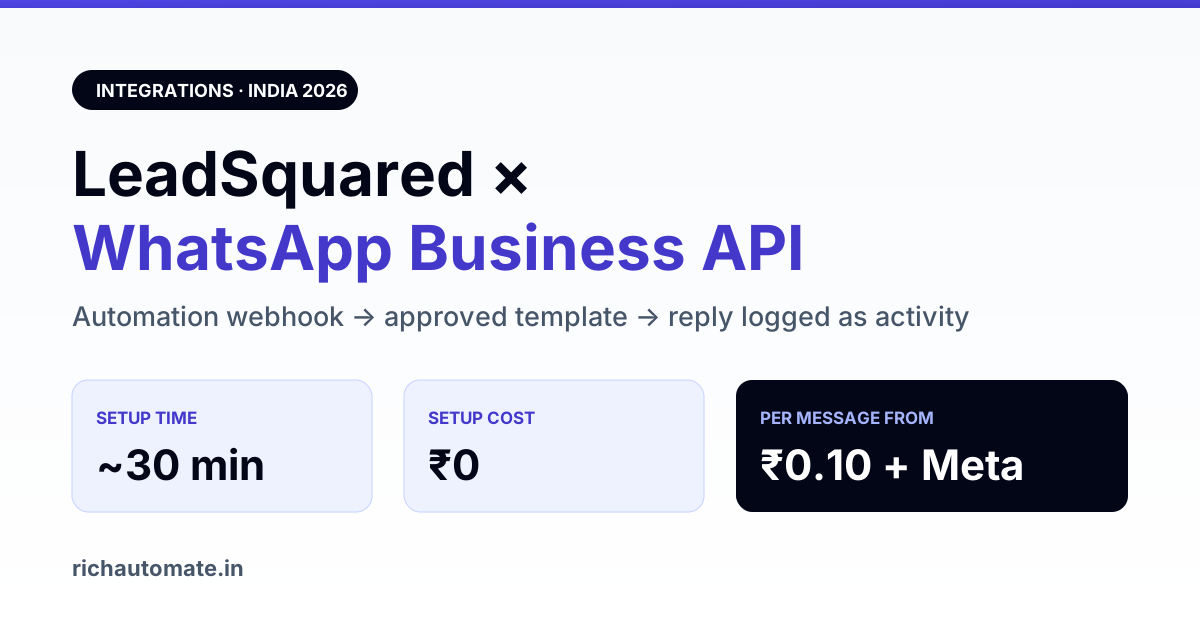
LeadSquared has no native WhatsApp Business API channel of its own, so the working 2026 integration is a Webhook action inside the LeadSquared Automation designer that calls your BSP's REST API when a lead changes stage. It takes about 30 minutes to wire, costs nothing extra on the LeadSquared side, and on RichAutomate the only spend is per message — ₹0 setup, ₹0 monthly floor.
That matters because most LeadSquared customers in India are in edtech, higher education, real estate, BFSI and healthcare — verticals where the lead goes cold in under an hour. An email drip cannot cover that gap. A WhatsApp template fired the second the lead lands in New can.
What "LeadSquared WhatsApp integration" actually means in 2026
There are three distinct things people mean by this phrase, and only one of them is the Business API:
- Click-to-WhatsApp on the lead record — a deep link that opens WhatsApp Web with the lead's number. Free, manual, does not log the conversation back into LeadSquared, and does not scale past a small counselling team.
- A marketplace connector — a third-party listing that proxies your messages. Usually resells WhatsApp at a markup and hides the Meta conversation charge inside a per-message rate.
- Automation → Webhook → BSP REST API — the real integration. LeadSquared fires an HTTP POST on a stage change, activity, or task; your BSP sends the approved template. This is what the rest of this guide builds.
Option three is the one that survives audit, because the Meta conversation charge stays visible and the WABA stays in your name.
The click-to-WhatsApp link generator builds the wa.me link with your prefilled message in one step.
Prerequisites before you touch the Automation designer
- A live WABA. A trial account is enough to test, but going live in India means a GST number is effectively mandatory — Meta's business verification will ask for it and the display name review stalls without it.
- Approved templates. Any message sent outside the 24-hour customer service window must be a pre-approved template. Draft them before you build the automation, not after.
- An API key with send permission on your BSP account.
- A LeadSquared plan that includes the Automation designer and webhook actions. Confirm this with your account manager — webhook availability differs by plan tier.
- A clean phone field. LeadSquared stores mobile numbers however the source form supplied them. WhatsApp needs E.164 without the plus —
919876543210. Normalise this first or your first hundred sends will fail silently.
Step-by-step: the webhook build
1. Pick the trigger
In the Automation designer, start the flow from the event that actually signals intent. For an edtech counselling desk that is usually Lead Stage changed to Application Started. For real estate it is Site Visit Scheduled. Avoid triggering on lead creation alone — you will burn template spend on junk form-fills.
2. Add the Webhook action
Set the method to POST, the URL to your BSP's send-template endpoint, and the auth header to your API key. On RichAutomate that is the public developer API at /api/v1/public/messages/send-template with an X-API-Key header.
3. Map the payload
LeadSquared exposes lead fields as merge tags inside the webhook body. A minimal payload looks like this:
{
  "to": "{{Lead:mx_WhatsAppNumber}}",
  "template_name": "application_started_v2",
  "language": "en",
  "components": [
    { "type": "body", "parameters": [
      { "type": "text", "text": "{{Lead:FirstName}}" },
      { "type": "text", "text": "{{Lead:mx_CourseInterest}}" }
    ]}
  ]
}
Two rules that save you a support ticket: the parameter order must match the template exactly, and every variable must be non-empty. Meta rejects a template call with a blank parameter, and LeadSquared will happily send you a blank one when the field was never filled.
4. Handle the reply path
The webhook is one-directional. To get the lead's reply back into LeadSquared, point your BSP's inbound webhook at the LeadSquared Activity API and log each inbound message as a custom activity on the lead. That is what turns the integration from a broadcast tool into a CRM channel — the counsellor sees the conversation without leaving the lead record.
5. Test on one lead, then one segment
Create a test lead with your own number, run the automation manually, confirm delivery, then confirm the inbound reply lands as an activity. Only then widen the trigger.
What it costs
The LeadSquared side adds nothing — a webhook action is included in your existing licence. The entire variable cost is WhatsApp. Here is how the two billing models compare on RichAutomate:
Get the India 2026 WhatsApp BSP price comparison
Wati vs AiSensy vs Interakt vs RichAutomate: Meta rates, platform fees and hidden costs, side by side. We send it to your WhatsApp in a minute.
| Line item | Client Pay | SaaS Pay |
|---|---|---|
| Platform setup | ₹0 | ₹0 |
| Monthly minimum | ₹0 | ₹0 |
| Platform fee per message | ₹0.10 | Included |
| Meta conversation charge | Billed direct to your Meta account | Included |
| Marketing template | ₹0.10 + Meta rate | ₹1.50 |
| Utility / authentication template | ₹0.10 + Meta rate | ₹0.50 |
| Trial | 14 days + 100 free credits | |
Client Pay is cheaper at volume because you pay Meta directly at cost and only ₹0.10 to us. SaaS Pay is simpler because one rate covers everything and there is no separate Meta payment method to maintain. A counselling desk sending 20,000 utility messages a month lands at roughly ₹6,000 on SaaS Pay; on Client Pay it is ₹2,000 plus whatever Meta charges for the utility conversations. Run your own numbers on the WhatsApp API cost calculator before you commit, and see the full breakdown on pricing.
The four failures that actually happen
- Unnormalised numbers. Leads arrive as
9876543210,+91 98765 43210, and098765-43210. Normalise in a LeadSquared field-update step before the webhook, not in your head. - Template parameter drift. Someone edits the template in Meta, the parameter count changes, every send starts failing with a template error. Version your template names (
_v2,_v3) instead of editing in place. - Firing marketing templates at cold data. LeadSquared makes it trivially easy to trigger on a list of 40,000 old leads. Do that with a marketing template and your quality rating drops within a day. Trigger on recent, consented leads only.
- No opt-out path. Log a WhatsApp Opted Out field in LeadSquared and check it as an automation condition. Meta counts blocks against you regardless of what your CRM thinks.
Nobody can promise you will never be restricted — anyone who does is selling you something. What you can control is consent, recency, and template quality.
Who this is worth building for
The integration pays back fastest where the lead-to-conversation window is measured in minutes. Admissions teams running LeadSquared see the clearest lift, which is why the same pattern shows up in our guide to WhatsApp API for coaching institutes. Property developers use it for site-visit confirmation and reminder flows — covered in WhatsApp API for real estate. If you are still deciding between running WhatsApp inside LeadSquared versus a purpose-built inbox, the trade-offs are laid out in best WhatsApp CRM in India.
Teams on Zoho rather than LeadSquared should read the Zoho CRM WhatsApp integration guide instead — the webhook pattern is the same, the field syntax is not. And for the underlying rate card that drives every calculation above, see WhatsApp Business API pricing in India.
Start with one automation
Do not migrate every LeadSquared workflow at once. Pick the single stage where you lose the most leads, wire one template to it, measure reply rate for two weeks, then expand. The 14-day trial plus 100 free credits is enough to prove that one flow before any money moves.
Start the 14-day trial — ₹0 setup, ₹0 monthly floor, and your first 100 messages are free.
For a webhook-plus-omnichannel-inbox CRM instead, compare with Bitrix24 WhatsApp integration.
Comparing platforms before you commit? The equivalent walkthrough for the deal-centric alternative is our Pipedrive WhatsApp integration setup guide, with the same field-mapping and opt-in checks.
Smaller teams that find LeadSquared too large often shortlist Zoho Bigin; here is our Bigin alternative guide with WhatsApp-native options.
Using Kylas instead of LeadSquared? See our Kylas CRM WhatsApp integration guide for the three setup routes and real per-message costs.
Related: Read our guide to sending IndiaMART leads to WhatsApp automatically.