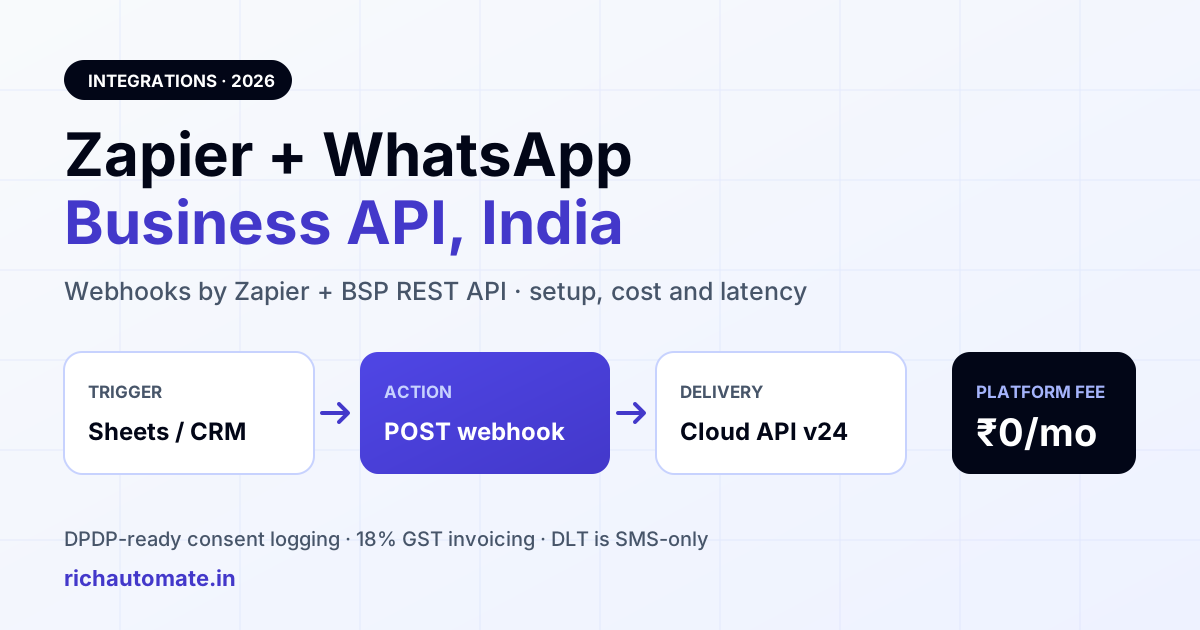
Zapier does not ship an official WhatsApp Business API app for most Indian BSPs, so the working integration in 2026 is Webhooks by Zapier calling your provider's REST API with an API key. That takes about 20 minutes to build, costs one Zapier task per message, and works for any trigger Zapier already supports — Google Sheets, Razorpay, Shopify, Typeform, HubSpot, or a plain webhook from your own app.
This guide is written for Indian teams: the compliance rules that actually apply (DPDP Act 2023, GST on platform charges, and why DLT is irrelevant here), the Meta pricing shift from conversation-based to per-message billing that lands through 2026, and the one architectural trap that catches almost everybody — Zapier's polling triggers are too slow to safely drive replies inside WhatsApp's 24-hour customer service window.
Why Zapier + WhatsApp is a different problem in India
Outside India, plenty of teams assume "WhatsApp integration" means picking a pre-built Zapier app and clicking connect. In practice the WhatsApp Business Platform is only reachable through Meta's Cloud API, and almost every Indian business reaches Cloud API through a Business Solution Provider (BSP) that holds the WABA, handles template submission, and bills the Meta charges onward. Those BSP APIs are ordinary authenticated REST endpoints. Zapier can call them perfectly well — it just does so through the generic Webhooks by Zapier action rather than a branded app tile.
The BSP migration cost calculator covers the costs people forget: the overlap month and re-approving every template.
That is not a downgrade. A raw webhook action gives you the full API surface: template sends, session messages, media, contact upserts, tags. A vendor-built Zapier app usually exposes a subset and lags behind the provider's own releases. The trade-off is that you write the JSON body yourself once, instead of filling in a form.
What changed for 2026
- Meta pricing model. Meta has been moving the WhatsApp Business Platform off 24-hour conversation-based pricing and onto per-message pricing for template categories. Service/customer-initiated conversations moved to free first, and marketing and utility templates are increasingly priced per delivered message. Budget per message sent, not per conversation opened.
- Cloud API v24.0. Meta versions the Graph endpoints; BSPs track the current version for you, but your template component structure and any direct Graph calls should be checked against the version your provider is on.
- DPDP Act 2023. India's Digital Personal Data Protection Act makes verifiable consent and purpose limitation a statutory obligation, not a best practice. Any Zap that pushes a phone number into WhatsApp is a processing activity you must be able to justify.
Prerequisites before you open Zapier
Get these four things done first, or your very first test send will fail with a permissions error and you will waste an afternoon debugging Zapier instead of the API.
- A live WABA. A verified Meta Business account, a phone number registered to your WhatsApp Business Account, and a display name that passed review. In practice going live in India also means having GST registration in order, because business verification and billing both lean on it.
- At least one approved template. You cannot send a business-initiated message without an approved template. Approve one utility template (order/booking/reminder) and one marketing template, and note the exact
template_nameand language code. - An API key from your platform. This is what Zapier authenticates with.
- A consent record. Whatever source the Zap reads from — a form, a CRM stage, a checkout — must carry a timestamped opt-in you can produce later.
Step-by-step: connect Zapier to the WhatsApp Business API
Step 1 — Create the API key
In your dashboard, open Developer API and generate a key. Copy it once; it is not shown again. Then confirm it works from your own machine before Zapier ever touches it:
curl -X GET "https://api.richautomate.in/api/v1/public/templates" \
  -H "X-API-Key: YOUR_API_KEY" \
  -H "Accept: application/json"
A 200 with your template list means the key, the tenant scoping, and the WABA link are all healthy. A 401 means the key is wrong or revoked. Fix this before step 2 — Zapier's error surface is much noisier than curl's.
Step 2 — Build the Zap trigger
Pick whatever fires the message: New Spreadsheet Row in Google Sheets, New Paid Order in Shopify, New Deal Stage in HubSpot, New Entry in Typeform, or Catch Hook if your own app can POST. Prefer instant triggers. See the latency table below for why this choice matters more than it looks.
Step 3 — Add the Webhooks by Zapier action
Choose Webhooks by Zapier → Custom Request (not "POST", which url-encodes by default and will fight you over nested JSON).
- Method: POST
- URL:
https://api.richautomate.in/api/v1/public/send-template - Data Pass-Through?: false
- Headers:
X-API-Key: YOUR_API_KEYandContent-Type: application/json
Then paste the body, replacing the double-brace placeholders with Zapier field mappings from the trigger step:
{
  "to": "919876543210",
  "template_name": "order_confirmation",
  "language": "en",
  "components": [
    {
      "type": "body",
      "parameters": [
        { "type": "text", "text": "Priya" },
        { "type": "text", "text": "RA-10482" },
        { "type": "text", "text": "Friday, 6 PM" }
      ]
    }
  ]
}
Step 4 — Map the fields
Three mapping rules save most of the support tickets we see:
- Phone format. Send E.164 without the plus and without spaces:
919876543210. Indian CRMs love storing+91 98765 43210or a bare 10-digit number. Add a Zapier Formatter → Text → Replace step to strip spaces, dashes and the leading plus, and a Formatter → Numbers or text prepend to force the 91 prefix when the value is 10 digits. - Variable order. Template body variables are positional.
{{1}}is the first object in theparametersarray. Reordering the array silently produces a nonsense message rather than an error. - No empty strings. Meta rejects blank or whitespace-only parameters. Use Zapier's default-value syntax so a missing CRM field cannot blank a variable.
Step 5 — Test, then watch the delivery status
Run the Zap test and check three things in order: Zapier reports a 2xx, the message appears in your message history, and the status advances past sent to delivered. A 200 from the API only means the send was accepted — template quality, user block state, and Meta throttling all decide what happens next. If you want the reverse direction (WhatsApp replies flowing back into your stack), set your platform's webhook URL to a Zapier Catch Hook and read the section on latency before you build anything time-sensitive on it.
Zapier vs n8n vs native BSP automation
Zapier is not the only way to wire this, and for message-heavy Indian workloads it is often the most expensive one. Here is the honest comparison:
| Dimension | Zapier | n8n (self-hosted) | Native BSP flow builder |
|---|---|---|---|
| Time to first message | ~20 minutes | ~1-2 hours incl. hosting | ~10 minutes |
| Cost driver | Tasks/month, billed in USD | Server cost only | Included in platform |
| Cost at 20,000 messages/mo | Highest — every send is a task | Low and flat | Zero marginal |
| App connectors available | Thousands | Hundreds | Only what the BSP built |
| Inbound reply handling | Weak — trigger latency, per-task cost | Good | Best — runs in-platform |
| Maintenance burden | None | You patch and back up | None |
| Data residency control | Vendor cloud | Your choice | Provider's India stack |
The pattern most Indian teams settle on: Zapier for the long tail of low-volume SaaS triggers, and the platform's own flow builder for anything conversational or high-volume. If you would rather self-host the automation layer, the n8n WhatsApp integration setup guide for India covers the same build with no per-task fee. For CRM-specific wiring, the WhatsApp CRM integration guide for HubSpot, Zoho and Salesforce is a better starting point than a generic Zap.
Get the India 2026 WhatsApp BSP price comparison
Wati vs AiSensy vs Interakt vs RichAutomate: Meta rates, platform fees and hidden costs, side by side. We send it to your WhatsApp in a minute.
The task-cost math nobody does upfront
Zapier bills tasks, and every action step that runs counts as one. A Zap with a Formatter step plus a webhook send burns two tasks per message, not one. Zapier's published structure is a free tier at 100 tasks per month and paid tiers priced by task volume, charged in USD — so add card FX markup and remember that Indian GST treatment of a foreign SaaS charge is different from GST on your domestic platform bill.
| Monthly WhatsApp sends via Zapier | Tasks used (1-step Zap) | Tasks used (with 1 Formatter) | Practical verdict |
|---|---|---|---|
| 50 | 50 | 100 | Free tier just about survives |
| 500 | 500 | 1,000 | Entry paid tier; fine |
| 2,000 | 2,000 | 4,000 | Mid tier; still reasonable |
| 10,000 | 10,000 | 20,000 | Zapier cost now rivals message cost |
| 50,000+ | 50,000 | 100,000 | Move the send loop off Zapier |
Rule of thumb: below roughly 2,000 automated messages a month Zapier is cheap convenience. Above 10,000, the automation layer starts costing more than the messages, and you should either batch (one Zap call that posts an array of recipients) or move campaign sends into the platform and keep Zapier only for one-off triggers.
Trigger latency and the 24-hour window trap
This is the part that breaks real deployments. WhatsApp gives you a 24-hour customer service window after a user messages you, inside which you can reply with free-form session messages. Outside it, you need an approved template. Zapier's polling triggers on lower plans check for new data on an interval — commonly in the 2-15 minute range depending on plan — and that delay is added to every hop in the chain.
| Path | Typical added latency | Safe for inbound replies? |
|---|---|---|
| Webhooks by Zapier — Catch Hook (instant) | Seconds | Yes |
| Instant app trigger (webhook-based app) | Seconds | Yes |
| Polling trigger, higher plan | ~2 minutes | Marginal |
| Polling trigger, entry plan | ~15 minutes | No |
| Polling + Zapier Delay step | Minutes to hours | No |
Two consequences. First, never build a first-response bot on a polling trigger — a 15-minute reply to a WhatsApp enquiry reads as ignored, and if the chain stalls long enough you fall out of the free-form window and are forced into a template you may not have approved. Second, if a Zap re-runs on a stale queue after an outage, it can fire template sends hours late; add a freshness guard (a Filter step that drops rows older than N minutes) on anything customer-facing. For genuine conversational response times, run the first reply in-platform and let Zapier handle the downstream logging — the economics and behaviour of that split are covered in our WhatsApp AI agent and chatbot pricing breakdown for India.
Indian compliance: DPDP, GST, and the DLT myth
DLT does not apply to WhatsApp
TRAI's DLT registration regime — entity registration, header and content template scrubbing — governs commercial SMS and voice on Indian telecom networks. WhatsApp is an over-the-top messaging service and sits outside it. You do not register a WhatsApp template on DLT. What you do instead is submit templates to Meta for approval, which is a separate and stricter review. Vendors that tell you they will "DLT-approve your WhatsApp template" are describing something that does not exist.
DPDP Act 2023 obligations
The Digital Personal Data Protection Act, 2023 requires notice and free, specific, informed, unconditional and unambiguous consent before processing personal data, plus the ability to withdraw it as easily as it was given. For a Zapier-driven WhatsApp stack that means, concretely: log where each number came from and when consent was captured; keep the notice text that was shown at capture; honour STOP/opt-out replies by writing back to the source system in the same Zap chain, not manually; and do not let a Zap silently copy contacts between unrelated purposes. Building the opt-out write-back into the Zap on day one is far cheaper than reconstructing consent trails later.
GST
Platform charges from an Indian provider attract 18% GST, invoiced with your GSTIN so input credit is claimable. Zapier's own subscription is a cross-border SaaS charge and follows different treatment — hand both to your accountant rather than assuming they net out the same way.
What the messages actually cost
Our billing is usage-only. There is ₹0 setup and ₹0 monthly platform fee — you are not paying a seat or subscription line just to keep the API open.
- Client Pay: ₹0.10 per message. You hold your own Meta billing relationship and pay Meta's charges directly; we charge ₹0.10 per message for the platform layer.
- SaaS Pay: ₹1.50 per marketing message, ₹0.50 per utility message. One consolidated bill, Meta's charges included in the rate.
Meta's own conversation and per-message charges are separate pass-through costs on Client Pay, and they vary by template category and market. Add 18% GST to the platform side. Zapier's task fee sits on top of all of this — which is exactly why the volume table above matters. Full details are on the WhatsApp Business API pricing page.
Common failure modes and how to debug them
- 401 from the API. The key is wrong, revoked, or the header name is not exactly
X-API-Key. Re-run the curl check. - 200 accepted, message never delivered. Usually template quality, a blocked recipient, or a number that is not on WhatsApp. Check delivery status in message history rather than trusting the HTTP code.
- Template parameter count mismatch. The number of objects in
parametersmust equal the number of variables in the approved template body — including header and button variables where used. - Wrong language code.
enanden_USare distinct template registrations. Use the code shown on the approved template. - Zapier silently url-encodes the body. You used the POST action instead of Custom Request, or left Data Pass-Through on.
- Duplicate sends. A Zap retry after a timeout can send twice. Key your Zap on a unique field (order ID, submission ID) and use a Filter or a de-dupe lookup step.
For ecommerce flows specifically — abandoned cart, order status, COD confirmation — the store-native path is usually simpler than a generic Zap; see the Shopify WhatsApp integration setup guide for India. Zoho users should start with the Zoho CRM WhatsApp integration walkthrough, which avoids the task cost entirely.
Start sending in under an hour
The build is genuinely small: one API key, one Webhooks by Zapier action, one approved template, and a phone-number formatter. The decisions that matter are the ones around it — instant triggers instead of polling, a consent trail that satisfies DPDP, and an honest look at whether your monthly volume belongs on task-based pricing at all.
Create a free account, generate an API key from the developer dashboard, and run the curl check above before you build the Zap. Create your RichAutomate account and get the WhatsApp Business API side working first — the Zapier half takes twenty minutes once the API answers. Everything on richautomate.in runs on the same usage-only pricing described above.
One popular Zap is our booking page to WhatsApp. Our our booking page WhatsApp reminders integration guide walks through the trigger, Delay Until and webhook steps.
Related: Read our Airtable WhatsApp automation guide using a script action instead of a Zap.