All articles
Integration

WhatsApp Salesforce Integration India 2026: Options, Setup, Cost

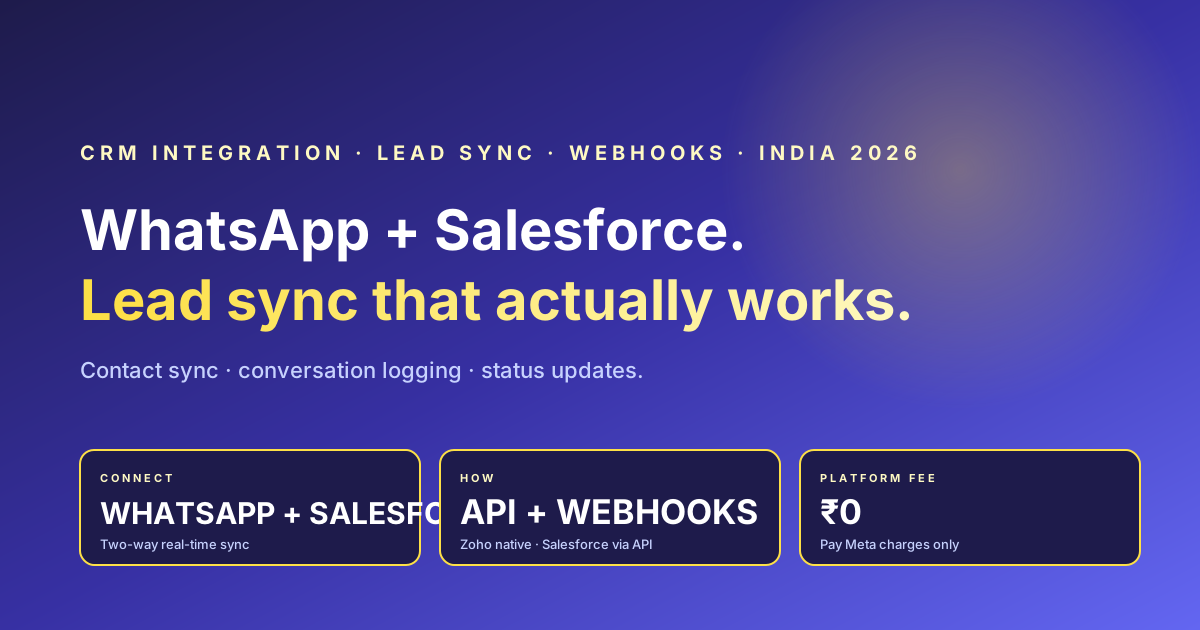
If your sales team runs on Salesforce but your customers live on WhatsApp, you have a gap. This India 2026 guide covers why you connect WhatsApp and Salesforce, the real integration options (native middleware vs Zapier/MuleSoft vs custom Meta + Salesforce API), how lead and contact sync, conversation logging, and status updates actually flow, a setup overview, the three cost layers, and where RichAutomate fits with Rs 0 platform fee, Rs 0 setup, native Zoho shipped, and Salesforce via REST API and webhooks. Honest on what is one-click versus API/middleware. Real RichAutomate pricing: Rs 0 platform, Client Pay Rs 0.10 per message plus Meta direct, SaaS Pay Rs 1.20 marketing / Rs 0.30 utility, 14-day trial + 100 credits.

RichAutomate Editorial
8 min read 0 views
WhatsApp Salesforce Integration India 2026: Options, Setup, Cost

If your sales team runs on Salesforce but your customers live on WhatsApp, you have a gap. Leads reply on WhatsApp, reps chase them on calls, and Salesforce never sees the conversation. In India 2026, where WhatsApp open rates sit near 90% and most B2B and high-ticket B2C buyers expect a chat reply within minutes, connecting WhatsApp to Salesforce is no longer a nice-to-have. This guide walks through why you connect the two, the real integration options, how the data actually flows, a rough setup overview, what it costs, and where RichAutomate fits. We will be honest about what is one-click today and what needs an API or middleware layer.

Why Connect WhatsApp and Salesforce at All

Salesforce is your system of record. WhatsApp is where the customer actually talks. When the two are not connected, three things break. First, lead context is lost: a rep opens the contact in Salesforce and has no idea the prospect asked about pricing twice on WhatsApp last week. Second, follow-up is manual: reminders, payment links, and order updates get copy-pasted by hand, so they slip. Third, reporting lies: Salesforce dashboards show pipeline that ignores the channel where most replies happen.

Connect them and the picture changes. New WhatsApp leads create or update Salesforce Leads and Contacts automatically. Every WhatsApp conversation logs against the Salesforce record, so any rep can pick up the thread. Stage changes, payment confirmations, and order events push back out to WhatsApp as templated messages. You stop flying blind and you stop doing data entry.

The Integration Options

There is no single official Salesforce WhatsApp button that covers every use case, so you pick an approach based on volume, budget, and how custom your CRM is. Broadly there are three.

  1. Native middleware (a WhatsApp Business platform that ships a Salesforce connector). A BSP or WhatsApp platform sits between Meta Cloud API and Salesforce and handles message sync, contact mapping, and conversation logging through a packaged app or a configured webhook. Fastest to launch, least engineering, but you depend on what the connector exposes.
  2. Integration platforms (Zapier, Make, MuleSoft). You wire WhatsApp events to Salesforce objects with no-code or low-code automations. Great flexibility, quick to prototype, but per-task pricing and rate limits add up at scale, and real-time two-way sync can get fiddly.
  3. Custom API integration. You build directly against Meta Cloud API webhooks and the Salesforce REST API. Maximum control, exact field mapping, real-time both ways, but it needs developer time and ongoing maintenance.

Comparison: Which Approach Fits You

ApproachEngineering effortCost shapeReal-time syncBest for
Native middleware connectorLow (config, no code)Platform fee + per-messageNear real-timeTeams wanting fast launch
Zapier / MakeLow to medium (no-code)Per-task or per-run tiersPolling or webhook, can lagLow volume, quick pilots
MuleSoftMedium to highEnterprise licenceReal-timeLarge Salesforce shops
Custom Meta + Salesforce APIHigh (developer build)Dev time + hosting + per-messageReal-time both waysCustom field mapping at scale

How the Integration Actually Works

Whatever approach you pick, the data flow looks similar. Here is the shape of it.

  • Lead and contact sync. A new inbound WhatsApp message from an unknown number triggers a lookup in Salesforce. No match creates a Lead or Contact with the phone number and any captured fields (name, source, campaign). A match updates the existing record. This keeps your Salesforce database clean and de-duplicated.
  • Conversation logging. Each WhatsApp message, inbound and outbound, is written to Salesforce as an Activity, Task, or a custom Message object linked to the Contact. Reps see the full thread inside Salesforce without leaving it.
  • Status and stage updates. When a Salesforce Opportunity moves stage, or a payment clears, or an order ships, the integration fires a WhatsApp template message to the customer. This is the outbound half: Salesforce events become customer notifications.
  • Two-way handoff. Replies on WhatsApp route to the assigned owner, and owner changes in Salesforce reassign the WhatsApp thread, so the human handoff stays in sync.

Setup Overview

The exact steps depend on your approach, but the skeleton is consistent. (1) Get a WhatsApp Business API number live through Meta Cloud API and verify your business. (2) Connect that number to your chosen platform or middleware. (3) Map fields: decide which WhatsApp data lands in which Salesforce object and field. (4) Define triggers: which Salesforce events fire which WhatsApp templates, and which inbound messages create or update records. (5) Get your message templates approved by Meta for the outbound notifications. (6) Test with a sandbox contact before going live. Plan a few days for template approval and field-mapping testing rather than expecting a same-day switch-on.

Cost Considerations

There are usually three cost layers, and you should price all three before committing.

  • Meta conversation charges. WhatsApp bills per conversation category (utility, marketing, authentication, service), paid to Meta. This applies no matter which integration you pick.
  • Platform or tooling fees. Middleware platforms, Zapier tiers, or MuleSoft licences each add their own recurring cost.
  • Build and maintenance. Custom integrations trade subscription fees for developer time up front and ongoing.

On the Salesforce side, WhatsApp messaging capabilities are tied to specific Salesforce editions and add-ons, and pricing varies by your contract and region. Treat any Salesforce-side number you see as something to verify directly with Salesforce or your account rep rather than a fixed figure.

Stop overpaying on WhatsApp

Get a 1-minute BSP audit on WhatsApp

Drop your WhatsApp number — we line-item your current invoice against Meta India rates in under 60 seconds. India-hosted, DPDP-compliant.

DPDP-compliant · India-hosted · 1-min reply

Where RichAutomate Fits

RichAutomate is built to keep the platform layer cheap so your only real variable cost is the Meta conversation charge. Here is the honest picture of what we offer and how Salesforce connects.

ItemRichAutomate
Platform feeRs 0
Setup / monthlyRs 0
Client Pay (your own Meta account)Rs 0.10 per message + Meta charges direct
SaaS Pay (we handle billing)Rs 1.20 marketing / Rs 0.30 utility per message
Free trial14 days + 100 free credits
Zoho CRMNative integration shipped
SalesforceVia REST API + webhooks (or middleware), not a one-click button yet

To be straight with you: our native CRM connector that is live today is Zoho. For Salesforce, you connect through our open API and outbound webhooks, or through an integration platform like Zapier or MuleSoft sitting between RichAutomate and Salesforce. Every inbound message and delivery event is available over webhooks, and you can send messages and trigger flows through the API, which is exactly what a Salesforce sync needs: events out, messages in. So you get real two-way sync, it just runs through API and middleware rather than a packaged Salesforce app. If a one-click Salesforce button matters more than cost, weigh that against the Rs 0 platform fee you save here.

Frequently Asked Questions

Connect WhatsApp to your CRM on RichAutomate.

Rs 0 platform fee, Rs 0 setup, Rs 0 monthly. Client Pay Rs 0.10 per message plus Meta charges direct, or SaaS Pay Rs 1.20 marketing and Rs 0.30 utility. 14-day free trial with 100 credits. Native Zoho CRM shipped; Salesforce via our REST API and outbound webhooks or a middleware layer. Build lead sync, conversation logging, and status-update notifications without a platform tax. Compare your numbers on the WABA cost calculator or see full pricing.

Start free trial →

Related reading: WhatsApp Zoho CRM integration, best WhatsApp CRM in India 2026, and the AiSensy vs RichAutomate pricing breakdown.

Ready to ship this?

Get the full migration playbook on WhatsApp

A founder-led 1-minute reply with the migration steps, template approval timeline, and a 14-day pilot offer. DPDP-compliant. India-hosted. No spam.

DPDP-compliant · India-hosted · 1-min reply
Tagged
WhatsApp Salesforce IntegrationSalesforceCRM IntegrationMeta Cloud APIZapierMuleSoftWebhooksLead SyncRichAutomateIndia2026
Written by
RichAutomate Editorial
Editorial team at RichAutomate. We build the WhatsApp Business automation platform Indian D2C brands, fintechs, and agencies use to ship campaigns and flows on the official Meta Cloud API.
FAQ

Frequently asked questions

Is there a one-click WhatsApp Salesforce integration?
There is no single official one-click button that fits every use case. You connect WhatsApp to Salesforce through a native middleware connector, an integration platform like Zapier or MuleSoft, or a custom build against Meta Cloud API and the Salesforce REST API. The right choice depends on your volume, budget, and how custom your Salesforce setup is.
What data syncs between WhatsApp and Salesforce?
Typically four things: new WhatsApp leads create or update Salesforce Leads and Contacts, every WhatsApp conversation logs as an Activity or custom Message object on the record, Salesforce stage and payment events fire outbound WhatsApp template messages, and owner or assignment changes keep the human handoff in sync both ways.
How much does WhatsApp Salesforce integration cost?
There are three cost layers: Meta conversation charges paid per conversation category, platform or tooling fees from your middleware or Zapier or MuleSoft, and build plus maintenance time for custom integrations. Salesforce-side WhatsApp pricing depends on your edition and contract, so verify it directly with Salesforce. RichAutomate charges Rs 0 platform fee, Rs 0 setup, and Rs 0 monthly, with Client Pay at Rs 0.10 per message plus Meta charges direct or SaaS Pay at Rs 1.20 marketing and Rs 0.30 utility.
Does RichAutomate have a native Salesforce connector?
RichAutomate ships a native Zoho CRM integration today. For Salesforce, you connect through our open REST API and outbound webhooks, or through a middleware platform like Zapier or MuleSoft. Inbound messages and delivery events are available over webhooks and you can send messages and trigger flows via the API, which gives real two-way Salesforce sync without a packaged Salesforce app. We do not claim a one-click Salesforce button because that is not what we ship yet.
How long does it take to set up?
Plan a few days rather than a same-day switch-on. You need a verified WhatsApp Business API number, the connection to your platform or middleware, field mapping between WhatsApp data and Salesforce objects, trigger definitions, Meta template approval for outbound messages, and a sandbox test before going live. Template approval and field-mapping testing are the parts that take the most time. A 14-day free trial with 100 credits lets you test the flow before committing.
RichAutomate · WhatsApp BSP for India 2026

Ship WhatsApp campaigns + flows on a transparent, compliance-ready BSP.

₹0 platform fee. DPDP audit log included. Visual flow builder. Multi-tenant from day one.

Start free trial
Want this for your brand?

Get a free 24-hour BSP audit

Send us your last invoice. We line-item it against Meta's published rates and benchmark against three alternatives.

Limited Spots Available

Get a Free
Automation Audit

Stop leaving revenue on the table. Get a custom roadmap to automate your growth.

Secure & Confidential

Continue reading

All articles
Integration

WhatsApp Zoho CRM Integration India 2026: Setup Guide

RichAutomate ships a native, stage-gated WhatsApp to Zoho CRM integration: connect Zoho once over OAuth, choose which lead-pipeline stages sync, and the moment you tag a WhatsApp contact into one of those stages it lands in Zoho as a Lead with Lead_Source=WhatsApp, your stage mapped onto Lead_Status, and the phone number deduped so you never get a duplicate. No Zapier task fees, no CSV exports, no manual entry. This guide covers why connecting WhatsApp and Zoho matters, how the native integration works, the two-minute setup, stage-gated use-cases, a native-vs-Zapier-vs-manual comparison, real pricing, and an FAQ.

Read article
Integration

Razorpay WhatsApp Integration India 2026: Complete Setup Guide

Wire Razorpay payment links to WhatsApp Business API in 30 minutes. Real pricing math (DIY Meta Cloud vs Wati vs RichAutomate at 25k convs/month), webhook signature verification, idempotent handling, DPDP-compliant opt-in. Cohort: SMS 71% to WhatsApp 96% on-time collection, abandoned-cart 11% to 28%, refund cycle 4.2d to 11hr, support tickets 38 to 9 per 1,000 orders. ROI ₹7-22 per ₹1 message spend, payback 14 days. RichAutomate ships native Razorpay node + pre-built templates + DPDP defaults + ₹0 setup + ₹0.10/msg Client Pay OR ₹1.20 mkt + ₹0.30 util SaaS Pay.

Read article
Integration

WooCommerce WhatsApp Integration India 2026 Setup Guide

WooCommerce powers ~38% of Indian e-com SMBs. Wire WC hooks (thankyou, payment_complete, status_changed, status_completed, subscription_renewal_payment_complete, order_refunded) to WhatsApp Cloud API in one day. Six approved templates cover cart-recovery (6h/24h/72h), COD-confirm with 1-tap UPI switch, prepaid thank-you with GST invoice, payment-link retry, order_shipped_tracking with AWB, delivery OTP, return-RTO notice, review request. Real pricing at 25k convs/mo: DIY ₹11-14k, Wati ₹19.5-27.7k, RichAutomate Client Pay ₹13.5-16.5k, SaaS Pay ₹6.9k. Cohort (₹3-15 cr GMV, 800-3,500 orders): cart-recovery 11% to 28%, COD-confirm 71% to 89%, RTO 18% to 7%, repeat 60d 22% to 41%, support tickets 38 to 9, ROI ₹7-22 per ₹1, payback 14d. DPDP-default + Razorpay UPI link + 9-flow JSON library lead-magnet.

Read article
Deliverability

WhatsApp Message Delivery Troubleshooting India 2026: Why Is My Message Not Delivered?

The diagnostic forensics layer for "why is my WhatsApp message not delivered?" in India 2026. A campaign shows 100,000 submitted, the dashboard says sent, then the delivered count quietly stalls — and the gap is a paid Meta conversation that produced nothing plus a quality-rating signal that can drag a whole WABA into Yellow or Red. This is not tier mechanics; it is the decision tree a sender actually walks when messages show sent-but-not-delivered, pending, or failed. We decode the accepted to sent to delivered to read status lifecycle and where each can stall, walk a 13-branch root-cause decision tree (no WhatsApp / invalid number / phone offline + 72h retry / outside 24h window without template / template paused or category mismatch / tier limit / Red quality / user-blocked / WABA restricted / Meta outage / wrong phone_number_id / rate-limited / BSP credit), and map common Cloud API error codes (131049, 131047, 131026, 131048, 131056, 130472, 132xxx) to concrete fixes. India nuances: DLT legacy mindset, festival-surge throttling, marketing-limit experiment. Three comparison tables plus an illustrative cohort that cut undelivered from 11% to 2.8% via list hygiene + window-aware sending + template-category fixes. Error codes described as per the Cloud API error reference, verify against current docs.

Read article
WhatsApp Business

Best WhatsApp Chatbot Builder India 2026: Pricing + No-Code Guide

The best WhatsApp chatbot builder for an Indian SMB in 2026 runs on the official Meta Cloud API, charges zero setup and zero monthly platform fee, offers a true no-code visual flow builder, and bills usage-only. This guide compares legacy subscription pricing vs usage-only billing, no-code vs low-code vs AI builders, chatbot vs WhatsApp Flows, a 7-point buying checklist, and how to launch a working bot in one afternoon. Usage-only: Client Pay 0.10 rupees per message + Meta direct, or SaaS Pay 1.20 marketing + 0.30 utility/auth, with a 14-day trial and 100 free credits.

Read article
Comparison

AiSensy vs RichAutomate India 2026: Pricing Decoded

Honest 1-on-1 AiSensy vs RichAutomate comparison. AiSensy public pricing (May 2026 (updated 2026-05-26)): Basic ₹1,500/mo + Meta wholesale, Pro ₹3,200/mo + Meta wholesale, Enterprise custom. RichAutomate: ₹0 setup + ₹0 monthly floor + Client Pay ₹0.10/msg + Meta direct OR SaaS Pay ₹1.20 mkt + ₹0.30 util all-inclusive. 25k convs/mo: AiSensy Pro ₹14,200 vs RichAutomate SaaS Pay ₹6,900 = ₹78k annual saving (₹2.25L at 100k util-heavy). Where AiSensy wins: vernacular UI, CTWA attribution maturity, brand + 2024-25 awards, mid-tier feature breadth. Where RichAutomate wins: no platform-fee floor, transparent Client Pay, DPDP defaults pre-wired, native Razorpay node, 14-day trial + 100 credits no card. 7-step migration in 1 day, ~5 min downtime on WABA reassignment. 15-row feature parity table inside.

Read article