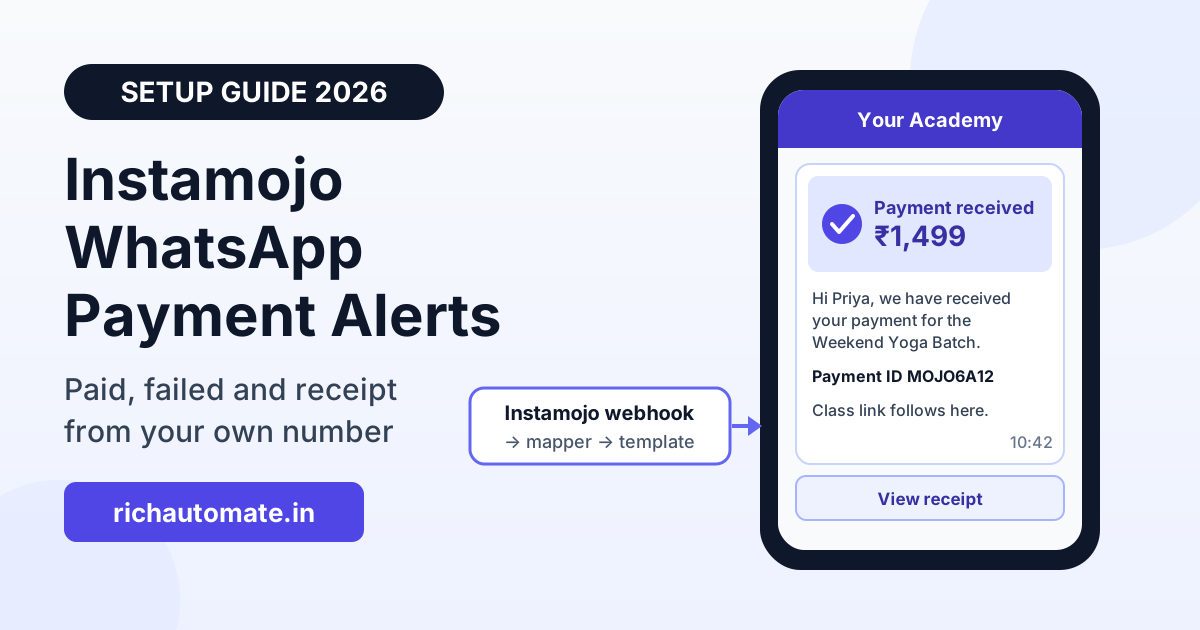
You can send Instamojo payment alerts on WhatsApp by pointing Instamojo's payment webhook at a mapper (Pabbly Connect, Make, Zapier or a short script) that turns each payment into an approved WhatsApp utility template sent from your own business number. The buyer gets "payment received", "payment failed, retry here" and a receipt on WhatsApp shortly after paying. This guide covers the webhook fields, the setup steps, sample templates, a failed-payment recovery flow and what it costs per month in rupees.
Instamojo is popular with Indian creators, coaching institutes and small D2C brands because a payment link takes minutes to set up. Instamojo can send its own emails and SMS, but they come from Instamojo, not from you, and the buyer cannot reply to them. A yoga teacher selling a ₹1,499 batch hears the same question every time: "Did my payment go through? When do I get the link?" A confirmation on your own WhatsApp number answers it before it is asked, and the same chat carries the class link or invoice.
How the Instamojo to WhatsApp integration works
Every working setup has four parts:
- Instamojo payment webhook: after a payment, Instamojo's server sends a POST request to a URL you choose, with the payment details in the body.
- Mapper: Pabbly Connect, Make, Zapier or a small script reads that request, verifies it, decides which template to send and fills in the variables.
- Sender: a WhatsApp Business API account sends a Meta-approved template to the buyer's phone number.
- Reply handling: when the buyer replies ("I paid twice", "Please send the GST invoice"), the reply lands in a shared team inbox or a chatbot flow.
RichAutomate is the sender and the reply inbox in this chain. To be clear about what it is not: RichAutomate does not have a built-in Instamojo connector. Razorpay is the payment gateway integrated into the platform itself. Instamojo connects the same way any outside system does, through the public developer API (POST /api/v1/send-template with a Bearer API key, passing the buyer's phone, the template name and its variables) or through the Incoming Webhook trigger on a chatbot flow (POST /api/v1/public/flows/{token}/trigger with a JSON body of {phone, name, data}).
The mapper step is not optional. Per Instamojo's docs, the webhook arrives as a form-encoded POST with Instamojo's own field names, so neither RichAutomate nor any other WhatsApp platform can read it as-is.
What Instamojo's payment webhook sends
Instamojo's API documentation, at the time of writing, lists these fields in the webhook body:
payment_idandpayment_request_id: the payment and the payment request it belongs to.status: per the docs, either "Credit" (successful) or "Failed".amount,currencyandfees: the amount paid and the fee Instamojo charged.buyer(the buyer's email),buyer_nameandbuyer_phone.purpose: the purpose text of the payment request, which is usually your product or batch name.longurlandshorturl: the payment request URLs.mac: a message authentication code you use to check that the request really came from Instamojo.
Where you set the webhook URL depends on how you take payments. If you create payment requests through the API, the create request accepts a webhook parameter, and Instamojo's docs recommend passing both webhook and redirect_url so you still get the payment details if the buyer closes the tab before the redirect. If you sell through a product or payment page in the dashboard, Pabbly's guide places the Webhook URL field under the product's Advanced settings. Confirm the location in your own account. Either way, the URL is set per product or per payment request, not once for the whole account, so a new product needs the URL added again.
Step-by-step webhook setup
- Create the receiving URL. In Pabbly Connect, Pabbly's own recipe uses Instamojo as the trigger app with the "New Sale" event, which gives you a webhook URL. In Make or Zapier, use a custom webhook trigger. If you write a script, any HTTPS endpoint that returns HTTP 200 works.
- Paste it into Instamojo. Add the URL to the product's Advanced settings, or pass it as
webhookwhen you create a payment request through the API. - Make one real test payment of a small amount and look at the raw body your mapper received. Write down the exact field names and the format of
buyer_phone. - Verify the MAC. Per Instamojo's docs, you remove
macfrom the data, sort the remaining keys alphabetically (case-insensitive), join their values with a pipe character, and compute an HMAC-SHA1 of that string using the private salt from your Instamojo developer settings. If the result does not matchmac, drop the request. If your mapper cannot compute an HMAC, put a short script in front of it that does this check and then forwards the clean data. - Dedupe on payment_id. Keep a list (a Google Sheet or a database table) of every
payment_idyou have already messaged. A repeat webhook stops here. - Clean the phone number. Strip spaces, dashes and a leading zero, and make sure the number starts with the 91 country code. Skip the send if the number is missing or too short, and log it.
- Branch on status and call RichAutomate. "Credit" goes to the payment received template, "Failed" goes to the failed-payment flow. Send the template through
/api/v1/send-template, or post{phone, name, data}to a flow's trigger URL if you want a chatbot to handle the follow-up.
Map each Instamojo event to a WhatsApp template
Instamojo gives you two statuses, but you can build a few useful moments around them. Keep the list short.
| Instamojo event | When to send | Template | Buttons |
|---|---|---|---|
| status = Credit | Immediately | Payment received, with amount, purpose and payment ID | Contact support |
| status = Credit (digital product or course) | Immediately, or as part of the first message | Access details: class link, download link or batch start date | Open link (URL) |
| status = Credit (needs invoice) | After your billing tool creates the invoice | Receipt or GST invoice as a PDF document header | None |
| status = Failed | After a 10 to 15 minute wait | Payment did not go through, with a retry link | Retry payment (URL) |
| Failed, no Credit 4 to 6 hours later | Once | One reminder with the same retry link | Retry payment / Need help |
Map on the status value, not on the amount or the purpose text, and keep the purpose text as a variable rather than hard-coding product names into templates. One approved template then covers every product. If you also run physical orders, the shipping side of the journey is covered in our guide to order confirmation and shipping message templates on WhatsApp.
The template-first rule
A WhatsApp message that your business starts, rather than a reply to the buyer, has to use a template that Meta has approved. A payment webhook is always business-initiated: the buyer paid on Instamojo's page, they did not message you. So the first message after every payment must be an approved template. Free-form text will not go out unless the buyer has messaged you in the last 24 hours.
Payment confirmations, failed-payment notices and receipts are usually approved in the utility category, which is cheaper than marketing. Meta decides the category when it reviews the template, and it can change the category if the wording looks promotional. Keep these templates factual: what was paid, for what, what happens next. A line like "Use code WELCOME10 on your next order" inside a payment confirmation is a quick way to get it classed as marketing.
Here is sample copy you can adapt. Variables are shown in double braces.
Payment received (utility):
"Hi {{1}}, we have received your payment of ₹{{2}} for {{3}}. Your payment ID is {{4}}. We will share the next steps on this chat. Reply here if you have any questions."
Get the India 2026 WhatsApp BSP price comparison
Wati vs AiSensy vs Interakt vs RichAutomate: Meta rates, platform fees and hidden costs, side by side. We send it to your WhatsApp in a minute.
Payment failed, retry link (utility):
"Hi {{1}}, your payment of ₹{{2}} for {{3}} did not go through. If any amount was debited, banks usually reverse failed payments on their own. You can try again using the button below."
Button: Retry payment (URL with the retry link as a variable).
Receipt or invoice (utility):
Document header: the PDF receipt.
"Hi {{1}}, please find the receipt for your payment of ₹{{2}} for {{3}}, payment ID {{4}}. Keep this for your records."
Get all three approved, then send each to your own phone to check the variables. We have more wording options, including softer and firmer versions, in our payment failed message templates for WhatsApp.
Failed-payment recovery flow with timing
A failed payment is not a lost sale yet. Common causes are a UPI app timing out, an OTP not arriving or a card limit, and the buyer usually still wants the product. Timing matters more than copy:
- 0 minutes: the Failed webhook arrives. Do not send anything yet. Log it with the buyer's phone and the purpose.
- 10 to 15 minutes: check whether a Credit for the same buyer and purpose has come in since. Many buyers retry straight away. If they have paid, send nothing about the failure. If not, send the payment failed template with the retry link.
- Buyer replies: this opens the 24-hour customer service window. Your team or a chatbot flow can now answer in free text, for example "Try UPI instead of card" or "Here is our UPI ID if the link keeps failing". Meta does not charge for replies inside that window.
- 4 to 6 hours, still no payment: send one reminder template with the same link. Not more than one.
- 24 hours: stop. Hand the lead to a person if the order value is high, or let it go.
For the retry link, the simplest option is your product or payment page link. If you create payment requests through the API, check Instamojo's docs on whether the same request can be paid again (the allow_repeated_payments setting) or whether you should create a fresh request for the retry. The same reminder logic for unpaid invoices, rather than failed checkouts, is in our guide to WhatsApp payment reminders for overdue invoices, and buyers who leave before reaching the payment page are a different problem, covered in our WhatsApp abandoned cart recovery guide.
Consent and opt-in on the checkout
Meta expects the buyer's permission before you message them, and buyers who did not expect your message are the ones who block or report you. Instamojo collects a phone number at checkout, but a phone number on a payment form is not the same as clear consent to WhatsApp updates.
- Say it where the buyer will see it before paying: a line in the product description such as "Payment confirmation and class details will be sent on WhatsApp to the number you enter."
- If buyers come to Instamojo from your own website or landing page, add an opt-in line or checkbox on your page, before the redirect to Instamojo. Whether you can add a custom checkbox on Instamojo's own checkout depends on your plan and page type, so check your account.
- If you create payment requests through the API, you already collect the phone on your own form, so put the consent text there and store the opt-in with a timestamp.
Razorpay (built in) vs Instamojo (via webhook)
If you are choosing a gateway, or you use both, here is the plain difference on RichAutomate:
| Point | Razorpay | Instamojo |
|---|---|---|
| How it connects | Integrated into the RichAutomate platform | Instamojo webhook, then a mapper, then the RichAutomate API or a flow trigger |
| Mapper needed | No | Yes, always |
| Signature check | Handled by the integration | You verify the MAC in your mapper or script |
| Duplicate protection | Handled by the integration | You dedupe on payment_id |
| Setup time | Lower | A few hours including template approval and testing |
| Extra tool cost | None | Your mapper's plan, or free if you run a script |
| Best for | Brands open to switching or adding a gateway | Sellers already on Instamojo pages, links or stores |
There is no need to switch gateways just for WhatsApp alerts. If you are starting fresh, our Razorpay WhatsApp integration setup guide shows the built-in route.
Common mistakes
- Skipping the MAC check. Without it, anyone who finds your webhook URL can trigger "payment received" messages for payments that never happened.
- No dedupe. Webhooks can be retried. Without a
payment_idcheck, a buyer can get two confirmations, which makes them think they were charged twice. - Adding the webhook to one product only. New products launched later go out with no WhatsApp alerts until someone notices.
- Sending the failure message instantly. Buyers who retried and paid in the next two minutes then get a "payment failed" message after a successful one. Wait and check first.
- Promotional lines in utility templates. Discounts or upsells in a payment confirmation can push the template into the marketing category, at a much higher Meta rate.
What it costs
There are three separate costs to keep apart: Instamojo's transaction fee, your mapper's plan (zero if you run your own script), and WhatsApp messaging. Instamojo's pricing page, at the time of writing, lists fees such as 2% + ₹3 per transaction on payment links and 5% + ₹3 on its free online store plan, with 18% GST on the fee; check the current page for your product type, as it varies by plan.
On the WhatsApp side, RichAutomate on Client Pay has ₹0 setup and ₹0 monthly on pay-as-you-go, with a platform fee of ₹0.10 per message. Meta bills its own charges directly to your business. At the time of writing, Meta's India rates are ₹0.115 per utility message and ₹0.86 per marketing message, and replies inside the 24-hour customer service window carry no Meta charge. Optional RichAutomate plans start at ₹499 per month, but payment alerts do not need one.
Worked example: a coaching brand takes 1,500 Instamojo payments a month and sends two utility templates per payment (payment received, then the receipt). About 150 payments fail each month, and each gets a failed-payment template plus one reminder.
| Line item | Messages per month | RichAutomate fee (₹0.10) | Meta utility charge (₹0.115) | Monthly total |
|---|---|---|---|---|
| Payment received + receipt (1,500 × 2) | 3,000 | ₹300 | ₹345 | ₹645 |
| Failed payment + one reminder (150 × 2) | 300 | ₹30 | ₹34.50 | ₹64.50 |
| Free-form replies inside the 24h window (say 400) | 400 | ₹40 | ₹0 | ₹40 |
| Total | 3,700 | ₹370 | ₹379.50 | ₹749.50 |
That is about 50 paise per successful payment, before any taxes Meta adds. If the same confirmation were classed as marketing instead of utility, the Meta side for the 3,000 confirmation messages alone would be ₹2,580 instead of ₹345, which is why the factual wording matters. Run your own numbers through the WhatsApp API cost calculator, and see the full breakdown on the RichAutomate pricing page.
Checklist before you go live
- Get the payment received, payment failed and receipt templates approved in the utility category.
- Add the webhook URL to every Instamojo product, or pass it on every API payment request.
- Verify the MAC with your Instamojo salt and drop anything that fails.
- Dedupe on
payment_idand normalise phone numbers to the 91 country code. - Assign a person or a chatbot flow to answer replies, and watch your quality rating for the first two weeks.
Ready to try it? Create a free RichAutomate account, generate an API key, get your first payment template approved and send it to your own number. Once that works, connecting the Instamojo webhook through your mapper is the last step.