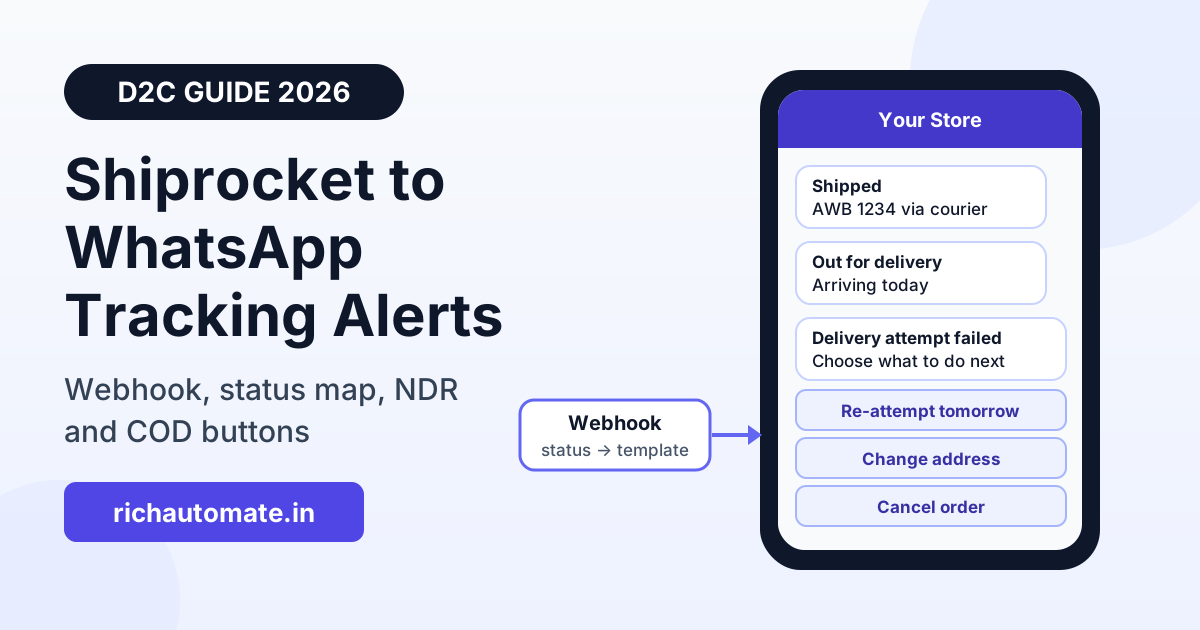
You can send Shiprocket tracking updates on WhatsApp by pointing Shiprocket's tracking webhook at a small mapper that converts each status change into a WhatsApp Business API template send. The buyer gets "shipped", "out for delivery" and "delivered" messages from your own business number, and can tap a button to answer an NDR or confirm a COD order. This guide covers the webhook setup, the status-to-template map, NDR and COD flows, and what it costs.
Most Indian D2C brands already ship through Shiprocket, and most already get "where is my order?" chats every day. Shiprocket sends its own tracking emails and SMS, but those come from Shiprocket's sender, not yours, and the buyer cannot reply to them. When the update arrives on your WhatsApp number, the same chat becomes the place to fix a wrong address, reschedule a failed delivery or ask for a return.
How the Shiprocket to WhatsApp integration works
Every working setup has four parts:
- Shiprocket tracking webhook: Shiprocket sends an HTTPS POST to your URL each time a shipment's status changes.
- Mapper: Pabbly Connect, Make or a short script reads Shiprocket's JSON (AWB, courier, status, order ID, buyer phone) and decides which template to send.
- Sender: a WhatsApp Business API account sends a Meta-approved template to the buyer.
- Reply handling: buyer button taps (reschedule, change address, cancel) land in a shared inbox or a chatbot flow.
RichAutomate is the sender and the reply inbox in this chain. It does not have a native, one-click Shiprocket connector. You connect the two through RichAutomate's public developer API (POST /api/v1/send-template with a Bearer API key) or through the Incoming Webhook trigger on a chatbot flow (POST /api/v1/public/flows/{token}/trigger with the buyer's phone, name and a data object). The mapper is required, because Shiprocket's payload has its own shape and no WhatsApp platform reads it as-is.
Step 1: Add the webhook in Shiprocket
Shiprocket's API documentation places the tracking webhook under Settings → API → Webhooks. There you add a URL, switch the webhook on, and can add a security token. The points that matter, as Shiprocket's docs describe them:
- The request is a POST with a JSON body.
- Your URL should reply with HTTP 200 and nothing else. Do the slow work (template send, logging) after you acknowledge.
- If you set a token, Shiprocket sends it in the
x-api-keyheader. Check it on every request and reject anything that does not match. - The docs say the URL must not contain keywords such as "shiprocket", "kartrocket", "sr" or "kr". A Pabbly or Make webhook URL normally passes; a URL like
/webhooks/shiprocketon your own server does not.
The sample payload in the docs includes awb, courier_name, current_status, current_status_id, shipment_status, shipment_status_id, current_timestamp and a scans array of tracking events. Field names and status lists can change, so log the raw body of your first few real webhooks before you build the mapping. To get the buyer's phone number, either read it from the payload if your account includes it, or look the order up by order ID in your store or in Shiprocket's order API.
Step 2: Map each Shiprocket status to a WhatsApp template
Do not send a message for every scan. A shipment can produce ten or more scans between pickup and delivery, and a buyer who gets ten messages will mute or block you, which hurts your number's quality rating. Pick four or five moments that the buyer actually cares about:
| Shiprocket status (label) | Send? | Template idea | Buttons |
|---|---|---|---|
| Pickup scheduled / Picked up | Optional | Order packed and handed to the courier, with order number | None |
| Shipped / In transit (first scan) | Yes, once | Shipped via courier name, AWB and tracking link | Track order (URL) |
| Out for delivery | Yes | Arriving today, keep phone reachable, COD amount if any | Need help |
| Delivered | Yes | Delivered confirmation plus a review or reorder ask | Rate us / Report a problem |
| Undelivered (NDR) | Yes, fast | Delivery attempt failed, choose what to do next | Re-attempt tomorrow / Change address / Cancel |
| RTO initiated | Usually no | Internal alert to your team instead of the buyer | None |
Map on shipment_status_id (or the status label, normalised to upper case) rather than on free text, and keep a small store of "AWB + status already sent" so retries and repeated scans never send the same message twice. Order and delivery updates are usually approved as utility templates, but Meta decides the category when it reviews the template, so keep the wording factual and leave out promotions. The longer version of this status design is in our WhatsApp order status tracking automation guide.
Get the India 2026 WhatsApp BSP price comparison
Wati vs AiSensy vs Interakt vs RichAutomate: Meta rates, platform fees and hidden costs, side by side. We send it to your WhatsApp in a minute.
Step 3: Handle NDR on WhatsApp
An NDR (non-delivery report) is the moment where WhatsApp pays for itself. The courier says the buyer was unavailable, the address was incomplete or the buyer refused, and you usually have a short window before the shipment moves towards RTO. A template with three quick-reply buttons ("Re-attempt tomorrow", "Change address", "Cancel order") gets an answer from many buyers who would never pick up an unknown call.
When the buyer taps a button, they open the 24-hour customer service window. Your team, or a chatbot flow, can now reply with free-form messages, ask for the new address and landmark, and then record the decision in Shiprocket's NDR panel. Meta does not charge for replies inside that service window. If you have a developer, Shiprocket's API also has NDR actions you can call from the flow; check the current endpoints in Shiprocket's docs before you build on them. The full playbook, including reason-wise scripts, is in our WhatsApp NDR and failed delivery management guide.
Step 4: Confirm COD orders before handover
COD orders that the buyer never meant to accept are the main cause of RTO for many brands. A COD confirmation template sent when the order is created, before you hand it to the courier, filters out a lot of them. Ask one thing: "Confirm your COD order of ₹1,299?" with "Yes, confirm" and "Cancel" buttons. If there is no reply in a few hours, send one reminder, then hold the order or call.
This message is triggered by your store (Shopify, WooCommerce or your own checkout), not by Shiprocket, because the shipment does not exist in Shiprocket's tracking yet. Send "Yes" orders to Shiprocket as normal, and tag "Cancel" orders so nobody books a pickup.
Want to test the flow first? Create a free RichAutomate account, generate an API key and get one shipping template approved. Send it to your own number before you connect the Shiprocket webhook.
Shiprocket's own buyer messaging vs your own WhatsApp number
Shiprocket sells its own buyer-communication products. Its Shiprocket Engage app on the Shopify App Store lists automated order confirmation, address verification and COD-to-prepaid conversion, priced at ₹2.49 per order on the listing at the time of writing (the listing also says charges are billed in USD, so confirm the current price with Shiprocket). Shiprocket's blog also describes branded tracking updates on WhatsApp. Here is how that compares with running updates from your own WhatsApp Business API number:
| Point | Shiprocket Engage (per its listing) | Own number via RichAutomate |
|---|---|---|
| Setup effort | Install the app, low effort | Webhook + mapper + templates, a few hours |
| Pricing model | Per order, as listed by Shiprocket | ₹0.10 per message platform fee on Client Pay, plus Meta's charges billed to you directly |
| Sender | Check with Shiprocket which number sends | Your own verified business number |
| Buyer replies | Handled inside Shiprocket's flows | Shared team inbox, chatbot flows and broadcasts in one place |
| Other use of the same chat | Shipping-focused | Support, abandoned cart, reorder and campaigns on the same number |
| Best for | Brands that want pre-ship COD checks with no build work | Brands that want one WhatsApp number for the whole customer journey |
Some brands run both: Engage for pre-ship COD checks, and their own number for tracking, NDR and support. If you do that, make sure the two systems do not send the same buyer overlapping messages.
What it costs on RichAutomate
RichAutomate has ₹0 setup and no monthly fee on pay-as-you-go. On Client Pay you pay a platform fee of ₹0.10 per message, and Meta bills its template charges directly to your own payment method at Meta's rate for the template category. Replies inside the 24-hour service window carry no Meta charge.
For example, a brand shipping 1,000 orders a month that sends three tracking templates per order (shipped, out for delivery, delivered) sends 3,000 templates, which is a RichAutomate platform fee of ₹300 for the month. Meta's utility charges for those templates are billed separately by Meta. You can estimate the Meta side with the WhatsApp API cost calculator, and full numbers are on the pricing page. If you are choosing which messages to send at all, our delivery notifications guide for ecommerce covers which updates buyers value most.
Checklist before you go live
- Get your shipped, out-for-delivery, delivered and NDR templates approved, each with the buttons you need.
- Set the Shiprocket webhook URL with a security token, and check the
x-api-keyheader in your mapper. - Log raw payloads for a day, then build the status map on the real status IDs.
- Add a dedupe check on AWB + status, and normalise phone numbers to the 91 country code.
- Route NDR button replies to a person or a chatbot flow that records the decision in Shiprocket.
- Watch your number's quality rating for the first two weeks and drop any message buyers ignore.
Ready to set it up? Start free on RichAutomate, with no setup fee and no monthly fee. The integrations page lists what connects natively today (Zoho CRM, Razorpay, Google Sheets) and what connects through the API, which is how Shiprocket connects.