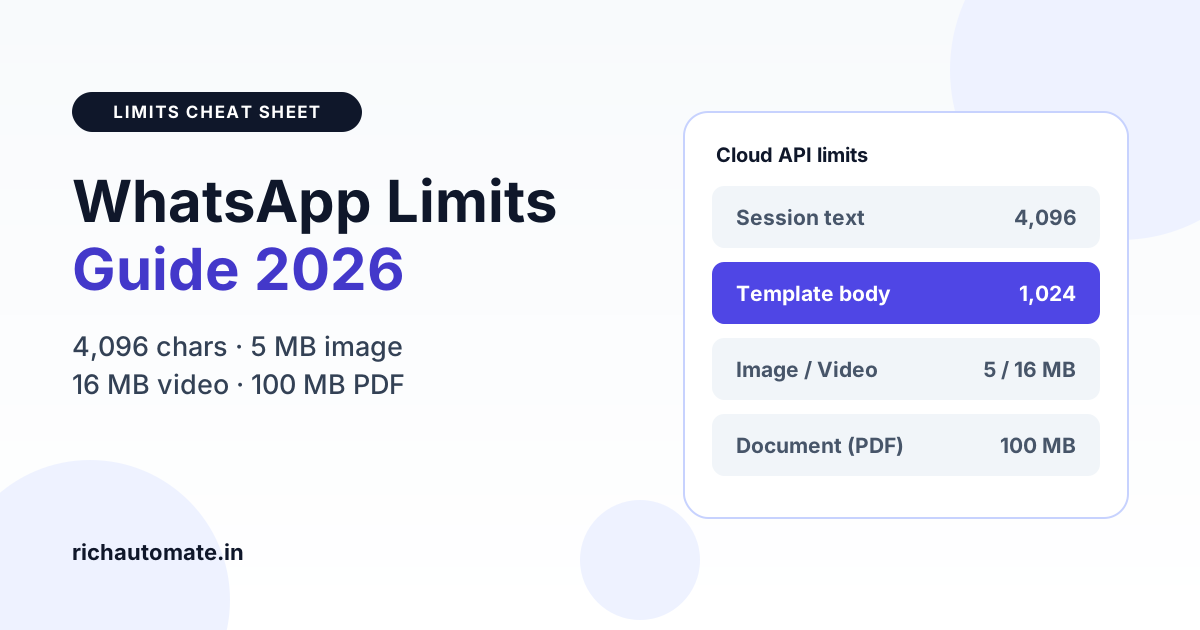
On the WhatsApp Business API, a free-form session text message can be up to 4,096 characters, while an approved template body is capped at 1,024 characters, with 60-character headers and footers. For media, images can be up to 5 MB, video and audio up to 16 MB, and documents such as PDF invoices up to 100 MB.
Those are the numbers that matter most, but they are not the whole story. Buttons, list rows, captions, stickers and codecs all have their own limits, and most "WhatsApp is not sending" tickets we see from Indian businesses come from one of them. This guide puts every common limit in one place, explains how Hindi and regional scripts are counted, and ends with a pre-send checklist your team can use before every campaign.
A note on accuracy: the figures below are Meta's published Cloud API limits at the time of writing (October 2026). Meta revises them from time to time, so verify against Meta's developer documentation before you hard-code anything into your own integration.
Why WhatsApp limits matter more than you think
Exceeding a limit rarely fails gracefully. Depending on where you break the rule, you will see one of four outcomes:
- The template is rejected at submission because a component is too long or a sample is invalid.
- The API call fails with a validation error, usually because a variable pushed the final body past its limit.
- The message is accepted but never delivered, which is typical for videos with the wrong codec or files over the size cap.
- The message delivers but performs badly, because the customer only sees the first line in the notification and never opens it.
The first three cost you money and time. The fourth quietly costs you read rate on every campaign. Knowing the limits up front avoids all four.
Text character limits by message component
WhatsApp treats each part of a message as a separate field with its own cap. This table covers session messages (sent inside the 24-hour customer service window), template messages and interactive messages.
| Component | Limit | Notes |
|---|---|---|
| Session (free-form) text message | 4,096 characters | Only inside the 24-hour window after the customer messages you |
| Media caption (image, video, document) | 1,024 characters | Shown under the media; keep the key line first |
| Template header (text) | 60 characters | Can include one variable; variable counts toward the 60 |
| Template body | 1,024 characters | Limit applies after variables are filled in |
| Template footer | 60 characters | No variables allowed |
| Template button text | 25 characters | Applies to quick-reply, URL and phone-number buttons |
| URL button target | Up to 2,000 characters | One variable allowed at the end of the URL (dynamic URL) |
| Template buttons, total | Up to 10 combined | Quick-reply and call-to-action buttons together; Meta caps URL and phone buttons separately |
| Interactive reply buttons | Max 3 buttons | Each button title up to 20 characters |
| Interactive list: button label | 20 characters | The label that opens the list, such as "View plans" |
| Interactive list: rows | Up to 10 rows total | Spread across sections |
| Interactive list: section title | 24 characters | Required when you use more than one section |
| Interactive list: row title | 24 characters | Keep it scannable |
| Interactive list: row description | 72 characters | Optional secondary line |
Templates vs interactive messages
Teams often confuse the two button systems. Template buttons are defined when you submit the template to Meta and go out with that template, including outside the 24-hour window. Interactive reply buttons and lists are built at send time and can only be used inside an open session. If you need structured choices in a first-touch marketing message, you need a template with quick-reply buttons. Our guide to reply buttons, list messages and flow templates walks through which format fits which journey.
For product showcases, carousel templates add another layer: each card has its own short body and buttons, and every card must use the same header media type. See the WhatsApp carousel template guide for the card-level rules.
Media file-size limits by type
Media limits are enforced on the file you upload or link. A file one kilobyte over the cap fails, so leave headroom.
| Media type | Supported formats | Max size | Practical notes |
|---|---|---|---|
| Image | JPEG, PNG | 5 MB | 8-bit RGB or RGBA; no transparency surprises in JPEG |
| Video | MP4, 3GPP | 16 MB | H.264 video codec with AAC audio; a single audio stream or none |
| Audio | AAC, MP3, AMR, OGG (Opus codec only) | 16 MB | OGG with Opus plays as a voice note |
| Document | PDF, DOCX, XLSX, PPTX, TXT and similar | 100 MB | PDF gives the most reliable preview on phones |
| Sticker | WebP | 100 KB static / 500 KB animated | Exactly 512 x 512 pixels |
Product videos under 16 MB
Most Indian D2C brands shoot product videos on a modern phone at 4K, which produces roughly 50 to 100 MB per minute. That will never go through. Export at 720p, H.264, a bitrate around 1.5 to 2 Mbps and AAC audio at 128 kbps, and a 45-second clip lands comfortably near 8 to 10 MB. Shorter is also better for watch-through. The WhatsApp video messages guide covers encoding settings and template headers in detail.
GST invoices and long PDFs
The 100 MB document cap is generous; a GST tax invoice is usually under 300 KB. The real issues are elsewhere: scanned invoices saved as high-resolution images inside a PDF can balloon to 20 MB or more and load slowly on 4G, and files without a sensible filename look suspicious to customers. Generate invoices as text-based PDFs, name them clearly (for example, Invoice-INV-2026-0142.pdf), and send them as a document, not an image. Our guide to sending PDF documents through the WhatsApp API has the full workflow, including template document headers.
How Hindi, regional scripts and emoji are counted
WhatsApp counts characters, not bytes. A Devanagari, Tamil or Bengali message is not penalised because each character takes more bytes to store. But "character" is less obvious in Indic scripts than it looks.
Get a 1-minute BSP audit on WhatsApp
Drop your WhatsApp number — we line-item your current invoice against Meta India rates in under 60 seconds. India-hosted, DPDP-compliant.
- Conjuncts and matras count separately. A syllable that looks like one letter, such as "क्ष" or "कि", is made of several Unicode code points. A Hindi sentence that looks like 80 letters may count as 110 or more.
- Emoji can count as two or more characters. Many emoji are surrogate pairs, and skin-tone or flag emoji are sequences of several code points. A body full of emoji uses up the 1,024 budget faster than you expect.
- Line breaks count. Every newline is a character. Heavy formatting with blank lines between every sentence adds up.
- Formatting markers count. The asterisks for bold and underscores for italics are part of the text.
The safe approach is to measure the final text with a tool that counts Unicode code points, rather than eyeballing it in a word processor. RichAutomate validates template lengths and media before you submit, so a Hindi or Hinglish body that is over the limit gets flagged before it reaches Meta's review queue.
Template variables: the hidden length trap
The 1,024-character body limit applies to the message as delivered, after every variable has been replaced. A template that measures 950 characters with placeholders like {{1}} and {{2}} can fail at send time when {{1}} is a long customer name and {{2}} is a 120-character product title.
Three habits prevent this:
- Budget each variable. Decide a maximum length for every variable (for example, name 30, product 60, order ID 20) and add those maximums to the static text.
- Truncate in your data layer. Cut long product names to a fixed length with an ellipsis before they go into the payload.
- Use realistic samples. Meta reviews the sample values you provide. Short, realistic samples get approved faster and reflect what customers actually see.
For more on structuring variables, see our guide to WhatsApp template variables and personalisation.
Just because you can use 1,024 characters does not mean you should
On most Android phones, the notification shows only the first line or two of a message, roughly 40 to 60 characters before truncation. The lock-screen preview is often all a customer reads before deciding whether to open it.
In practice, we recommend:
- Marketing bodies of about 300 to 600 characters. Long enough to give context and an offer, short enough to read in one glance after opening.
- Utility messages as short as possible. An order confirmation or delivery update rarely needs more than 200 characters plus a button.
- The hook in the first line. Put the offer, the order number or the reason for the message right at the top. "Your order #4821 has shipped" beats "Dear valued customer, we are pleased to inform you".
- Details behind a button. Push long terms, size charts or catalogues to a URL button or a PDF rather than the body.
Symptom, cause and fix: troubleshooting limit errors
When something fails, start from what you observe. This table maps the most common symptoms to their usual causes.
| Symptom | Likely cause | Fix |
|---|---|---|
| Template rejected at submission | Body over 1,024 characters, header or footer over 60, or a button label over 25 | Trim the component; count Unicode characters, not visible letters |
| Template approved but send fails with a parameter error | Variables expanded the body past 1,024 characters, or a header variable pushed the header past 60 | Cap variable lengths and truncate long values before sending |
| Header image looks blurry or is rejected | Low-resolution source, wrong format (WebP, HEIC) or file over 5 MB | Use JPEG or PNG around 1,125 x 600 pixels, compressed under 1 MB |
| Video accepted by API but never delivers | Wrong codec (HEVC/H.265 from iPhones), multiple audio tracks, or over 16 MB | Re-encode to MP4 with H.264 video and AAC audio, under 16 MB |
| Audio does not play as a voice note | OGG file encoded with Vorbis instead of Opus | Re-encode OGG with the Opus codec, or send as MP3/AAC |
| Document shows no preview or a generic icon | Missing or wrong file extension, scanned image saved oddly, or no filename passed | Send a text-based PDF with a clear filename and correct extension |
| Message truncated in notifications, low read rate | Key information buried below the first line | Lead with the hook in the first 40 to 60 characters |
| Interactive message fails to send | More than 3 reply buttons, a button title over 20 characters, or more than 10 list rows | Switch to a list for more options, or shorten titles |
| Sticker rejected | Not WebP, not 512 x 512, or over 100 KB static / 500 KB animated | Export to WebP at exactly 512 x 512 and compress |
If the template is rejected for content rather than length, the causes are different. Our template rejection fixes guide covers policy and formatting reasons, and the WhatsApp Business API error codes decoded article explains the API errors you will see in webhook responses.
Pre-send checklist
Run through this before submitting a template or launching a campaign:
- Body measures under 1,024 characters with every variable at its maximum expected length.
- Header and footer are each under 60 characters; every button label is under 25.
- The first line carries the hook, order number or offer.
- Marketing body sits around 300 to 600 characters; utility messages are shorter.
- Header image is JPEG or PNG and under 5 MB (ideally under 1 MB).
- Video is MP4, H.264 plus AAC, single audio track and under 16 MB.
- Documents are text-based PDFs with a clear filename.
- Interactive messages use no more than 3 reply buttons or 10 list rows, with titles inside their limits.
- Hindi or regional-language text has been counted in Unicode characters, including emoji and line breaks.
- A test send to an internal number has been checked on both Android and iPhone.
What sending costs on RichAutomate
Message length and media size do not change the per-message price; WhatsApp charges per delivered template message by category. RichAutomate has ₹0 setup and ₹0 monthly on pay-as-you-go. With Client Pay you pay Meta's rate plus ₹0.10 per message (Meta's marketing rate is about ₹0.8631 and utility about ₹0.13). With SaaS Pay it is all-inclusive at ₹1.50 per marketing message and ₹0.50 per utility message. Full details are on the RichAutomate pricing page.
Ready to send templates that pass review the first time? RichAutomate checks character counts and media files before submission, so your team spends time on campaigns, not on rejections. Start free trial with 14 days and 100 free credits, no setup fee.