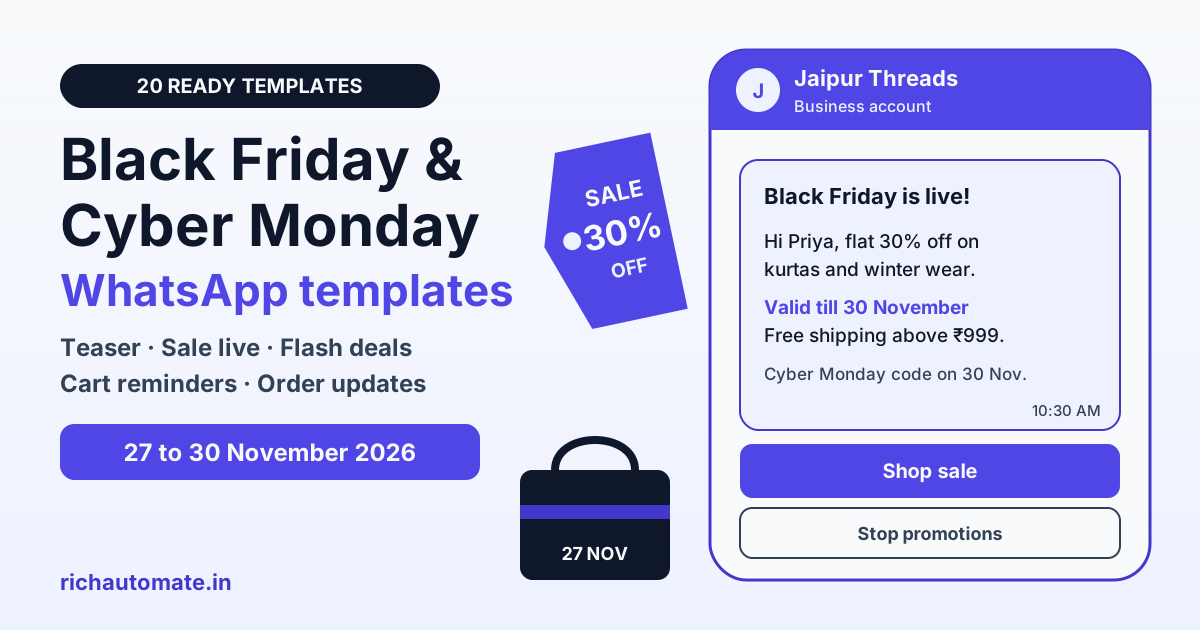
Black Friday and Cyber Monday sale messages on WhatsApp are pre-approved templates that Indian brands send to opted-in customers between 20 November and 1 December 2026 to announce, open and close a sale. Every one of them is a marketing template under Meta's rules, so it needs customer opt-in and template approval before you can send it, while order confirmations and shipping updates after the sale go out as utility templates.
Picture a Jaipur kurta label with 5,000 WhatsApp subscribers. Last year it sent six sale blasts in four days, saw a wave of blocks by Sunday and watched its quality rating drop just before Cyber Monday. This year it plans four well-timed messages and lets a cart reminder do the rest. Below: 20 copy-ready templates for that kind of plan, a send calendar, a marketing vs utility table and real cost maths. Black Friday falls on Friday, 27 November 2026 and Cyber Monday on Monday, 30 November 2026.
Why Black Friday matters for Indian businesses now
Black Friday began as a US shopping day after Thanksgiving, but Indian D2C brands, electronics sellers, fashion labels and online course creators now run their own Black Friday and Cyber Monday sales. It lands after the Diwali rush and before Christmas, which makes it a useful mid-season push for brands whose festive stock did not fully clear.
WhatsApp suits this sale because it is short and personal. A customer reads a WhatsApp message in a chat they already use, taps a button and lands on the product. That same closeness is the risk: one message too many in sale week, and the customer blocks you. The rest of this guide is about sending fewer, sharper messages.
Black Friday and Cyber Monday 2026 send calendar
The sale window is short, so the calendar matters more than at Diwali. Treat the dates below as our guidance, not a fixed rule, and adjust them for your own sale dates.
| Date | Moment | What to send | Who gets it |
|---|---|---|---|
| By 18 November | Preparation | Submit and approve templates, tag segments, collect opt-ins | No sends |
| 20 to 23 November (Fri to Mon) | Teaser | Sale dates and a Notify me button | Full opted-in list, once |
| 25 to 26 November (Wed, Thu) | Early access | VIP early access link or code | Repeat buyers and those who tapped Notify me |
| 27 November (Friday) | Black Friday | Sale is live, sent in the morning | Full list minus anyone who opted out |
| 27 to 29 November | Flash and cart | Hourly or daily deal, abandoned cart reminder | Only engaged customers and cart abandoners |
| 28 to 29 November (Sat, Sun) | Weekend | Order and shipping updates (utility) | Customers who bought |
| 30 November (Monday) | Cyber Monday | Online-only deals, new code | Full list minus recent buyers of the same item |
| 1 December (Tuesday) | Last chance | Final hours reminder | Only those who clicked but did not buy |
Once the sale closes, the next big moment is only three weeks away. Our Christmas and New Year offer message templates pick up where this calendar ends.
20 Black Friday and Cyber Monday WhatsApp templates
Copy these into your template manager. Templates 1 to 16 go in the marketing category and templates 17 to 20 in utility. Variables appear as {{1}}, {{2}} and so on. Each template starts and ends with fixed text, because Meta rejects templates that begin or end with a variable. The last line names the button to add, and every marketing template should also carry a Stop promotions quick reply.
Teaser and early access
1. Sale date teaser
Hi {{1}}, our Black Friday sale at {{2}} starts on 27 November.
Expect {{3}}% off on bestsellers for four days only.
Tap Notify me and we will message you when it opens.
2. VIP early access
Hi {{1}}, as one of our regular customers you get early access.
The {{2}} Black Friday sale opens for you on {{3}}, a day before everyone else.
Tap Shop early to see the deals.
3. Early access code
Hi {{1}}, your early access code for the {{2}} Black Friday sale is {{3}}.
It works from {{4}} on selected styles.
Tap Use code to start shopping.
4. Hinglish teaser
Namaste {{1}} ji,
{{2}} ka Black Friday sale 27 November se shuru ho raha hai.
Bestsellers par {{3}}% tak ki chhoot, sirf chaar din.
Pehle pata chalne ke liye Tap Notify me.
Sale is live
5. Black Friday sale live
Hi {{1}}, the {{2}} Black Friday sale is live.
Flat {{3}}% off on {{4}} till 30 November.
Tap Shop sale to browse the collection.
6. Carousel-style category picks
Hi {{1}}, our Black Friday picks are here.
Swipe through the best deals on {{2}} from {{3}}.
Tap View deal on any card to shop.
7. Personalised pick from browsing
Hi {{1}}, the {{2}} you looked at last week is now ₹{{3}} in our Black Friday sale.
Offer valid till {{4}}.
Tap Buy now to check your size.
Flash and hourly deals
8. Flash deal of the hour
Hi {{1}}, flash deal at {{2}}: {{3}} at ₹{{4}} from 6 PM to 8 PM today.
Price returns to normal after 8 PM.
Tap Grab deal to shop.
9. Deal of the day
Hi {{1}}, today's Black Friday deal at {{2}} is {{3}}.
It is {{4}}% off for today only.
Tap See deal to view it.
10. Back in stock during the sale
Hi {{1}}, good news: {{2}} is back in stock at {{3}}.
It is part of the Black Friday sale till {{4}}.
Tap Shop now to order.
Cart reminder
11. Abandoned cart with sale price
Hi {{1}}, you left {{2}} in your cart at {{3}}.
It is still at the Black Friday price of ₹{{4}} until the sale ends.
Tap Complete order to check out.
12. Cart reminder with free shipping
Hi {{1}}, your cart at {{2}} is waiting.
Orders above ₹{{3}} get free shipping during the sale.
Tap View cart to finish your order.
Cyber Monday and last chance
13. Cyber Monday online-only deals
Hi {{1}}, it is Cyber Monday at {{2}}.
Use code {{3}} for an extra {{4}}% off on online orders today, 30 November.
Tap Shop online to use it.
14. Cyber Monday for courses and software
Hi {{1}}, our Cyber Monday offer on {{2}} is live.
Get the annual plan at ₹{{3}} instead of ₹{{4}}, valid today only.
Tap See plans to compare.
15. Last chance, final hours
Hi {{1}}, the {{2}} Black Friday and Cyber Monday sale ends at {{3}} on 1 December.
Sale prices end after that.
Tap Shop sale for one last look.
16. Thank-you with next sale preview
Hi {{1}}, thank you for shopping with {{2}} this Black Friday.
Our Christmas collection lands on {{3}}.
Tap Notify me to get the first look.
Utility: order and shipping follow-ups
These four are plain updates about an order the customer already placed, so they qualify as utility. Do not add a discount or a "shop more" line, or Meta will treat them as marketing. For more versions, see our order confirmation and shipping message templates.
17. Order confirmation (utility)
Hi {{1}}, your order {{2}} is confirmed.
Total: ₹{{3}}. Expected delivery: {{4}}.
Reply to this message if you need to change the address.
18. Shipped (utility)
Hi {{1}}, your order {{2}} has shipped with {{3}}.
Tracking number: {{4}}.
Tap Track order to see live status.
19. Sale-week delay notice (utility)
Hi {{1}}, because of high sale-week volume, your order {{2}} will now reach you by {{3}}.
We are sorry for the delay.
Reply to this message if you have any questions.
20. Cash on delivery confirmation (utility)
Hi {{1}}, please confirm your cash on delivery order {{2}} for ₹{{3}}.
We will ship it once you confirm.
Tap Confirm order or Cancel order.
Marketing or utility: category and cost of each message
Definition: a marketing template is any WhatsApp template that promotes a product, offer, event or brand, including sale teasers and cart reminders with a discount. A utility template is a non-promotional update about a specific order, booking or account the customer already has. Meta reviews every template and can re-categorise one that is labelled wrongly; our guide to WhatsApp message template categories covers the edge cases.
Get a 1-minute BSP audit on WhatsApp
Drop your WhatsApp number — we line-item your current invoice against Meta India rates in under 60 seconds. India-hosted, DPDP-compliant.
| Message | Category | Meta charge (approx, check Meta's rate card) |
|---|---|---|
| Sale teaser or early access invite | Marketing | approx ₹0.86 per delivered message |
| Sale live, flash deal or deal of the day | Marketing | approx ₹0.86 per delivered message |
| Abandoned cart reminder with sale price | Marketing | approx ₹0.86 per delivered message |
| Cyber Monday code or last-chance reminder | Marketing | approx ₹0.86 per delivered message |
| Order confirmation, shipped, delay notice | Utility | Meta's lower utility rate; free when sent inside an open 24-hour customer window |
| Your replies when a customer messages you first | Free-form reply | Free inside the 24-hour window, per Meta |
| Shipping update plus a "shop more" coupon | Marketing | approx ₹0.86 per delivered message |
Do not file offers under utility to save money. Meta can reject or re-categorise those templates, and a pattern of mislabelled templates puts your account at risk.
What a Black Friday WhatsApp campaign costs
The maths is customers multiplied by sends multiplied by the per-message price. On RichAutomate Client Pay, Meta bills its own fee to you directly and RichAutomate adds a platform fee of ₹0.10 per message. With Meta's India marketing rate at approx ₹0.86 per message in 2026, a marketing send costs about ₹0.96 in total.
- Example: the Jaipur kurta label with 5,000 opted-in customers sends four marketing messages: a teaser on 21 November, sale live on 27 November, Cyber Monday on 30 November and one last-chance reminder.
- Volume: 5,000 customers x 4 sends = 20,000 messages.
- Meta's share: 20,000 x approx ₹0.86 = about ₹17,200, billed by Meta.
- RichAutomate's share: 20,000 x ₹0.10 = ₹2,000.
- Total: roughly ₹19,200 for the whole sale, before targeting.
In practice the bill is lower, because the last-chance reminder goes only to people who clicked, and sends that Meta does not deliver because of its per-user limit are not billed by Meta. Pay-as-you-go has ₹0 setup and ₹0 monthly, so a small brand pays only for what it sends.
| Plan type | Marketing message | Utility message | Fixed cost |
|---|---|---|---|
| Client Pay | Meta's rate (approx ₹0.86) + ₹0.10 | Meta's utility rate + ₹0.10 | ₹0 setup, ₹0 monthly |
| SaaS Pay | ₹1.50 | ₹0.50 | ₹0 setup, ₹0 monthly |
Opt-in, the 131049 limit and your quality rating
Meta requires opt-in before any marketing template: the customer must have agreed to receive WhatsApp messages from your business. Collect it at checkout, with a QR code at the counter, on your website or through a click-to-WhatsApp ad, and keep a record. A phone number in your order database is not opt-in on its own.
Meta also limits how many marketing templates one person receives across all businesses in a period. In sale week every brand is messaging the same shoppers, so some of your sends will fail with error 131049 even when everything is set up correctly. That is not a ban; it is Meta choosing not to deliver that one message. Do not resend the same offer in a loop.
- Cap your sends: our working rule is three to four marketing messages per customer across 20 November to 1 December, and only one to the full list on Black Friday itself.
- Watch your quality rating: blocks and spam reports pull it down, and a low rating can restrict your sends just when Cyber Monday needs them.
- Always add Stop promotions: a customer who can opt out in one tap is less likely to block or report you.
- Let triggers do the follow-up: a cart reminder sent because someone actually left a cart is more welcome than another blast. Our WhatsApp abandoned cart recovery guide shows how to time it.
No provider can promise that a number will never be restricted. Opt-in, relevance and frequency are your best protection.
Honest discounts: India's rules on misleading sale claims
Indian consumer law treats a misleading advertisement as an unfair trade practice, and the Central Consumer Protection Authority has issued guidelines on dark patterns that cover false urgency, fake scarcity and hidden charges. A WhatsApp sale message is advertising, so the same rules apply to it.
- Avoid inflated "up to" claims: "Up to 90% off" when only a handful of items carry that discount misleads. Write the real number and the range it covers, such as flat 30% off on winter wear.
- No fake countdowns: if your sale ends on 1 December, say 1 December. Do not restart a "last 2 hours" timer every evening.
- No invented stock counts: "Only 3 left" must be true at the time of sending.
- Show the final price: mention shipping or convenience charges up front instead of adding them at checkout.
- Keep the original price honest: the "was" price should be one you actually charged before the sale.
Honest offers also get approved faster. Meta's reviewers and your customers both read the same template.
Getting Black Friday templates approved in time
- Submit by 18 November: most templates are reviewed quickly, but leave room for a rejection and a second attempt.
- Give sample values: every variable needs realistic sample text, such as "Priya", "Jaipur Threads" or "30", so reviewers can read the final message.
- Go easy on emojis and capitals: one or two emojis and normal sentence case read better than a line of symbols or ALL CAPS.
- Use clear buttons: short call-to-action text such as Shop sale or Complete order, and your full domain in URL buttons rather than a link shortener.
- Use carousels for range: a carousel template shows several products in one message instead of several separate messages.
- Add language versions: a Hindi or Hinglish version can sit beside the English one under the same template name.
Mistakes to avoid in sale week
- Blasting the full list every day: four days of daily blasts is the fastest way to collect blocks. Segment after the first send.
- Sending at midnight: a 12 AM "sale is live" message wakes people up. Send at 9 to 11 AM or in the early evening.
- Putting a coupon in a utility template: it is re-categorised or rejected, and repeated mislabelling hurts your account.
- Ignoring opt-outs: keep messaging someone who tapped Stop promotions and your quality rating falls.
- Forgetting the post-sale load: sale week brings order questions. Make sure someone, or a chatbot, answers within the 24-hour window, where replies are free.
Run your Black Friday campaign with RichAutomate
- Template manager: submit marketing and utility templates with variables, buttons, carousels and language versions, and track approval in one place.
- Segmented broadcasts: schedule the teaser, sale-live and Cyber Monday sends to opted-in tags such as repeat buyer or clicked-not-bought.
- Opt-out handling: customers who tap Stop promotions are excluded from later campaigns automatically.
Pricing stays simple: pay-as-you-go has ₹0 setup and ₹0 monthly. On Client Pay, Meta bills its own fee directly and RichAutomate adds ₹0.10 per message; on SaaS Pay it is ₹1.50 per marketing and ₹0.50 per utility message. Teams that want more automation can choose Starter at ₹499/mo, Pro at ₹899/mo or White-label at ₹1,199/mo. Every account gets a 14-day free trial with 100 credits. To take your WhatsApp Business API number live you need business verification with a GST certificate or an MSME/Udyam certificate. See the full breakdown on our RichAutomate pricing page.
Black Friday is on 27 November, so templates should be approved by the third week of the month. Start your free RichAutomate trial, load these Black Friday and Cyber Monday templates and get them approved before the sale rush.