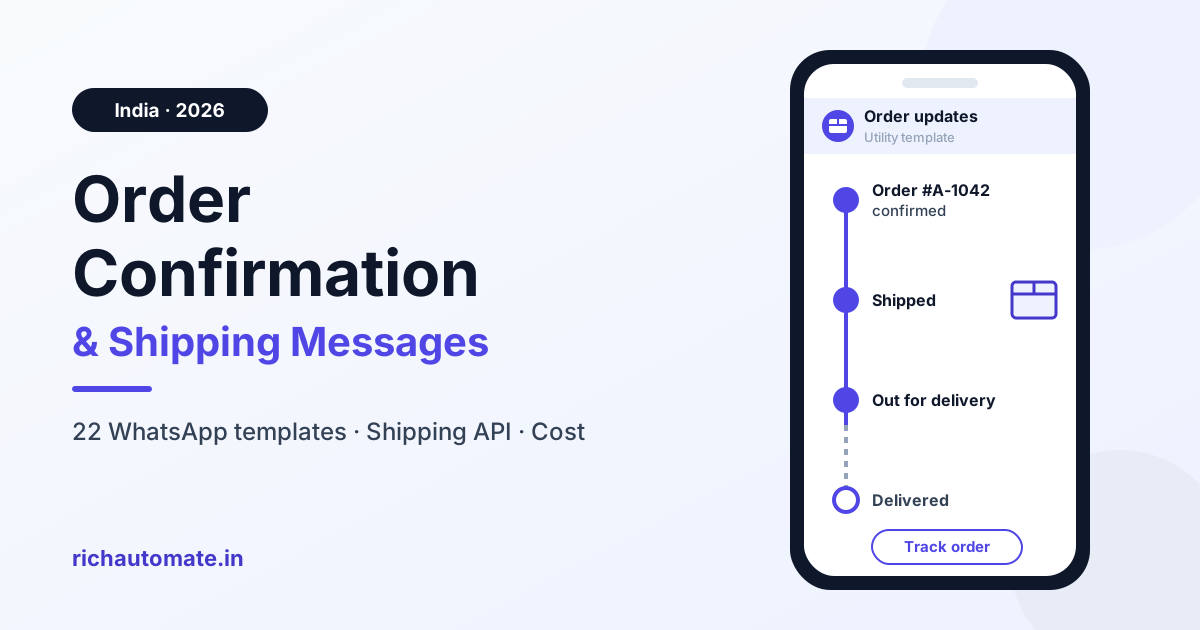
A good WhatsApp order confirmation message names the customer, confirms the order number, items, amount and payment mode, and gives the expected dispatch or delivery window. It closes with one help or tracking route, for example: "Hi Priya, order #A-1042 is confirmed: 2 items, ₹2,499 paid online. It should dispatch by Thu, 16 Oct. Tap Track order for updates." Sent outside the 24-hour customer-service window, it must be a pre-approved Utility template, about ₹0.115 per delivered message at Meta's India rate, as long as it carries no offer. Meta revises rates; confirm the live rate card.
Below: templates for every order stage, plus the store and shipping API wiring. For the inbound "where is my order?" bot, see WhatsApp order status tracking automation; for proactive-update strategy, read WhatsApp delivery notifications for e-commerce.
What a good order confirmation message contains
A WhatsApp order confirmation should confirm the order number, amount, payment mode and delivery window in the first two lines. It is a transactional note sent right after checkout that proves the order exists, shows what the customer paid or owes, and says what happens next.
- First name, with a fallback such as "there".
- Order number.
- Items or item count.
- Amount and payment mode: prepaid or Cash on Delivery (COD).
- City or short address.
- Expected dispatch or delivery date.
- One tracking or help route.
- One quick-reply button: Track order, Change address or Cancel order.
What to leave out
- The customer's full address and phone number in plain text.
- A generic "Dear Customer".
- Several links.
- A hidden coupon, which turns the message into Marketing.
- Exact delivery-time promises you cannot keep.
The order-journey message map
Fire one WhatsApp message per shipment status the customer cares about, not one per courier scan.
| Stage | Trigger event | Category | Key variables | Send timing |
|---|---|---|---|---|
| Order placed (prepaid) | Store order webhook, paid | Utility | Name, order no., items, amount | Immediately |
| Payment received | Gateway capture webhook | Utility | Amount, order no., ref | After capture |
| COD confirmation | Store order webhook, COD | Utility | Name, order no., amount | Immediately, one reminder |
| Packed | OMS or warehouse status | Utility | Order no., dispatch date | Optional |
| Shipped / dispatched | Shipping API: AWB, pickup | Utility | Courier, AWB, ETA | First pickup scan |
| Out for delivery | Courier status webhook | Utility | Order no., amount due | Once, same day |
| Delivered | Courier status webhook | Utility | Order no., date | Once |
| Delivery failed (NDR) | Courier NDR status | Utility | Reason, options | Before next attempt |
| Delay notice | ETA change or delay status | Utility | Reason, new date | When new date is known |
| Return pickup | Reverse pickup booked | Utility | Order no., pickup date | On booking |
| Refund | Refund processed | Utility | Amount, ref | On processing |
One message per stage the customer cares about; internal scans are not customer news.
22 copy-paste order confirmation and shipping message templates
Templates are Utility unless labelled; none starts or ends with a variable or puts two side by side, a common rejection cause. Meta assigns the final category at review.
Order confirmation, prepaid (Utility)
Hi {{1}}, thanks for your order! Order {{2}} is confirmed: {{3}}, paid ₹{{4}} online. We will dispatch it by {{5}} and share tracking once it ships. Tap Help if you need anything.
Key: {{1}} first name · {{2}} order no. · {{3}} items · {{4}} amount · {{5}} date · Buttons: Track order, Help
Hi {{1}}, order {{2}} is confirmed. Total paid: ₹{{3}}. Delivering to {{4}}, expected by {{5}}. Tap Change address if anything looks wrong.
Key: {{4}} area and city · Button: Change address
Order confirmation, COD with confirm and cancel buttons (Utility)
Hi {{1}}, please confirm your Cash on Delivery order {{2}} for ₹{{3}}. Tap Confirm order so we can pack it, or Cancel order if you did not place it.
Key: Buttons: Confirm order, Cancel order
Hi {{1}}, a reminder: your COD order {{2}} for ₹{{3}} still needs confirmation. Tap Confirm order or Cancel order so we can process it.
Key: send once, a few hours later. More in our guide to WhatsApp COD confirmation and RTO reduction.
Payment received (Utility)
Hi {{1}}, we received your payment of ₹{{2}} for order {{3}}. Reference: {{4}}. Tracking follows once it ships.
Key: {{4}} gateway ref · send only after capture
Order packed (Utility)
Hi {{1}}, order {{2}} is packed and ready for our courier partner. Expected dispatch: {{3}}. You will get tracking as soon as it ships.
Key: {{3}} dispatch date
Order shipped or dispatched, with tracking link (Utility)
Hi {{1}}, your order {{2}} has shipped via {{3}}. Tracking number: {{4}}. Expected delivery: {{5}}. Tap Track order for live updates.
Key: {{3}} courier · {{4}} AWB · URL button on your own domain
Hi {{1}}, your order {{2}} left our warehouse today with {{3}} item(s). Tracking goes live after the first courier scan. Tap Track order to follow it.
Key: use before the AWB is live
Out for delivery (Utility)
Hi {{1}}, your order {{2}} is out for delivery today. Amount due at the door: {{3}}. Please keep your phone reachable for the delivery partner.
Key: {{3}} "₹1,299 in cash" or "nil, prepaid"
Delivered, with help route (Utility)
Hi {{1}}, your order {{2}} was delivered on {{3}}. If anything is missing or damaged, tap Get help.
Key: Button: Get help
Delivery attempt failed, NDR with reschedule buttons (Utility)
Hi {{1}}, our courier could not deliver order {{2}} today. Reason noted: {{3}}. Please choose Reattempt tomorrow, Change address or Cancel order.
Key: {{3}} cleaned courier reason · push the choice back to the courier. See NDR and failed delivery management on WhatsApp.
Shipping delay, weather or festive backlog (Utility)
Hi {{1}}, order {{2}} is running late due to {{3}}. New expected delivery: {{4}}. Tap Track order for live status.
Key: {{3}} plain reason, e.g. "heavy rain in your area"
Hi {{1}}, festive volumes mean order {{2}} will now dispatch by {{3}}. Tap Cancel order if the new date does not work.
Key: {{3}} revised dispatch date
Address confirmation or change request (Utility)
Hi {{1}}, before we ship order {{2}}, please confirm the delivery area: {{3}}, PIN {{4}}. Tap Address is correct or Change address.
Key: {{3}} area and city · {{4}} PIN code
Partial shipment, split order (Utility)
Hi {{1}}, part of order {{2}} has shipped: {{3}}. Tracking: {{4}}. The rest will ship by {{5}}, with a separate update.
Key: {{3}} items shipped · {{4}} AWB
Pre-order or backorder (Utility)
Hi {{1}}, your pre-order {{2}} for {{3}} is confirmed. Expected dispatch: {{4}}. We will message you when it ships.
Key: {{4}} dispatch window
Marketplace or Instagram order (Utility)
Hi {{1}}, thanks for ordering over chat. Order {{2}} for {{3}}, total ₹{{4}}, is confirmed. Payment mode: {{5}}. Tracking will follow on this chat.
Key: {{5}} "Prepaid via UPI" or "COD"
Cloud kitchen or local delivery order accepted (Utility)
Hi {{1}}, your order {{2}} from {{3}} is accepted and being prepared. Estimated delivery: {{4}}. Reply here to add delivery instructions.
Key: {{3}} outlet · {{4}} time window
B2B dealer dispatch with invoice and LR/AWB (Utility)
Hello {{1}} team, order {{2}} has left our warehouse. Invoice no. {{3}}, value ₹{{4}}. Transporter: {{5}}, LR/AWB no. {{6}}. Expected arrival: {{7}}. The invoice PDF is attached above.
Key: {{1}} dealer firm · document header carries the invoice PDF
Return pickup scheduled (Utility)
Hi {{1}}, your return for order {{2}} is approved. Pickup is scheduled for {{3}}. Please keep the item packed with its tags. Tap Reschedule pickup if you will be away.
Key: {{3}} pickup date
Get a 1-minute BSP audit on WhatsApp
Drop your WhatsApp number — we line-item your current invoice against Meta India rates in under 60 seconds. India-hosted, DPDP-compliant.
Refund processed (Utility)
Hi {{1}}, your refund of ₹{{2}} for order {{3}} was processed on {{4}}. Reference: {{5}}. It follows your bank's standard timeline.
Key: {{5}} refund ID
Shop again after delivery (Marketing, not Utility)
Hi {{1}}, hope you are enjoying your {{2}}. Here is {{3}} off your next order with code {{4}}, valid till {{5}}. Tap Shop now to browse. Reply STOP to opt out of these messages.
Key: separate message, opted-in customers only
Template-variable map: where each value comes from
| Variable | What it holds | Example value | Source system |
|---|---|---|---|
| First name | First name, fallback "there" | Priya | Store order webhook |
| Order number | Public order ID | order #A-1042 | Store order webhook |
| Items | Item list or count | 2 items | Store order webhook |
| Amount | Order total | ₹2,499 | Store order webhook or payment gateway |
| Payment mode and ref | Prepaid or COD, short ref | Prepaid, TXN-88xx | Payment gateway |
| AWB and courier | Tracking number, courier | AWB 7731xxxx | Shipping aggregator or courier API status webhook |
| Expected date | Dispatch or delivery date | Thu, 16 Oct | OMS/ERP or courier ETA |
| NDR reason | Cleaned failure reason | Customer not available | Courier API status webhook |
| Invoice and LR (B2B) | Invoice and transporter receipt | INV-A118, LR 45xx | OMS/ERP or Google Sheet |
If the order ID, amount or date is blank, skip the send and flag it to ops.
How to connect a shipping API to WhatsApp
For a D2C brand, a shipping API books the shipment with a courier, returns the AWB (tracking number) and label, and pushes status webhooks as the parcel moves. Those webhooks fire your WhatsApp templates.
Shipping aggregator vs direct courier API
| Dimension | Shipping aggregator | Direct courier API |
|---|---|---|
| Courier choice | Several couriers behind one account | One courier per integration |
| Single integration | One API and webhook format | One integration per courier |
| Status-code normalisation | Usually maps codes to a common set | You map raw codes yourself |
| Webhook availability | Typically offered; confirm the event list | Varies; some need polling |
| Effort | Lower to start, one more dependency | Higher per courier, more control |
Check your provider's documentation for event names and fields.
The wiring, step by step
- Store order webhook (Shopify, WooCommerce or your own site): send the prepaid or COD confirmation.
- Gateway capture webhook: send payment received.
- Shipping API returns the AWB on booking: save it against the order.
- Map each status webhook to a clean state; the state picks the template.
- Button replies such as Confirm order or Reattempt tomorrow flow back to the store or courier.
RichAutomate receives the event by webhook or API call and sends the matching approved template.
Status-to-template mapping
- Picked up or first in-transit scan: Shipped.
- Out for delivery: Out for delivery.
- Delivered: Delivered.
- Undelivered or NDR: NDR with reschedule buttons.
- ETA change or delay: Delay notice.
- Hub transfers, label printed, repeat in-transit scans: no message.
De-duplication and missing data
- Send only when the clean state changes; ignore repeated and out-of-order scans.
- Dedupe on order ID plus state, because webhooks are retried.
- Verify webhook signatures, respond quickly and queue the send.
- No phone number or no opt-in: do not send; log it. Checkout opt-in covers order updates; marketing needs separate consent.
Utility vs Marketing, and the 24-hour window
Order and shipping updates without an offer are Utility templates; add a coupon and the same message becomes Marketing. Words such as "offer", "sale", "discount", "buy now" or "limited time" in a Utility submission commonly lead to rejection or recategorisation. See our WhatsApp template categories guide.
Split the message: send the update as Utility, then any offer as a separate Marketing template to opted-in customers only. In India, Marketing costs ₹0.8631 per delivered message against ₹0.115 for Utility (BSP-reported), roughly 7.5 times more. Meta revises rates; confirm the live rate card.
From 1 October 2026, Meta charges for service messages (free-form replies inside the 24-hour customer-service window) and for utility templates sent inside that window, at the utility rate: ₹0.115 plus 18% GST in India. BSPs report that the first 1,000 service messages per number each month stay free, but that covers free-form replies, not utility templates. If a customer is already chatting, reply in free-form text. More in our breakdown of the October 2026 WhatsApp API price change.
Marketing templates also face Meta's per-user pacing: excess messages can be held or dropped while showing as sent. Meta publishes no fixed cap, so measure delivered, not sent.
What order and shipping messages cost
Example: three Utility messages per order (confirmation, shipped, delivered), sent outside an open window. GST is excluded.
| Orders a month | Messages (×3) | Meta rate (₹0.115) | Client Pay (₹0.115 + ₹0.10) | SaaS Pay (₹0.50) |
|---|---|---|---|---|
| 1,000 | 3,000 | ₹345 | ₹645 | ₹1,500 |
| 10,000 | 30,000 | ₹3,450 | ₹6,450 | ₹15,000 |
| 1,00,000 | 3,00,000 | ₹34,500 | ₹64,500 | ₹1,50,000 |
The arithmetic is messages × rate: 30,000 × ₹0.215 = ₹6,450 on Client Pay, which is Meta's rate plus a ₹0.10 platform fee. SaaS Pay is ₹0.50 per utility message (₹1.50 per marketing message). RichAutomate has ₹0 setup and ₹0 monthly on usage-only, with Starter ₹499/mo, Pro ₹899/mo and White-label ₹1,199/mo plans. A 4th, out-for-delivery message adds ₹0.115, ₹0.215 or ₹0.50 per order: ₹1,150, ₹2,150 or ₹5,000 a month at 10,000 orders. Meta revises rates; confirm the live rate card.
Mistakes to avoid
- Stale address or ETA from a sheet. Pull dates from live order and shipping data.
- Firing on every courier scan. Send on state changes only.
- Offers inside Utility. A coupon invites rejection or recategorisation. Split it out.
- No opt-out route for marketing. Every Marketing template needs a STOP line, honoured everywhere.
- No handoff on "where is my order". Reply with live status or route to a person.
- COD confirmation after dispatch. Trigger it on the order webhook; once shipped, a cancel becomes a return-to-origin.
Start a free 14-day RichAutomate trial with 100 free credits, connect your store or shipping webhook and submit your first order confirmation template.
Frequently asked questions
How do I write an order confirmation message?
Start with the customer's first name, then confirm the order number, items or item count, amount and payment mode, and the expected dispatch or delivery date. End with one tracking or help route and a button such as Track order. Keep it offer-free so it stays a Utility template.
Is an order confirmation on WhatsApp a Utility or Marketing template?
It is Utility when it only confirms the order and carries no promotion. Add a coupon, cross-sell, referral ask or shop-again offer and it becomes Marketing, which costs more and needs marketing opt-in. Meta assigns the final category at review.
How do I connect a shipping API or courier tracking to WhatsApp?
Subscribe to status webhooks from your shipping aggregator or courier API, map each raw status to a clean state, and have each state call your WhatsApp platform to send the matching approved template. Send only on state changes, dedupe retries and skip orders with no phone number or opt-in.
What should a "your order has been shipped" message include?
The first name, order number, courier, AWB number, expected delivery date and one Track order button that opens a page on your own domain. Leave out offers and extra links.
How much does it cost to send order updates on WhatsApp in India?
Utility templates cost about ₹0.115 per delivered message at Meta's India rate, before GST. Three updates per order for 10,000 orders is about ₹3,450 at Meta's rate, ₹6,450 on Client Pay or ₹15,000 on SaaS Pay. Meta revises rates, so confirm the live rate card.