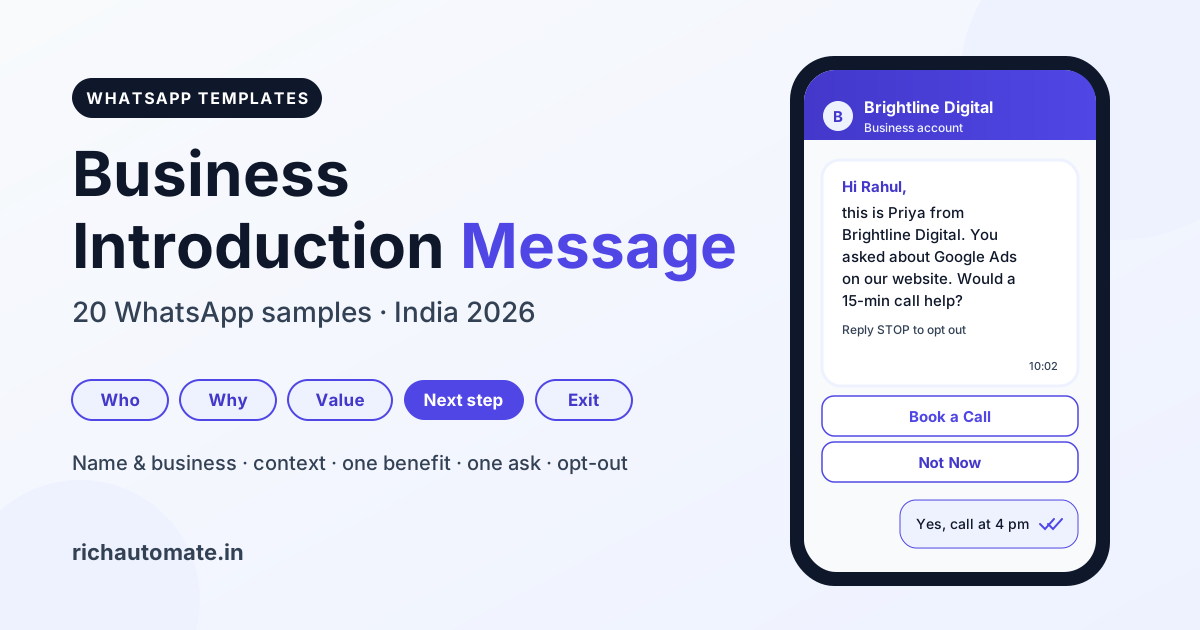
An introduction message in WhatsApp is the first message a business sends a new customer, client or prospect to say who it is, why it is writing and what to do next. A good business introduction message names you and your company, explains how you got the number, gives one line of value, asks for one clear next step and ends with an opt-out, and below are 20 copy-ready samples for Indian businesses.
Want the automatic greeting people get when they message you first? That is a different job, covered in our guide to WhatsApp welcome message and greeting automation. By the RichAutomate Team, October 2026.
What an introduction message in WhatsApp is (and is not)
A business introduction message is an outbound first touch: you start the conversation, so one short message has to earn the reply.
A welcome message answers someone who wrote to you first. An introduction goes the other way: a lead filled your form, a customer just bought or you met at an expo, and now you write first. That decides which WhatsApp rules apply and what it costs. Every sample below uses these variables:
- {{1}}: recipient's first name
- {{2}}: your name or the rep's name
- {{3}}: business name
- {{4}}: context, such as the enquiry topic, where you met, an order number or a date
- {{5}}: extra detail, defined under the template
Meta rejects bodies that start or end with a variable or skip a number, so every template here avoids both.
The 5-part business introduction message formula
A strong WhatsApp introduction fits five parts into roughly 40 to 70 words: who, why, value, next step and exit.
- Who you are. Name, role and business in one line: "This is Priya from Brightline Digital."
- Why you are writing. The context that makes it expected: "You enquired about Google Ads on our website." This line separates an introduction from spam.
- One line of value. One benefit for people like them, not a brochure.
- One next step. A single question or button: book a call, get prices, see the catalogue.
- An easy exit. "Reply STOP to opt out" on marketing messages protects your quality rating.
Write like a polite phone call, not an advert: no capitals, emoji stacks or "limited offer" pressure. The goal of a first message is a reply, not a sale.
20 WhatsApp introduction message samples (copy-ready)
Pick the sample closest to your business, keep its structure, and change only the variables and the one-line value.
Each sample shows its likely Meta category and suggested buttons. More variations live in our free WhatsApp template library.
| Business type | Introduction angle | Next step |
|---|---|---|
| Agency or B2B services | Their enquiry plus one result you deliver | 15-minute call |
| Freelancer or consultant | Where you met plus proof of work | Portfolio or quote |
| Retail shop or D2C brand | Thanks, plus how often you will message | New arrivals |
| Real estate | The property they asked about | Site visit |
| Clinic or coaching class | Official number or demo follow-up | Book a slot |
| CA or insurance advisor | Credentials and plain help, no pressure | Call back |
B2B services and agencies
1. Agency after a website enquiry
Hi {{1}}, this is {{2}} from {{3}}. You filled our website form about {{4}}, so I am following up here. We help Indian brands get more qualified leads from Google and Meta ads. Would a 15-minute call this week help? Reply STOP to opt out.
Marketing · Buttons: Book a Call · Not Now
2. IT or software company after a LinkedIn chat
Hello {{1}}, {{2}} here from {{3}}. Thanks for connecting on {{4}} and sharing your WhatsApp number. We build billing and inventory software for distributors. Can I send a 2-minute demo video? Reply STOP to opt out.
Marketing · Buttons: Send Demo · Talk Later
Freelancers and consultants
3. Freelance designer after a meeting
Hi {{1}}, I am {{2}}, the packaging designer behind {{3}}. We spoke at {{4}} about your label redesign. My recent work is one tap away below, and I am happy to quote when you are ready. Reply STOP to opt out.
Marketing · Buttons: View Work · Get a Quote
4. Consultant self introduction after a call
Namaste {{1}}, my name is {{2}} and I run {{3}}, helping family businesses set up simple MIS and cash-flow reports. You asked about {{4}} on our call today. Save this number to reach me directly. Reply STOP to opt out.
Marketing · Buttons: Save Contact · Book Follow-up
Retail shops
5. Store manager after a walk-in visit
Hi {{1}}, I am {{2}}, store manager at {{3}}. Thank you for visiting today and sharing your number at billing. We will send new arrivals and festive offers here, at most twice a month. Reply STOP to opt out.
Marketing · Buttons: See New Arrivals · Stop Updates
6. Neighbourhood grocery home delivery
Hi {{1}}, this is {{2}} from {{3}}. You signed up for home delivery at {{4}}, so this is our official WhatsApp number. Send your list here between 8 am and 9 pm and we will confirm the total first. Reply STOP to opt out.
Marketing · Buttons: Order Now · Store Timings
D2C brands
7. Founder introduction after a website opt-in
Hi {{1}}, {{2}} here, founder of {{3}}. Thanks for opting in on {{4}}. We make small-batch cold-pressed oils, and restock alerts and recipes land here first. Want our bestseller guide? Reply STOP to opt out.
Marketing · Buttons: Send Guide · Shop Now
Real estate
8. Agent after a property enquiry
Hello {{1}}, this is {{2}}, a RERA-registered consultant with {{3}}. You enquired about {{4}}, and I have a few similar options in your budget. Shall I send photos and site-visit slots? Reply STOP to opt out.
Marketing · Buttons: Send Photos · Book Site Visit
9. Sales executive after a site visit
Hi {{1}}, I am {{2}} from {{3}}. Thank you for visiting {{4}} today. I am your single point of contact for pricing, floor plans and loan paperwork. Tap below for the latest price sheet. Reply STOP to opt out.
Marketing · Buttons: Get Price Sheet · Call Me
Clinics
10. Clinic official number after registration
Hello {{1}}, this is {{2}} from {{3}}. You registered at our front desk on {{4}}, so this is our official WhatsApp number. Message us here to book, reschedule or check doctor timings. Thank you.
Utility (no offers or health camps) · Buttons: Book Appointment · Clinic Timings
Keep health details out of templates; share reports only after the patient confirms identity in the chat.
Coaching classes
11. Counsellor after a demo class
Hi {{1}}, I am {{2}}, counsellor at {{3}}. You asked about {{4}} at our demo class, so here are batch timings and fees. Would you like to book a free trial class for your child? Reply STOP to opt out.
Marketing · Buttons: Book Trial Class · View Batches
CA, insurance and financial advisors
12. CA firm after a seminar
Namaste {{1}}, this is CA {{2}} from {{3}}. We met at {{4}}, where you asked about GST filing. We handle GST, TDS and ITR compliance for small businesses. Shall I share our document checklist? Reply STOP to opt out.
Marketing · Buttons: Send Checklist · Schedule Call
13. Insurance advisor after a call-back request
Hello {{1}}, I am {{2}}, a licensed advisor with {{3}}. You requested a call back about {{4}}. I will explain your options in plain language, with no obligation. When suits you for a 10-minute call? Reply STOP to opt out.
Marketing · Buttons: Call Me Today · Call Me Tomorrow
Never promise returns or guaranteed outcomes in a first message.
Onboarding after a purchase or signup
14. Onboarding manager after an order
Hi {{1}}, I am {{2}}, your onboarding manager at {{3}}. Thank you for order {{4}}. I will help you set up over the next 7 days. Reply here anytime, or tap below for the setup guide.
Utility · Buttons: Setup Guide · Talk to Support
Get a 1-minute BSP audit on WhatsApp
Drop your WhatsApp number — we line-item your current invoice against Meta India rates in under 60 seconds. India-hosted, DPDP-compliant.
15. Account activated after signup
Hello {{1}}, this is {{2}} from {{3}}. Your {{4}} account is now active, and I am your contact for setup and billing questions. Tap Get Started to finish your profile in three steps.
Utility · Buttons: Get Started · Talk to Me
Referrals
A friend sharing a number is not that person opting in. Ask the referrer to forward your click-to-chat link, so the prospect messages you first and opens the 24-hour window.
16. Reply after a referred prospect messages first
Hi {{1}}, thanks for messaging! I am {{2}} from {{3}}. {{4}} said you need help with shop billing. Happy to explain how we set it up for them. What does your current process look like?
Free-form (no template needed inside the 24-hour window) · Buttons: none, plain chat reply
17. Referral with consent captured on a form
Hi {{1}}, this is {{2}} from {{3}}. You were referred by {{4}} and agreed to hear from us on WhatsApp. They use us for {{5}}, and the same referral benefit is reserved for you. Reply STOP to opt out.
Marketing · Buttons: Know More · Not Interested
{{5}} = the referrer's service, for example "monthly payroll".
Events and expos
18. After a trade fair stall visit
Hi {{1}}, this is {{2}} from {{3}}. Great meeting you at our stall at {{4}}. As promised, our catalogue is attached. Which product line should I price for you? Reply STOP to opt out.
Marketing · Buttons: Send Pricing · Book Meeting (PDF catalogue header)
Inviting people to the event in the first place? Use our event invitation message templates.
Rep or account manager handover
19. New account manager
Hello {{1}}, I am {{2}}, your new account manager at {{3}}, taking over from {{4}}. Your services, pricing and support stay unchanged. Save this number for orders, invoices and service requests.
Utility (no offers) · Buttons: Save Contact · Raise a Request
20. New field sales rep
Namaste {{1}}, this is {{2}} from {{3}}. From {{4}}, I will handle orders and deliveries for your area. Your rates and credit terms stay the same. Reply here for any order.
Utility (no offers) · Buttons: Call Me · Place Order
{{4}} = start date, for example "1 November".
Meta template rules for WhatsApp introduction messages
If the person has not messaged you in the last 24 hours, your introduction must be a Meta-approved message template.
Free-form text is allowed only inside the 24-hour customer service window, which opens when the customer messages you. Outside it, the API sends only Meta-reviewed templates, sorted into Marketing, Utility and Authentication; our guide to WhatsApp template categories covers the edge cases.
| Introduction type | Category | India rate (approx., per delivered template) |
|---|---|---|
| Introducing your business to a lead or prospect | Marketing | ₹0.8631 |
| Any intro with an offer or new product | Marketing | ₹0.8631 |
| Onboarding contact after a purchase or signup, no offer | Utility | ₹0.115 |
| New account manager for an existing account | Utility | ₹0.115 |
| Reply after the customer messages first | Free-form | No template charge |
- One promotional line turns Utility into Marketing. Keep offers out of onboarding and handover intros.
- Marketing templates are paced. Meta may slow delivery to people who get many marketing messages; see Meta marketing template pacing.
- The body limit is 1,024 characters. Short intros get more replies anyway.
Opt-in and consent before you introduce yourself
Meta requires that people opt in to receive WhatsApp messages from your business before you send them a template.
Opt-in means a clear yes captured on a website form, checkout, store QR code, expo scanner or signed form, naming your business and WhatsApp. Store the date and source of each one.
- Never message purchased or scraped lists. Strangers block and report, your quality rating drops and Meta can restrict your number.
- Visiting cards and group members are not consent. Ask them to scan your QR code or message you first.
- Honour STOP immediately, across every campaign.
- Avoid unofficial bulk tools. Read about unofficial WhatsApp API ban risk before trying one.
No tool can promise a number will never be banned; consent, relevance and low block rates keep it healthy. For the full checklist, see how to send bulk WhatsApp messages legally in India.
What WhatsApp introduction messages cost in India
Meta charges per delivered template in India: approx. ₹0.8631 for Marketing and approx. ₹0.115 for Utility, while free-form replies inside the 24-hour window carry no template charge.
Example: a month with 1,000 opted-in leads and 1,000 new customers.
- 1,000 Marketing intros: about ₹863 from Meta. On RichAutomate Client Pay (Meta rate + ₹0.10 per message) that is about ₹963; on SaaS Pay at ₹1.50 per marketing message it is ₹1,500.
- 1,000 Utility onboarding intros: about ₹115 from Meta, about ₹215 on Client Pay, or ₹500 on SaaS Pay at ₹0.50 per utility message.
- Replies after the lead writes back: free-form inside the 24-hour window, with no template charge.
So reply rate matters more than send count. Meta figures are approx. and exclude GST. Pay-as-you-go has ₹0 setup and ₹0 monthly fee; plans are Starter ₹499/mo, Pro ₹899/mo and White-label ₹1,199/mo. See WhatsApp API pricing for India, and note that a GST number is required to go live.
Personal WhatsApp vs Business App vs API for introductions
Use the Business App for a handful of personal introductions a day, and the WhatsApp Business API once you introduce yourself to leads at volume or across a team.
| Feature | Personal WhatsApp | WhatsApp Business App | WhatsApp Business API |
|---|---|---|---|
| Business profile and catalogue | No | Yes | Yes |
| Message someone who has not written first | Manual only | Manual only | Approved templates |
| Personalised variables at scale | No | No | Yes |
| Buttons and click-to-call | No | Limited | Yes |
| Multiple agents on one number | No | A few linked devices | Shared team inbox |
| Form and checkout triggers | No | No | Yes, via API |
| Cost | Free | Free | Per delivered template |
On the Business App, save your best intros as WhatsApp quick replies. When leads arrive faster than you can type, the API sends each introduction within minutes, personalised and tracked.
Mistakes to avoid in a business introduction message
Most introduction messages fail because they are about the sender, not the reader.
- No context line. "We are a leading company" with no reason for writing reads as spam.
- A wall of services. Pick the one benefit that matches their enquiry.
- Several asks. One question, one button.
- A PDF brochure first. Lead with a sentence; attach files after they reply.
- Chasing with templates. One introduction and at most one polite follow-up, sent between about 9 am and 8 pm.
Send your first WhatsApp introduction message today
The best introduction is short, expected and easy to answer, so start with one segment and improve from the replies.
With RichAutomate you can submit these templates for Meta approval, send them as campaigns or through the API, and answer every reply from a shared team inbox. Start with samples 1, 8, 14 and 19.
Start your 14-day free trial with 100 credits and send your first introduction on the official WhatsApp Business API, with ₹0 setup.