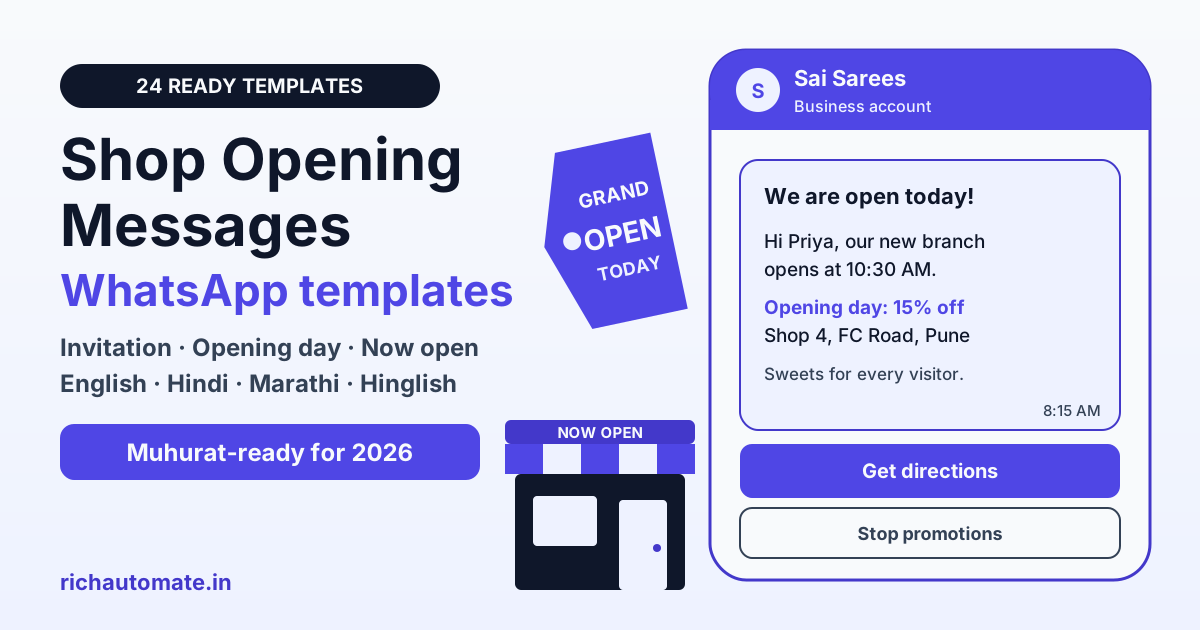
A good shop opening message tells customers what you are opening, when and where, and gives them one reason to visit, such as an opening-day offer or a muhurat puja invitation. To announce a new shop on WhatsApp, send a short invitation a few days before, an opening-day message on the morning itself and a now-open reminder with your Google Maps link, using approved templates sent only to customers who agreed to hear from you.
Picture a saree boutique in Pune opening its second branch on Dhanteras. It has 1,800 numbers saved from its first store's billing counter, a muhurat fixed by the family pandit and one week to fill the new shop with visitors. Only some of those 1,800 people ever agreed to WhatsApp messages, and a forwarded poster with no address will not bring anyone in. Below: 24 copy-ready shop opening messages in English, Hindi, Marathi and Hinglish, a timing table for each message type and the rules for sending them at scale through the WhatsApp Business API.
What makes a good shop opening message
Definition: a shop opening message is a short announcement that tells customers a new shop, branch, showroom, boutique or clinic is opening, with the date, time, address and a reason to visit. On WhatsApp it is sent as a marketing template, because it promotes your business.
- What: the shop name and what you sell, such as sarees, mobiles or dental care.
- When: the opening date and time, including the muhurat if you are holding a puja.
- Where: the full address with a landmark, plus a Google Maps link or location pin.
- Why come: one clear reason, such as an opening-day discount, a welcome gift or a first look at the collection.
- Next step: one button, such as Get directions, Call us or View offer.
Keep it warm rather than salesy: an opening is a family moment, and customers respond to an invitation more than to a sale banner. Many shops open on auspicious dates such as Dhanteras, Akshaya Tritiya, Gudi Padwa or a Navratri day, so name the occasion if it applies. Planning a Dhanteras opening? Our Dhanteras offer message templates pair well with the ones below.
Shop opening message types and when to send each
An opening campaign is a short sequence, not one blast. It moves people from invitation to first visit to repeat visit. Treat the timing below as our guidance, not a fixed rule.
| Message type | When to send | Template category | Who gets it |
|---|---|---|---|
| Invitation or inauguration | 3 to 7 days before opening | Marketing | Full opted-in list |
| Opening day | Morning of the opening, a few hours before the doors open | Marketing | Opted-in contacts in the shop's area |
| Now open | 2 to 5 days after opening | Marketing | Contacts who have not visited or replied |
| First-week offer | Middle of the first week | Marketing | Opted-in contacts near the shop |
| Thank you for visiting | Same day or next day after a visit | Marketing | Visitors who opted in at the counter |
| Purchase receipt | Right after a purchase | Utility | Buyers who opted in at billing |
Two rules hold across all of them: send no more than one message per day to the same person, and stop the sequence for anyone who visits, buys or taps Stop promotions.
24 shop opening message templates you can copy
Copy these into your template manager. Templates 1 to 23 go in the marketing category and template 24 in utility. Variables appear as {{1}}, {{2}} and so on, and each template starts and ends with fixed text, because Meta rejects templates that begin or end with a variable. The last line names the button to add, and every marketing template should also carry a Stop promotions quick reply.
Invitation and inauguration messages
Send these three to seven days before you open. Mention the muhurat or occasion if there is one, and keep the address in every version.
1. Shop inauguration invitation
Hi {{1}}, we are delighted to invite you to the inauguration of our new shop, {{2}}.
Date and time: {{3}}
Address: {{4}}
Your presence will make the day special. Tap Get directions to find us.
2. Muhurat opening invitation
Hi {{1}}, on the auspicious occasion of {{2}}, we are opening {{3}}.
The puja and opening are at {{4}}, followed by sweets for every guest.
Please join us with your family. Tap Get directions for the location.
3. Hindi invitation
नमस्ते {{1}} जी,
हमें यह बताते हुए खुशी है कि {{2}} का शुभारंभ {{3}} को हो रहा है।
पता: {{4}}
आप सपरिवार सादर आमंत्रित हैं। रास्ता देखने के लिए Get directions पर टैप करें।
4. Marathi invitation
नमस्कार {{1}},
आमच्या नवीन दुकान {{2}} चे उद्घाटन {{3}} रोजी होत आहे.
पत्ता: {{4}}
आपण सहकुटुंब अवश्य यावे, ही नम्र विनंती. नकाशा पाहण्यासाठी Get directions वर टॅप करा.
5. Hinglish invitation
Namaste {{1}} ji,
Hamari nayi dukaan {{2}} ka udghatan {{3}} ko hai.
Address: {{4}}
Aap parivaar sahit zaroor padharein. Location ke liye Get directions par tap karein.
Opening-day messages
Send these on the morning of the opening, a few hours before the doors open or the puja begins. A midnight message wakes people up and earns blocks.
6. We are open today
Good morning {{1}}, {{2}} opens its doors today at {{3}}.
Come in, look around and meet our team.
Address: {{4}}. Tap Get directions to visit us.
7. Opening-day offer
Hi {{1}}, today is opening day at {{2}}.
Every purchase today gets {{3}}% off, and every visitor gets a small welcome gift.
The offer ends at {{4}} tonight. Tap Get directions to reach us.
8. Hindi opening day
नमस्ते {{1}} जी,
आज {{2}} का शुभारंभ है। दुकान सुबह {{3}} बजे से खुली है।
पहले दिन हर खरीद पर {{4}}% की छूट।
आज ही पधारें, रास्ता देखने के लिए Get directions पर टैप करें।
9. Marathi opening day
नमस्कार {{1}},
आज {{2}} चा शुभारंभ! दुकान सकाळी {{3}} पासून सुरू आहे.
पहिल्या दिवशी प्रत्येक खरेदीवर {{4}}% सूट.
नकाशा पाहण्यासाठी Get directions वर टॅप करा.
10. Hinglish opening day
Namaste {{1}} ji, aaj se {{2}} khul gaya hai!
Opening day par har kharidi pe {{3}}% off, sirf aaj raat {{4}} baje tak.
Aaj hi aaiye. Location ke liye Get directions par tap karein.
Now open, new branch and showroom messages
These go out a few days after opening to people who have not visited yet, or to existing customers when you add a branch, showroom, boutique or clinic.
11. Now open near you
Hi {{1}}, {{2}} is now open near you.
Address: {{3}}
Timings: {{4}}
Tap Get directions to open the location in Google Maps.
12. New branch for existing customers
Hi {{1}}, thank you for shopping with {{2}} all these years.
Our new branch is now open at {{3}}, closer to {{4}}.
Same team, same trusted quality. Tap Get directions to visit.
13. Showroom opening
Hi {{1}}, our new {{2}} showroom is open at {{3}}.
See the full range on display, with live demos and expert advice.
Opening offer this week: {{4}}. Tap Book a visit to pick a time.
14. Boutique opening
Hi {{1}}, our boutique {{2}} is now open.
Our first collection of {{3}} is in store, with alterations and styling help.
Visit us at {{4}}. Tap View collection for a preview.
15. Salon, clinic or studio opening
Hi {{1}}, {{2}} is now open at {{3}}.
We offer {{4}} in a clean, comfortable space with an experienced team.
Walk in or book a slot. Tap Book appointment to choose a time.
16. Hindi now open
नमस्ते {{1}} जी,
{{2}} अब आपके इलाके में खुल गया है।
पता: {{3}}
समय: {{4}}
लोकेशन देखने के लिए Get directions पर टैप करें।
First-week offer messages
A first-week offer gives people a reason to come before the excitement fades. India's consumer protection rules and the CCPA guidelines on dark patterns treat false urgency and fake scarcity as unfair practices, so promise only the discount, gift count and end date you can actually honour.
17. First-week offer
Hi {{1}}, it is opening week at {{2}}.
Get {{3}}% off on everything till {{4}}.
Thank you for helping us start well. Tap View offer for details.
18. Free gift for early visitors
Hi {{1}}, the first {{2}} customers each day this week at {{3}} get a free {{4}}.
No minimum purchase needed.
Come early to claim yours. Tap Get directions to reach us.
19. Bring a friend
Hi {{1}}, thank you for visiting {{2}} in our opening week.
Bring a friend before {{3}} and you both get {{4}}% off.
Tap View offer to see the details.
20. Opening offer ends today
Hi {{1}}, our opening offer at {{2}} ends today at {{3}}.
Regular prices return after that.
If you have not visited yet, today is a good day. Tap Get directions to find us.
Thank-you and after-visit messages
A thank-you after a visit builds the habit of coming back. If it asks for a review or carries an offer, it is marketing; a purchase receipt with bill details and nothing promotional is utility. For timing and wording ideas, see our guide to WhatsApp Google review requests for local businesses.
Get a 1-minute BSP audit on WhatsApp
Drop your WhatsApp number — we line-item your current invoice against Meta India rates in under 60 seconds. India-hosted, DPDP-compliant.
21. Thank you for visiting
Hi {{1}}, thank you for visiting {{2}} on our opening day.
It meant a lot to have you with us.
Reply to this message if you have any questions about our products.
22. Google review request
Hi {{1}}, thank you for choosing {{2}} in our first week.
As a new shop, your review helps other customers find us.
It takes less than a minute. Tap Write a review to share your experience.
23. Hindi thank you
नमस्ते {{1}} जी,
{{2}} पर पधारने के लिए दिल से धन्यवाद।
आपका अनुभव कैसा रहा? Google पर रिव्यू देने के लिए Write a review पर टैप करें।
24. Purchase receipt (utility)
Hi {{1}}, thank you for your purchase at {{2}}.
Bill number: {{3}}. Amount: ₹{{4}}.
Reply to this message if you need an exchange or a copy of your invoice.
Marketing or utility: getting opening templates approved
Rule of thumb: any WhatsApp template that invites someone to visit, buy or try something is a marketing template, and that includes every invitation, opening-day and first-week message above. Utility covers only non-promotional updates about a transaction the customer already made, such as a receipt or a booking confirmation. Meta reviews each template and can re-categorise one that is labelled wrongly; our guide to WhatsApp message template categories covers the grey areas.
- Submit a week early: most templates are reviewed quickly, but leave time for a rejection and a second attempt before your muhurat.
- Give realistic sample values: fill each variable with text such as Priya, Sai Sarees, Sunday 10:30 AM and Shop 4, FC Road, Pune, so the reviewer reads a real message.
- Handle the address two ways: type it into a body variable, or use a location header, which shows a map pin at the top of the message and lets each branch reuse one template.
- Put the Google Maps link in a button: a URL button labelled Get directions is cleaner than a long link in the text. Point it at your Google Maps listing or your own website, not a third-party link shortener.
- Add language versions: Hindi and Marathi versions can sit beside the English one under the same template name, each with its own language code.
- Keep it calm: one or two emojis and normal sentence case read better than ALL CAPS.
If a template still comes back rejected, our list of WhatsApp template rejection reasons and fixes shows what to change.
WhatsApp Business App vs API for an opening announcement
Both can announce a shop opening. The difference is reach, personalisation and effort.
| Need | WhatsApp Business App | WhatsApp Business API |
|---|---|---|
| Best for | A single shop with a small circle of regulars | Several hundred contacts, more than one branch or a team |
| Bulk announcement | Broadcast lists of up to 256 contacts, delivered only to people who saved your number | Approved templates to any opted-in number, within a daily messaging limit that rises with good quality |
| Personalisation | Same text for everyone | Variables for name, branch, date and offer |
| Buttons and location | Location shared by hand, limited button options | URL, call and quick-reply buttons, plus location headers |
| Opt-outs | Tracked manually | Stop promotions replies excluded automatically by your platform |
| Cost | Free app | Meta's per-message fees plus your provider's fee |
A neighbourhood kirana with 150 regulars can announce its opening from the app. Once you have several hundred contacts, more than one branch or want every message to greet people by name in their own language, the API is the practical route.
Build your opt-in list before opening day
Meta requires opt-in before any marketing template: the customer must have agreed to receive WhatsApp messages from your business. A number saved in your billing software or phone is not opt-in on its own, so start collecting consent weeks before the opening.
- Coming soon board: put a QR code on the hoarding or shutter of the new shop that opens a chat with your number and a prefilled line such as Notify me about the opening.
- Your existing store: ask at the billing counter whether customers want opening updates on WhatsApp, and record the answer.
- Flyers and newspaper inserts: print the same QR code so people who do not know you yet can opt in.
- Click-to-WhatsApp ads: run a small ad aimed at the pin codes around the shop; people who message you have started the conversation themselves.
Meta also limits how many marketing templates one person receives across all businesses in a period, so some sends may fail with error 131049 even when your setup is correct. That is Meta holding back one message, not a ban, so do not resend it in a loop. No provider can promise that a number will never be restricted; opt-in, relevance and a light schedule are your best protection.
SMS vs WhatsApp vs flyers for a shop opening
No single channel fills a new shop. Each does a different job, and the strongest openings use them together.
| Channel | What it does well | Limits | Best use |
|---|---|---|---|
| Images, location pins, buttons, Hindi and Marathi text, two-way replies | Needs opt-in; business-initiated messages need approved templates and per-message fees | Invitation, opening day, follow-ups and thank-you | |
| SMS | Reaches any mobile phone, with or without internet | Promotional SMS in India needs DLT registration of your sender and templates; plain text only | Backup reminder for customers not on WhatsApp |
| Flyers and newspaper inserts | Reach households that have never heard of you | One-way, hard to track, no reminder | First awareness, carrying a QR code to your WhatsApp |
| Google Business Profile | Shows your address, hours and photos to people searching nearby | Customers must find you; it sends no reminders | Directions and reviews after the opening |
The pattern that works: flyers bring in new people, a QR code turns them into opted-in WhatsApp contacts, and WhatsApp brings them back.
What a shop opening WhatsApp campaign costs
The maths is opted-in contacts multiplied by sends multiplied by the per-message price. On RichAutomate Client Pay, Meta bills its own fee to you directly and RichAutomate adds a platform fee of ₹0.10 per message. With Meta's India marketing rate at approx ₹0.86 per delivered message in 2026 (check Meta's rate card), each marketing send costs about ₹0.96 in total.
- Example: the Pune boutique has 1,200 opted-in contacts and sends three marketing messages: an invitation, an opening-day message and a now-open reminder.
- Volume: 1,200 contacts x 3 sends = 3,600 messages.
- Meta's share: 3,600 x approx ₹0.86 = about ₹3,096, billed by Meta.
- RichAutomate's share: 3,600 x ₹0.10 = ₹360.
- Total: roughly ₹3,456 for the whole opening, before targeting.
The real bill is usually lower, because the now-open reminder goes only to people who have not visited. Replies to customers who message you first are free inside the 24-hour customer service window, per Meta, so answering questions about the address or parking carries no Meta charge.
Announce your shop opening with RichAutomate
- Template manager: submit English, Hindi and Marathi versions with variables and buttons, and track approval in one place.
- Segmented broadcasts: schedule the invitation, opening-day and now-open sends to opted-in tags such as branch, pin code or visited.
- Opt-out handling: customers who tap Stop promotions are excluded from later campaigns automatically.
Pricing stays simple: pay-as-you-go has ₹0 setup and ₹0 monthly. On Client Pay, Meta bills its own fee directly and RichAutomate adds ₹0.10 per message; on SaaS Pay it is ₹1.50 per marketing and ₹0.50 per utility message. Teams that want more automation can choose Starter at ₹499/mo, Pro at ₹899/mo or White-label at ₹1,199/mo. Every account gets a 14-day free trial with 100 credits. To take your WhatsApp Business API number live you need business verification with a GST certificate or an MSME/Udyam certificate. See the full breakdown on our RichAutomate pricing page.
If your muhurat is fixed, get your templates approved at least a week before it. Start your free RichAutomate trial, load these shop opening messages and send your first invitation before the shutters go up.