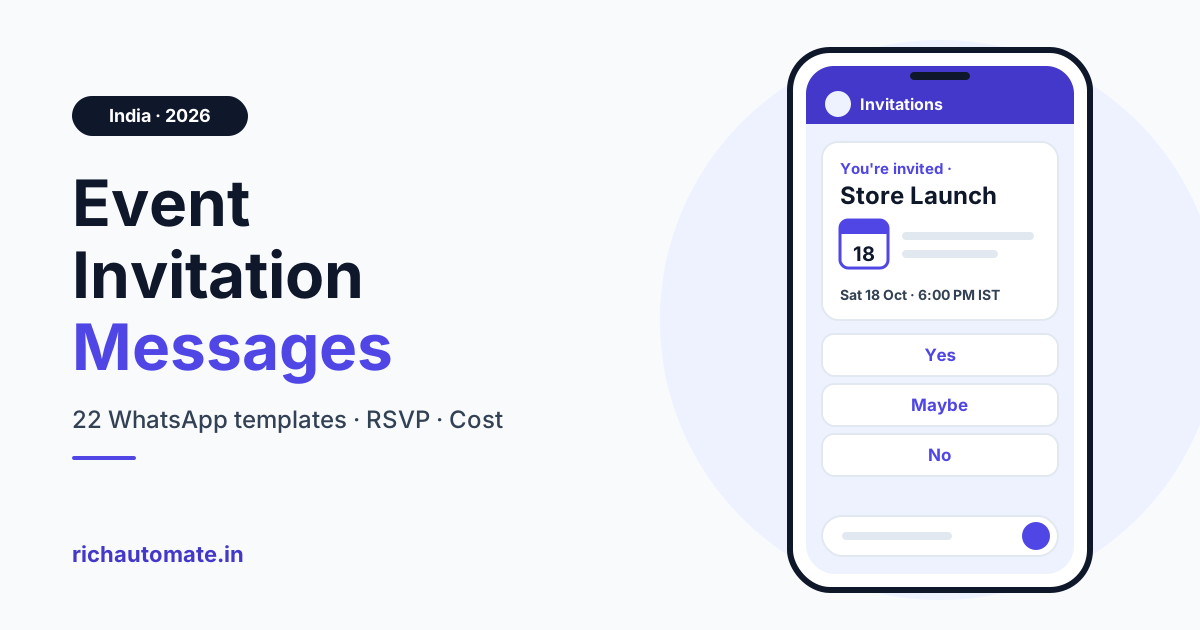
An event invitation message on WhatsApp is a short, personal note that names the event, its date, time and venue (or online link), and says in one line why to come. It ends with a one-tap RSVP, for example: "Hi Priya, the Anand Sweets new outlet opens on Sat, 18 Oct, 6:00 PM IST at City Centre Mall, near Gate 3. Will you join us?" Outside the 24-hour customer service window it must be a pre-approved template: an invitation to people who have not signed up is Marketing (about ₹0.8631 per delivered message in India), while confirmations and reminders for registered guests are Utility (about ₹0.115). Meta revises rates; confirm the live rate card.
A WhatsApp event invitation should state the event, date, time and venue and ask for a one-tap RSVP — in the first three lines. Below: a checklist, the full event message journey, 22 copy-paste templates and what each send costs.
What a good event invitation message contains
Every invitation, from an inauguration to a webinar, needs these parts:
- First name, with "there" as the fallback.
- Event name and host: "Anand Sweets new outlet".
- One reason to attend: a first look, a check-up, a talk.
- Day, date and time with IST: "Sat, 18 Oct, 6:00 PM IST".
- Venue with a landmark, or the online link.
- Dress code or what to bring, if relevant.
- RSVP buttons and a deadline: Yes, I'll come / Maybe / Can't make it, by a set date.
- An opt-out line on Marketing templates, such as "Reply STOP to opt out".
What not to include
- All-caps hype and rows of emojis.
- False "last chance" or "few seats left" claims.
- Several links. One link on your own domain is enough, never a URL shortener.
The event message journey, stage by stage
The invitation is one message in a sequence, and the category changes along the way.
| Stage | Trigger | Template category | Key variables | Send timing |
|---|---|---|---|---|
| Save-the-date | Date fixed | Marketing | Name, event, date | Two to three weeks before |
| Invitation | Opted-in contact, not registered | Marketing | Name, event, time, venue, RSVP date | About a week before |
| RSVP confirmation | Guest taps Yes or registers | Utility | Name, event, time, seat or pass | Instantly |
| Day-before reminder | 24 hours to go | Utility | Name, event, time, venue | Day before |
| Day-of reminder | Event day | Utility | Time, map or joining link, entry gate | Morning, or 15 minutes before online start |
| Venue or time change | Any detail changes | Utility | New date, time or venue | As soon as confirmed |
| Postponement or cancellation | Event moved or called off | Utility | New date or refund date | Immediately |
| Thank-you and feedback | Event ends | Utility (no offer) | Name, event, feedback link | Same evening or next day |
| Post-event offer | Opted-in attendee | Marketing | Name, offer, validity | A few days later |
22 event invitation message templates (copy-paste)
No template starts or ends with a variable. Invitations assume three quick-reply buttons: Yes, I'll come / Maybe / Can't make it. Labels are a guide; Meta assigns the final category at review.
Store or showroom opening (inauguration) — Marketing
Hi {{1}}, you're invited to the opening of {{2}} on {{3}} at {{4}}. Join us for the ribbon-cutting and a first look inside. Please RSVP by {{5}}. Reply STOP to opt out.
Key: {{1}} name, {{2}} outlet, {{3}} date/time, {{4}} venue, {{5}} RSVP date.
Save the date, {{1}}: our new store, {{2}}, opens on {{3}}. Your invitation with venue details follows soon. Reply STOP to opt out.
Key: {{1}} name, {{2}} store, {{3}} date.
Product launch — Marketing
Hi {{1}}, we're unveiling {{2}} on {{3}} at {{4}}. Be among the first to try it. Tap Yes, I'll come to save your spot. Reply STOP to opt out.
Key: {{1}} name, {{2}} product, {{3}} date/time, {{4}} venue/link.
Seminar or workshop — Marketing
Hi {{1}}, join our seminar on {{2}} on {{3}} at {{4}}. Seating is limited, so please RSVP by {{5}}. Reply STOP to opt out.
Key: {{1}} name, {{2}} topic, {{3}} date/time, {{4}} venue, {{5}} RSVP date.
Webinar invitation — Marketing
Hi {{1}}, you're invited to a live webinar on {{2}}, on {{3}}, with time for your questions. Tap Yes, I'll come and we'll send your joining link. Reply STOP to opt out.
Key: {{1}} name, {{2}} topic, {{3}} date/time.
Hi {{1}}, a quick nudge about our webinar on {{2}} this {{3}}. Tap Yes, I'll come for your link. Reply STOP to opt out.
Key: {{1}} name, {{2}} topic, {{3}} day.
School or coaching open day — Marketing
Hello {{1}}, you and your child are invited to the {{2}} open day on {{3}} at {{4}}. Meet the faculty and ask about admissions. Please RSVP by {{5}}. Reply STOP to opt out.
Key: {{1}} parent's name, {{2}} school or centre, {{3}} date/time, {{4}} venue, {{5}} RSVP date.
Health camp — Marketing
Hi {{1}}, our clinic is holding a health camp on {{2}} at {{3}}, with basic check-ups and a doctor consultation. Bring any recent reports. Tap Yes, I'll come to book a slot. Reply STOP to opt out.
Key: {{1}} name, {{2}} date/time, {{3}} venue.
Real-estate launch or site event — Marketing
Hi {{1}}, you're invited to the launch of {{2}} on {{3}} at {{4}}. Walk the site and see the sample flat. Tap Yes, I'll come to book a visit. Reply STOP to opt out.
Key: {{1}} name, {{2}} project, {{3}} date/time, {{4}} site address.
Dealer or distributor meet — Marketing
Dear {{1}}, join us at our dealer meet on {{2}} at {{3}} for the new range, this season's schemes and dinner. Please confirm by {{4}}. Reply STOP to opt out.
Key: {{1}} dealer's name, {{2}} date/time, {{3}} venue, {{4}} RSVP date.
Exhibition or trade-fair stall — Marketing
Hi {{1}}, visit {{2}} at {{3}}, stall {{4}}, from {{5}}. See live demos. Tap Yes, I'll come and we'll keep a visitor pass ready. Reply STOP to opt out.
Key: {{1}} name, {{2}} company, {{3}} exhibition, {{4}} stall number, {{5}} dates.
Customer appreciation or corporate event — Marketing
Hi {{1}}, thank you for being with us. Join our customer evening on {{2}} at {{3}}. Dress code: {{4}}. Please RSVP by {{5}}. Reply STOP to opt out.
Key: {{1}} name, {{2}} date/time, {{3}} venue, {{4}} dress code, {{5}} RSVP date.
RSVP confirmation — Utility
Thanks, {{1}}. Your place at {{2}} is confirmed for {{3}} at {{4}}. Your seat is {{5}}; show this message at the entry desk. Reply here if your plans change.
Key: {{1}} name, {{2}} event, {{3}} date/time, {{4}} venue, {{5}} seat or pass.
Thanks for letting us know, {{1}}. We've noted you as a maybe for {{2}} on {{3}}. Reply Yes here any time before {{4}} to confirm.
Key: {{1}} name, {{2}} event, {{3}} date, {{4}} RSVP date.
Day-before reminder — Utility
Hi {{1}}, a reminder that {{2}} is tomorrow, {{3}}, at {{4}}. Please arrive 15 minutes early. Reply here if you can no longer make it.
Key: {{1}} name, {{2}} event, {{3}} time, {{4}} venue.
Day-of reminder with location or joining link — Utility
Good morning {{1}}, see you today at {{2}} for {{3}}. Directions: {{4}}. Entry is through {{5}}; show your confirmation at the desk.
Key: {{1}} name, {{2}} time, {{3}} event, {{4}} map link, {{5}} entry gate.
Hi {{1}}, your session on {{2}} starts at {{3}} today. Join here: {{4}} and reuse the same link if you drop out. Reply here if you cannot get in.
Key: {{1}} name, {{2}} topic, {{3}} time, {{4}} joining link.
Venue or time change — Utility
Hi {{1}}, there's a change to {{2}}: it will now be held on {{3}} at {{4}}. Your registration still stands.
Key: {{1}} name, {{2}} event, {{3}} new date/time, {{4}} new venue.
Get a 1-minute BSP audit on WhatsApp
Drop your WhatsApp number — we line-item your current invoice against Meta India rates in under 60 seconds. India-hosted, DPDP-compliant.
Postponement or cancellation — Utility
Hi {{1}}, we have had to postpone {{2}}. The new date is {{3}}, same venue, and your registration carries over. Reply here if it doesn't suit you.
Key: {{1}} name, {{2}} event, {{3}} new date/time.
Hi {{1}}, we're sorry to say {{2}} on {{3}} is cancelled. If you paid, your refund will reach your original payment method by {{4}}. Thank you for understanding.
Key: {{1}} name, {{2}} event, {{3}} original date, {{4}} refund date.
Thank-you and feedback — Utility
Hi {{1}}, thank you for coming to {{2}}. How did it go? Rate it in one tap here: {{3}} and help shape the next event.
Key: {{1}} name, {{2}} event, {{3}} feedback link.
Hi {{1}}, we missed you at {{2}}. The slides and recording are here: {{3}} whenever it suits you. Hope to see you next time.
Key: {{1}} name, {{2}} event, {{3}} resources link.
Keep thank-you messages offer-free; a post-event discount is a separate Marketing template.
Variable map: where each value comes from
Know where every field comes from, and give reviewers realistic sample values. Our guide to template variables and personalisation covers fallbacks and samples in depth.
| Variable | What it holds | Example value | Source system |
|---|---|---|---|
| First name | Guest's first name | Priya | CRM or registration form |
| Event name | Event and host | Anand Sweets new outlet | Google Sheet event plan |
| Date and time | Day, date and time with IST | Sat, 18 Oct, 6:00 PM IST | Ticketing tool or Google Sheet |
| Venue | Address with a landmark | City Centre Mall, Ground Floor, near Gate 3 | Google Sheet event plan |
| Seat or pass | Seat, pass or ticket reference | seat A-17 | Ticketing tool |
| Map or joining link | Link on your own domain | Your site's event page | Registration form or ticketing tool |
Use "there" for a missing name, but never guess a seat or refund date; hold the message instead.
Marketing vs Utility: which category is your invitation?
On WhatsApp, an invitation to people who have not signed up is a Marketing template; a reminder for a registered guest is a Utility template. Launches, openings, exhibitions and dealer-meet invites are Marketing; confirmations, passes, reminders, changes and cancellations are Utility.
In India, Marketing costs about 7.5 times Utility, but don't slip a promotion into a reminder: a promotional line in a Utility template can be rejected for incorrect category or reclassified as Marketing. Send a clean Utility reminder and a separate Marketing offer. See WhatsApp template categories explained and the common template rejection reasons and fixes.
- Quick-reply buttons: Yes, I'll come / Maybe / Can't make it, each 25 characters or fewer.
- Image header: an invitation card makes a Marketing invite feel personal.
Marketing templates also fall under Meta's marketing template pacing and frequency limits; Utility reminders are not paced.
Opt-in and list hygiene
Meta's policies require people to agree to hear from your business on WhatsApp. Collect consent with an unticked form checkbox, a counter QR code or a click-to-WhatsApp ad.
- Keep consents separate. Don't reuse an event-logistics list for promotions. Under India's DPDP Act 2023, record when each person agreed (general guidance, not legal advice).
- Segment by city. A Pune launch means nothing in Chennai.
- Respect pacing. Meta may limit how many marketing messages a user receives across all businesses and has not published one fixed cap, so don't just resend. Start with one or two promotions a week per contact at most.
- Stop on "Can't make it" or "Stop". No more follow-ups.
What event invitations cost on WhatsApp in India
Meta charges per delivered message: ₹0.8631 for Marketing and ₹0.115 for Utility and authentication in India (BSP-reported). From 1 October 2026, Meta charges for WhatsApp service messages (your free-form replies inside the 24-hour customer service window) and for utility templates sent inside that window. Both are billed per delivered message at the utility rate, which in India is ₹0.115 plus 18% GST.
On RichAutomate, Client Pay is Meta's rate plus ₹0.10 per message; SaaS Pay is a flat ₹1.50 per Marketing or ₹0.50 per Utility message. Figures exclude GST. Meta revises rates; confirm the live rate card.
| Marketing invitations per month | Meta (× ₹0.8631) | Client Pay (× ₹0.9631) | SaaS Pay (× ₹1.50) |
|---|---|---|---|
| 1,000 | ₹863.10 | ₹963.10 | ₹1,500 |
| 10,000 | ₹8,631 | ₹9,631 | ₹15,000 |
| 1,00,000 | ₹86,310 | ₹96,310 | ₹1,50,000 |
| Utility confirmations and reminders per month | Meta (× ₹0.115) | Client Pay (× ₹0.215) | SaaS Pay (× ₹0.50) |
|---|---|---|---|
| 1,000 | ₹115 | ₹215 | ₹500 |
| 10,000 | ₹1,150 | ₹2,150 | ₹5,000 |
| 1,00,000 | ₹11,500 | ₹21,500 | ₹50,000 |
The usage-only plan has ₹0 setup and ₹0 monthly fee; Starter is ₹499/mo, Pro ₹899/mo and White-label ₹1,199/mo.
Automating RSVPs without code
A no-code platform can run the journey from a spreadsheet:
- Capture: a form, Google Sheet or ticketing webhook adds each guest with an opt-in flag.
- Invite: send the Marketing invitation to the opted-in segment only.
- Tag replies: each tap tags the contact Going, Maybe or Declined.
- Confirm: a Yes triggers the Utility confirmation with seat or pass.
- Remind: Utility reminders go out the day before and on the day.
- Follow up: send the thank-you and feedback message.
For online events, see our webinar reminder sequence.
Mistakes to avoid
- Inviting people who never opted in.
- Blasting one invitation to every city.
- Sending without an RSVP button, so you cannot count heads.
- Hiding a promotional upsell inside a Utility reminder.
- Sending no reminder after the RSVP.
Ready to send your first invitation? Start a 14-day free trial with 100 free credits and route every RSVP into one inbox. Approval rests with Meta, so submit templates early.
Frequently asked questions
How do I write an event invitation message for WhatsApp?
Open with the first name, then the event, the day, date and time in IST, and the venue with a landmark or joining link. Add one reason to attend, an RSVP deadline and quick-reply buttons, then submit it as a template.
Is a WhatsApp event invitation a Marketing or Utility template?
An invitation promoting an event to people who have not signed up is Marketing. A confirmation, ticket, reminder, venue change or cancellation for a registered guest is Utility. Meta assigns the final category at review, so keep promotions out of Utility templates.
How should I word a shop opening or inauguration invitation on WhatsApp?
Name the store, the date and time with IST and the venue with a landmark, then ask for an RSVP by a set date. It is a Marketing template, so send it only to opted-in customers with an opt-out line.
How much does it cost to send event invitations on WhatsApp in India?
About ₹0.8631 per delivered Marketing message and ₹0.115 per Utility message in India, excluding GST. Meta revises rates; confirm the live rate card.
Can I add RSVP buttons to a WhatsApp invitation?
Yes. Approved templates can carry quick-reply buttons such as Yes, I'll come, Maybe and Can't make it, each up to 25 characters. Tag each tap so a Yes triggers the confirmation and a Can't make it stops follow-ups.