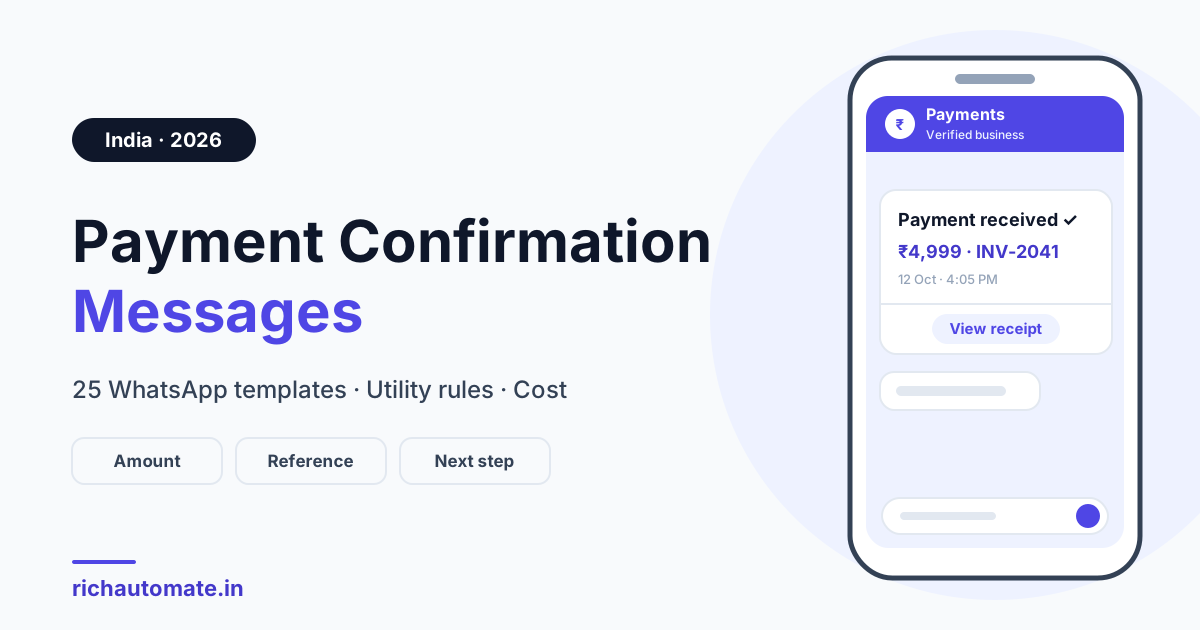
A payment confirmation message is a short note you send right after money reaches you, confirming the amount, the date, the reference or transaction ID and what happens next. A ready-to-copy example: "Hi, we have received ₹4,999 on 12 Oct 2026 against invoice INV-2041 (UTR ending 4812). Your receipt is attached and your order ships today. Thank you!" On WhatsApp, a payment confirmation sent outside the 24-hour customer window must be a pre-approved Utility template with {{variables}}, costing about ₹0.115 per delivered message at Meta's India utility rate (plus GST; Meta revises rates, so confirm the live rate card).
What a payment confirmation message must contain
A payment confirmation message should state the amount, the date, the reference ID and the next step — in that order. Whether you call it a money received message, a payment received message to a customer or a thank you for payment message, the job is the same: prove the money landed and say what happens now.
Always include
- Amount, formatted as ₹4,999, not 4999.00 INR.
- Payer name (first name).
- Date and time of the payment, in IST.
- Payment mode: UPI, card, net banking or cash.
- Reference: transaction ID, UTR, order ID or invoice number.
- Invoice or receipt, as a PDF or a secure link.
- Next step: order ships, seat confirmed.
- Support route: a "Contact support" button.
Never include
- Full card or account numbers — use "card ending 4821".
- OTPs, PINs, CVVs or passwords.
- Offers, discount codes or upsells — they change the template category.
Under India's DPDP Act, send only what the customer needs and keep an opt-in record.
25 payment confirmation message templates (copy and paste)
Each template uses numbered variables like {{1}}, the format WhatsApp requires, and starts and ends with fixed text, because templates that open or close with a variable are commonly rejected. For how values are filled and validated, see our guide to WhatsApp template variables and personalisation.
General payment received / thank you for payment
Hi {{1}}, we have received your payment of {{2}} on {{3}}. Reference: {{4}}. Thank you — no further action is needed.
Key: {{1}} name; {{2}} amount; {{3}} date; {{4}} transaction ID.
Thank you for your payment, {{1}}! {{2}} has been credited against {{3}}. Your receipt is attached. Reply here if anything looks wrong.
Key: {{1}} name; {{2}} amount; {{3}} invoice or order number. Header: PDF receipt.
Hi {{1}}, payment received. Amount: {{2}}. Mode: {{3}}. Date: {{4}}. Reference: {{5}}. Please keep this as your confirmation.
Key: {{1}} name; {{2}} amount; {{3}} mode; {{4}} date; {{5}} reference.
UPI payment received (with UTR)
Hi {{1}}, your UPI payment of {{2}} was received on {{3}}. UTR: {{4}}. Please quote this UTR if you contact us about this payment.
Key: {{1}} name; {{2}} amount; {{3}} date; {{4}} UTR.
UPI payment received ✓ {{1}} from {{2}} on {{3}}, UTR ending {{4}}. Invoice {{5}} is now marked paid. Thank you!
Key: {{1}} amount; {{2}} payer; {{3}} date; {{4}} last four UTR digits; {{5}} invoice.
Thank you for paying {{1}} by UPI at our {{2}} store on {{3}}. UTR ending {{4}}. Show this message at the counter for a bill copy.
Key: {{1}} amount; {{2}} branch; {{3}} date; {{4}} last four UTR digits.
Online order paid (D2C)
Hi {{1}}, payment of {{2}} for order {{3}} is confirmed. We are packing it now and will share tracking once it ships. Tap below to view your order.
Key: {{1}} name; {{2}} amount; {{3}} order ID. Button: URL "View order".
Order {{1}} is paid! Amount: {{2}} via {{3}}. Expected dispatch: {{4}}. Your GST invoice is attached. Questions? Just reply here.
Key: {{1}} order ID; {{2}} amount; {{3}} mode; {{4}} dispatch date. Header: PDF invoice.
Thanks, {{1}}! We received {{2}} for order {{3}}, so it is now prepaid. Nothing is payable at delivery. Tracking updates will follow here.
Key: {{1}} name; {{2}} amount; {{3}} order ID. Use after a COD order converts to prepaid.
Invoice paid (B2B / GST)
Hello {{1}}, we have received {{2}} against invoice {{3}} dated {{4}}. Reference: {{5}}. The invoice is settled; the paid copy is attached.
Key: {{1}} company or contact; {{2}} amount; {{3}} invoice; {{4}} invoice date; {{5}} UTR or cheque number.
Payment received for invoice {{1}}. Credited: {{2}}. TDS deducted: {{3}}. Balance: {{4}}. Please share the TDS certificate when available.
Key: {{1}} invoice; {{2}} net amount; {{3}} TDS; {{4}} balance (₹0 if settled).
Partial or advance payment received
Hi {{1}}, we have received an advance of {{2}} for {{3}}. Balance due: {{4}} by {{5}}. Your booking is confirmed.
Key: {{1}} name; {{2}} advance; {{3}} booking; {{4}} balance; {{5}} due date.
Thank you, {{1}}. A part payment of {{2}} is received against invoice {{3}}. Remaining: {{4}}. We will send a link for the balance before the due date.
Key: {{1}} name; {{2}} amount paid; {{3}} invoice; {{4}} balance.
EMI or loan instalment received
Dear {{1}}, your EMI of {{2}} for loan account ending {{3}} was received on {{4}}. Paid so far: {{5}}. Next EMI due: {{6}}. Thank you.
Key: {{1}} name; {{2}} EMI; {{3}} last four account digits; {{4}} date; {{5}} e.g. "12 of 24"; {{6}} next due date.
Dear {{1}}, we have received {{2}} towards loan account ending {{3}}. Reference: {{4}}. Outstanding: {{5}}. Your statement is attached.
Key: {{1}} name; {{2}} amount; {{3}} masked account; {{4}} transaction ID; {{5}} balance.
Subscription renewal / auto-debit success
Hi {{1}}, your {{2}} plan is renewed. {{3}} was auto-debited on {{4}} via your UPI AutoPay mandate. Access continues until {{5}}.
Key: {{1}} name; {{2}} plan; {{3}} amount; {{4}} debit date; {{5}} end date.
Payment successful: {{1}} for your {{2}} subscription, charged to card ending {{3}} on {{4}}. Invoice attached. No action needed.
Key: {{1}} amount; {{2}} plan; {{3}} last four card digits; {{4}} date.
Fee received (school / coaching)
Dear parent, we have received the {{1}} fee of {{2}} for {{3}} on {{4}}. Receipt no.: {{5}}. The receipt is attached. Thank you.
Key: {{1}} term; {{2}} amount; {{3}} student and class; {{4}} date; {{5}} receipt number.
Hi {{1}}, your course fee instalment of {{2}} for {{3}} is received. Next instalment: {{4}} due on {{5}}. Your batch seat stays confirmed.
Key: {{1}} name; {{2}} amount; {{3}} course; {{4}} next amount; {{5}} due date.
Clinic or appointment payment
Hi {{1}}, payment of {{2}} for your {{3}} appointment on {{4}} is received. Booking ID: {{5}}. Reply here to reschedule.
Key: {{1}} name; {{2}} amount; {{3}} department; {{4}} slot; {{5}} booking ID.
Thank you, {{1}}. We received {{2}} for {{3}} on {{4}}. Your bill is attached. For follow-up queries, tap Contact support.
Key: {{1}} name; {{2}} amount; {{3}} service; {{4}} date.
Refund processed
Hi {{1}}, your refund of {{2}} for order {{3}} was processed on {{4}}. Refund ID: {{5}}. It follows your bank's standard timeline.
Key: {{1}} name; {{2}} amount; {{3}} order ID; {{4}} date; {{5}} refund ID.
Your refund of {{1}} to your {{2}} for booking {{3}} is initiated. Refund ID: {{4}}. We will message again once the bank confirms.
Key: {{1}} amount; {{2}} original payment method; {{3}} booking ID; {{4}} refund ID.
Failed payment or payment pending (for contrast)
Never send a "received" message until the payment is captured. Use these instead.
Get a 1-minute BSP audit on WhatsApp
Drop your WhatsApp number — we line-item your current invoice against Meta India rates in under 60 seconds. India-hosted, DPDP-compliant.
Hi {{1}}, your payment of {{2}} for order {{3}} could not be completed. Any debited amount will be reversed by your bank. Tap Retry payment below.
Key: {{1}} name; {{2}} amount; {{3}} order ID. Button: URL "Retry payment".
Hi {{1}}, your payment of {{2}} for {{3}} is pending with your bank. We will confirm here once it is credited. Please do not pay again.
Key: {{1}} name; {{2}} amount; {{3}} order or invoice.
Variable map: where each value comes from
Fill every variable from a system of record, never by hand. Values below are fictional samples.
| Variable | What it holds | Example value | Source system |
|---|---|---|---|
| Amount | Captured amount with ₹ and commas | ₹4,999 | Razorpay, Cashfree or PhonePe PG |
| Date and time | Capture time in IST | 12 Oct 2026, 4:05 PM | Gateway webhook timestamp |
| Payment mode | UPI, card, net banking or cash | UPI | Gateway or POS |
| Transaction / UTR | Bank or UPI reference, masked | UTR ending 4812 | Gateway payment record |
| Order ID | Store order number | ORD-7731 | Shopify or WooCommerce |
| Invoice number | GST invoice reference | INV-2041 | Tally or Zoho invoice |
| Balance due | Outstanding after part payment | ₹2,000 | Tally or Zoho invoice |
| Branch | Where the customer paid | Main Road branch | POS |
WhatsApp vs SMS vs email for payment confirmations
All three channels can carry a payment received message, but they differ in cost, format and proof.
| Channel | Cost per message | Rich content | Delivery and read signal | DLT or approval |
|---|---|---|---|---|
| WhatsApp Utility template | About ₹0.115 per delivered message plus GST (BSP-reported; confirm the live rate card) | PDF receipt header, URL and quick-reply buttons | Delivered and read statuses (read depends on customer settings) | Meta template approval |
| SMS | Set by your SMS vendor | Text and a link; no buttons | Delivery report; no read signal | DLT registration |
| Very low per send | PDF attachment | Approximate open tracking | None |
Many businesses pair WhatsApp for speed with email for the record; see WhatsApp GST invoice automation for invoice links.
Utility template rules and approval tips
On WhatsApp, a payment confirmation is a Utility template; adding a discount code turns it into a Marketing template. Meta classifies templates by content, not by the category you pick, and can reassign it at review or after an edit. The price jump is about ₹0.115 to ₹0.8631 per delivered message in India, roughly 7.5 times (BSP-reported; Meta revises rates, so confirm the live rate card). Our explainer on WhatsApp message template categories shows how Meta decides.
- Stay transactional. Cross-sell in a separate Marketing template.
- Give realistic sample values at submission, such as ₹4,999 and INV-2041.
- No variable at the start or end of the body, and never two variables side by side.
- Clean parameters. Values cannot contain newlines or tabs.
- Attach the receipt as a document header. A header holds one text variable or one media file.
- Add buttons. A "View invoice" URL button with one dynamic suffix, plus a "Contact support" quick reply. Button text is capped at 25 characters.
- Keep it short. Stay under the 1,024-character body limit; no link shorteners.
Review takes from a few minutes to 24 hours and Meta decides each case, so submit early. If a template is rejected, our list of WhatsApp template rejected reasons and fixes maps labels such as INCORRECT_CATEGORY to a fix.
What payment confirmations cost on WhatsApp
From 1 October 2026, Meta charges for service messages (free-form replies inside the 24-hour window) and for utility templates sent inside that window, billed per delivered message at the utility rate — ₹0.115 plus 18% GST in India. BSPs report the first 1,000 service messages per number each month stay free, but that covers free-form replies, not utility templates. See our breakdown of the October 2026 WhatsApp API price increase.
| Confirmations per month | Meta utility cost (₹0.115 each) | Client Pay total (Meta + ₹0.10/msg) | SaaS Pay total (₹0.50/utility msg) |
|---|---|---|---|
| 1,000 | 1,000 × ₹0.115 = ₹115 | ₹115 + ₹100 = ₹215 | 1,000 × ₹0.50 = ₹500 |
| 10,000 | 10,000 × ₹0.115 = ₹1,150 | ₹1,150 + ₹1,000 = ₹2,150 | 10,000 × ₹0.50 = ₹5,000 |
| 50,000 | 50,000 × ₹0.115 = ₹5,750 | ₹5,750 + ₹5,000 = ₹10,750 | 50,000 × ₹0.50 = ₹25,000 |
Figures exclude 18% GST. Re-categorised as Marketing, 1,000 would cost 1,000 × ₹0.8631 = ₹863.10 from Meta alone. RichAutomate's usage-only pricing has ₹0 setup and ₹0 monthly fee: Client Pay is Meta's rate plus ₹0.10 per message, and SaaS Pay is ₹0.50 per utility and ₹1.50 per marketing message. Plans are Starter ₹499/mo, Pro ₹899/mo and White-label ₹1,199/mo. Meta revises rates; confirm the live rate card.
How to automate payment confirmations without code
The pattern is the same whichever tools you use:
- Pick the trigger. A gateway webhook such as Razorpay's or Cashfree's payment.captured, a Shopify or WooCommerce order-paid event, or an invoice-paid event from accounting. Zoho Books sends webhooks; Tally syncs via a connector.
- Verify and acknowledge. Check the webhook signature, respond quickly and queue the send.
- Dedupe on the transaction ID. Gateways can fire an event twice. Store processed IDs so a customer never gets two confirmations.
- Map and send. Fill the variables from the payload and send the approved Utility template via the WhatsApp Business API.
- Close the loop. Mark the invoice paid and cancel pending reminders.
A customer who has just paid should never get a dues reminder, so WhatsApp payment reminders for overdue invoices should stop on the same payment event. In RichAutomate's flow builder, a Razorpay node can branch on payment.captured, payment.failed and refund.processed.
Mistakes to avoid
- Wrong amount formatting. "499900" from a raw gateway field reads like an error. Format as ₹4,999.
- Missing reference ID. Without one, customers cannot match the payment.
- Sending before capture. An authorised or pending payment is not money received.
- Marketing content inside Utility. One "use code SAVE10" line can get the template billed at the Marketing rate.
- No opt-in record. Capture explicit consent at checkout; a pre-ticked box is not consent.
- Duplicate sends. Undeduplicated webhook retries make customers think they paid twice.
Ready to automate? Start a 14-day free trial with 100 free credits on RichAutomate and submit your first payment confirmation template.
Frequently asked questions
How do I write a payment confirmation message?
Greet the customer by first name, then state the amount, date, payment mode and a reference such as the UTR or invoice number. Close with the next step. On WhatsApp, save it as a Utility template with numbered variables so it can be sent automatically.
Is a payment confirmation a Utility or Marketing template on WhatsApp?
It is Utility as long as it only covers the customer's own transaction. Adding a discount code or upsell can get it re-categorised as Marketing, which costs about ₹0.8631 per delivered message in India instead of about ₹0.115. Meta revises rates; confirm the live rate card.
How much does a WhatsApp payment confirmation cost in India?
About ₹0.115 per delivered message plus 18% GST at Meta's India utility rate, as reported by BSPs. From 1 October 2026, utility templates inside an open 24-hour window are charged too. On RichAutomate, Client Pay adds ₹0.10 per message and SaaS Pay is ₹0.50 per utility message. Meta revises rates; confirm the live rate card.
Can I send a PDF receipt with a WhatsApp payment confirmation?
Yes. Add a document header to the Utility template and attach the PDF receipt or GST invoice at send time. For private invoices, use a View invoice button that opens a signed link expiring after 7 to 30 days.
When should I send a payment received message to a customer?
Within seconds of the payment being captured. Trigger it from the gateway's payment.captured webhook or an order-paid event. If a UPI payment is pending, send a pending message and confirm only once the money is credited.