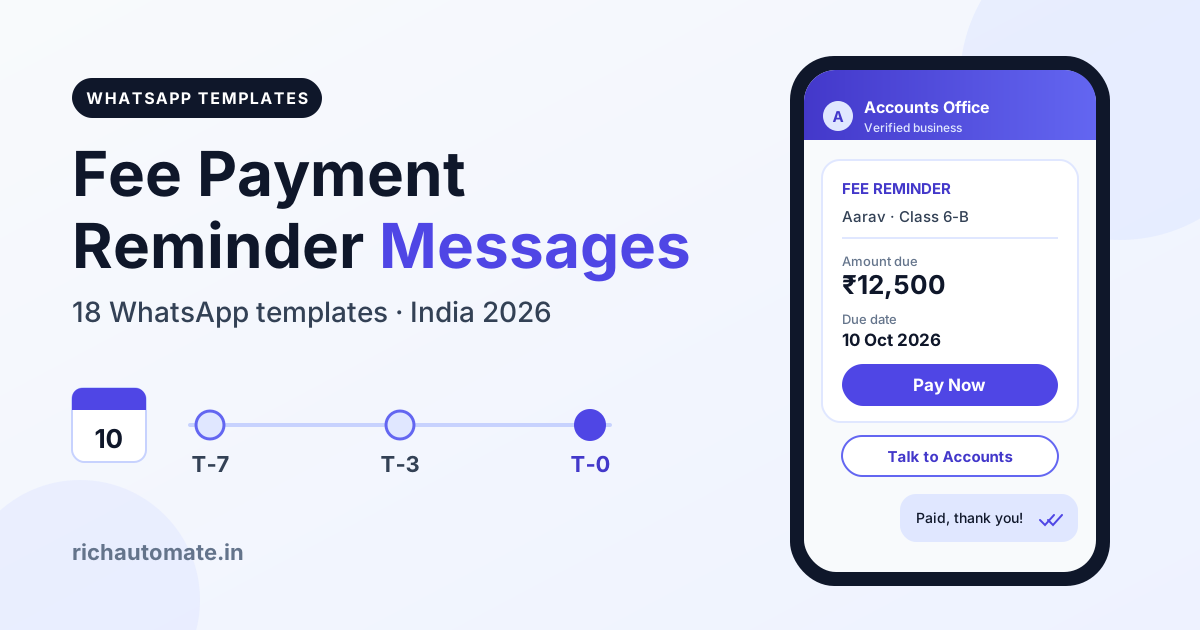
A fee payment reminder message is a short, polite note that tells a parent or student the exact amount due, the due date and a secure way to pay, ideally with a one-tap UPI link and a contact for queries. The best fee reminders on WhatsApp are approved Utility templates sent on a fixed cadence (T-7, T-3, due day, then gentle follow-ups), and below are 18 copy-ready templates for schools, coaching classes, colleges, hostels, gyms and academies.
K-12 schools can pair this page with our school fee and parent communication playbook. By the RichAutomate Team, October 2026.
What a fee payment reminder message must include
A good fee reminder answers four questions in under 60 words: who is it for, how much, by when, and how to pay.
- Guardian and student name, so the parent knows which child it is.
- Exact amount in ₹ and what it covers (tuition, transport, hostel, instalment).
- Due date written as a date (10 Oct 2026), never "next week".
- A secure payment path: a Pay Now button opening a UPI or payment-gateway page.
- A help contact: a Talk to Accounts button for disputes and already-paid cases.
- Institute identity: your verified business number and institute name.
- An opt-out line such as "Reply STOP to stop WhatsApp reminders".
Variable legend
- {{1}}: parent or guardian name (member name for gyms)
- {{2}}: student name, optionally with class (Aarav, Class 6-B)
- {{3}}: amount in rupees, digits only (12,500)
- {{4}}: due date, or payment date in receipt templates
- {{5}}: institute name
- {{6}}: extra value defined under the template
Meta rejects placeholder gaps and bodies that start or end with a variable; every template below follows both rules.
Fee reminder timing cadence: T-7 to T+15
Most fees are paid just before or on the due date, so front-load friendly reminders and slow down once a payment is late. Six reminders per cycle is a sensible ceiling.
| Day | What to send | Goal | Meta category |
|---|---|---|---|
| T-7 | Friendly heads-up | Let families plan the budget | Utility |
| T-3 | Amount plus Pay Now button | Convert early payers | Utility |
| T-0 | Due today | Capture on-time payments | Utility |
| T+3 | Gentle overdue note | Catch genuine forgetters | Utility |
| T+7 | Firm but polite follow-up | Prompt payment or a conversation | Utility |
| T+15 | Final notice with meeting request | Move to a human discussion | Utility |
| On payment | Receipt and thank-you | Close the loop, stop reminders | Utility |
Stop the sequence the moment payment lands. An "overdue" message an hour after paying destroys trust, so reconcile before every send. Send between 9 am and 8 pm and skip major festivals. For monthly fees, consider moving willing parents to UPI AutoPay mandate reminders so the debit happens on its own.
18 fee payment reminder message templates (copy-ready)
Keep the structure (name, amount, date, action, help) and adapt the voice. More variations live in our free WhatsApp template library.
Stage 1: Upcoming due (T-7 and T-3)
1. Friendly heads-up, school (T-7)
Utility · Buttons: Pay Now (UPI link) · Talk to Accounts
2. Coaching batch fee (T-3)
Utility · Buttons: Pay Now (UPI link) · Talk to Accounts
More batch ideas: WhatsApp for coaching and tuition classes.
Stage 2: Due today (T-0)
3. Due today, school or college
Utility · Buttons: Pay Now (UPI link) · Talk to Accounts
4. Hostel or PG fee due today
Utility · Buttons: Pay Now (UPI link) · Talk to Accounts
Stage 3: Overdue, gentle (T+3 to T+5)
5. Gentle overdue note (T+3)
Utility · Buttons: Pay Now (UPI link) · Talk to Accounts
6. Music, dance or sports academy (T+5)
Utility · Buttons: Renew Now (payment link) · Talk to Us
Stage 4: Overdue, firm but polite (T+7 to T+10)
7. Firm follow-up (T+7)
Utility · Buttons: Pay Now (UPI link) · Talk to Accounts
8. Outstanding statement with PDF (T+10)
Utility · Buttons: Pay Now (UPI link) · Talk to Accounts · Header: document (PDF statement)
Stage 5: Final notice (T+15)
9. Final reminder
Utility · Buttons: Pay Now (UPI link) · Talk to Accounts
10. Meeting or call request
Utility · Buttons: Book a Call · Talk to Accounts
Stage 6: Instalment and EMI plans
11. Instalment due
Utility · Buttons: Pay Now (UPI link) · Talk to Accounts
{{6}} = instalment position, for example "2 of 4".
12. Instalment plan confirmation (on request)
Utility · Buttons: Yes, confirm · Talk to Accounts
Stage 7: Late fee
13. Late fee policy notice (before due date)
Utility · Buttons: Pay Now (UPI link) · Talk to Accounts
{{6}} = late fee from your published policy.
14. Late fee applied
Utility · Buttons: Pay Now (UPI link) · Talk to Accounts
{{6}} = revised total including the late fee.
Stage 8: Partial payment received
15. Partial payment acknowledgement
Utility · Buttons: Pay Balance (UPI link) · Download Receipt
Get a 1-minute BSP audit on WhatsApp
Drop your WhatsApp number — we line-item your current invoice against Meta India rates in under 60 seconds. India-hosted, DPDP-compliant.
{{4}} = payment date, {{6}} = balance pending.
Stage 9: Receipt and thank-you
16. Full payment receipt
Utility · Buttons: Download Receipt · Talk to Accounts · Header: document (PDF receipt)
{{4}} = payment date, {{6}} = receipt number. More formats: payment confirmation message templates.
Stage 10: Fee structure and new term
17. New term fee schedule
Utility · Buttons: View Fee Structure · Talk to Accounts · Header: document (PDF)
18. Early-payment discount offer
Marketing · Buttons: Pay Now (UPI link) · Stop offers
The discount makes this Marketing; keep it separate from Utility reminders.
Hindi and Hinglish fee reminder message variants
Submit each language as its own template: Devanagari under Hindi, Roman-script Hinglish usually under English.
Hindi: upcoming due (T-3)
Hinglish: gentle overdue (T+3)
Hinglish: receipt and thank-you
Tone rules: polite, respectful and legal
The goal of a fee reminder is a payment, not a punishment.
- Never shame the child. Message the guardian, never the student, and never post defaulter lists in groups.
- No threats. Drop "strict action", "legal action" or "name will be struck off".
- Never link fees to academics. Never say results, report cards, hall tickets or transfer certificates will be withheld; such practices have drawn scrutiny from courts and regulators in India.
- Assume good faith. Use "may have slipped through" and "if you have already paid, please ignore this message".
- Offer a human path. Every reminder after T-0 should include Talk to Accounts or an instalment option.
Utility vs Marketing: how Meta classifies fee reminders
Meta sorts every WhatsApp template into Utility, Marketing or Authentication, and the category sets the price. A Utility template is a message triggered by an existing transaction or account, and a fee due for an enrolled student qualifies. Marketing covers anything that promotes, upsells or offers an incentive. Our explainer on Utility vs Marketing template categories covers the edge cases in depth.
| Message element | Likely category | Why |
|---|---|---|
| Amount due and due date for an enrolled student | Utility | Tied to an existing account |
| Pay Now button with UPI or gateway link | Utility | Completes an existing transaction |
| Payment receipt or partial payment acknowledgement | Utility | Confirms a transaction |
| Late fee policy notice | Utility | Account terms, no incentive |
| Early-payment discount or cashback | Marketing | Incentive to act |
| New course, admission or summer camp promotion | Marketing | Promotes a new product |
| Fee reminder plus a "refer a friend" line | Marketing | Mixed content is treated as promotional |
One promotional line is enough to push a fee reminder into Marketing. In India that moves the Meta charge from approx. ₹0.115 to approx. ₹0.8631 per message (Meta rate card, excl. GST), roughly 7.5 times more. Meta can also re-categorise an approved template later, so keep offers in separate templates.
UPI links, receipts and DPDP consent
- Use an https payment link on a button. Point it to a gateway or hosted UPI page, with the student ID or invoice number as the dynamic URL suffix.
- Never ask for OTP, UPI PIN, card number or CVV. A UPI PIN is needed only to send money, never to receive it. A footer like "Never share OTP/UPI PIN. Reply STOP to opt out." fits inside Meta's 60-character footer limit.
- One verified sender. Use one official number whose display name matches your institute.
- Complete receipts. Receipt number, student, amount, date, mode, UTR and institute details, as a PDF within minutes.
- Recurring fees. For UPI AutoPay mandates, RBI's e-mandate rules require a pre-debit notice at least 24 hours before each debit.
Consent and opt-out under the DPDP Act
The DPDP Act, 2023 expects clear purpose and consent. Add a line to your admission form, such as "I agree to receive fee, attendance and school updates on WhatsApp at this number", and honour opt-outs promptly. The Act needs verifiable parental consent for under-18s, so fee messages go to the guardian. Never reuse the fee list for promotions without separate consent.
Why WhatsApp beats SMS for fee reminders
Industry estimates commonly report WhatsApp read rates of 90% or more, while bulk SMS often gets lost among OTPs and promotions. The bigger difference is what the parent can do inside the message:
- One-tap payment through a Pay Now button instead of copying a long link from an SMS.
- PDF statements and receipts in the same chat.
- Two-way replies. Parents can answer "paid yesterday" or ask for an instalment, which SMS sender IDs cannot handle.
- Read status, so accounts knows who saw it.
- Verified business identity and regional-language templates, where SMS still needs DLT template registration under TRAI rules and offers no buttons.
What fee reminders cost a school in rupees
Take a school with 1,000 students and one fee cycle. Everyone gets the T-7 and T-0 reminders, about 30% still owe after the due date and get T+3 and T+7, about 10% reach the T+15 final notice, and every payer receives a receipt. That is 3,700 Utility messages per cycle.
| Line item | Messages | Client Pay (approx. ₹0.115 Meta + ₹0.10 platform) | SaaS Pay (₹0.50 per utility) |
|---|---|---|---|
| T-7 and T-0 to all 1,000 parents | 2,000 | ₹430 | ₹1,000 |
| T+3 and T+7 to 300 parents | 600 | ₹129 | ₹300 |
| T+15 final notice to 100 parents | 100 | ₹21.50 | ₹50 |
| Receipts to 1,000 payers | 1,000 | ₹215 | ₹500 |
| Total per fee cycle | 3,700 | ₹795.50 | ₹1,850 |
On Client Pay, Meta bills its own charge directly (about ₹425.50 here) and RichAutomate adds a ₹0.10 per message platform fee (₹370). On SaaS Pay, you get one all-inclusive GST invoice in INR from RichAutomate at ₹0.50 per utility and ₹1.50 per marketing message. By contrast, sending template 18 as a Marketing blast to the same 1,000 parents would cost about ₹963 on Client Pay or ₹1,500 on SaaS Pay. All Meta figures are approx., Meta rate card, excl. GST.
Pay-as-you-go has ₹0 setup and ₹0 monthly platform fee. Plans start at Starter ₹499/mo, with Pro at ₹899/mo and White-label at ₹1,199/mo. See the full breakdown on our WhatsApp API pricing for India page.
Start automating fee reminders on WhatsApp
With RichAutomate you can submit these 18 templates for Meta approval, schedule the T-7 to T+15 sequence as campaigns, and let your accounts team answer parent replies from one shared inbox. Begin with templates 1, 3, 5 and 16.
Start your 14-day free trial with 100 credits and send your first fee reminder today. No setup fee, GST invoice in INR, and support from the RichAutomate Team.