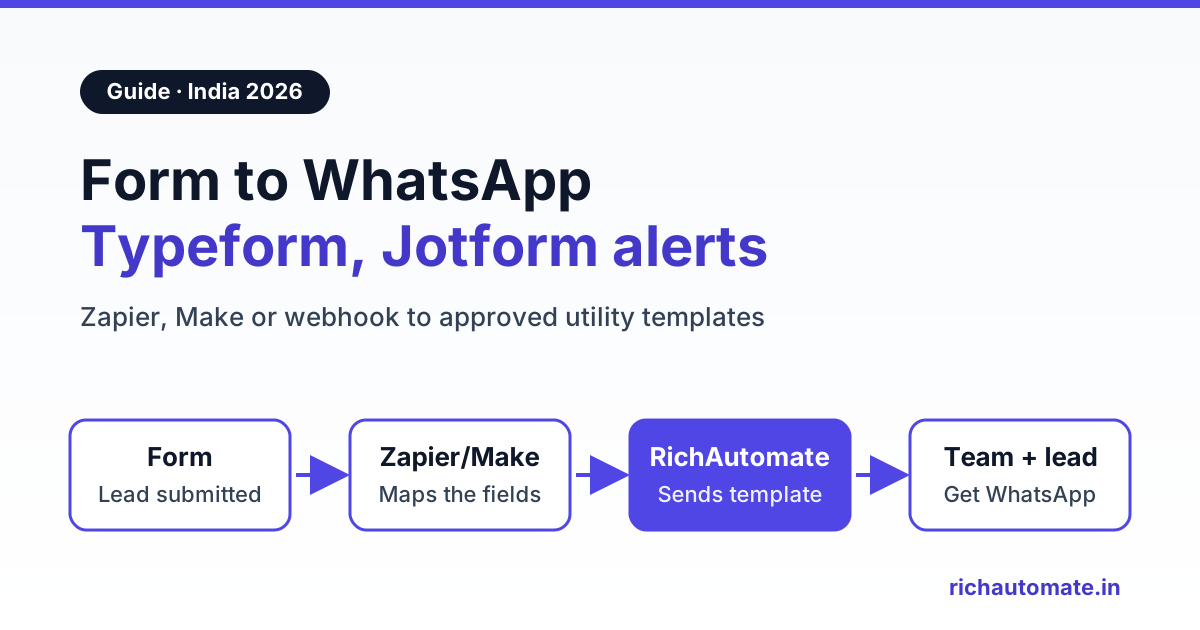
To send a Typeform or Jotform submission to WhatsApp, you connect the form to a WhatsApp Business API platform such as RichAutomate, either through Zapier, Make or Pabbly Connect, or through the form's webhook. Each new submission then triggers two Meta-approved utility templates: an instant lead alert to your sales team's WhatsApp and, if the person ticked a WhatsApp opt-in box, a confirmation to the respondent.
A coaching institute in Kota running a Typeform scholarship test, a real estate developer in Pune collecting site-visit requests on Jotform and a dermatology clinic in Hyderabad taking consultation enquiries all have the same problem. The form works, but the lead sits in an email inbox for three hours before anyone calls. This guide covers both form tools, the phone-number cleanup, template wording and the monthly cost in rupees.
To be clear up front: RichAutomate does not have a built-in Typeform or Jotform connector. Every setup below uses an automation tool or a small relay that calls RichAutomate's public API.
Typeform vs Jotform vs WhatsApp Flows for lead capture
Both Typeform and Jotform collect leads on a web page, while WhatsApp Flows collect them inside the chat itself. Here is how the three compare for an Indian business:
| Question | Typeform | Jotform | WhatsApp Flows (in-chat form) |
|---|---|---|---|
| Where the lead fills it | Web page, one question at a time | Web page, classic or card layout | Inside WhatsApp, without leaving the chat |
| Phone number quality | Phone question with a default country code setting | Phone field or free text, depending on how you build it | The number is the WhatsApp number itself, so no typing errors |
| Webhook format | JSON, with answers in an array | multipart/form-data, with answers in a rawRequest JSON string | Handled inside RichAutomate |
| Zapier trigger | New Entry | New Submission | Not needed |
| Make trigger | Watch Responses | Watch for Submissions | Not needed |
| Best for | Quizzes, surveys and branded lead forms from ads or a website | Long forms, uploads, payments and approval workflows | Leads who already message you from a click-to-WhatsApp ad or QR code |
If most of your leads arrive on WhatsApp anyway, an in-chat form skips the bridge entirely. See our guide to WhatsApp Flows lead capture forms. If your traffic comes from Google, Instagram or your website, keep the web form and add the WhatsApp alerts below.
Two jobs: alert your team, confirm to the lead
Every setup in this guide does one or both of these:
- Owner or sales alert. The moment a form is submitted, a WhatsApp message lands on the counsellor's, agent's or front desk's phone with the lead's name, number, interest and source.
- Respondent confirmation. The person who filled the form gets a WhatsApp message confirming what they asked for and what happens next, such as "our counsellor will call you today between 4 and 6 PM". Their reply opens the free 24-hour service window.
One detail catches many teams out. An alert to your own team's number is still a business-initiated message, so it needs an approved template, unless that team number has messaged your business number in the last 24 hours. Treat the alert as a utility template from day one.
Jotform also offers its own WhatsApp notification option in a form's notification settings, which sends submission alerts to a number you verify with a code. Use the API routes below when you want alerts from your verified business number into a shared team inbox, alerts to several people, or confirmations to respondents.
Before you start: a checklist
- A WhatsApp Business API number connected in RichAutomate. The phone app cannot be driven by an API.
- Approved utility templates for the team alert and the respondent confirmation. Write them first, because Meta approval can take from minutes to a day.
- A WhatsApp opt-in question in the form. Meta requires consent before you message someone. In Typeform, add a Yes/No or checkbox question such as "Send me updates about my enquiry on WhatsApp". In Jotform, add a single checkbox with the same wording. Every route below filters on this answer before messaging the respondent.
- A required phone question. Make it required and set the default country to India where the tool allows it.
- A RichAutomate API key from your developer settings, stored in your automation tool's secure fields, never in a form or a public page.
- A source field. A Typeform hidden field or a Jotform hidden field carrying the campaign name lets the alert say "Instagram ad, JEE batch" instead of just "new lead".
Phone number format: Typeform vs Jotform
The RichAutomate API expects Indian numbers as 91 followed by the 10-digit mobile number, with no plus sign, spaces or hyphens, for example 919876543210.
Typeform. The Phone Number question has a default country code setting, so set it to India. In the webhook payload the answer has the type phone_number, and the value sits under a key of the same name. It usually arrives with a plus sign and country code, such as +919876543210, but check a real test submission and still run it through the cleanup step, because the format depends on what the respondent picked.
Jotform. Depending on the field you used, the number may come through as free text or split into parts. Respondents type +91 98765 43210, 098765-43210 or 9876543210.
The cleanup rule is the same in every tool: keep the digits only. If 12 digits remain and they start with 91, use them as they are. If 11 digits remain and the first is 0, drop the 0 and put 91 in front. If 10 digits remain, put 91 in front. Anything else, skip the WhatsApp send and flag the lead for a call. For NRI or overseas respondents, keep the country code they entered instead of forcing 91. Our guide on WhatsApp number format with the 91 country code has more examples.
Route 1: Typeform or Jotform to WhatsApp with Zapier, Make or Pabbly Connect
This no-code route suits most coaching institutes, clinics and property teams. The chain is the same in every tool: form trigger, phone cleanup, team alert, opt-in filter, respondent confirmation.
Step 1: Pick the form trigger
In Zapier, Typeform's app trigger is New Entry and Jotform's is New Submission. In Make, Typeform's trigger is Watch Responses and Jotform's is Watch for Submissions. In Pabbly Connect, check the Typeform or Jotform app's trigger list; if what you need is missing, use Pabbly's webhook trigger and paste its URL into the form's webhook settings. Submit one test entry so the tool captures sample answers to map.
Step 2: Clean the phone number
Use a Formatter or Code step in Zapier, a text function in Make or Pabbly's formatter to apply the rule above.
Step 3: Send the team alert
Use Webhooks by Zapier (check that your Zapier plan includes it), Make's HTTP module or API by Pabbly. Set the method to POST and the body to JSON, and add the header Authorization: Bearer YOUR_API_KEY. The endpoint is POST https://richautomate.in/api/v1/send-template, and the alert body looks like this:
{"phone": "919812345678", "template": "new_lead_alert_v1", "language": "en", "variables": ["Rohan Sharma", "JEE 2027 weekend batch", "919876543210", "Instagram ad"]}
Here the phone is your counsellor's number, and the variables carry the lead's details. For several people, add one HTTP step per person.
Step 4: Filter on opt-in, then confirm to the respondent
Add a filter that continues only when the WhatsApp opt-in answer is Yes or ticked. Then add a second POST to the same endpoint, this time with the respondent's cleaned number as phone and your confirmation template.
Send these messages on WhatsApp, from your own number
We get your templates approved on the official WhatsApp API and set up your first broadcast with you. ₹0 platform fee, you pay only Meta's per-message rate.
Our Zapier WhatsApp integration guide walks through the HTTP mapping screen by screen, and the Make.com WhatsApp integration guide covers the same logic as a Make scenario. Each tool bills per task or operation, and this route uses two or three per submission.
Route 2: form webhook plus a RichAutomate flow trigger
To avoid per-task fees, or to start a conversation flow rather than a single message, use the form's own webhook. Neither form's webhook body matches what RichAutomate's endpoints expect, so in practice a small relay sits in the middle: a Cloudflare Worker, a route on your own server, or a Make scenario with a webhook trigger.
What Typeform sends
Typeform webhooks are added from the form's Connect panel, on the Webhooks tab, and are off by default. Typeform's help centre says webhooks are available on all plans, but it also notes it is experimenting with how some features are accessed, so check your own account. Each submission is a JSON POST with event_type set to form_response and a form_response object holding answers, hidden, definition and submitted_at. Each answer has a field object with an id, ref and type, plus a value key named after the type, such as text, email, choice or phone_number. Unanswered questions are left out of the array, so match answers by field id or ref, never by position.
Two operational points. If you set a secret, Typeform signs each payload in the Typeform-Signature header as sha256= plus a base64 HMAC-SHA256 of the raw body, so verify it in the relay. And respond within 30 seconds: Typeform retries most failed deliveries with back-off, but a 404 or 410 response disables the webhook immediately.
What Jotform sends
In the Jotform form builder, go to Settings, then Integrations, search for WebHooks, paste your endpoint URL and click Complete Integration. Jotform posts as multipart/form-data, not JSON. The answers sit in a field called rawRequest as a JSON string, with keys such as q3_phoneNumber that depend on your form design and change if you rebuild it. Parse only the rawRequest field, and re-check your mapping after editing the form. Jotform's help page says the default request timeout is 5 seconds, and that encrypted forms send only encrypted data through webhooks, so this route does not suit encrypted forms.
What the relay does
- Verify and parse. Check the Typeform signature, or decode Jotform's
rawRequest. - Clean the phone using the rule above, and read the opt-in answer.
- Send the team alert with a POST to
https://richautomate.in/api/v1/send-template, as in Route 1. - Start the respondent's flow. If the person opted in, POST to a published RichAutomate flow's Incoming Webhook trigger:
POST https://richautomate.in/api/v1/public/flows/{token}/trigger, with a JSON body holdingphone,nameand adataobject such as the course, budget or preferred visit date. The flow can map fields from the incoming payload to template variables, send the confirmation template, then branch on the lead's button reply. - Return quickly and log. Answer the form tool within a second or two and record the submission id, so a retry never messages a lead twice.
The token in the flow trigger URL is the credential, so keep it out of screenshots and shared documents. If it leaks, rotate it from the flow's trigger settings and the old URL stops working.
Template wording that stays utility
An alert about a specific enquiry, and a confirmation of what that person asked for, belong in Meta's utility category. Keep each template about one submission and keep offers out. A team alert:
New enquiry received from {{1}} for {{2}}. Phone: {{3}}. Source: {{4}}. Please call the lead and update the status in the inbox.
A respondent confirmation for a coaching institute:
Hi {{1}}, thank you for your enquiry about {{2}}. A counsellor will call you on {{3}} within working hours today. Reply here if you would like to share a preferred time.
To avoid rejection: give a sample for every variable, do not start or end the body with a variable, and do not add lines like "Enrol this week and get 20% off". That turns a confirmation into marketing. Meta may reclassify a promotional-sounding template, and marketing costs about ₹0.8631 per message in India instead of about ₹0.115. Quick-reply buttons such as "Call me now" or "Change time" help, because each tap opens the free 24-hour service window.
For a clinic, keep medical details out of both templates: "Dermatology consultation", not the condition.
What it costs in India: a worked monthly example
On RichAutomate's Client Pay model, you pay a ₹0.10 platform fee per message to RichAutomate, and Meta bills its own charges directly to your business. Meta's India rates are about ₹0.115 per utility template and about ₹0.8631 per marketing template, and replies inside the 24-hour customer service window are free.
Take the Kota coaching institute with 600 form submissions a month. Each submission sends one team alert and one respondent confirmation, which is 1,200 utility templates. Assume the worst case, with no service window open for any of them, and the Starter plan:
| Cost line | Calculation | Monthly amount |
|---|---|---|
| Meta utility templates (600 alerts + 600 confirmations, billed by Meta) | 1,200 × about ₹0.115 | about ₹138 |
| RichAutomate platform fee | 1,200 messages × ₹0.10 | ₹120 |
| RichAutomate Starter plan | Fixed | ₹499 |
| Total on the WhatsApp side, Starter | ₹138 + ₹120 + ₹499 | about ₹757 |
| Total on the WhatsApp side, pay-as-you-go | ₹138 + ₹120 + ₹0 | about ₹258 |
| Typeform or Jotform, and the automation tool | Billed separately by each tool | Depends on your plan |
That is about ₹1.26 per lead on Starter, including the plan fee, or about ₹0.43 per lead on the ₹0 pay-as-you-go plan. Wording matters too: if the 600 confirmations were charged as marketing, Meta's share for them would rise from about ₹69 to about ₹517.86 (600 × ₹0.8631). Every reply your counsellors send after a lead responds is free from Meta, and only the ₹0.10 platform fee applies. Full plan details are on the RichAutomate pricing page.
Common mistakes and how to test before going live
- Messaging without opt-in. Never send the respondent confirmation unless the WhatsApp checkbox is ticked. A pre-ticked box is not consent.
- Mapping by position. Typeform drops unanswered questions from its answers array, and Jotform's keys change when the form is rebuilt. Map by field id, ref or key name.
- Free-form alerts to the team. A plain-text message to a team number fails if that number has not messaged you in the last 24 hours. Use the alert template.
- Duplicate sends on retries. Both form tools retry failed webhooks. Log the response token or submission id and skip anything already sent.
- Night-time confirmations that promise a call. A form filled at 11 PM should not say "we will call you in 10 minutes". Use a variable for the call window, or send a different template outside working hours.
Test with three submissions before switching it on: one with a clean Indian number, one typed as 098765-43210 and one with the opt-in box unticked. The first two should produce an alert and a confirmation, and the third only an alert.
Then go live. Start your RichAutomate free trial, get your alert and confirmation templates approved, and send your first Typeform or Jotform lead alert to your own WhatsApp before you switch it on for the whole sales team.