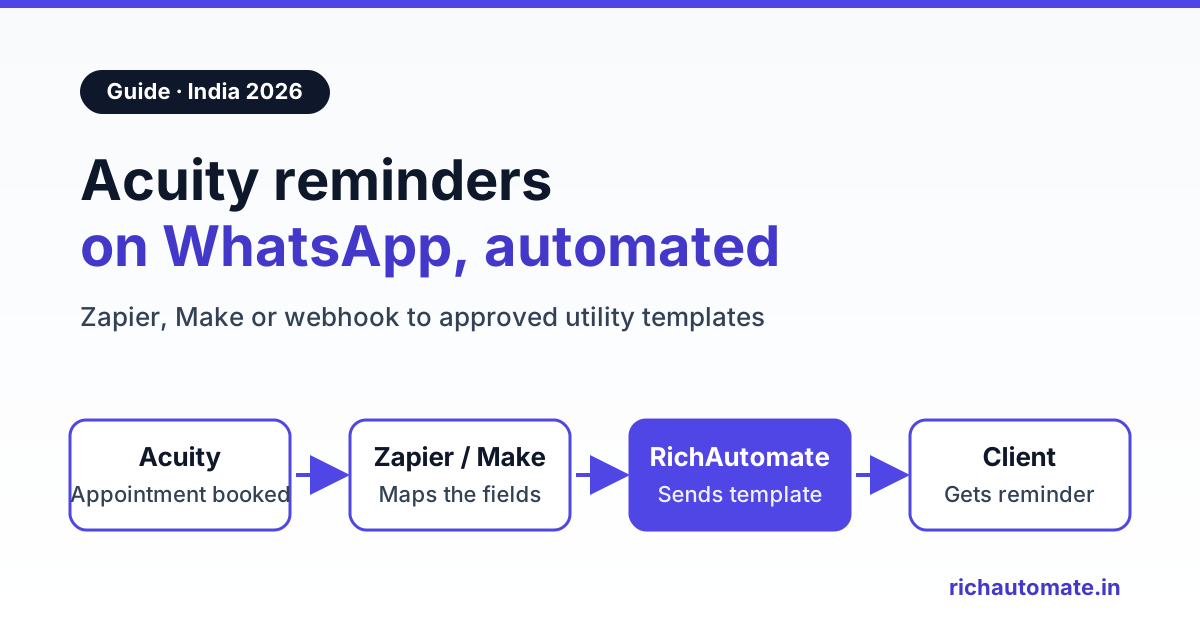
Acuity Scheduling, also sold as Squarespace Scheduling, sends its own reminders by email and text message, not WhatsApp. To send Acuity reminders on WhatsApp, you connect Acuity to a WhatsApp Business API platform such as RichAutomate. The bridge is either Zapier, Make or Pabbly Connect, or an Acuity webhook with a small relay, and it sends a Meta-approved utility template when a client books, 24 hours before the appointment and again 2 hours before.
A physiotherapy clinic in Pune, a bridal salon in Jaipur and a JEE tutor in Kota use Acuity so clients can pick a slot, fill an intake form and pay in advance. But their clients rarely check email, and Indian SMS gets buried among OTPs and bank alerts. WhatsApp is where people read and reply. This guide covers the setup, template wording, reschedules and the monthly cost in rupees.
To be clear up front: RichAutomate does not have a built-in Acuity connector. Every setup below uses an automation tool or a relay that calls RichAutomate's public API. Plan an afternoon to set up and test either route.
What Acuity can already do, and where WhatsApp fits
Acuity has its own text message reminders, and they are worth understanding before you add anything. According to Acuity's own guide on SMS reminders, you can schedule a text anywhere from 15 minutes to two weeks before an appointment. A plain-text reminder can run to 300 characters, and clients opt out by replying STOP. Text reminders are not on every plan, and Acuity's pages name the qualifying plans inconsistently, so check your account. Acuity's help centre says it texts more than 180 countries but cannot promise every delivery, so confirm how it handles Indian numbers and DLT rules before relying on it.
Here is how the two channels compare for an Indian practice:
| Question | Acuity built-in text reminders | Acuity + RichAutomate WhatsApp (via Zapier, Make, Pabbly or a relay) |
|---|---|---|
| Channel | SMS, plus email | WhatsApp from your own verified business number |
| Message length and format | Up to 300 characters of plain text | Approved template with variables, and optional buttons such as "Confirm" or "Reschedule" |
| Client can reply | Replies are mainly STOP or START opt-outs | Yes. Replies land in a shared team inbox, and answering within 24 hours is free |
| Timing | 15 minutes to two weeks before | Whatever your automation sets: confirmation, 24 hours and 2 hours are typical |
| Setup effort | Low, inside Acuity settings | Medium: templates, an automation or relay, and phone cleanup |
| Cost | Included in qualifying Acuity plans | Meta charges plus a ₹0.10 platform fee per message (see the cost section) |
Many businesses keep Acuity's email confirmation and move the time-sensitive reminders to WhatsApp, because a reminder is only useful if it gets read.
Before you start: a checklist
- A WhatsApp Business API number connected in RichAutomate. The phone app cannot be driven by an API.
- Approved utility templates for the booking confirmation, the 24-hour reminder, the 2-hour reminder, the reschedule notice and the cancellation notice. The business messages first, so each needs Meta approval.
- A WhatsApp opt-in on the Acuity intake form. Meta requires consent before you message someone. Add a checkbox question to your intake form, such as "Send my appointment updates on WhatsApp", and filter on it in every route below.
- A plan for the phone field. Acuity's phone field is free text. Clients type
+91 98765 43210,098765-43210or9876543210. - A RichAutomate API key from your developer settings, kept in your automation tool's secure fields.
The RichAutomate API expects Indian numbers as 91 followed by the 10-digit mobile number, with no plus sign, spaces or hyphens, for example 919876543210. The cleanup rule is the same in every tool: keep the digits only, take the last 10 and put 91 in front. If fewer than 10 digits remain, skip the send and flag the booking for a call. For NRI or overseas clients, keep the country code they entered instead of forcing 91.
Route 1: Acuity to WhatsApp with Zapier, Make or Pabbly Connect
This no-code route suits most clinics and salons. The chain is the same in every tool: Acuity trigger, opt-in filter, phone cleanup, then an HTTP POST to RichAutomate.
Step 1: Pick the Acuity trigger
Zapier's Acuity Scheduling app lists five triggers: New Appointment, Appointment Rescheduled, Appointment Canceled, Appointment Start (which "triggers a specified time before an appointment starts") and New Product Order. Use Appointment Start twice: one Zap at 24 hours before, one at 2 hours before. In Make, the Acuity Scheduling app has a Watch Appointments trigger that Acuity calls on scheduling, rescheduling, cancellation and changes, so add a filter on the event type. If you do not see an "X hours before" trigger in Make's Acuity app, build reminders as a scheduled scenario that searches upcoming appointments. In Pabbly Connect, check its Acuity app's trigger list; if what you need is missing, use Pabbly's webhook trigger with the Route 2 approach.
Step 2: Filter on opt-in
Book a test appointment so the tool captures sample intake answers. Continue only when the WhatsApp opt-in answer is Yes.
Step 3: Clean the phone number
Use a Formatter or Code step in Zapier, a text function in Make or Pabbly's formatter to apply the digits, last-10, prefix-91 rule above.
Step 4: POST to the RichAutomate send-template API
Use Webhooks by Zapier (check that your Zapier plan includes it), Make's HTTP module or API by Pabbly. Set the method to POST and the body to JSON, and add the header Authorization: Bearer YOUR_API_KEY. The endpoint is POST https://richautomate.in/api/v1/send-template, and a 24-hour reminder body looks like this:
{"phone": "919876543210", "template": "appt_reminder_24h_v1", "language": "en", "variables": ["Priya", "Physiotherapy session", "Thu 12 Nov, 11:30 AM", "Dr Mehta's Clinic, Baner"]}
Map the variables from Acuity's fields: first name, appointment type, the formatted date and time, and the calendar or location. Acuity's datetime arrives in machine format, so add a date-format step that outputs something like "Thu 12 Nov, 11:30 AM" in Indian time. Our Zapier WhatsApp integration guide walks through the HTTP mapping screen by screen, and the Pabbly Connect WhatsApp setup guide covers the same logic for Pabbly. All three tools bill per task or operation, so check limits against your monthly bookings.
Route 2: Acuity webhook plus a small relay
To avoid per-task fees or get full control, use Acuity's webhooks. According to Acuity's developer documentation, webhooks fire on four appointment actions: scheduled, rescheduled, canceled and changed, which is a catch-all for any edit including intake form updates. Static webhooks are set up in the API section of Acuity's integration settings, and API access depends on your Acuity plan.
The important detail: Acuity's webhook does not send the client's name, phone or time. It sends an application/x-www-form-urlencoded POST with only action, id, calendarID and appointmentTypeID. So you cannot point it straight at a WhatsApp API. A small relay, such as a Cloudflare Worker or a route on your own server, has to:
- Verify the request. Acuity signs each webhook in the
x-acuity-signatureheader, a base64 HMAC-SHA256 of the raw body keyed with your API key. Reject anything that does not match. - Fetch the appointment. Call
GET https://acuityscheduling.com/api/v1/appointments/{id}with HTTP Basic auth, using your Acuity user ID and API key. The response includesfirstName,phone,datetime,timezone,type,calendar,location, the intakeformsanswers andconfirmationPage. - Check opt-in and clean the phone using the same rule as Route 1.
- Send. POST to
https://richautomate.in/api/v1/send-templatewith the Bearer key and the template for that action. Mapscheduled,rescheduledandcanceledto the matching template, and ignorechangedunless you need it. - Return quickly. Acuity's docs say failed webhooks are retried with exponential backoff for 24 hours, but only on 500 errors or network failures. Log every send so a retry does not message a client twice.
Webhooks fire only on changes, so reminders need a scheduled job in the relay: every 15 minutes, list upcoming appointments through Acuity's API and remind any in the window that have not been reminded yet.
Send these messages on WhatsApp, from your own number
We get your templates approved on the official WhatsApp API and set up your first broadcast with you. ₹0 platform fee, you pay only Meta's per-message rate.
If you want the client's reply to drive the next steps, such as "Confirm", "Reschedule" or "Talk to the front desk", have the relay POST to a published RichAutomate flow's Incoming Webhook trigger instead: POST https://richautomate.in/api/v1/public/flows/{token}/trigger with phone, name and a data object holding the appointment details. The token in the URL is the credential, so keep it out of screenshots.
Reminder timing: confirmation, 24 hours and 2 hours
Three messages cover most practices:
- Confirmation, on booking. It confirms the slot and puts your number in the client's chat list, so later reminders come from a familiar name.
- 24 hours before. This gives a client with a clash time to reschedule while you can still fill the slot. Acuity's own reminder guide also recommends 24 to 48 hours for this reason.
- 2 hours before. A short nudge with the address and landmark, for people who simply forgot.
Two practical rules. First, skip the 24-hour reminder for bookings made less than 24 hours ahead; the confirmation covers it. Second, keep timing in Indian Standard Time (or the client's timezone for online sessions), and test a late-night booking so no reminder fires at 3 a.m.
| Acuity event | How it fires | WhatsApp template | Meta category | Meta charge (India, approx.) |
|---|---|---|---|---|
| New appointment | Zapier New Appointment, Make Watch Appointments, or the scheduled webhook | Booking confirmation | Utility | about ₹0.115 |
| 24 hours before | Zapier Appointment Start, or the relay's scheduled job | Reminder with Confirm and Reschedule buttons | Utility | about ₹0.115 |
| 2 hours before | Second Appointment Start Zap, or the relay's scheduled job | Short reminder with the address | Utility | about ₹0.115 |
| Rescheduled | Zapier Appointment Rescheduled, or the rescheduled webhook | New date and time confirmed | Utility | about ₹0.115 |
| Canceled | Zapier Appointment Canceled, or the canceled webhook | Cancellation noted, with a rebook option | Utility | about ₹0.115 |
| Client replies "running 10 min late" | Inside the 24-hour customer service window | Free-form reply from the inbox | Service | Free |
Template wording that stays utility
Appointment confirmations and reminders with no promotional content belong in Meta's utility category. Keep each template about one specific booking. A 24-hour reminder:
Hi {{1}}, this is a reminder of your {{2}} appointment on {{3}} at {{4}}. Please reply or use the buttons below if you need to change the time. [Confirm] [Reschedule]
A 2-hour reminder:
Hi {{1}}, see you at {{2}} today at {{3}}. Address: {{4}}. If you are running late, reply here and the front desk will update your slot.
A cancellation notice:
Hi {{1}}, your {{2}} appointment on {{3}} has been cancelled as requested. Reply here if you would like help choosing a new slot.
To avoid rejection: give a sample for every variable, do not start or end the body with a variable, and keep offers out. "Book your next facial this week and get 20% off" turns a reminder into marketing. Meta may reclassify a promotional-sounding template, and marketing costs about ₹0.8631 per message instead of about ₹0.115.
Handling reschedule and cancel links
Acuity's appointment record includes a confirmationPage link, and whether the client can cancel or reschedule from it follows your Acuity settings (canClientCancel and canClientReschedule in the API). There are three ways to use it:
- Link as a body variable, such as "Manage your booking: {{5}}". Simplest option.
- Dynamic URL button. These take a fixed base plus a variable suffix, so check whether your confirmation links share a fixed prefix.
- Quick-reply button. A "Reschedule" tap opens the 24-hour service window, and your flow or front desk sends the link free-form at no Meta charge.
The reschedule itself happens in Acuity, which fires the rescheduled event and triggers your "new time confirmed" template. Test one end to end so old reminders do not fire. In the relay, re-fetch the appointment just before sending any reminder and skip it if the appointment has been cancelled or moved.
How WhatsApp reminders reduce no-shows
Reminders do measurably help. Acuity's own SMS reminder guide cites a study in BMC Ophthalmology that found no-show rates were 38% lower among patients who received an SMS reminder. That was text messaging in an eye-care setting, so treat it as a sign of direction, not a forecast for your salon or coaching batch. What helps in practice:
- A one-tap answer. A client who taps Reschedule at 24 hours frees a slot you can refill, instead of becoming a no-show.
- Useful detail in the 2-hour message: floor, landmark, parking or video link.
- A human on the other end who answers "can I come at 12?" from the shared inbox, free inside the 24-hour window.
- Mentioning prepayment. If the client paid a deposit in Acuity, say so in the confirmation.
- A kind follow-up after a miss: "Sorry we missed you, would you like a new slot?"
For sequences and tone, see our guide on WhatsApp appointment reminders that cut no-shows. If part of your team books on our booking page instead, the our booking page WhatsApp reminders setup follows the same pattern.
What it costs in India: a worked monthly example
On RichAutomate's Client Pay model, you pay a ₹0.10 platform fee per message to RichAutomate, and Meta bills its own charges directly to your business. Meta's India rates are about ₹0.115 per utility template and about ₹0.8631 per marketing template, and replies inside the 24-hour customer service window are free.
Take the Pune physiotherapy clinic with 400 appointments a month. Each booking gets a confirmation, a 24-hour reminder and a 2-hour reminder, which is 1,200 utility templates. Assume the worst case, with no service window open for any of them, and the Starter plan:
| Cost line | Calculation | Monthly amount |
|---|---|---|
| Meta utility templates (confirmation + 24h + 2h, billed by Meta) | 1,200 × about ₹0.115 | about ₹138 |
| RichAutomate platform fee | 1,200 messages × ₹0.10 | ₹120 |
| RichAutomate Starter plan | Fixed | ₹499 |
| Total on the WhatsApp side | ₹138 + ₹120 + ₹499 | about ₹757 |
| Automation tool or relay | Billed separately by the tool | Depends on your plan |
That is about ₹1.89 per appointment, including the plan fee. On the ₹0 pay-as-you-go plan, the same 1,200 messages cost about ₹258 a month (₹138 to Meta plus ₹120 platform fee), or about ₹0.65 per appointment. If one saved slot is worth ₹800, a single kept appointment covers the month. Wording matters too. If the 400 24-hour reminders read as promotional and were charged as marketing, Meta's share for them would rise from about ₹46 to about ₹345.24 (400 × ₹0.8631). Reschedule and cancellation notices add about ₹0.215 each in total. Full plan details are on the RichAutomate pricing page.
Do you need Acuity at all? Booking inside WhatsApp
If Acuity runs your intake forms, packages, staff calendars and payments, keep it and add WhatsApp reminders as above. But if you only needed "a booking link" and clients message you on WhatsApp first anyway, RichAutomate's flow builder has an appointment booking template: the client picks a service, date and slot inside the chat, with no bridge to maintain. It suits salons, tutors and small clinics with simple slot rules, but it does not replace Acuity's deeper features. Our guide to WhatsApp appointment booking automation shows what the in-chat flow looks like.
Either way, the next step is the same. Start your RichAutomate free trial, get your confirmation and reminder templates approved, and send your first Acuity reminder on WhatsApp to your own number before you switch it on for clients.