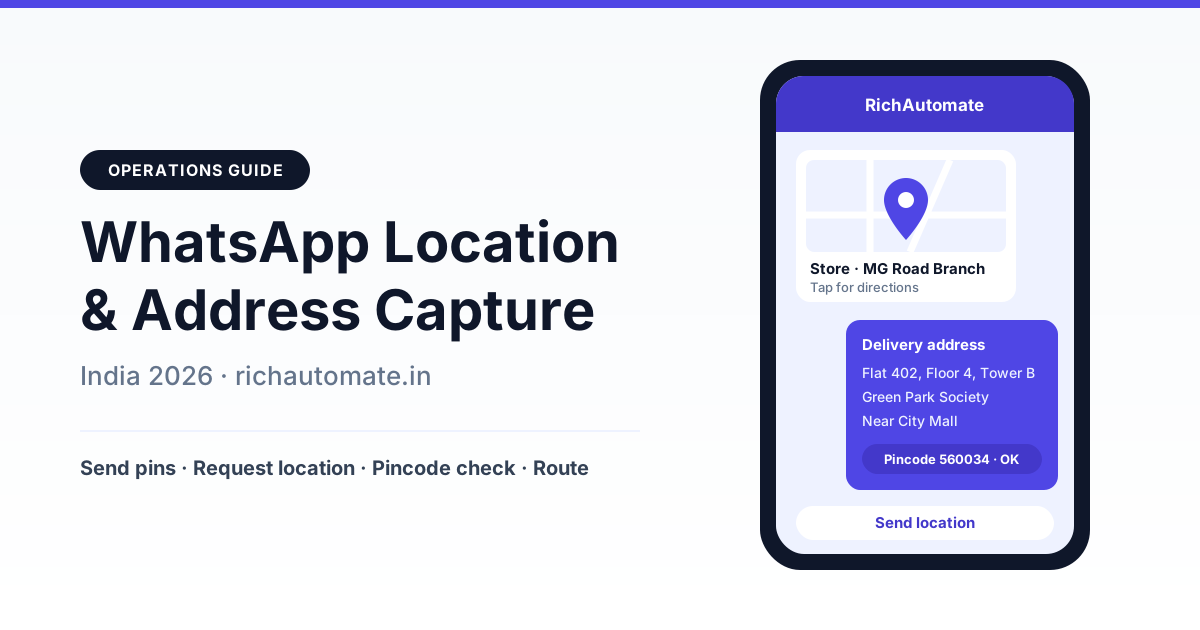
The WhatsApp Business API lets Indian businesses send a store or branch location pin, ask customers to share their location with a one-tap "Send location" button, and collect a structured delivery address through Meta's address message or a WhatsApp Flow form. Pair that with a 6-digit pincode serviceability check and you can route every order, service visit or site visit to the nearest branch or field agent without a single phone call.
This guide explains each location-related message type on the WhatsApp Cloud API, walks through an address capture flow built for messy Indian addresses, and shows how to do pincode checks and nearest-branch routing. It also covers a playbook for seven verticals, the real cost math, your privacy duties, common mistakes and a 30-day rollout plan.
What WhatsApp location and address messages actually are
On WhatsApp, a location is a message type of its own, not just a Google Maps link pasted as text. When a business sends a location message, it carries a latitude, a longitude and, optionally, a place name and address. The customer sees a small map card and can tap it to open directions in their maps app. When a customer shares a location from the attach menu, your webhook receives the same kind of data coming the other way: coordinates, plus a name and address if they picked a named place.
One point needs to be said plainly because it trips up many teams: the API receives a single static pin, not a live feed. WhatsApp users can share live location with contacts, but live-location sharing is not readable through the Business API. If a customer shares live location with your business number, do not expect your system to track their movement. If you need an updated position, ask for a fresh pin.
Address capture is a related but separate problem. A pin tells you roughly where a building is. It does not tell you the flat number, the floor, the wing of the tower, or that the gate the courier should use is "the one behind the temple, not the main road side". In India, where addresses lean heavily on landmarks and where one society can have a dozen towers, you usually need both: a pin for precision and structured fields for the last 50 metres.
The four location message types and when to use each
There are four building blocks you will use again and again. Here is what each one does and where it fits best.
| Message type | Direction | What it does | Best use |
|---|---|---|---|
| Location message | Business to customer | Sends a map pin with latitude, longitude, name and address; opens in the customer's maps app | Store and branch directions, clinic address, real estate site meeting point |
| Inbound shared location | Customer to business | Customer shares a pin from the attach menu; your webhook receives one static latitude and longitude, sometimes with a place name | Delivery drop point, technician visit, home sample collection |
| Location request message | Business to customer, pin comes back | Interactive message with a "Send location" button; one tap opens the share screen | Asking for location without explaining where the attach menu is |
| Address message | Business to customer, structured reply | India-focused interactive form with fields such as name, phone, pincode, house number, floor, building, landmark, area, city and state | Checkout delivery address, COD order confirmation, service booking address |
A few notes on these. The address message is a feature Meta has introduced for India numbers, and availability depends on your account's eligibility and Meta's current rollout. Test it on your own number before you build checkout around it. If it is not enabled for you, a WhatsApp Flow gives you the same structured fields as a form.
Two more tools round out the kit:
- Templates with a location header. An approved template can carry a location as its header, which is useful for appointment reminders ("Your visit is tomorrow at 11 am, here is the site") that go out after the 24-hour window has closed.
- WhatsApp Flows. A Flow is an in-chat form that can collect address fields, preferred slot, and notes in one screen, with validation. Our guide to WhatsApp Flows forms for in-chat lead capture shows how to design one.
Step-by-step: an address capture flow that survives Indian addresses
The best flows combine a pin, a short form and a confirmation. Here is a sequence that works for most delivery and home-visit businesses.
- Start inside the customer service window. The customer messages first, whether by clicking a chat button on your website, replying to an order update, or tapping a click-to-WhatsApp ad. That opens a 24-hour window in which your replies are service messages.
- Offer a choice with buttons. "Share current location", "Type my address", or "Use saved address". Three reply buttons and list messages beat an open question every time, because customers do not have to guess what you want.
- Request the pin. If they choose location, send a location request message. When the pin arrives, reverse geocode it on your side to pre-fill locality, city and a likely pincode.
- Ask for what the pin cannot tell you. Flat or house number, floor, tower or wing, society or building name, and a landmark. Use the address message where available, or a Flow form. Keep the landmark field free text; Indian landmarks ("opposite Axis Bank ATM", "second lane after the petrol pump") are too varied for a dropdown.
- Validate the pincode. Check it is exactly six digits and does not start with zero, then run the serviceability lookup described in the next section.
- Read it back. Send a one-message summary of the full address with "Confirm" and "Edit" buttons. This single step catches most typos, wrong towers and swapped digits.
- Save it with purpose. Store the confirmed address against the contact in your CRM, tagged with the purpose it was collected for and a retention date.
A good confirmation message is short and scannable: the flat and floor on the first line, society and landmark on the second, area, city and pincode on the third, and the two buttons below. Customers who see their own address laid out clearly spot mistakes they would never catch in a long paragraph.
Pincode serviceability checks and nearest-branch routing
Once you have an address, the next question is whether you can serve it and who should. Two data sources do the work: a pincode table and a branch or agent location list.
- Pincode table. One row per pincode with serviceable yes or no, zone, assigned branch, COD allowed, delivery or visit time, and any surcharge. This answers "Do you deliver to 411045?" in under a second.
- Branch and agent coordinates. Latitude and longitude for every store, kitchen, lab or warehouse, plus the current position of field agents when they check in with a pin.
Pincodes in India can cover large and uneven areas, so a pincode alone sometimes routes a customer to a branch that is technically in the same pincode but on the wrong side of a highway. When you have a pin, calculate straight-line distance to each open branch, filter to those within the service radius, and pick the nearest. Fall back to the pincode table when you only have a typed address.
For home services and diagnostics, apply the same logic to people instead of branches: assign the job to the nearest available technician or phlebotomist who has a free slot. Our guide to field force operations and attendance on WhatsApp covers how agents check in with a pin so your dispatcher always has a recent starting point.
What about customers who paste a Google Maps link instead of sharing a pin? Accept it, but know that short share links need to be resolved before you get coordinates, and some will fail. If a link cannot be resolved, reply politely with a location request button. A native pin is better because the coordinates arrive as numbers you can use immediately.
When a pincode is not serviceable, say so honestly and immediately. Offer the nearest pickup point, a partner, or a waitlist that notifies them when you expand. A clear "not yet" builds more trust than an order you will later cancel.
Vertical playbook for Indian businesses
The same four building blocks look different in each industry. This table maps what to capture and how to route it.
Get a 1-minute BSP audit on WhatsApp
Drop your WhatsApp number — we line-item your current invoice against Meta India rates in under 60 seconds. India-hosted, DPDP-compliant.
| Vertical | What to capture | Location feature | Routing outcome |
|---|---|---|---|
| D2C and e-commerce | Full delivery address, pincode, landmark, alternate phone | Address message or Flow, then Confirm/Edit | COD eligibility, courier selection, fewer failed deliveries |
| Food and cloud kitchens | Pin at order time, flat and floor, gate instructions | Location request, short form | Nearest kitchen within delivery radius |
| Home services (AC repair, pest control) | Pin, flat, floor, society, preferred slot | Location request plus Flow with slot picker | Nearest available technician with a free slot |
| Diagnostics home sample collection | Pin, landmark, fasting-friendly morning slot | Location request plus Flow | Nearest phlebotomist, route batched by area |
| Real estate site visits | Visit date, number of visitors | Business sends site location pin; location-header template for reminders | Site manager notified, directions sent in advance |
| Multi-branch retail and clinics | Customer pin or pincode | Inbound location, reply with branch location message | Nearest branch with timings and a call or booking button |
| Field sales | Rep pin at each visit | Inbound location from the rep | Visit logged against the outlet; static check-in, not live tracking |
For D2C brands, wrong or incomplete addresses are one of the commonly cited reasons for failed first delivery attempts and return-to-origin (RTO) on cash-on-delivery orders. Capturing a confirmed address before dispatch is the cheapest fix, and when a delivery still fails, the same flow can re-capture the address. Our guide to failed-delivery (NDR) management on WhatsApp shows how to plug address re-capture into your courier's NDR feed.
Cost math: what location and address capture costs
At the time of writing, RichAutomate charges ₹0 setup and ₹0 monthly fee; you pay only for usage. There are two ways to pay:
- Client Pay: ₹0.10 per message platform fee, with Meta's charges billed by Meta directly to your own card.
- SaaS Pay: ₹1.50 per marketing message and ₹0.50 per utility message, all-in.
Replies inside the 24-hour customer service window are service conversations and carry no Meta charge. Location and address exchanges usually happen inside that window, because the customer has just messaged you about an order or booking. An optional Starter plan at ₹499 per month is available if you want bundled features, but it is not required. See RichAutomate pricing for current details.
Here is an illustrative month for a brand handling 1,000 orders. The volumes are examples, not benchmarks.
| Scenario (illustrative) | Volume | Client Pay | SaaS Pay |
|---|---|---|---|
| Address capture inside the service window (buttons, location request, address form, confirmation) | 4 replies x 1,000 orders = 4,000 | ₹400 platform fee, no Meta charge for service replies | No Meta charge for service replies; check plan terms on the pricing page |
| Address confirmation utility template for website orders, sent outside the window | 1,000 utility templates | ₹100 platform fee plus Meta's utility charge on your card | ₹500 all-in |
| New-branch launch: marketing template with store location header to opted-in customers | 2,000 marketing templates | ₹200 platform fee plus Meta's marketing charge on your card | ₹3,000 all-in |
Now the other side of the ledger, again with clearly illustrative numbers. Suppose 1,000 COD orders a month, and confirmed addresses cut address-related failed deliveries from 8 percent to 5 percent. That is 30 fewer RTOs. If each RTO costs you around ₹150 in forward and return logistics, that is roughly ₹4,500 saved against a few hundred rupees of messaging. Your numbers will differ, so measure your own baseline first. To keep more of your conversations inside the free window, read our guide to 24-hour window cost optimisation.
No platform can guarantee your number will never be restricted. Staying on the right side of Meta's policies (opted-in contacts, relevant templates, quick responses) is what protects your quality rating.
Privacy and DPDP: location is personal data
A precise location pin and a home address identify a person, so treat them as personal data under India's Digital Personal Data Protection framework. In practice, precise coordinates deserve extra care because they can reveal where someone lives, works and spends time. A few working principles:
- State the purpose when you ask. "Share your location so we can assign the nearest technician" is clear. Then use the data for that purpose only.
- Collect the minimum. If a pincode answers the question ("Do you deliver here?"), do not ask for a pin.
- Limit access. A technician needs the address of their assigned job, not your whole customer list. Mask or hide it once the job is closed.
- Set retention limits. Keep the confirmed delivery address for as long as you need it for orders and records, but consider deleting raw coordinates after fulfilment.
- Do not repurpose silently. Using delivery locations for marketing targeting is a different purpose and needs clear consent.
- Honour deletion requests. Make it easy for a customer to ask you to remove their saved address.
This is general guidance, not legal advice. The rules and how they are applied continue to evolve, so confirm your approach with your legal counsel.
Common mistakes to avoid
- Expecting live tracking. The API gets a single static pin. Design your flow around fresh pins, not continuous tracking.
- Treating the pin as the full address. A pin without flat, floor and tower sends the courier to the society gate and no further.
- Free-text only addresses. A single "type your address" box gives you no pincode to validate and no structure for your courier system.
- Sending interactive requests outside the window. Once the 24-hour window closes, you need an approved template to restart the conversation.
- Skipping the read-back. Without a Confirm/Edit step, typos go straight to dispatch.
- Hard-coding branch lists. Pasting ten branch addresses into one message makes the customer do the routing. Let the pin or pincode pick the nearest branch.
- Collecting location "just in case". Ask only when you need it, and say why.
- Blasting location templates to cold lists. Send location-header marketing templates only to opted-in customers who would find them relevant.
30-day rollout plan
- Days 1 to 7: map and prepare. List every touchpoint where you need a location or address (checkout, booking, site visit, NDR). Build your pincode serviceability table and branch coordinate list. Test whether the address message is enabled on your number.
- Days 8 to 14: build the flow. Reply buttons, location request, address form or Flow, pincode check and Confirm/Edit read-back. Test with staff in three or four cities using deliberately messy addresses: landmarks only, missing floors, wrong pincodes.
- Days 15 to 21: connect routing. Route confirmed addresses to the nearest branch, kitchen or agent. Add a utility template that asks website customers to confirm their address, and plug address re-capture into failed-delivery handling.
- Days 22 to 30: go live and measure. Launch for one segment first, such as COD orders or one city. Track the address edit rate at read-back, first-attempt delivery or visit success, and RTO. Publish your retention policy and switch on deletion of raw coordinates after fulfilment.
Once the first segment is stable, extend the flow to every order channel and review the numbers monthly. Small fixes, like a better landmark prompt or one more button, often move first-attempt success more than any big rebuild.
Ready to send location pins, collect confirmed addresses and route customers to the nearest branch automatically? Start free on RichAutomate with ₹0 setup and ₹0 monthly fee, and pay only for what you send.