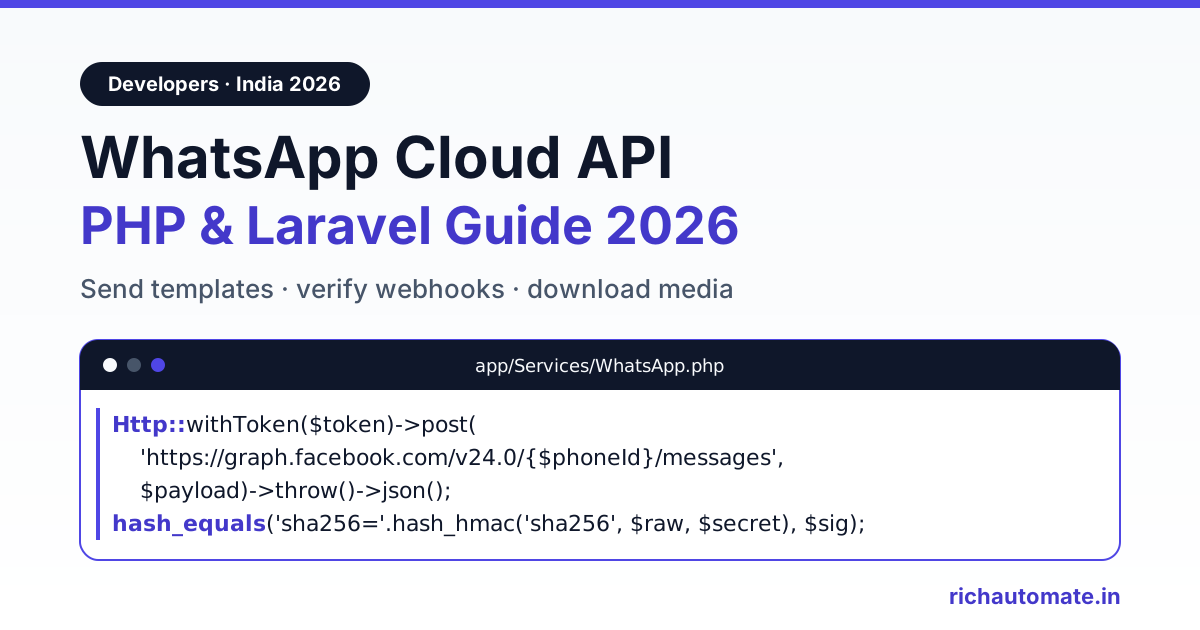
To use the WhatsApp Cloud API from PHP, send an authenticated POST request to https://graph.facebook.com/v24.0/{phone-number-id}/messages with a JSON body; in Laravel that is one Http::withToken($token)->post() call. To receive messages, expose a webhook route that echoes hub.challenge on GET and checks the X-Hub-Signature-256 header with hash_hmac('sha256', $rawBody, $appSecret) on every POST.
This guide gives you the full working path for an Indian business in 2026: prerequisites, a small Laravel service class for template and free-form sends, a signed webhook controller, inbound media download, a plain-PHP cURL version for non-Laravel projects, and the error codes you will actually hit. Our own platform runs on Laravel and talks to Graph API v24.0, so the patterns below are the same ones that survive production traffic. If your team writes JavaScript, the WhatsApp API Node.js integration guide covers the same flow in Node.
Prerequisites: what you need before the first request
- A Meta developer app of type Business, with the WhatsApp product added.
- A WhatsApp Business Account (WABA) linked to a Meta Business portfolio. Business verification is not needed to test, but it is needed to raise messaging limits.
- A phone number ID, not the phone number itself. Find it under WhatsApp, API Setup. Every send URL uses this ID.
- A permanent system-user access token with the whatsapp_business_messaging and whatsapp_business_management permissions. The temporary token on the API Setup page expires in about 24 hours and is the number one cause of error 190 in week two.
- At least one approved message template. Meta gives every new WABA a hello_world template you can use immediately.
- Your app secret (App Settings, Basic) for webhook signature checks, and a verify token string you invent yourself.
If you only want to experiment first, Meta's free test number lets you message up to five verified recipient numbers without buying anything. Our walkthrough of the WhatsApp Cloud API test number and sandbox shows the exact screens.
Keep secrets in .env and read them through config/services.php so php artisan config:cache keeps working:
# .env
WHATSAPP_TOKEN=YOUR_ACCESS_TOKEN
WHATSAPP_PHONE_NUMBER_ID=YOUR_PHONE_NUMBER_ID
WHATSAPP_VERIFY_TOKEN=YOUR_VERIFY_TOKEN
WHATSAPP_APP_SECRET=YOUR_APP_SECRET

// config/services.php
'whatsapp' => [
    'token'           => env('WHATSAPP_TOKEN'),
    'phone_number_id' => env('WHATSAPP_PHONE_NUMBER_ID'),
    'verify_token'    => env('WHATSAPP_VERIFY_TOKEN'),
    'app_secret'      => env('WHATSAPP_APP_SECRET'),
],
Send a WhatsApp template message in Laravel
Business-initiated messages (order updates, OTPs, payment reminders, offers) must use an approved template. The body parameters you pass must match the template's variables one for one, or Meta rejects the request with error 132000. Phone numbers go in international format without the plus sign, so an Indian mobile is 91 followed by the 10 digits.
<?php

namespace App\Services;

use Illuminate\Support\Facades\Http;

class WhatsApp
{
    private function url(): string
    {
        return 'https://graph.facebook.com/v24.0/'
            . config('services.whatsapp.phone_number_id') . '/messages';
    }

    private function client()
    {
        return Http::withToken(config('services.whatsapp.token'))
            ->acceptJson()
            ->timeout(15);
    }

    public function sendTemplate(string $to, string $name, array $params, string $lang = 'en'): array
    {
        return $this->client()->post($this->url(), [
            'messaging_product' => 'whatsapp',
            'to'       => $to,                 // e.g. 919876543210
            'type'     => 'template',
            'template' => [
                'name'       => $name,
                'language'   => ['code' => $lang],
                'components' => [[
                    'type'       => 'body',
                    'parameters' => array_map(
                        fn ($p) => ['type' => 'text', 'text' => (string) $p],
                        $params
                    ),
                ]],
            ],
        ])->throw()->json();                   // messages[0].id is the wamid
    }
}
Call it from a controller, a job or tinker: app(WhatsApp::class)->sendTemplate('919876543210', 'order_update', ['ORD-1042', '24 Nov']). Store the returned wamid against your order row; every delivery and read status webhook refers back to it. The ->throw() call turns any 4xx or 5xx into a RequestException, and $e->response->json('error.code') gives you Meta's numeric code for logging.
Send free-form text inside the 24-hour window
When a customer messages you, a 24-hour customer service window opens. Inside it you can reply with normal text, images, documents or interactive buttons without a template. Outside it, a free-form send fails with error 131047 and you must fall back to a template. Add this method to the same class:
public function sendText(string $to, string $body): array
{
    return $this->client()->post($this->url(), [
        'messaging_product' => 'whatsapp',
        'recipient_type'    => 'individual',
        'to'   => $to,
        'type' => 'text',
        'text' => ['preview_url' => false, 'body' => $body],
    ])->throw()->json();
}
Track the time of the customer's last inbound message on the conversation row. Before a free-form send, check that it is less than 24 hours old; if not, route the message to a template instead of letting Meta reject it.
Receive webhooks: verify route plus signed POST handler
Meta calls your webhook URL in two ways. A one-time GET when you save the callback URL in the app dashboard, carrying hub.mode, hub.verify_token and hub.challenge; you must echo the challenge back as plain text. Then a POST for every inbound message and every status change, signed with your app secret in the X-Hub-Signature-256 header. Put the routes in routes/api.php so the CSRF middleware never sees them:
// routes/api.php
use App\Http\Controllers\WhatsAppWebhookController;

Route::get('/webhooks/whatsapp', [WhatsAppWebhookController::class, 'verify']);
Route::post('/webhooks/whatsapp', [WhatsAppWebhookController::class, 'handle']);
<?php
namespace App\Http\Controllers;
use App\Jobs\ProcessWhatsAppEvent;
use Illuminate\Http\Request;
class WhatsAppWebhookController extends Controller
{
public function verify(Request $request)
{
// PHP rewrites "hub.mode" to "hub_mode" in the query string
$token = (string) $request->query('hub_verify_token');
if ($request->query('hub_mode') === 'subscribe'
&& hash_equals((string) config('services.whatsapp.verify_token'), $token)) {
return response((string) $request->query('hub_challenge'), 200)
->header('Content-Type', 'text/plain');
}
return response('Forbidden', 403);
}
public function handle(Request $request)
{
$expected = 'sha256=' . hash_hmac(
'sha256',
$request->getContent(), // raw body, byte for byte
config('services.whatsapp.app_secret')
);
if (! hash_equals($expected, (string) $request->header('X-Hub-Signature-256'))) {
return response('Invalid signature', 401);
}
ProcessWhatsAppEvent::dispatch($request->json()->all());
return response('OK', 200); // reply fast, work in the queue
}
}Three details matter here. First, PHP converts dots in query keys to underscores, so hub.challenge arrives as hub_challenge; reading the dotted name returns null and verification silently fails. Second, the HMAC must be computed on the raw body from getContent(), never on re-encoded JSON, because re-encoding changes escaping and spacing. Third, use hash_equals, not ===, so the comparison runs in constant time.
Get the India 2026 WhatsApp BSP price comparison
Wati vs AiSensy vs Interakt vs RichAutomate: Meta rates, platform fees and hidden costs, side by side. We send it to your WhatsApp in a minute.
Meta expects a fast 200. Slow handlers trigger retries, and retries mean duplicate events, so do the real work in a queued job and make it idempotent on the message ID:
public function handle(): void
{
    foreach ($this->payload['entry'] ?? [] as $entry) {
        foreach ($entry['changes'] ?? [] as $change) {
            $value = $change['value'] ?? [];

            foreach ($value['messages'] ?? [] as $msg) {
                if (! Cache::add('wa:in:' . $msg['id'], 1, now()->addDay())) {
                    continue;                  // duplicate delivery, skip
                }
                // $msg['from'], $msg['type'], $msg['text']['body'] ...
            }

            foreach ($value['statuses'] ?? [] as $status) {
                // sent, delivered, read or failed; errors[] on failed
            }
        }
    }
}
Status events can arrive out of order (read before delivered is normal on flaky mobile networks), so only move a message's status forward, never backward.
Rather not maintain signature checks, retries and status ordering yourself? You can start a 14-day free trial on RichAutomate and get a shared inbox, template manager and developer API on top of the same Cloud API.
Download inbound media (images, PDFs, voice notes)
An inbound image or document webhook carries a media ID, not the file. Downloading is a two-step call: GET the media ID to receive a short-lived URL, then GET that URL with the same Bearer token. The URL expires after about five minutes, so fetch it right before downloading; if you get a 404, request a fresh URL from the media ID.
use Illuminate\Support\Facades\Http;
use Illuminate\Support\Facades\Storage;

public function downloadMedia(string $mediaId): string
{
    $token = config('services.whatsapp.token');

    $meta = Http::withToken($token)
        ->get("https://graph.facebook.com/v24.0/{$mediaId}")
        ->throw()->json();                     // url, mime_type, sha256, file_size

    $file = Http::withToken($token)            // the file URL needs the token too
        ->timeout(60)
        ->get($meta['url'])
        ->throw()->body();

    $path = "whatsapp/{$mediaId}";
    Storage::put($path, $file);

    return $path;
}
Do the download inside the queued job, not the webhook request, and save the mime_type alongside the file so your dashboard can render it correctly.
Plain PHP cURL version (no framework)
On a shared host or a legacy PHP app without Laravel, the same template send is a few lines of cURL. This sends Meta's default hello_world template, which is the quickest way to confirm your token and phone number ID work:
<?php
$token   = 'YOUR_ACCESS_TOKEN';
$phoneId = 'YOUR_PHONE_NUMBER_ID';

$payload = [
    'messaging_product' => 'whatsapp',
    'to'       => '919876543210',
    'type'     => 'template',
    'template' => ['name' => 'hello_world', 'language' => ['code' => 'en_US']],
];

$ch = curl_init("https://graph.facebook.com/v24.0/{$phoneId}/messages");
curl_setopt_array($ch, [
    CURLOPT_POST           => true,
    CURLOPT_RETURNTRANSFER => true,
    CURLOPT_TIMEOUT        => 15,
    CURLOPT_HTTPHEADER     => [
        "Authorization: Bearer {$token}",
        'Content-Type: application/json',
    ],
    CURLOPT_POSTFIELDS     => json_encode($payload),
]);
$body   = curl_exec($ch);
$status = curl_getinfo($ch, CURLINFO_HTTP_CODE);
curl_close($ch);

echo $status, ' ', $body, PHP_EOL;

// Webhook signature check in plain PHP
$raw   = file_get_contents('php://input');
$sig   = $_SERVER['HTTP_X_HUB_SIGNATURE_256'] ?? '';
$valid = hash_equals('sha256=' . hash_hmac('sha256', $raw, 'YOUR_APP_SECRET'), $sig);
Common errors and how to fix them
Meta returns a JSON error object with a numeric code. Log the code, not just the message text. These are the ones PHP integrations hit most; the full list is in WhatsApp Business API error codes decoded.
| Code | What it means | Fix |
|---|---|---|
| 131047 | More than 24 hours since the customer last messaged you | Send an approved template instead of free-form text |
| 131026 | Message undeliverable: not a WhatsApp number, terms not accepted, or very old app version | Check the number format (91 plus 10 digits), mark the contact, do not retry in a loop |
| 132000 | Parameter count does not match the template's variables | Pass exactly as many body parameters as the template has placeholders |
| 190 | Access token expired or invalid | Replace the temporary token with a permanent system-user token |
| 130429 | Cloud API throughput limit reached | Back off and retry; throttle your queue |
| 131056 | Too many messages to the same recipient in a short time | Wait before messaging that number again; other numbers are unaffected |
Rate limits and throughput for PHP queues
Each business phone number gets 80 messages per second by default on the Cloud API. Meta upgrades eligible numbers to 1,000 messages per second automatically when the number has an unlimited messaging limit, quality rating of yellow or better, and has messaged at least 100,000 unique users outside the service window in a rolling 24 hours. Separately, a messaging limit caps how many unique customers you can start conversations with per rolling 24 hours, and it rises with business verification and good quality.
- Never loop over a contact list inside a web request. Push one job per recipient onto Redis and let php artisan queue:work drain it.
- Throttle sends with Laravel's RateLimited job middleware or Redis::throttle(), kept comfortably below 80 per second per number.
- On 130429, release the job back to the queue with a delay rather than failing it. On 131056, delay only that recipient.
- Retry connection errors and 5xx responses with backoff; do not retry 131026 or 132000, they will fail the same way every time.
What it costs in India
Meta charges per delivered template message, by category. On Meta's published India rates for 2026, a marketing message is about ₹0.86, and utility and authentication messages are about ₹0.115 each, plus applicable GST. Going direct to the Cloud API means you pay only Meta, but you build and run the inbox, template approvals, retries and monitoring yourself. Model your own volumes with the per-category rates before you pick a route.
Skip the plumbing: use a BSP API
Everything above is necessary when you integrate raw. If you would rather spend your sprint on product logic, a business solution provider wraps it for you. On RichAutomate you connect your number once, generate an API key in the dashboard, and call a REST API with that key as a Bearer token. The developer API lets you send approved templates and session messages, create and update contacts, launch campaigns, check message status, read conversation history and check your wallet balance and usage, all returning JSON. Send-style calls accept an Idempotency-Key header so a retried request does not send twice. The team inbox, flow builder and template sync sit on top of the same number, so support staff and your PHP code share one view.
The RichAutomate API quickstart shows the request format and authentication, and our WhatsApp API pricing plans start at ₹499 a month (Starter), with Pro at ₹899 and White-label at ₹1,199, and ₹0 setup. On Client Pay the platform fee is ₹0.10 per message and Meta bills its charges directly to your own account.
Production checklist
- Permanent system-user token in .env, never in code or Git.
- Webhook signature checked with hash_hmac on the raw body and hash_equals.
- Webhook returns 200 fast; processing happens in a queued, idempotent job.
- Every outbound wamid stored; status updates only move forward.
- 24-hour window checked before free-form sends; template fallback in place.
- Queue throttled per phone number, backoff on 130429.
Ready to send your first message without writing the webhook layer? Start your 14-day free trial on RichAutomate, connect your number, and call the API from your Laravel app the same afternoon.