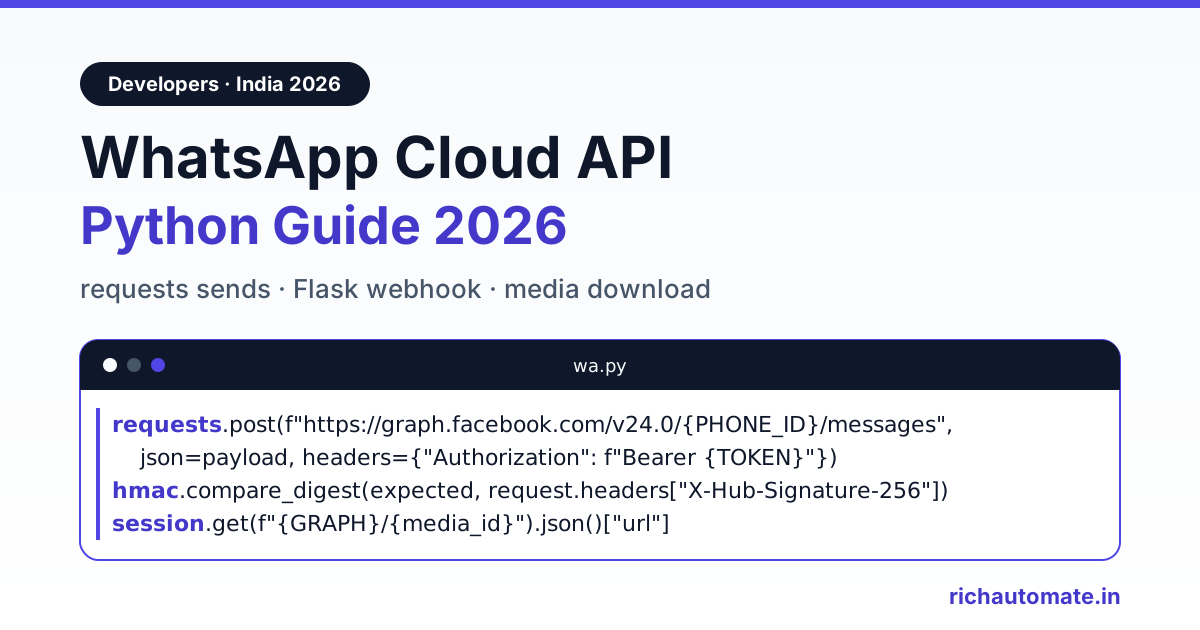
To use the WhatsApp Cloud API from Python, send a POST request with the requests library to https://graph.facebook.com/v24.0/{phone-number-id}/messages, passing your access token as a Bearer header and the message as JSON. To receive messages, run a small Flask (or FastAPI) webhook that returns hub.challenge on GET and validates the X-Hub-Signature-256 header with hmac.compare_digest on every POST.
This guide is written for Indian developers building on WhatsApp in 2026: prerequisites, template and free-form sends, a signed Flask webhook, a tiny keyword bot, inbound media download, the error codes you will hit, throughput limits and real INR costs. Every snippet uses Graph API v24.0 and placeholder credentials. If your stack is JavaScript, our WhatsApp API Node.js guide walks through the same flow.
Prerequisites
- A Meta developer app (type Business) with the WhatsApp product added.
- A WhatsApp Business Account (WABA) in a Meta Business portfolio. You can test without business verification; you need it to raise messaging limits later.
- The phone number ID from WhatsApp, API Setup. It is a long numeric ID, not the phone number, and it goes in every send URL.
- A permanent system-user token with whatsapp_business_messaging and whatsapp_business_management. The temporary token on the setup page expires in about a day.
- An approved message template. New WABAs get hello_world out of the box.
- Your app secret (App Settings, Basic) for signature checks, plus a verify token string of your choice.
- Python 3.9 or later with pip install requests flask.
For a zero-cost start, Meta's free test number can message up to five verified recipients, which is enough to build and demo the whole integration. Our WhatsApp Cloud API test number sandbox walkthrough shows where each ID lives. Keep credentials in environment variables, never in the repository:
export WHATSAPP_TOKEN=YOUR_ACCESS_TOKEN
export WHATSAPP_PHONE_NUMBER_ID=YOUR_PHONE_NUMBER_ID
export WHATSAPP_VERIFY_TOKEN=YOUR_VERIFY_TOKEN
export WHATSAPP_APP_SECRET=YOUR_APP_SECRET
Send a WhatsApp template message with Python requests
Business-initiated messages such as order updates, OTPs and payment reminders need an approved template. Indian numbers go in as 91 plus the 10-digit mobile, with no plus sign, spaces or leading zero. The number of body parameters must equal the template's placeholders, or Meta returns error 132000.
# wa.py
import os
import requests

TOKEN = os.environ["WHATSAPP_TOKEN"]
PHONE_ID = os.environ["WHATSAPP_PHONE_NUMBER_ID"]
GRAPH = "https://graph.facebook.com/v24.0"
URL = f"{GRAPH}/{PHONE_ID}/messages"

session = requests.Session()
session.headers.update({"Authorization": f"Bearer {TOKEN}"})


def _post(payload: dict) -> dict:
    r = session.post(URL, json=payload, timeout=15)
    if not r.ok:
        err = r.json().get("error", {})
        raise RuntimeError(f"WhatsApp {err.get('code')}: {err.get('message')}")
    return r.json()  # r.json()["messages"][0]["id"] is the wamid


def send_template(to: str, name: str, params: list, lang: str = "en") -> dict:
    return _post({
        "messaging_product": "whatsapp",
        "to": to,  # e.g. "919876543210"
        "type": "template",
        "template": {
            "name": name,
            "language": {"code": lang},
            "components": [{
                "type": "body",
                "parameters": [{"type": "text", "text": str(p)} for p in params],
            }],
        },
    })


if __name__ == "__main__":
    print(send_template("919876543210", "hello_world", [], lang="en_US"))
Note that hello_world has no body variables, so it takes an empty parameter list and the en_US language code. For your own templates, pass values in order, for example send_template("919876543210", "order_update", ["ORD-1042", "24 Nov"]). Save the returned wamid; every status webhook refers back to it.
Send free-form text inside the 24-hour window
Once a customer messages you, a 24-hour customer service window opens and you can reply with plain text, media or interactive buttons without a template. Outside the window, free-form sends fail with error 131047.
def send_text(to: str, body: str) -> dict:
    return _post({
        "messaging_product": "whatsapp",
        "recipient_type": "individual",
        "to": to,
        "type": "text",
        "text": {"preview_url": False, "body": body},
    })
Record the timestamp of each customer's last inbound message. Before sending free-form text, check it is under 24 hours old and fall back to a template if it is not.
Python WhatsApp webhook with Flask
Meta calls your webhook with a one-time GET when you save the callback URL (carrying hub.mode, hub.verify_token and hub.challenge), then a POST for every inbound message and status update. Each POST carries X-Hub-Signature-256: sha256=<hex>, an HMAC-SHA256 of the raw body keyed with your app secret.
# app.py
import hashlib
import hmac
import os

from flask import Flask, abort, request

app = Flask(__name__)
VERIFY_TOKEN = os.environ["WHATSAPP_VERIFY_TOKEN"]
APP_SECRET = os.environ["WHATSAPP_APP_SECRET"].encode()


@app.get("/webhooks/whatsapp")
def verify():
    token = request.args.get("hub.verify_token", "")
    if request.args.get("hub.mode") == "subscribe" and hmac.compare_digest(token, VERIFY_TOKEN):
        return request.args.get("hub.challenge", ""), 200
    abort(403)


@app.post("/webhooks/whatsapp")
def receive():
    raw = request.get_data()  # raw bytes, before any JSON parsing
    expected = "sha256=" + hmac.new(APP_SECRET, raw, hashlib.sha256).hexdigest()
    signature = request.headers.get("X-Hub-Signature-256", "")
    if not hmac.compare_digest(expected, signature):
        abort(401)

    enqueue(request.get_json(silent=True) or {})  # Celery, RQ or a DB row
    return "OK", 200
Sign the raw bytes from request.get_data(), never a re-serialised dict, because json.dumps changes spacing and escaping and the hashes will not match. hmac.compare_digest gives a constant-time comparison. On FastAPI the same logic works with raw = await request.body() and request.query_params. Meta also needs a public HTTPS URL; during development a tunnel such as ngrok or Cloudflare Tunnel in front of flask run is enough.
Answer within a few seconds. Slow responses trigger retries, and retries create duplicate events, so hand the payload to a worker and dedupe on the message ID:
SEEN = set()  # use Redis SETNX or a unique DB column in production


def handle_event(payload: dict) -> None:
    for entry in payload.get("entry", []):
        for change in entry.get("changes", []):
            value = change.get("value", {})

            for msg in value.get("messages", []):
                if msg["id"] in SEEN:
                    continue  # duplicate delivery
                SEEN.add(msg["id"])
                on_message(msg)

            for status in value.get("statuses", []):
                # sent, delivered, read or failed; errors list on failed
                print(status["id"], status["status"], status.get("errors"))
Status events can arrive out of order, so only ever move a message's stored status forward.
Get the India 2026 WhatsApp BSP price comparison
Wati vs AiSensy vs Interakt vs RichAutomate: Meta rates, platform fees and hidden costs, side by side. We send it to your WhatsApp in a minute.
A minimal WhatsApp bot in Python
With sends and webhooks in place, a simple WhatsApp bot is a dispatch function. Because the customer just wrote to you, the reply sits inside the 24-hour window and plain text is allowed:
from wa import send_text

REPLIES = {
    "price": "Plans and pricing: reply PLANS and we will send the details.",
    "hours": "We are open 10am to 7pm, Monday to Saturday.",
}


def on_message(msg: dict) -> None:
    sender = msg["from"]
    if msg["type"] == "text":
        text = msg["text"]["body"].strip().lower()
        reply = next((v for k, v in REPLIES.items() if k in text), None)
        send_text(sender, reply or "Thanks! A team member will reply shortly.")
    elif msg["type"] in ("image", "document", "audio", "video"):
        download_media(msg[msg["type"]]["id"])
Real bots grow fast: menus, language choice, hand-off to a human, order lookups. That is usually the point where teams move the conversation logic into a flow builder instead of a growing if-else chain. You can start a 14-day free trial on RichAutomate to build flows visually and keep your Python service for the business logic.
Download inbound media
Inbound media webhooks contain a media ID, not the file. First GET the media ID to receive a temporary URL plus mime_type, sha256 and file_size; then GET that URL with the same Bearer header. The URL is valid for roughly five minutes, so fetch it immediately before downloading and request a new one if you see a 404.
def download_media(media_id: str, folder: str = "media") -> str:
    meta = session.get(f"{GRAPH}/{media_id}", timeout=15)
    meta.raise_for_status()
    info = meta.json()  # url, mime_type, sha256, file_size

    blob = session.get(info["url"], timeout=60)  # needs the Bearer token too
    blob.raise_for_status()

    ext = info["mime_type"].split("/")[-1].split(";")[0]  # "audio/ogg; codecs=opus"
    os.makedirs(folder, exist_ok=True)
    path = os.path.join(folder, f"{media_id}.{ext}")
    with open(path, "wb") as f:
        f.write(blob.content)
    return path
Run downloads in the worker, not the webhook request, and move files to object storage if your app runs on more than one server.
Python-specific gotchas
- Always set a timeout. requests waits forever by default, and one hung connection can block a whole worker. Use 10 to 15 seconds for sends and longer for media.
- Use json=, not data=. Passing a dict to data= form-encodes it, and Meta answers with a confusing parameter error.
- Keep phone numbers as strings. Storing them as integers in pandas or a spreadsheet import can turn them into floats or scientific notation.
- Timestamps are Unix epoch strings. Convert inbound timestamp values with datetime.fromtimestamp(int(ts), tz=timezone.utc) and display them in IST for your Indian team.
- Do not run the Flask dev server in production. Put the webhook behind gunicorn or uvicorn with a few workers so one slow request does not hold up Meta's deliveries.
- Reuse one requests.Session. It keeps connections to graph.facebook.com alive, which noticeably cuts latency on bulk sends.
Common errors and fixes
Meta returns an error object with a numeric code; branch on the code, not the message text. Our WhatsApp API error code reference lists the rest.
| Code | What it means | Fix |
|---|---|---|
| 131047 | More than 24 hours since the customer last messaged you | Send an approved template instead of text |
| 131026 | Undeliverable: not on WhatsApp, terms not accepted, or very old app | Check the 91 plus 10-digit format, flag the contact, do not loop retries |
| 132000 | Parameter count does not match the template variables | Send exactly as many body parameters as the template defines |
| 190 | Access token expired or invalid | Switch to a permanent system-user token |
| 130429 | Cloud API throughput limit reached | Back off with a delay, then retry |
| 131056 | Too many messages to one recipient in a short time | Pause messages to that number only |
Rate limits and throughput
The Cloud API allows 80 messages per second per business phone number by default. Meta upgrades a number automatically to 1,000 messages per second once it has an unlimited messaging limit, a quality rating of yellow or better, and has reached at least 100,000 unique users outside the service window in a rolling 24 hours. A separate messaging limit controls how many unique customers you can start conversations with per rolling 24 hours, and it increases with business verification and steady quality.
- Send broadcasts from a worker queue (Celery, RQ or a simple DB-backed loop), never from a web request.
- Rate-limit to well under 80 per second per number, for example with a token bucket in Redis.
- Retry timeouts and 5xx responses with exponential backoff; never retry 131026 or 132000 unchanged.
- On 130429 slow the whole queue; on 131056 delay only that recipient.
India costs in INR
Meta bills per delivered template message by category. On Meta's published India rates for 2026, marketing is about ₹0.86 per message, and utility and authentication are about ₹0.115 each, plus applicable GST. A Python integration straight on the Cloud API pays only Meta, but your team owns the inbox, template approvals, monitoring and on-call. Plug your monthly volumes into the WhatsApp API cost calculator to see what each category adds up to.
Skip the plumbing: use a BSP API
If you would rather not run webhooks, signature checks, media storage and retry queues, a business solution provider handles that layer. On RichAutomate you connect your number once, generate an API key in the dashboard and call a REST API with it as a Bearer token from requests. The developer API covers sending approved templates and session messages, creating and updating contacts, launching campaigns, checking message status, reading conversation history, and checking wallet balance and usage, with JSON responses. Send calls accept an Idempotency-Key header so a retried request is not sent twice. Your support team works from the shared inbox on the same number your Python code sends from.
The RichAutomate developer API docs cover authentication and request formats. Plans are Starter ₹499 a month, Pro ₹899 and White-label ₹1,199, with ₹0 setup. On Client Pay the platform fee is ₹0.10 per message and Meta bills its own charges directly to your account.
Production checklist
- Permanent system-user token loaded from the environment or a secrets manager.
- Webhook signature checked on raw bytes with hmac.compare_digest.
- Webhook returns 200 quickly; work happens in an idempotent worker.
- Every wamid stored; statuses only move forward.
- 24-hour window checked before free-form sends, with template fallback.
- Per-number throttle and backoff on 130429.
Want the API without the infrastructure? Start your 14-day free trial on RichAutomate, connect your number and send your first message from Python today.