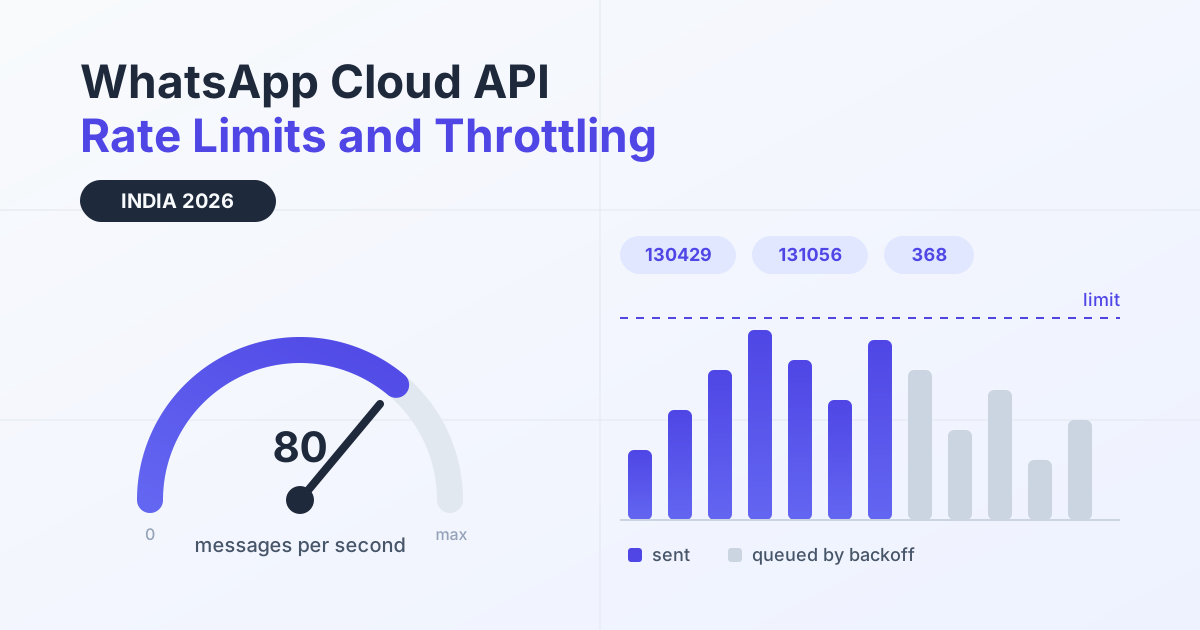
WhatsApp Cloud API rate limits are hard ceilings on how fast your systems may call Meta's Graph API and how many messages per second Meta will accept from a phone number. Cross one and Meta simply stops accepting requests: you get an HTTP 429 response carrying an error code such as 130429 (rate limit hit), 131056 (pair rate limit) or 368 (temporary block), and your send queue backs up until the window resets.
For Indian teams this stops being theory on the first big festive send. A Diwali broadcast, a market-open OTP burst or a flash sale that lands during a cricket match compresses a week of normal traffic into twenty minutes, and the ceiling that breaks first is almost never the one people planned for. This guide covers the four separate limits that apply, the error codes each one produces, how throughput works, and the queue design that keeps a burst moving instead of collapsing.
Key Takeaways
- Four different ceilings apply at once: app-level Graph API usage, per-WABA business use case limits, per-number messaging throughput, and pair or policy-level blocks.
- Meta's published Cloud API default throughput is 80 messages per second of combined sending and receiving, with a documented upgrade path for higher volume senders.
- Every Graph API response carries usage headers. Alert at 70 to 80 percent of capacity instead of waiting for the 429.
- 130429 is retryable with exponential backoff and jitter. 131056 and 368 are not: retrying them makes the block worse.
- Plain arithmetic beats optimism. A 400,000 contact broadcast at 80 messages per second needs roughly 83 minutes of pure send time before any retry.
- Messaging limits and quality rating are a different system from API rate limits. Fixing one does not fix the other.
What counts as a rate limit on WhatsApp Cloud API
Four independent ceilings govern a Cloud API integration, and each one fails differently. Treating them as a single limit is the most common reason a send pipeline behaves unpredictably under load.
App-level Graph API limits apply to your Meta app as a whole, across every call it makes: template reads, media uploads, phone number lookups, message sends. They are measured over a rolling window and reported in the X-App-Usage response header.
Business use case (BUC) limits apply per WhatsApp Business Account and per use case. These are the limits that bite when an ops dashboard polls template status every few seconds for forty tenants, or when a migration script walks every phone number on the account. They are reported in the X-Business-Use-Case-Usage header.
Messaging throughput is a per-second ceiling on the messages a phone number can send and receive. This is the limit that shapes how long a campaign takes, and it is the one you can request an upgrade for.
Pair and policy ceilings sit on top of everything else. Meta restricts how many messages one sender may push to one recipient in a short window, and applies temporary blocks when traffic patterns look abusive. These are protective, not capacity based, so buying more throughput does nothing for them.
Messaging limits are not API rate limits
Messaging limits, the 250, 1,000, 10,000 and 100,000 unique-customer-per-24-hours tiers tied to quality rating, are a completely separate system from API rate limits. Messaging limits count distinct people you start conversations with in a rolling day. Rate limits count requests and messages per second or per hour, regardless of who they go to. You can sit comfortably inside a 100,000 customer tier and still be throttled at 11 in the morning because your workers opened too many parallel connections. The reverse also happens. If you need the tier side of the story, our WhatsApp Business API guides cover it separately. The rest of this article stays on the API side.
The rate limit errors Indian senders actually see
Every ceiling produces a distinct error code, and the correct response differs sharply between them. Retrying a pair-level error the same way you retry a throughput error turns a two minute delay into a multi-hour block.
| Code | What Meta is telling you | Typical Indian trigger | Correct action |
|---|---|---|---|
| HTTP 429 | Generic too-many-requests response wrapping one of the codes below | Any burst: read the body, never the status alone | Parse the error code, then branch |
| 4 | Application request limit reached, app-wide | One noisy tenant or cron starving every other tenant on a shared app | Back off globally, add per-tenant concurrency caps |
| 80007 | WhatsApp Business Account rate limit reached | Dashboards polling template and phone number endpoints in a loop | Cache metadata, poll on minutes not seconds |
| 130429 | Cloud API message throughput rate limit hit | Diwali or Navratri broadcast fired without pacing | Exponential backoff with jitter, re-queue the message |
| 131048 | Spam rate limit hit, sending restricted on quality signals | Cold marketing list with rising block reports | Pause the campaign, review list quality and opt-in |
| 131056 | Pair rate limit: too many messages to one recipient too quickly | OTP resend loops on flaky tier-2 and tier-3 connections | Do not retry that pair, apply a cooldown |
| 368 | Temporarily blocked for policy violations | Sustained retry storms against blocks already returned | Stop sending on that number, fix the cause, wait out the block |
| 613 | Business management API calls exceeded the rate limit | Bulk template creation or onboarding automation | Serialise the job, add a token bucket in front of it |
One operational rule covers most of this: classify before you retry. A single retry policy applied to every non-200 response is the fastest route from a recoverable throttle to a temporary block.
Throughput, MPS and when to request an upgrade
Meta's documented default for Cloud API is 80 messages per second of combined sending and receiving per phone number, with higher throughput available on request for high volume senders. Confirm the current published figure in Meta's Cloud API throughput documentation before you size a campaign, because this number has moved more than once and applies per number, not per business account.
The planning question is not what the ceiling is but how long your burst takes at that ceiling. The table below uses plain division, no vendor claims, just the arithmetic every send plan should start with.
| Scenario | Volume and window | Sustained rate needed | Sizing note |
|---|---|---|---|
| D2C Diwali broadcast | 400,000 messages, same hour | About 111 per second | Above the 80 default. At 80 it runs roughly 83 minutes |
| Overnight festive drip | 50,000 messages over 6 hours | About 2.3 per second | Comfortable. Pace it and forget it |
| BFSI market-open OTP burst | 12,000 authentications in 10 minutes | 20 per second sustained | Fits, but reserve headroom for retries and inbound |
| Flash sale during a cricket match | 80,000 sends plus heavy inbound replies | Peak well above the send rate alone | Inbound counts toward combined throughput |
| Tier-2 and tier-3 rollout | 25,000 onboarding messages per day | Under 1 per second | Throughput is never the constraint here |
Two details catch teams out. First, inbound messages count toward the combined figure, so a campaign that draws a high reply rate consumes throughput twice. Second, Meta may pace marketing template delivery for its own quality reasons even when you are under your ceiling, so an accepted API response is not a delivery guarantee. Plan schedules with slack rather than aiming to finish exactly at the limit. If you are budgeting a festive burst, the WhatsApp API cost calculator gives you the spend side of the same plan.
Get the India 2026 WhatsApp BSP price comparison
Wati vs AiSensy vs Interakt vs RichAutomate: Meta rates, platform fees and hidden costs, side by side. We send it to your WhatsApp in a minute.
Reading Meta's 80 percent capacity warning before it bites
Graph API responses carry your current usage in headers, which means you can see a throttle coming rather than discovering it through failed sends. The X-App-Usage header reports call count, CPU time and total time as percentages of your app's allowance. The X-Business-Use-Case-Usage header reports the same per WABA and adds estimated_time_to_regain_access once you are restricted, expressed in minutes.
Log these on every response and act on thresholds instead of failures. A practical pattern: at 70 percent, halve the rate of non-urgent background jobs such as analytics syncs and template polling. At 80 percent, pause background work entirely and reserve capacity for transactional sends, since an OTP that arrives four minutes late is a lost login while a delayed campaign message is merely a delayed campaign message. At 90 percent, stop all non-transactional traffic on that account until usage decays.
The 80 percent mark matters because usage percentages are computed over a rolling window, so by the time a header shows 95 percent you have already committed the calls that will push you over. Alerting at 80 gives your queue time to drain. Teams running many brands on one app need this most, because a single tenant's bulk job consumes an allowance everyone shares. Per-tenant caps in the WhatsApp automation platform layer prevent one noisy account from throttling the rest.
Backoff design that survives a Diwali burst
The retry strategy decides whether a throttle costs you two minutes or two hours. Fixed-interval retries are the worst option under load because every worker that failed at the same moment retries at the same moment, producing a synchronised second wave that trips the limit again. This is the thundering herd, and festive traffic is where it shows up.
| Strategy | Behaviour on 429 | Best for | Failure mode |
|---|---|---|---|
| Fixed interval retry | Retry every n seconds, unchanged | Nothing at scale | Synchronised herd, repeated 130429 |
| Exponential backoff | Doubles the wait each attempt | Small worker pools | Workers still retry in lockstep |
| Exponential backoff with full jitter | Random wait between zero and the current ceiling | Default choice for campaign queues | Needs a hard attempt cap and a dead-letter queue |
| Token bucket pacing | Shapes traffic before it leaves your servers | Known volume, known window | Bucket must be sized per phone number |
| Circuit breaker | Trips after repeated failures, drains slowly | Pair limits and policy blocks | Needs manual review before it closes again |
Combine two of them. Pace outbound traffic with a token bucket so you rarely see a 429 at all, then use exponential backoff with full jitter for the ones that slip through, capped at five or six attempts before the message moves to a dead-letter queue for human review. Make every send idempotent with your own message key so a retry after an ambiguous timeout cannot deliver twice, and shard the bucket per phone number rather than per tenant, because the throughput ceiling is a property of the number.
Pair rate limits, OTP retries and tier-2 rollouts
Error 131056 means too many messages went from your number to one recipient in too short a window, and it is the one limit that retry logic reliably makes worse. It shows up most in authentication flows, where a user on a patchy tier-2 or tier-3 connection taps resend four times in thirty seconds while your backend also retries the send it believes failed.
The fix is on your side, not Meta's. Enforce a cooldown per sender and recipient pair, typically 30 to 60 seconds for OTPs, and show the remaining seconds in your app so the user stops tapping. Deduplicate by pair and purpose so two services cannot independently send the same code. Treat 131056 as terminal for that attempt: mark it, surface a clear message, and let the user request again after the cooldown rather than queueing an automatic retry.
The same discipline protects support flows, where an agent tool and an automation can both reply to one customer within seconds. BFSI, lending and logistics teams running high-frequency transactional messaging feel this earliest, which is why per-pair throttling belongs in the platform rather than in each integration. Our WhatsApp API use cases pages walk through those flows by industry.
A festive-season rate limit readiness checklist
Work through this two weeks before your peak, not on the morning of the send.
- Do the arithmetic first: total messages divided by your throughput equals minimum send minutes. If the answer does not fit the window, split the audience or request higher throughput early, since upgrades are not instant.
- Get templates approved well ahead. A rejection on the day forces a resubmission and a compressed send window, which is what causes the rush that trips limits.
- Log
X-App-UsageandX-Business-Use-Case-Usageon every call and chart them. You cannot tune what you cannot see. - Alert at 70 and 80 percent with different severities, and route the 80 percent alert to whoever can pause a campaign.
- Cap concurrency per phone number and per tenant, and keep a separate lane for OTP and transactional traffic so campaigns cannot starve it.
- Classify errors explicitly. Retry 130429 with jitter, never auto-retry 131056, and halt the number on 368.
- Keep a dead-letter queue with replay so a throttled batch is recoverable rather than lost.
- Freeze deploys during the send window. A worker restart mid-campaign is the classic source of duplicate sends and a self-inflicted burst.
- Stagger campaigns across numbers or start times. Two teams firing at the same hour on the same WABA is an avoidable collision.
If slow API calls or AI generation delay replies, the WhatsApp typing indicator API keeps customers informed for up to 25 seconds while your reply is built.
Build for the throttle, not around it
Rate limits are not an obstacle to work past, they are the operating envelope of the channel, and pipelines designed with pacing, jitter and error classification from the start simply do not see most of these errors in production. The cost side is worth keeping in view too: throttled and retried sends still consume the same per-message economics, which on usage-only WhatsApp API pricing means ₹0 setup, ₹0 monthly floor, and per-message charges of ₹0.10 on Client Pay with Meta billed directly, or ₹1.50 for marketing and ₹0.50 for utility and authentication on SaaS Pay. Duplicate sends caused by careless retries are paid for twice.
If you would rather not build queue pacing, per-pair cooldowns and usage-header monitoring yourself, start a 14-day free trial with 100 credits and test a paced festive send against your own volumes before the season starts.
To handle 130429 and 131056 errors in code, see the WhatsApp Cloud API Node.js example with backoff and jitter.