From 1 October 2026, Meta charges WhatsApp service replies at the utility rate (about ₹0.115 + GST in India) once you pass roughly 1,000 free service messages a month, and utility templates sent inside an open 24-hour window are charged too. The cheapest ways to absorb this are to pull more chats into the free 72-hour entry-point window, send fewer and fuller messages, and classify every template correctly.
Most Indian businesses that run support or order updates on WhatsApp will see a new line on their bill this month. The good news: the increase is small per message and very controllable. Below are nine tactics, a worked rupee example, and a checklist you can run against your own account today. If you want the rule change itself explained first, read our breakdown of WhatsApp service message charges from October 2026.
What changed on 1 October 2026
| Message type | Before 1 Oct 2026 | From 1 Oct 2026 (India, approx.) |
|---|---|---|
| Service replies (free-form, inside 24-hour window) | Free, uncapped | First ~1,000/month free, then ~₹0.115 each |
| Utility template inside an open window | Free | ~₹0.115 per delivered message |
| Utility template outside a window | ~₹0.115 | ~₹0.115 (unchanged) |
| Authentication (OTP) template | ~₹0.115 | ~₹0.115 (unchanged) |
| Marketing template | ~₹0.78 | ~₹0.78 (unchanged) |
| Any message inside the 72-hour free entry point window | Free | Free (unchanged) |
All Meta rates are billed per delivered message and attract 18% GST. Your provider's fee sits on top. Check the live figures on Meta's pricing page before budgeting, because Meta revises rates by market.
9 ways to cut your WhatsApp API cost after 1 October 2026
1. Start more conversations through the free 72-hour entry point
When a customer messages you from a click-to-WhatsApp ad or a Facebook Page call-to-action button and you reply within 24 hours, every message in the next 72 hours is free, templates included. The October change does not touch this window. Shift lead capture and first-order support to these entry points wherever you can. Our guide to free entry point conversations shows how to set them up.
2. Send one complete message, not three short ones
After the free 1,000, every service message is billed. A support agent who types "Hi", "Checking", "Here is your link" pays for three messages. Train agents and bots to send one complete answer with the link, order status and next step together.
3. Use buttons and list messages to shorten flows
Interactive reply buttons and list messages let a customer pick "Track order" or "Talk to agent" in one tap. A menu-driven bot typically resolves a query in fewer back-and-forth turns than open text, and fewer turns now means a smaller bill.
4. Reply free-form instead of re-sending templates inside the window
Inside an open 24-hour window, a utility template and a free-form reply now cost the same once you pass the free service allowance, but the first ~1,000 free-form replies each month cost nothing. If a customer has already written to you, answer in plain text rather than firing a template.
5. Get template categories right
A marketing template costs roughly seven times a utility template in India. Keep order updates, payment reminders and appointment confirmations strictly transactional so Meta approves them as utility. A single promotional line ("Also, 20% off today!") can push a template into marketing. See marketing vs utility messages for approved wording patterns.
Get a 1-minute BSP audit on WhatsApp
Drop your WhatsApp number — we line-item your current invoice against Meta India rates in under 60 seconds. India-hosted, DPDP-compliant.
6. Use authentication templates for OTPs, with SMS only as fallback
OTPs sent as authentication templates cost about ₹0.115 plus GST. Send the WhatsApp OTP first and fall back to SMS only when WhatsApp delivery fails, instead of sending both every time. Our WhatsApp OTP cost guide covers the setup.
7. Target marketing sends at engaged customers
Every delivered marketing message is billed whether or not it converts. Segment by recent purchase or recent reply, cap how often one customer receives promotions, and drop contacts who have not read your last several broadcasts. Fewer, better-targeted sends usually lift revenue per rupee.
8. Choose a provider with no platform fee and no markup on Meta rates
Many BSPs charge a monthly platform fee plus a markup on each Meta message. On a busy account the markup can cost more than the October change itself. Compare the all-in price per message, not the headline plan. We list the usual extras in 23 hidden costs of WhatsApp BSPs. RichAutomate charges ₹0 platform fee and ₹0.10 per message, with Meta's charges passed through at cost.
9. Track cost per resolved chat every week
Export message counts by category and divide by resolved chats or orders. Once you know that an average support chat costs, say, ₹0.35, you can spot the flows that bloat it. Use our WhatsApp API cost calculator to model the effect before you change anything.
Worked example: a D2C brand with 20,000 support chats a month
Assume 20,000 customer chats a month, three agent replies per chat, and 10,000 order-update utility templates sent while a window is open.
| Line item | Before 1 Oct | After 1 Oct, no changes | After 1 Oct, with tactics 1–4 |
|---|---|---|---|
| Service replies | 60,000 × ₹0 = ₹0 | (60,000 − 1,000) × ₹0.115 = ₹6,785 | 2 replies/chat, 25% via free entry point: (30,000 − 1,000) × ₹0.115 = ₹3,335 |
| In-window utility templates | ₹0 | 10,000 × ₹0.115 = ₹1,150 | Half replaced by free-form replies already counted above: ₹575 |
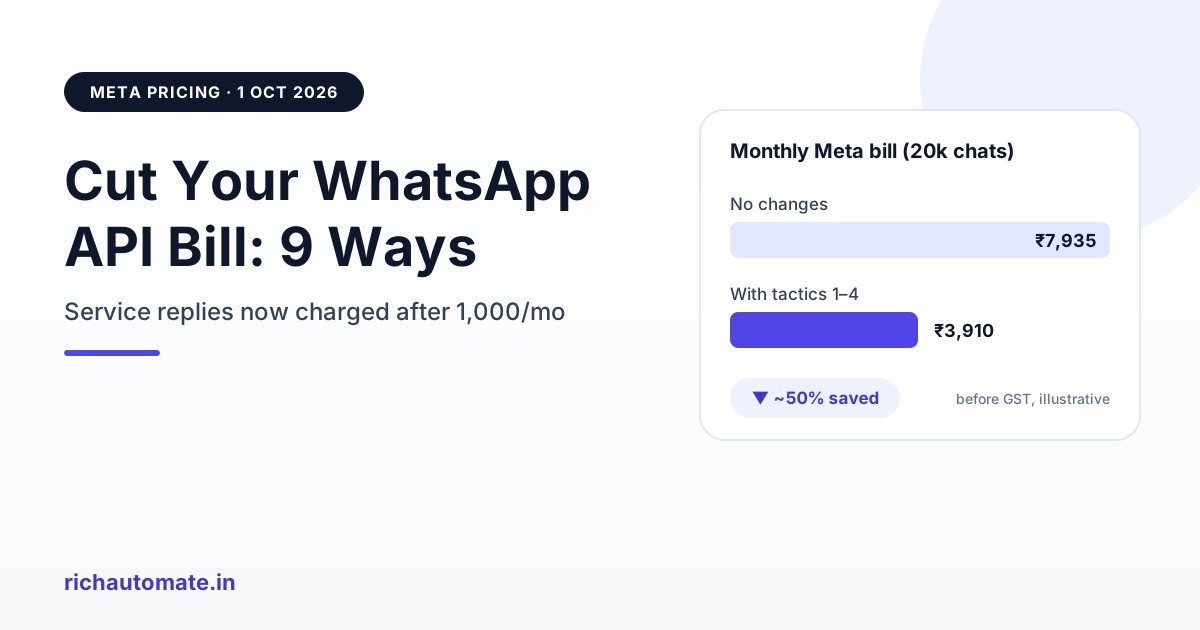
| Meta subtotal before GST | ₹0 | ₹7,935 | ₹3,910 |
| With 18% GST | ₹0 | ≈ ₹9,363 | ≈ ₹4,614 |
The same brand cuts its new monthly Meta bill roughly in half without sending fewer useful messages. The figures are illustrative, so plug in your own volumes.
Quick checklist for this week
- Pull last month's message counts split by service, utility, authentication and marketing.
- Find templates sent inside open windows and decide which can become free-form replies.
- Merge multi-message bot and agent replies into single messages.
- Add click-to-WhatsApp ads or a Page button for new-customer entry.
- Review template categories and remove promotional lines from utility templates.
- Compare your provider's all-in per-message price against ₹0.10 plus Meta at cost.
Does this make WhatsApp too expensive?
No. Even after the change, Meta charges about 13–14 paise including GST for a billable support reply, less than most SMS once DLT charges and multi-part messages are counted, and far less than a phone call. For a full view of when the API is and isn't free, read is WhatsApp Business API free in India?
Want to see your own numbers? Start free on RichAutomate. There is no platform fee, you pay ₹0.10 per message plus Meta at cost, and the dashboard splits spend by category so you can see where your money goes. Compare plans on the pricing page.