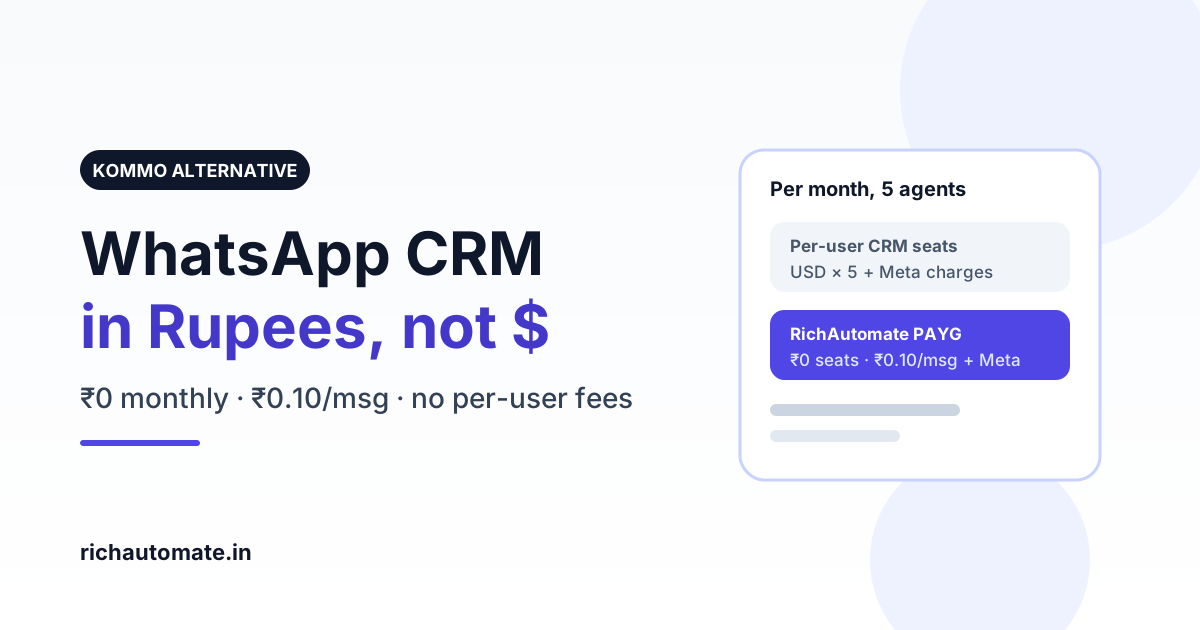
The best Kommo alternative for Indian businesses in 2026 is a WhatsApp-first platform that charges in rupees per message instead of in US dollars per user. RichAutomate gives you a WhatsApp team inbox, chatbot flows, broadcasts and lead tracking with ₹0 setup, ₹0 monthly on pay-as-you-go and a flat ₹0.10 per message on top of Meta's rate.
Kommo (formerly amoCRM) is a capable messenger-based sales CRM, and for some teams it is the right tool. This guide explains where Kommo fits, where Indian SMBs outgrow it, what the real rupee cost looks like on RichAutomate, and how to switch without losing your WhatsApp number or chat history.
What Kommo is, and why Indian teams look for alternatives
Kommo is a sales CRM built around chat. Leads from WhatsApp, Instagram, Facebook Messenger, Telegram and web chat land in one pipeline, and its Salesbot can automate replies and move deals between stages. Sales teams that sell through conversations like the pipeline view, and it is a genuine strength.
The reasons Indian businesses start shopping for a Kommo alternative are usually about cost structure and focus, not features:
- Per-user pricing in US dollars. Kommo sells plans per user, billed in USD. Every new sales agent adds a seat, and the rupee cost moves with the exchange rate. Check current plans on kommo.com before you compare.
- WhatsApp is one channel among many. Kommo is a CRM first. If 80 to 90 percent of your customer conversations happen on WhatsApp, you may be paying for a full CRM when you mainly need a strong WhatsApp Business API stack.
- Meta message charges sit on top. Whatever CRM you use, Meta still charges per delivered template message. A per-user licence plus Meta charges plus any integration add-on is three bills to reconcile.
- Annual commitment for the best price. Like most SaaS CRMs, the lowest per-user rate generally comes with annual billing. Small teams testing WhatsApp often do not want to lock in a year upfront.
Kommo vs RichAutomate at a glance
Both tools can run WhatsApp sales conversations. The difference is the pricing model and how deep each goes on WhatsApp itself.
| Factor | Kommo | RichAutomate |
|---|---|---|
| Core focus | Messenger-based sales CRM across many channels | WhatsApp Business API platform: inbox, chatbots, broadcasts, API |
| Pricing model | Per user per month, billed in USD (verify on kommo.com) | ₹0 setup, ₹0 monthly on pay-as-you-go; plans from ₹499/mo if you want bundled credits |
| Per-message cost | Meta charges on top of the licence | Client Pay: ₹0.10/msg + Meta billed direct. SaaS Pay: ₹1.50 marketing, ₹0.50 utility, all-inclusive |
| Adding agents | Each agent is a paid seat | Pay-as-you-go has no monthly floor; extra seats ₹199/mo on plans |
| Currency and GST | USD billing | INR billing, GST-inclusive invoices |
| Chatbot builder | Salesbot automation | Visual drag-and-drop flow builder with buttons, lists and AI replies |
| Bulk broadcasts | Supported via integrations and plans | Built-in campaigns with approved templates and delivery reports |
| Free trial | Trial available (verify on kommo.com) | 14-day trial with 100 free credits, no card |
What RichAutomate actually costs in rupees
Here is a worked example for a typical Indian SMB sending 10,000 WhatsApp messages a month: 4,000 marketing messages (offers, re-engagement) and 6,000 utility messages (order updates, reminders). Meta's India rates are about ₹0.8631 per marketing message and ₹0.13 per utility message, and those are the same no matter which provider you choose.
| Line item | Client Pay | SaaS Pay |
|---|---|---|
| Meta charge, 4,000 marketing | ₹3,452 (billed by Meta) | Included |
| Meta charge, 6,000 utility | ₹780 (billed by Meta) | Included |
| RichAutomate fee | ₹1,000 (₹0.10 × 10,000) | ₹9,000 (₹1.50 × 4,000 + ₹0.50 × 6,000) |
| Setup + monthly | ₹0 | ₹0 |
| Total per month | about ₹5,232 | ₹9,000, one INR invoice |
Client Pay is cheapest if you are happy to keep a card on your own WhatsApp Business Account with Meta. SaaS Pay costs more per message but gives you a single GST invoice and no Meta billing setup. Neither adds a charge when you add the fifth or tenth agent on pay-as-you-go. Plug your own numbers into the WhatsApp API cost calculator or see every rate on the RichAutomate pricing page.
Get a 1-minute BSP audit on WhatsApp
Drop your WhatsApp number — we line-item your current invoice against Meta India rates in under 60 seconds. India-hosted, DPDP-compliant.
Try it on your own number: start a 14-day trial with 100 free credits, connect your WhatsApp Business API number and send your first template the same day. Create a free account.
Where Kommo is still the better choice
An honest comparison has to say this. Pick Kommo if:
- Your team sells across many channels at once (Instagram DMs, Telegram, Messenger, web chat) and WhatsApp is only one part of the mix.
- You need a full deal pipeline with stages, tasks and sales reporting as the centre of your workflow, and chat is how deals enter it.
- You already run Kommo for sales and only want to add WhatsApp as another channel inside it.
In those cases a CRM-first tool makes sense, and you can still compare how other CRMs handle WhatsApp in our HubSpot, Zoho and Salesforce WhatsApp integration guide.
Where RichAutomate wins for Indian SMBs
- Rupee pricing, no per-user tax. On pay-as-you-go you pay per message, not per seat, so growing the support or sales team does not raise your monthly floor.
- WhatsApp depth. Template management, a visual chatbot builder, broadcasts with delivery and read reports, a shared team inbox and a developer API, all built on Meta's Cloud API.
- Your number stays yours. The WhatsApp Business Account belongs to your business. If you leave, your number and Meta account go with you.
- Works next to your CRM. Keep Zoho, HubSpot or a spreadsheet as your system of record and push WhatsApp leads into it. See the WhatsApp Zoho CRM integration setup.
- India-first support. Hindi and English help, GST invoices and guidance on Meta Business Verification for going live.
If you want to compare more WhatsApp CRMs before deciding, our roundup of the best WhatsApp CRM tools in India covers the main options, and the best WhatsApp chatbot builders guide goes deeper on automation.
How to switch from Kommo to RichAutomate
- Export your contacts and leads from Kommo as CSV, including phone numbers in international format (91XXXXXXXXXX).
- Check your WhatsApp number status. If your number is on the WhatsApp Business API through Kommo's integration or a partner, ask them to release it or start a migration to a new provider. Your display name and quality rating stay with the number.
- Connect the number to RichAutomate through Meta's embedded signup. Going live needs a verified business; GST details make Meta Business Verification smoother. You can test on the trial before that.
- Import contacts and recreate templates. Approved templates are tied to your WhatsApp Business Account, so they usually carry over. Recreate any that do not.
- Rebuild your Salesbot logic as a flow. Map each Salesbot step to a node in the visual flow builder: welcome, qualify with buttons, capture details, hand over to an agent.
- Run both for a week, then move all agents to the RichAutomate team inbox once replies and flows look right.
Comparing other multi-channel tools too? See our guide to respond.io alternatives in India.
Bottom line
Kommo is a strong choice when a multi-channel sales pipeline is the heart of your business. If WhatsApp is where your customers actually talk to you, and you would rather pay in rupees per message than in dollars per seat, RichAutomate is the leaner Kommo alternative: ₹0 setup, ₹0 monthly on pay-as-you-go, ₹0.10 per message plus Meta's rate, and a 14-day trial to prove it on your own number.
Ready to compare on real numbers? Start your free trial or book a 30-minute demo and we will map your Kommo setup to RichAutomate.