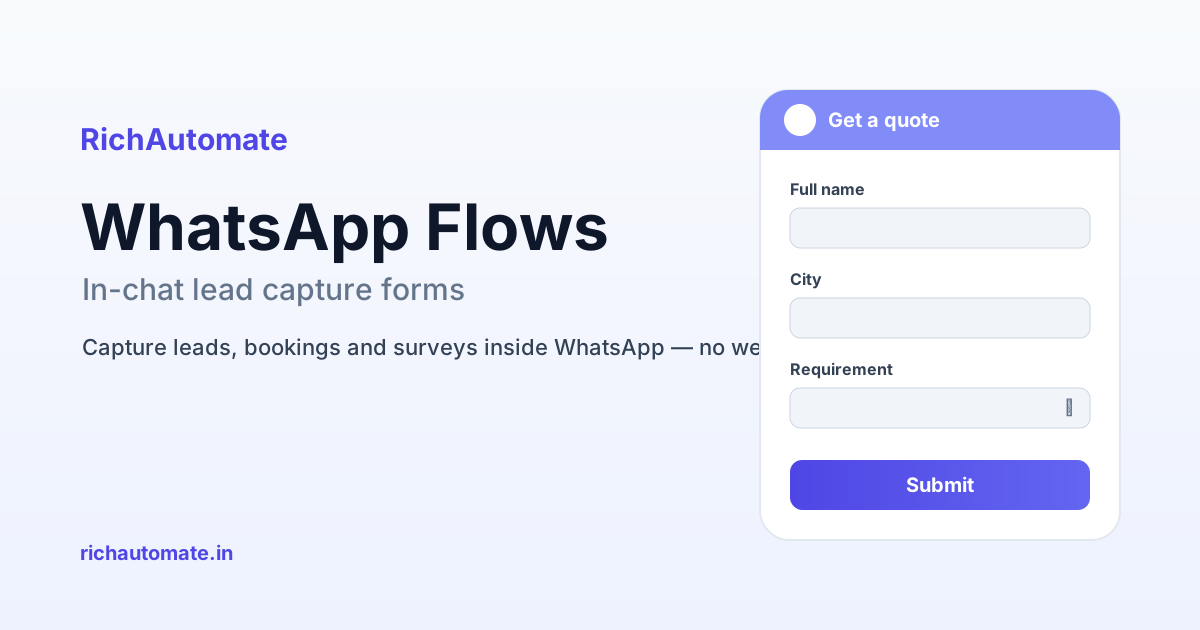
WhatsApp Flows are Meta's native, in-chat forms — structured screens with input fields, dropdowns, date pickers, radio buttons and a submit button that open right inside a WhatsApp conversation, so a customer can fill in their details and send them back without ever leaving the app. For Indian businesses in 2026, that means you capture a lead, book an appointment, run a survey or collect onboarding details inside the same chat the customer is already in — no redirect to a website, no half-filled forms lost to drop-off, and the submitted data lands straight back in your CRM or backend.
If you have been sending prospects a link like bit.ly/book-demo and watching most of them never click, WhatsApp Flows are the fix. This guide explains what Flows are, why in-chat capture beats a web-form redirect, the real India use cases that matter, how to build and publish one, what it costs, and how RichAutomate's WhatsApp Business API features put Flows to work.
What exactly are WhatsApp Flows?
A WhatsApp Flow is a self-contained mini-application that renders inside the chat. Instead of a plain text reply, the business sends a message with a button such as Book a demo or Get a quote. When the customer taps it, a form slides up over the conversation — one or more screens with the exact fields you defined: name, phone, city, service interested in, preferred date, budget range, and so on. The customer fills it, taps submit, and the structured answers are delivered back to your server as clean data, not a wall of free text you have to parse.
Two things make this powerful for Indian teams. First, the form is defined once as a JSON layout and reused everywhere — no app to install, no browser tab. Second, Flows can be static (a fixed form) or dynamic — where your server responds in real time to feed the next screen with live data, like available appointment slots or the customer's saved address. That dynamic mode is what turns a form into an actual booking or ordering experience.
Flows run on the WhatsApp Business API, not the free WhatsApp Business app. If you are still on the free app on a single phone, you get quick replies and catalogs but not native Flows — moving to the API through a provider is the prerequisite, and it no longer needs to carry a heavy monthly fee.
Why in-chat capture beats sending people to a web form
The core problem with the old playbook — reply on WhatsApp, then push the person to a landing page — is drop-off at every hop. The customer has to leave the chat, wait for a page to load on patchy mobile data, re-type details their phone already knows, and trust an unfamiliar URL. Every one of those steps sheds people. Industry reports on mobile forms suggest each extra field and each redirect measurably lowers completion, and in India, where a large share of traffic is on mid-range Android over mobile networks, the friction is worse.
WhatsApp Flows collapse the funnel. The customer never leaves the app they already trust, the form is pre-associated with their verified WhatsApp number, and the experience feels like a conversation, not a bureaucratic web form. The result is that more people who start actually finish.
| Dimension | In-chat WhatsApp Flow | External web form (redirect) |
|---|---|---|
| Steps to submit | Tap button, fill, submit — stays in chat | Leave chat, load page, fill, submit, return |
| Typical drop-off | Low — no context switch | Higher — redirect + load + trust friction |
| Trust | Inside WhatsApp, number already verified | Unfamiliar URL, may look like phishing |
| Data quality | Structured fields, validated at input | Depends on page; often messy or partial |
| Mobile experience | Native, fast on low bandwidth | Varies with page weight and network |
| Follow-up | Same thread — reply instantly | Separate channel, manual stitching |
There is a second, quieter benefit: because the whole interaction happens in one thread, your follow-up is instant and contextual. The moment a lead submits, an agent — or an automated reply — can respond in the same chat. Compare that with a web form that dumps a row into a spreadsheet you check twice a day.
Five real India use cases for WhatsApp Flows
1. Lead capture and qualification
The most common use. A D2C brand or B2B service runs ads or shares a WhatsApp link; the first reply carries a Get started button that opens a Flow asking for name, city, requirement and budget band. A coaching institute in Pune, a solar installer in Ahmedabad, or a SaaS reseller in Bengaluru can pre-qualify every inbound lead with three or four tapped answers before a human ever picks it up. Because the data is structured, you can auto-route hot leads to sales and nurture the rest. Pair this with re-engaging dormant contacts and you keep the top of the funnel full without cold-calling.
2. Demo and appointment booking
A dynamic Flow can show real, available time slots pulled live from your calendar. A clinic, salon, dental practice or diagnostic lab lets the patient pick a date, see open slots for that day, choose one, and confirm — all inside WhatsApp. The booking writes straight back to your system, and you follow it with WhatsApp appointment reminders that cut no-shows. For service businesses across India, this replaces the phone-tag of Please suggest a time with a two-tap confirmation.
3. Feedback, surveys and NPS
After a delivery, a service visit or a support ticket, send a short Flow with a rating scale and one open comment field. Because it opens in-chat, response rates on WhatsApp surveys tend to beat email or SMS-link surveys by a wide margin. A restaurant chain, an appliance service brand or an edtech company can collect CSAT or NPS at scale and route detractors to a human immediately. Structured survey data also feeds product and ops decisions instead of sitting unread.
4. KYC, onboarding and document collection
Fintech, insurance, lending and rental businesses can use multi-screen Flows to collect onboarding details step by step — name, PAN or ID reference, address, and consent checkboxes — in a controlled, validated sequence rather than a chaotic back-and-forth. Handle personal data responsibly: under India's DPDP Act, 2023, collect only what you need, state the purpose clearly, and obtain consent inside the Flow. Flows make that consent step explicit and auditable, which is exactly what a compliance-aware onboarding needs.
Get a 1-minute BSP audit on WhatsApp
Drop your WhatsApp number — we line-item your current invoice against Meta India rates in under 60 seconds. India-hosted, DPDP-compliant.
5. Catalog, orders and quote requests
A dynamic Flow can present products or service tiers, let the customer choose quantity or variant, and submit an order or a quote request that lands in your order system. A wholesaler taking repeat orders, a decor brand collecting made-to-order specs, or a local retailer taking pre-orders can run the whole intake in WhatsApp, then confirm status through WhatsApp order-status tracking automation. Explore more patterns like these on the RichAutomate use-cases library.
How to build and publish a WhatsApp Flow
At a high level, the build has five stages, and a good provider handles most of the heavy lifting for you.
- Design the screens. Decide the fields and screen order. A Flow is defined as a JSON layout describing each screen, its inputs, validation and the submit action. You can start from Meta's templates for common patterns — sign-up, appointment, survey — and adapt them.
- Wire the data endpoint (for dynamic Flows). If your Flow needs live data — open slots, saved addresses, price by variant — it calls an endpoint on your server, which returns the next screen's data and receives the final submission. Static forms skip this and just return the answers.
- Test in draft. Publish the Flow in draft mode and preview it on a real device to check field validation, screen transitions and the submit payload before anyone sees it.
- Submit for publishing. A Flow moves from draft to published through Meta's review, which checks it meets integrity and quality requirements. Once published, it can be attached to messages and templates.
- Trigger it. Send the Flow from a template, a chatbot node, or an agent reply — for example, as the call-to-action button on your welcome message or an ad's click-to-WhatsApp entry point.
You do not need to hand-code JSON or stand up your own endpoint from scratch. A managed platform gives you a visual way to assemble screens and connects the endpoint to your CRM and messaging logic, so your team ships a working Flow in hours, not a sprint.
What do WhatsApp Flows cost in India?
There is no separate charge just for using a Flow — you pay for the WhatsApp conversation or message that carries it, at Meta's current India rates, which Meta sets and periodically revises. In practice a Flow rides inside a normal business message, so the cost is the same message cost you would pay to reach that customer anyway. The Flow simply makes that message far more productive.
On top of Meta's own charges, your platform fee depends on the provider. RichAutomate is usage-only: ₹0 setup and ₹0 monthly platform fee. You choose one of two modes. In Client Pay, you pay Meta directly and RichAutomate adds a ₹0.10 per-message platform fee. In SaaS Pay, RichAutomate fronts the Meta cost and you pay ₹1.20 per marketing message or ₹0.30 per utility message — no separate Meta bill to manage. Meta's own per-conversation and per-message WhatsApp charges are separate and set by Meta in both cases. See the full breakdown on the RichAutomate pricing page, and how it stacks up on the comparison page.
The economics are straightforward: if an in-chat Flow lifts form completion meaningfully over a web redirect, the same ad spend and the same message volume produce more qualified leads. That is the lever — better conversion on messages you are already sending.
How RichAutomate does WhatsApp Flows
RichAutomate is an official WhatsApp Business API platform built for Indian businesses, and it supports Meta Native Flows end to end. You design the Flow, connect its data endpoint to your tenant's backend, and trigger it from campaigns, chatbot journeys or live-agent replies — all from one dashboard. Submissions are captured as structured lead and contact records, so a Flow submit can instantly start a follow-up sequence, assign an owner, or open the 24-hour service window for a real conversation.
Because RichAutomate is multi-tenant and usage-priced, you are not locked into a monthly platform subscription to run Flows — you pay for what you send. That pairs naturally with the rest of the stack: click-to-WhatsApp ad capture, broadcast campaigns, a visual flow builder for chatbot logic, and billing that is transparent per message. If you are evaluating whether to move off the free WhatsApp Business app, remember that Flows — and most serious automation — require the API, and getting Meta-verified WhatsApp Business status strengthens trust with your customers along the way.
Getting started the right way
Start narrow. Pick the one moment where you lose the most leads to a redirect — usually first-touch lead capture or demo booking — and replace it with a single, short Flow of three to five fields. Keep the form ruthlessly minimal; every extra field costs completions. Test on a real phone, publish, and measure completion against your old web form. Once that one Flow proves out, extend the pattern to feedback, onboarding and orders.
Respect consent and data minimisation from day one — collect only what the next step genuinely needs, and never promise guaranteed delivery or a no-ban outcome, because messaging outcomes always depend on Meta's policies and the recipient's engagement. Build for genuine value to the customer and the deliverability tends to follow.
Conclusion
WhatsApp Flows turn a passive chat into an active capture surface. For Indian businesses in 2026, they remove the single biggest leak in the WhatsApp funnel — the redirect to a web form — and replace it with a fast, trusted, structured, in-chat experience for leads, bookings, surveys, onboarding and orders. The cost is essentially the message you were already going to send, and the upside is more completed submissions from the same traffic. If you are running WhatsApp for growth, Flows are the highest-leverage upgrade available, and RichAutomate makes them practical to ship without a setup or monthly fee. Explore the full feature set and start with one Flow where it hurts most.