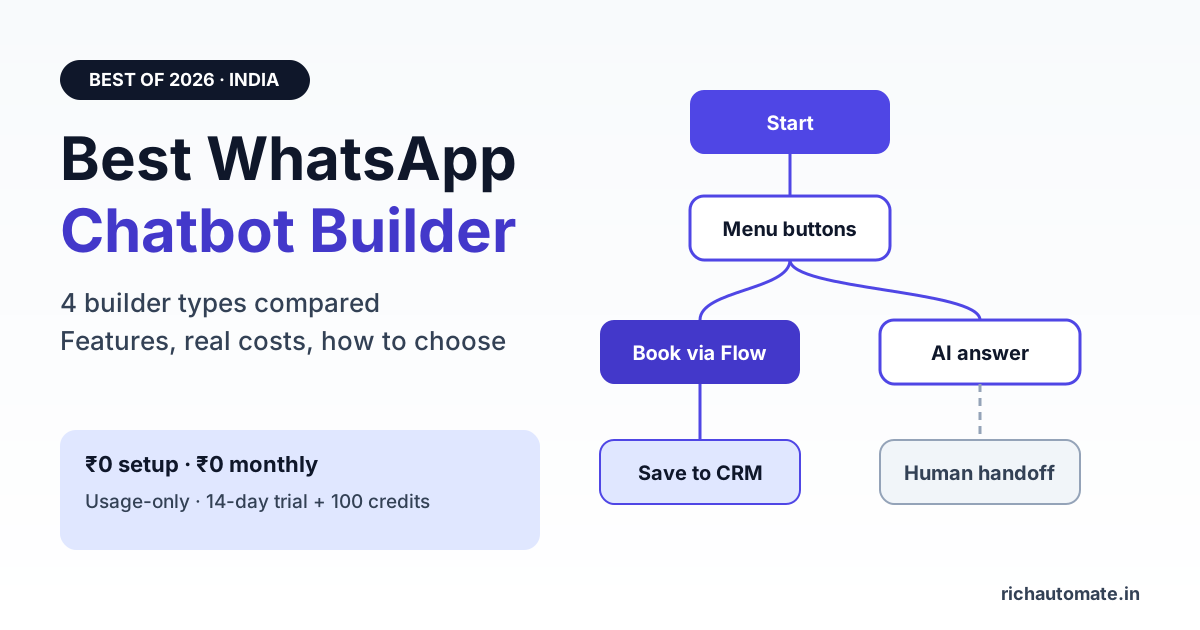
The best WhatsApp chatbot builder for most Indian businesses in 2026 is a no-code visual flow builder that runs on the official WhatsApp Business API, lets you mix buttons, forms, AI replies and human handoff in one flow, and charges you per message instead of a heavy monthly seat fee. RichAutomate fits that brief with ₹0 setup, ₹0 monthly fees and usage-only pricing, while enterprise conversational-AI suites and general bot builders suit narrower needs.
This guide compares the four types of WhatsApp chatbot builder available in India, the features that actually decide whether a bot converts, what each type really costs once Meta fees are added, and a short checklist to pick one in an afternoon instead of a quarter.
What a WhatsApp chatbot builder actually does
A WhatsApp chatbot builder is the tool you use to design automated conversations that run on your WhatsApp Business number. You draw the conversation (greeting, menu, questions, conditions, replies) and the platform executes it for every customer who messages you, 24 hours a day.
Two things separate a real builder from a toy:
- It runs on the official API. Bots built on unofficial WhatsApp Web automation risk your number being banned. A proper builder connects through Meta's WhatsApp Business Platform (Cloud API), either directly or via a Business Solution Provider.
- It handles the whole journey. Capturing a lead is easy. A useful bot also tags the contact, saves answers to your CRM or Google Sheet, books the slot, collects payment and hands off to a human when the question gets hard.
If you are still deciding between classic menu bots and WhatsApp's in-chat forms, read our WhatsApp Flows vs chatbot comparison first. Most good builders let you use both in the same journey.
The 4 types of WhatsApp chatbot builder in India
Almost every product you will shortlist falls into one of these buckets. Knowing the bucket tells you more about fit and cost than any feature list.
| Builder type | Examples | Best for | Watch out for |
|---|---|---|---|
| BSP platform with visual flow builder | RichAutomate, Wati, AiSensy, Interakt, Gallabox | SMBs, D2C, clinics, coaching, real estate teams that want bot + broadcast + inbox in one tool | Monthly plan fees and message markups vary a lot between vendors |
| Enterprise conversational AI suite | Yellow.ai, Haptik, Verloop | Large brands with high support volume and an internal CX team | Sales-led pricing, longer onboarding, more than most SMBs need |
| General multi-channel bot builder | Landbot, ManyChat | Teams already building bots for web chat or Instagram | WhatsApp is one channel of many; India billing and support may be limited |
| DIY on Cloud API | n8n, Make or custom code + Meta Cloud API | Developer teams wanting full control | You own hosting, webhooks, template approvals, uptime and every bug |
For most Indian businesses the first bucket wins, because the chatbot is only half the job. The same tool also needs to send approved broadcast templates, run a shared team inbox and show per-message costs clearly. Check each vendor's current public plan page before you commit, since plans change often.
Features that decide whether your WhatsApp bot converts
Every vendor demo shows a pretty drag-and-drop canvas. These are the features that matter after launch.
1. Visual flow builder with real logic
Look for conditions, switches, splits, loops, time delays and "wait for response" steps, not just a linear menu. RichAutomate's builder includes condition, switch, split, merge, loop, time-delay and wait-for-response nodes, so one flow can route a Hindi-speaking Pune lead differently from an English-speaking Delhi one.
2. Data capture that lands somewhere useful
The bot should save answers as contact attributes and tags, and push them to Google Sheets, a webhook or your CRM. If captured data stays trapped inside the bot, your sales team will never use it. Our best WhatsApp CRM guide for India covers what the receiving side should look like.
3. WhatsApp Flows (native forms)
Meta's native Flows let customers fill multi-screen forms inside WhatsApp: appointment booking, loan eligibility, admission enquiry. A builder that supports Flows next to regular chat nodes gives cleaner data and higher completion than asking ten questions one message at a time.
4. AI replies with a safe fallback
AI nodes can answer open questions from your FAQs, but every AI branch needs a "no match" path to a menu or a human. A bot that silently stops when the AI cannot classify a message is the most common reason owners say their chatbot "randomly stopped working".
5. Human handoff and business hours
Customers should reach a person in one tap, and the bot should know when your team is offline. Agent handoff and business-hours nodes are table stakes for sales-led businesses.
6. Payments, catalogue and bookings
For D2C, restaurants and service businesses, the bot should show catalogue items, collect payment and confirm bookings without sending the customer to a website.
Get a 1-minute BSP audit on WhatsApp
Drop your WhatsApp number — we line-item your current invoice against Meta India rates in under 60 seconds. India-hosted, DPDP-compliant.
Build your first WhatsApp bot free. RichAutomate gives every new account a 14-day trial with 100 free credits, ₹0 setup and ₹0 monthly fees. See RichAutomate pricing.
What a WhatsApp chatbot really costs in India
Chatbot pricing has two layers, and most comparison pages only show one.
- Meta's per-message fee. Meta charges for delivered template messages by category (marketing, utility, authentication). Replies inside the 24-hour customer service window that a customer opens are free of Meta charges. Rates are set by Meta and change, so check the current rate card.
- The platform's fee. This is where vendors differ: monthly plans, per-seat charges, chatbot add-ons, per-message markups or a mix.
Because most chatbot traffic happens inside customer-initiated conversations, a bot that mainly answers inbound enquiries can be cheap to run. The expensive part is usually marketing templates you send outside the window.
| Cost item | RichAutomate | What to check with other vendors |
|---|---|---|
| Setup fee | ₹0 | One-time onboarding or "implementation" charges |
| Monthly platform fee | ₹0, usage-only | Plan price per month and what it includes |
| Chatbot / flow builder | Included | Whether bots, AI or Flows sit on a higher plan |
| Client Pay (you pay Meta directly) | ₹0.10 per message + Meta charges direct | Markup on top of Meta rates |
| SaaS Pay (all-in credits) | ₹1.20 marketing · ₹0.30 utility and authentication | All-in per-message rates by category |
| Trial | 14 days + 100 free credits | Trial length and whether sends are included |
To model your own numbers, plug your monthly message mix into the WhatsApp Business API cost calculator. If you are unsure which billing model fits, our explainer on Client Pay vs SaaS Pay billing walks through both. For AI-heavy bots, see WhatsApp AI chatbot pricing in India.
Best WhatsApp chatbot builder by business type
| Business | What the bot must do | Builder type that fits |
|---|---|---|
| D2C / Shopify store | Order status, COD confirmation, abandoned cart, catalogue | BSP platform with flow builder + store integration |
| Clinic / diagnostic lab | Appointment booking, reports, reminders | BSP platform with WhatsApp Flows + business hours |
| Coaching / education | Course enquiry, demo booking, fee reminders | BSP platform with data capture + Google Sheets |
| Real estate | Lead qualification by budget, location, BHK; site-visit booking | BSP platform with conditions + agent handoff |
| Large bank or telecom | Multi-language support at very high volume, deep system integrations | Enterprise conversational AI suite |
| SaaS or tech team | Custom logic tied to your own product | DIY on Cloud API or a BSP with webhooks and an API |
How to choose a WhatsApp chatbot builder in one afternoon
- Write down three conversations your team handles most often. Build those, not a 40-node dream flow.
- Confirm it is official API. Ask which Meta setup the vendor uses and who owns the WhatsApp Business Account.
- Build one flow during the trial. Include a condition, a data-capture step, an AI or keyword reply with a fallback, and a human handoff.
- Test the handoff and the fallback. Send gibberish, send a voice note, message outside business hours. See what the bot does.
- Price a real month. Take last month's enquiries and campaigns, then compare total cost including Meta fees, not just the plan price.
- Check where data goes. Confirm exports, CRM sync and who owns the contact list if you leave.
Once the bot is live, track resolution and cost per conversation using our guide to chatbot containment rate and cost per resolution.
Common mistakes when picking a WhatsApp chatbot builder
- Choosing on canvas looks. Every builder looks good in a demo. Judge on fallbacks, handoff and data sync.
- Ignoring Meta fees. A cheap plan with a high per-message markup can cost more than a usage-only platform at scale.
- Over-building on day one. Ship three flows, read real conversations for two weeks, then expand.
- No opt-out path. Every marketing flow needs a clear way to stop messages. It protects your quality rating.
- Using unofficial tools. WhatsApp Web automation and "bulk sender" apps put your number at risk. Stick to the official API.
Ready to launch your WhatsApp chatbot? Start on RichAutomate with ₹0 setup, ₹0 monthly fees and 100 free credits, then pay only for what you send. Compare plans and start your trial.