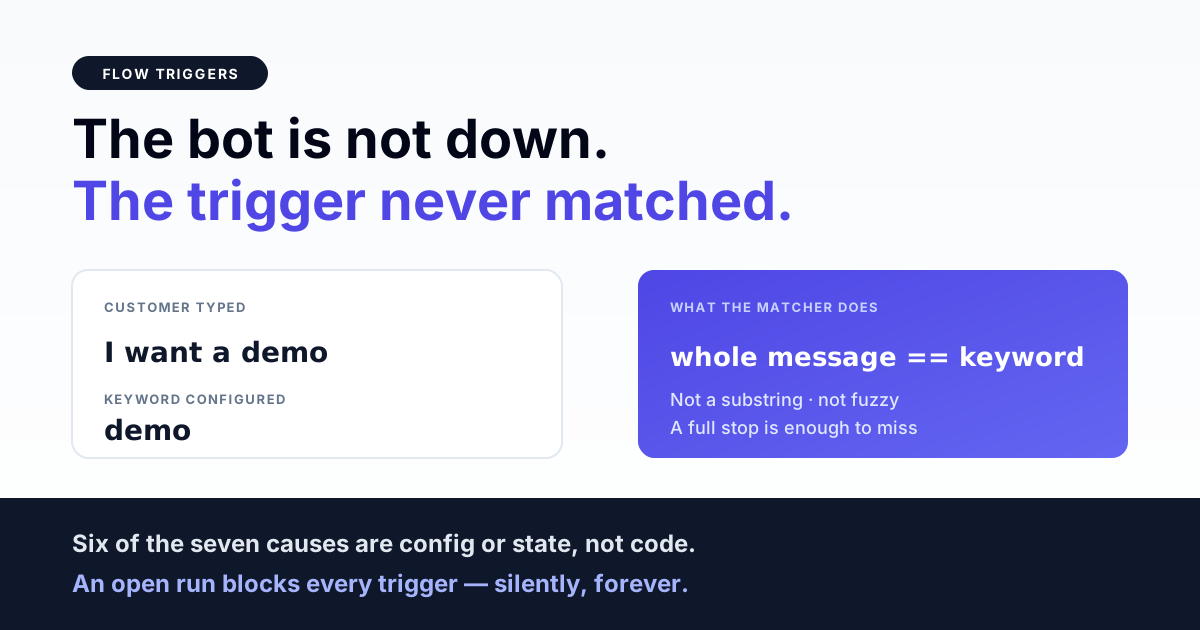
A WhatsApp chatbot that does not reply is almost never "down" — in most cases the message arrived, the webhook fired, and the trigger simply did not match. The single most common cause is that the keyword trigger compares the entire incoming message against the keyword, so a flow keyed on demo fires on demo and stays silent on I want a demo, Demo? and even demo. with a full stop.
The second most common cause has nothing to do with keywords at all: the contact already has an open flow run parked on a node that is waiting for a button tap, and an open run suppresses trigger evaluation entirely. This guide separates the two, then walks the rest of the failure classes in the order you should check them.
First, prove the message actually reached the bot
Three different systems have to succeed before a trigger is ever evaluated: Meta has to deliver the webhook, your app has to persist the inbound message, and the trigger job has to run. Diagnosing trigger logic while the webhook is broken wastes hours, so settle this first.
Check, in this order:
- Does an inbound row exist for that contact at that timestamp? No row means this is a webhook problem, not a bot problem — the trigger code never executed.
- Is the number subscribed to your app? A WABA that was never subscribed receives messages in the WhatsApp app but delivers no webhooks to you.
- Is the queue worker alive? Trigger evaluation is normally dispatched as a background job. If the worker is stopped or draining a different queue than the one the job was pushed to, inbound rows accumulate and nothing ever replies. This is the same class of failure that leaves a campaign stuck at QUEUED or PROCESSING.
Only when an inbound row exists and the worker is consuming should you start blaming the trigger.
Keyword triggers usually match the whole message, not part of it
This is the finding that resolves most "my bot ignores customers" tickets. Trigger matchers are commonly written as a normalised equality check — lowercase both sides, trim whitespace, compare. Our own engine does exactly this, and so do many others.
The practical consequence, for a flow with the keyword demo:
| Customer types | Fires? | Why |
|---|---|---|
demo | Yes | Exact match after lowercasing |
Demo | Yes | Case is normalised on both sides |
demo | Yes | Whitespace is trimmed |
demo. | No | Punctuation is not stripped |
I want a demo | No | Whole-message equality, not substring |
Demo please | No | Same reason |
Real customers type sentences. If your keyword list contains only bare words, a large share of genuinely interested people will hit silence. Two fixes, in order of preference:
- Add the sentences to the keyword list. Unglamorous but immediate — enumerate the ten phrasings your customers actually use, including the punctuated variants.
- Add a catch-all flow. A trigger type of any matches every inbound message, which guarantees the customer gets something rather than nothing. Read the ordering warning in the next section before you do this, because a catch-all placed wrongly disables every other flow you own.
Do not assume your builder does fuzzy matching, stemming or intent detection unless its documentation says so explicitly. Test it: send hello there to a flow keyed on hello and watch what happens.
Only one flow ever fires — and it is the first one found
Trigger evaluation typically loops over active flows and stops at the first match. That has two consequences that surprise people.
A catch-all swallows everything behind it. If a flow with trigger type any is evaluated before your keyword flows, it matches every message and returns, and no keyword flow will ever run again. The keyword flows are not broken; they are unreachable. If you added a fallback flow last week and your specific flows went quiet at the same time, this is your answer.
Evaluation order is often not something you control. Where there is no explicit priority field, order comes from whatever the database returns — in practice creation order. Duplicating a flow to test a change can therefore silently change which of the two wins. Keep exactly one catch-all, and make sure it is the newest flow you own, not the oldest.
An open flow run blocks every trigger
This is the failure that looks most like an outage, because the bot goes silent for one specific customer while working perfectly for everyone else.
The sequence: a contact reaches a node that waits for input — a button node, a list node, a data-collection node. The run stays open at that node. When the next message arrives, the engine first asks "is there an open run, and does its current node know how to handle this?" Only if the answer is no does it fall through to trigger evaluation.
So a contact parked at a button node who never taps a button is, from the bot's point of view, still mid-conversation — possibly for months. Three details make this worse than it sounds:
- Waiting nodes commonly have no timeout. Many engines, ours included, park indefinitely at a button node with no expiry and no nudge. Nothing reclaims that run on a schedule.
- Typed text at a button node is not a button reply. Button handling reads the interactive payload Meta sends when a button is tapped. Free text carries no such payload, so it does not advance the node.
- That text then falls through to trigger evaluation. If you have a catch-all, the flow restarts from the top — which is exactly why some bots answer every typed reply with the welcome message again, in a loop, while the customer grows steadily more annoyed.
Fixes worth building: give every waiting node a text fallback edge so typed input advances rather than restarting; add a scheduled sweep that closes runs idle beyond a sensible window; and make sure your buttons are actually tappable — see reply buttons, list messages and interactive templates for the payload shapes involved.
Status values are case-sensitive and there are two of them
A quiet, infuriating class of bug: the flow record and the flow run record often use different casing conventions for their status column — a flow may be looked up as ACTIVE while a run is looked up as active. Nothing enforces this at the database level, so a flow written by an import script, a seeder or a direct SQL update with the wrong case is invisible to trigger evaluation while looking perfectly enabled in the dashboard.
If a flow shows as active in the UI and still never fires, read the raw column value before anything else. It is a five-second check that has resolved more than one multi-hour investigation.
Get the India 2026 WhatsApp BSP price comparison
Wati vs AiSensy vs Interakt vs RichAutomate: Meta rates, platform fees and hidden costs, side by side. We send it to your WhatsApp in a minute.
The contact must belong to the same tenant as the flow
Flow lookup is tenant-scoped: the engine reads the contact's tenant and fetches active flows for that tenant only. A contact row created against the wrong tenant — by an import, a stale API key, or a second account someone forgot about — sees zero flows and therefore never triggers, no matter how many active flows exist elsewhere in the system.
This one is easy to spot once suspected: count active flows for the contact's tenant, not for your logged-in tenant. If the answer is zero, you have found it. The same class of mismatch causes duplicate-account confusion across the whole product, so it is worth resolving properly rather than by moving one contact.
Editing a live flow can kill the runs already inside it
Flows are usually stored as a JSON graph, and a run remembers only the id of the node it is parked on. Delete or replace that node while a run is parked there, and the next message from that contact resolves to a node that no longer exists. The typical handling is to log an error and mark the run failed.
The customer's experience is that the bot answered yesterday and is silent today, with no visible cause. Two habits avoid it:
- Never delete nodes from a live flow. Add the new branch, point the edges at it, and leave the old node orphaned but present until the in-flight runs have drained.
- Version by cloning. Build the change as a new flow, switch the trigger over, and retire the old flow once its runs are done.
Related trap: loop-detection. Engines that guard against infinite loops by tracking visited nodes within one execution will abort a run that legitimately revisits a node — a "return to main menu" edge is the usual victim. If your menu loop dies on the second pass, this is why, and the fix is a distinct node per pass rather than a true cycle.
Multi-number tenants: the bot may reply from the wrong number
When a flow sends a message, it needs a WhatsApp account to send from. A common implementation picks the first account belonging to the flow's tenant. With one number that is correct and invisible. With two numbers it is a coin toss decided by row order.
The symptom is not silence — it is a reply that arrives from a number the customer never wrote to, which breaks the thread, looks like spam, and often gets reported. If you run more than one number under a single tenant, verify explicitly which account your flow engine selects before you scale volume on it.
Trigger evaluation usually gets one attempt
Trigger jobs are frequently configured to run once, with no retry. The reasoning is sound — retrying a trigger risks starting the same conversation twice, which is worse than missing it. The consequence is that a transient failure during evaluation, a database blip or a deadlock, drops that trigger permanently. There is no dead-letter replay for a conversation that never began.
You will not see this in the bot's logs as a customer complaint, because the customer simply got no reply and moved on. The only way to find it is to compare inbound message counts against run-created counts over the same window and investigate the gap.
A closed run does not mean a finished conversation
When a new flow starts for a contact, engines commonly close any open runs for that contact first — and the status they write is usually completed. An abandoned conversation and a successful one therefore end up looking identical in the data.
If you report on flow completion rates, this inflates them, in the same way that a campaign marked COMPLETED says nothing about whether anyone received it. Distinguish the two states if the number matters to you: record whether the run reached a terminal node, not merely whether it stopped being open.
The diagnostic order that settles it fastest
Work down this list. Each step rules out a whole class, so do not skip ahead.
- Is there an inbound row for that message? No → webhook or subscription problem, stop here.
- Is the queue worker consuming the queue the trigger job is dispatched to? No → fix the worker.
- Does the contact have an open run? Yes → it is parked, not broken. Find its current node.
- Read the flow's raw status value. Wrong case or wrong tenant → invisible to evaluation.
- Is there a catch-all flow evaluated before this one? Yes → your keyword flow is unreachable.
- Test the exact string the customer sent against the keyword list, character for character, punctuation included.
- Confirm the parked node still exists in the current flow JSON.
Six of these seven are configuration or state, not code. That ratio is the real lesson: a chatbot that stops replying is far more often a flow that cannot be reached than a flow that is broken.
What to build before you scale a bot
- A text fallback on every waiting node, so typed input always advances rather than restarting or dead-ending.
- An idle-run sweep that closes runs parked past a sensible window, so one unanswered button does not silence a contact permanently.
- Exactly one catch-all, evaluated last, that either answers usefully or hands off to a human — see bot-to-human handoff for what a good escalation looks like.
- An inbound-versus-run-started reconciliation, run daily. The gap is your silent-failure count, and without it you will never know the number.
- A canary contact you message after every flow edit. Editing live graphs is the most common way to break a bot that was working.
Further reading
- Choosing a WhatsApp chatbot builder — what to check before you commit to a platform
- Meta Flows versus custom chatbots — the two engines are not interchangeable
- Message delivery troubleshooting — when the bot replies but nothing lands
- Reply buttons, lists and interactive templates
- Bot-to-human handoff
- Campaign stuck at QUEUED or PROCESSING
A bot that tells you why it stayed quiet
Most of the failures above are invisible by design — the engine did exactly what it was told and said nothing. RichAutomate exposes run state, current node and trigger evaluation per contact, so "the bot ignored me" becomes a question with an answer instead of a guess. See how it works.
A Flow that never triggers and a WhatsApp Flow stuck in DRAFT look identical to a business user and have nothing in common technically. If the Flow was never published, start there.