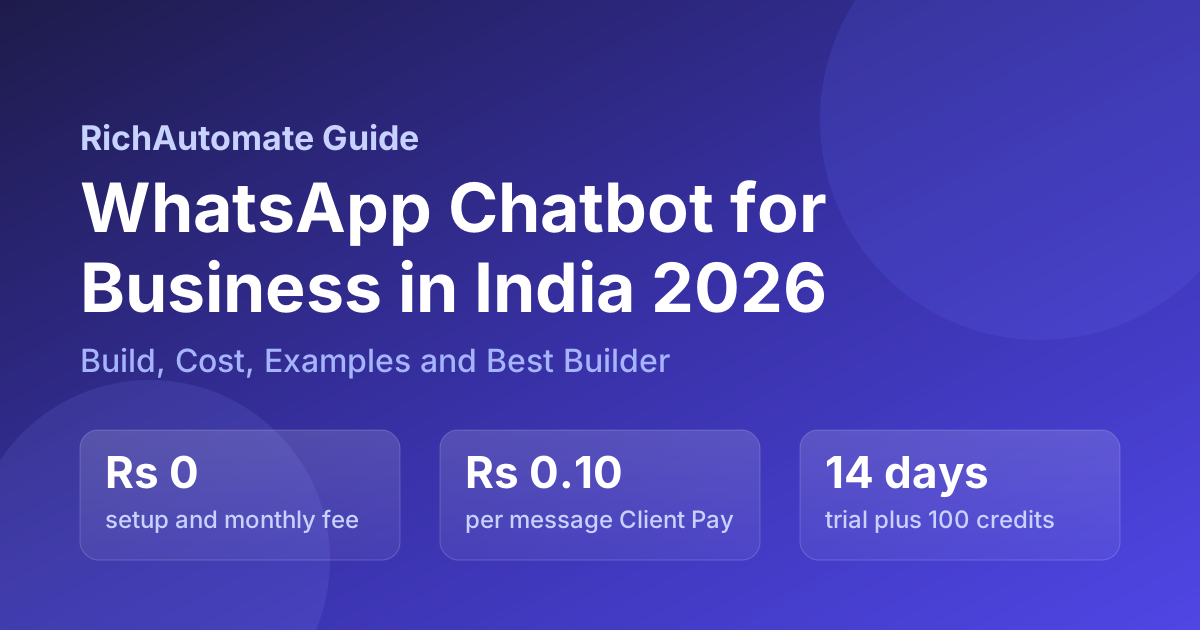
A WhatsApp chatbot for business is the always-on first-reply layer of your WhatsApp number that answers FAQs, qualifies leads, books appointments, confirms orders, and escalates the hard cases to a human, all on the official Meta Cloud API. In India for 2026 the smart way to run one is usage-only: zero setup, zero monthly platform fee, and per-message billing, so a quiet month costs you almost nothing while a busy month scales linearly. This pillar is the definitive India guide: what a WhatsApp chatbot is, rule-based vs AI, how to build one with no code, the real cost math, six industry examples, how to add a GenAI brain, the DPDP and Meta template rules you must follow, and how to choose a builder you will not outgrow.
What a WhatsApp Chatbot for Business Actually Is
A WhatsApp chatbot is automated software that holds a conversation with your customers inside the WhatsApp chat thread. It receives an inbound message, works out what the customer wants either through predefined rules or an AI model, and replies instantly with the right information or action: a menu, an FAQ answer, a booking slot, an order status, a payment link. It runs on top of your verified Meta WhatsApp Business Account (WABA) through the official Cloud API v24.0, so it is the same trusted green-tick number your customers already message. The point of a chatbot is reach and speed: WhatsApp messages are opened far more often than email, the bot answers in seconds at any hour, and it handles thousands of conversations at once without adding headcount. A good 2026 setup is hybrid by default: scripted buttons for the routine 90 percent, an AI brain for the open-ended questions, and a clean handoff to a human when the bot is out of its depth.
Rule-Based vs AI vs Hybrid Chatbots
There are three architectures and choosing the right one is the single biggest design decision. A rule-based chatbot follows a decision tree of keywords, menus, and buttons. It is predictable, secure, cheap to run, and quick to launch, and it is perfect for structured tasks like order tracking, appointment menus, and lead forms. Its weakness is that it breaks the moment a customer types something off-script. An AI chatbot uses a language model and natural language processing to understand free text, hold context, and answer in a human-like way from your knowledge base. It handles messy, unstructured questions and scales to large, varied query volumes, but it costs more per reply and needs guardrails so it does not invent answers. A hybrid chatbot combines both: buttons drive the common flows and the AI takes over for anything open-ended, then control returns to the script. For most Indian SMBs the hybrid model is the right default, and our guide on WhatsApp AI chatbot with ChatGPT or Claude integration shows how the AI layer plugs in.
| Dimension | Rule-based | AI / LLM | Hybrid |
|---|---|---|---|
| Understands free text | No, keywords only | Yes, full NLP | Yes, for open questions |
| Best for | Menus, FAQs, order status | Support, research, long-tail Qs | Everyday automation at scale |
| Predictability | Very high | Medium, needs guardrails | High |
| Cost per reply | Lowest | Adds model API cost | Low to medium |
| Time to launch | An afternoon | A few days with knowledge base | An afternoon, AI added later |
How to Build a WhatsApp Chatbot with No Code
You do not need a developer to launch a working bot. On a no-code visual builder the steps are the same everywhere: (1) Connect your number to a verified WABA, or use a managed billing route so you can skip the Meta setup entirely. (2) Pick a starter template: welcome menu, lead capture, order status, or appointment booking. (3) Design the flow on a drag-and-drop canvas of nodes and branches, wiring buttons to replies and conditions. (4) Add a human fallback so any unresolved chat routes to a live agent. (5) Connect your data: CRM sync, order lookup, and a UPI or Razorpay payment link if you collect money. (6) Test and publish using free trial credits with real customers before you spend anything. The whole first launch fits in a single afternoon. Two engines exist and they are not interchangeable: a custom chatbot flow drives a turn-by-turn conversation in the thread, while a WhatsApp Native Flow renders a form-like screen inside WhatsApp for structured capture like bookings and KYC. We compare them in depth in WhatsApp Flows vs chatbots, technical guide.
Real WhatsApp Chatbot Cost Math for India 2026
Every WhatsApp message in India falls under Meta conversation pricing, charged by category: marketing, utility, authentication, and low-cost service replies (about ₹0.115) inside the 24-hour customer-care window. On top of Meta a builder platform adds its margin, and this is where Indian SMBs overpay. Many platforms bundle a fixed monthly subscription, commonly quoted between roughly Rs 999 and Rs 16,999 per month (verify current vendor tiers), that you pay even in a slow month. The 2026 best practice is usage-only billing with no platform subscription at all. RichAutomate runs two transparent routes. With Client Pay you bring your own Meta line, Meta bills you directly for conversations, and the platform adds only Rs 0.10 per message for orchestration. With SaaS Pay the platform handles the Meta relationship and you pay one blended rate: Rs 1.50 per marketing message and Rs 0.50 per utility or authentication message. Either way there is zero setup fee and zero monthly platform fee, plus a 14-day trial and 100 free credits.
| Cost component | Legacy subscription model | RichAutomate usage-only |
|---|---|---|
| Setup fee | Rs 0 to Rs 15,000 one-time (verify) | Rs 0 |
| Monthly platform fee | Rs 999 to Rs 16,999+ (verify) | Rs 0 |
| Client Pay (your Meta line) | Often gated to higher tiers | Rs 0.10 per message + Meta direct |
| SaaS Pay (we bill Meta) | Bundled, opaque markup | Rs 1.50 marketing / Rs 0.50 utility-auth |
| Free trial | 7 days typical (verify) | 14 days + 100 free credits |
Worked example: a clinic that sends 1,500 utility reminders a month pays the Meta utility charge plus Rs 0.10 each under Client Pay, with no subscription, versus a fixed Rs 2,000 monthly fee under a legacy plan that adds Rs 24,000 a year of dead cost before reaching a single patient. Estimate your own number on the WABA cost calculator and see plan detail on the pricing page.
Six WhatsApp Chatbot Examples by Industry
The fastest way to scope your own bot is to copy a proven pattern. These six cover most Indian SMB demand:
Get a 1-minute BSP audit on WhatsApp
Drop your WhatsApp number — we line-item your current invoice against Meta India rates in under 60 seconds. India-hosted, DPDP-compliant.
- Restaurant and cloud kitchen: share the menu on request, take table reservations, confirm orders, and send delivery updates, with a pre-order flow for events. See our WhatsApp API for restaurants guide.
- Clinic and healthcare: a patient taps Book appointment, the bot checks slots, confirms, and sends 24-hour and 1-hour reminders, cutting no-shows sharply, then delivers reports and prescription updates in chat.
- E-commerce and D2C: the bot becomes a storefront: product discovery, real-time order tracking, abandoned-cart nudges, and personalised offers, with in-chat UPI checkout.
- Real estate: qualify buyers by budget and locality, send property cards, book site visits, and route hot leads to a sales agent instantly.
- Education and coaching: answer course FAQs, capture admission enquiries, share fee and batch details, and send class reminders.
- Local services and salons: menu-driven booking, slot confirmation, reminder, and rebooking prompts that fill quiet hours.
Most of these are lead engines as much as service tools, which is why a clean capture-and-route design matters; our piece on WhatsApp chatbot lead generation goes deeper.
How to Add a GenAI Brain (Haiku, GPT-4o-mini and RAG)
To let your bot answer free-text questions from your own content, you bolt a language model onto the rule-based skeleton. For business bots the cost-smart choice is a small fast model such as Claude Haiku or GPT-4o-mini, which deliver strong quality at a fraction of the flagship price (verify current model rates). The technique that keeps answers accurate is RAG, retrieval-augmented generation: you load your FAQs, product catalogue, pricing, and policy docs into a vector store, and at reply time the bot retrieves the most relevant passages and feeds them to the model so it answers from your facts instead of guessing. Practical guardrails: keep the model on a tight system prompt scoped to your business, cap response length, always offer a human handoff, and log conversations so you can refine the knowledge base. The full architecture, including regional-language handling, is in our WhatsApp GenAI LLM agent guide.
Compliance: DPDP Act and Meta Template Rules
A business chatbot in India sits under two rulebooks. The DPDP Act governs personal data: you need a clear consent basis before messaging, a stated purpose, the ability to honour withdrawal and data-deletion requests, and reasonable security on the chat data you store. Because a chatbot collects names, phone numbers, and often order or health details, bake consent and an opt-out into the very first flow. The Meta messaging rules govern what you can send: business-initiated messages outside the 24-hour service window must use a pre-approved template in the correct category (marketing, utility, or authentication), and template content must match its category or risk rejection and quality-rating damage. Replies inside the 24-hour customer-care window are free-form. Stay on the official Cloud API, never an unofficial gateway, because unofficial automation gets numbers banned. Our DPDP Act WhatsApp checklist turns this into a step list.
The conversation window cost calculator is the quickest way to see what the window rules do to your monthly bill.
How to Choose a WhatsApp Chatbot Builder
Score every shortlisted builder against the criteria below before you commit. The trap is comparing only the headline monthly fee while ignoring the per-message markup and feature gates that decide your real annual cost.
| Criterion | Why it matters | What good looks like |
|---|---|---|
| Official Cloud API | Unofficial gateways get numbers banned | Meta Cloud API v24.0 |
| Pricing model | Fixed fees are dead cost in quiet months | Usage-only, Rs 0 setup and monthly |
| No-code canvas | You should ship without a developer | Drag-and-drop, publish yourself |
| AI and RAG support | Future-proof for free-text queries | Built-in knowledge base + model hooks |
| CRM and payments | The bot must do real work, not just reply | Native CRM sync + UPI/Razorpay |
| Verification help | Green tick and display name approval are fiddly | Guided Business Verification |
| Free trial | Prove value before paying | 14 days + free credits |
For broader vendor context, compare the field on our best WhatsApp CRM guide and the side-by-side compare page.
Launch Your Bot This Afternoon
The structural reason usage-only has become the default recommendation is simple: a kirana store, clinic, or D2C brand sending a few hundred to a few thousand messages a month gains nothing from a fixed monthly fee, it just adds annual dead cost. Start on a 14-day trial with 100 free credits, connect your number or use the managed billing route, pick a starter template, customise it on the canvas, add a human fallback, and publish. You pay for outcomes, not for the privilege of logging in, and you can add the GenAI brain once the rule-based flows are proving their worth.
Build your WhatsApp chatbot on RichAutomate.
Official Meta Cloud API v24.0, visual no-code flow builder, WhatsApp Native Flows, AI knowledge-base replies with RAG, plus CRM and UPI/Razorpay hooks and green-tick verification support. Usage-only pricing: Rs 0 setup, Rs 0 monthly. Client Pay Rs 0.10 per message with Meta billed direct to you, or SaaS Pay Rs 1.50 marketing and Rs 0.50 utility or authentication. Start with a 14-day trial and 100 free credits and publish a real bot before you pay anything.
Build your bot free | WhatsApp us on 918160311319 | Book a 30-minute demo
Related guides in this cluster
- Best WhatsApp chatbot builder (pricing + no-code)
- WhatsApp + ChatGPT / Claude AI chatbot builder guide
- WhatsApp Flows vs chatbots: technical guide
- 30 WhatsApp chatbot examples Indian D2C brands run
- WhatsApp GenAI / LLM agent: RAG over your catalog
- From chatbots to AI agents: the 2026 standard
- WhatsApp bot-to-human handoff playbook
- Why your business needs a WhatsApp chatbot now
The most common chatbot complaint is silence, not wrong answers — see chatbot not replying: the seven-step diagnosis.