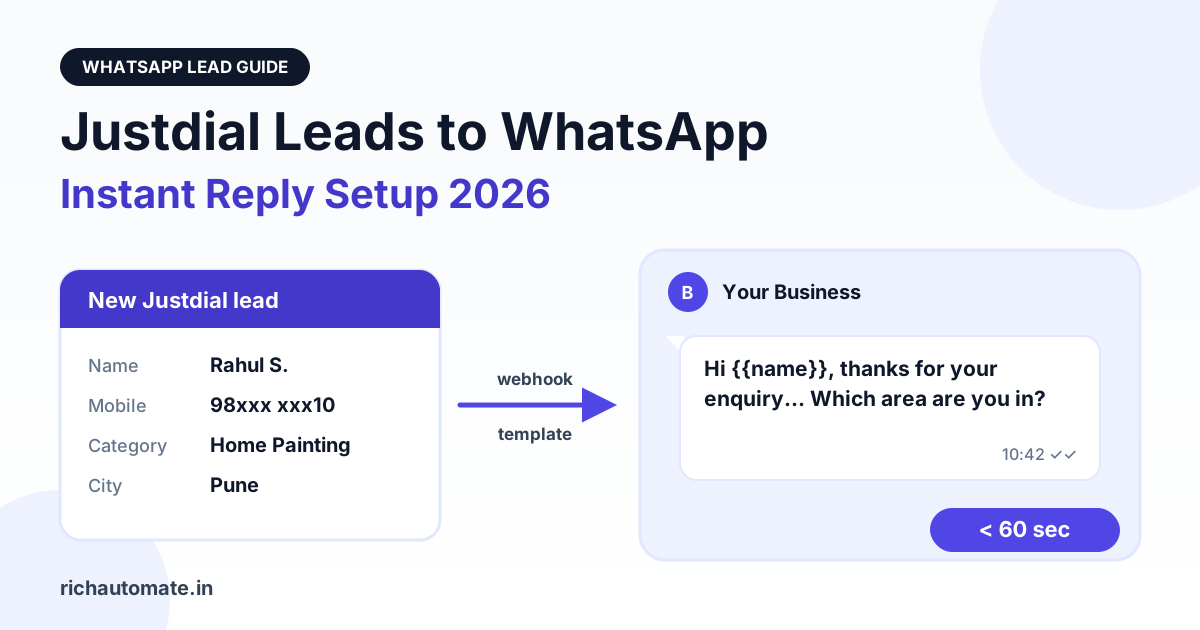
To send Justdial leads to WhatsApp automatically, ask your Justdial account manager to push new leads to a webhook URL, then let that webhook trigger an approved WhatsApp template to the lead's mobile number within seconds. In practice that means one webhook tool (Pabbly Connect, Make, Zapier, or a small script) sitting between Justdial and a WhatsApp Business API platform such as RichAutomate, mapping the lead's name and number into a template send.
This guide walks through how Justdial lead push actually works, the three setup paths Indian businesses use in 2026, the Meta template rule that trips most people up, sample templates you can submit today, and what the whole thing costs per lead at current rates.
Why speed-to-lead decides Justdial deals
A Justdial enquiry is rarely exclusive. When someone searches for a packers and movers service in Pune or a dermatologist in Indore and fills the enquiry form, Justdial typically passes that enquiry to several listed businesses in the same category and area. Every one of them receives the same name and the same mobile number at roughly the same moment.
That changes the game. The customer is not comparing your service page with a competitor's; they are comparing who got back to them first and who sounded most useful. The business that replies while the customer is still holding the phone usually gets the conversation, and the ones who call two hours later often reach someone who has already booked.
Calling every lead instantly is not realistic for a small team. A WhatsApp message is. It lands on the same phone, it can be read in a meeting or on a bus, and it gives the lead an easy way to reply on their own time. An automatic first message that confirms the enquiry, names your business, and asks one qualifying question buys your sales team time without losing the lead to a faster competitor.
If you also run phone campaigns, the same logic applies to missed calls; our guide on missed-call lead capture on WhatsApp covers that channel.
How Justdial lead push works
Justdial does not give advertisers a self-serve webhook setting in its portal. The common setup, described in Pabbly's Justdial-to-WhatsApp walkthrough, is that you generate a webhook URL in your automation tool and send it to your Justdial account manager, because the Justdial portal does not let you add the webhook yourself. Once they configure it, a test lead is sent to that URL.
Some CRMs use a slightly different handshake. TeleCRM's Justdial integration page asks you to request API integration credentials from your Justdial account manager and share them with TeleCRM, after which the connection goes live. Either way, the account manager is the gatekeeper. There is no public developer portal to sign up for.
What a Justdial lead usually contains
Justdial does not publish its payload format, and the exact field names can vary by account. Expect the typical fields to be the lead's name, mobile, category, city, and enquiry time, and sometimes an area or a short requirement note. Confirm the actual key names with your account manager or by inspecting the first test lead before you build any mapping. Do not hard-code field names you have not seen in a real payload.
Copy-paste request to your Justdial account manager
Most delays come from a vague request. Send something specific:
Subject: Lead push to webhook for listing [Your Business Name, City]

Hi [Account Manager name],

Please configure real-time lead push for our Justdial listing
(Business: [name], Registered mobile: [number], City: [city]).

Webhook URL (HTTPS, POST): [paste your Pabbly/Make/Zapier/script URL]

Please send each new enquiry as it arrives, including the lead's
name, mobile number, category, city/area and enquiry time.
Kindly send one test lead once it is configured and share the
field names in the payload so we can map them correctly.

Thanks,
[Your name, phone]
Ask for a test lead explicitly. It is the only reliable way to see the real payload, and without it you will be guessing field names.
The template-first rule you cannot skip
A Justdial lead has never messaged your WhatsApp number. Under Meta's WhatsApp Business Platform rules, the first message you send to someone who has not written to you must be a Meta-approved message template. You cannot send a free-form "Hi, thanks for your enquiry" text as the opener; the API will reject it.
Once the lead replies, a 24-hour customer-service window opens. Inside that window you can send free-form messages, buttons, lists, and media. If the window closes without a reply, you are back to templates. Meta's WhatsApp pricing documentation explains how template categories and the service window are charged.
This rule shapes the whole automation: the webhook fires a template, the template invites a reply, and the reply opens the window where your chatbot or sales team takes over.
Three ways to connect Justdial to WhatsApp
RichAutomate does not have a built-in Justdial connector. Its built-in integrations today are Zoho CRM, Razorpay, Google Sheets, the Meta Cloud API, and built-in booking. Justdial leads reach it through a webhook and a mapper step, which is the same pattern every WhatsApp platform uses because Justdial controls the push. Here are the three paths, from simplest to most structured.
Path A: Webhook tool to the send-template API
This is the fastest path if you only need an instant first message.
- In Pabbly Connect, Make, or Zapier, create a workflow with a webhook trigger and copy the URL.
- Send the URL to your Justdial account manager using the email above and wait for the test lead.
- Add a formatter step that cleans the mobile number: strip spaces and "+", and prefix
91if you receive a 10-digit Indian number. - Add an HTTP/API request action that calls RichAutomate's public API with your API key.
- Run the test lead through and confirm the template arrives on WhatsApp.
The API call looks like this:
curl -X POST https://richautomate.in/api/v1/send-template \
  -H "Authorization: Bearer YOUR_API_KEY" \
  -H "Content-Type: application/json" \
  -d '{
    "phone": "919876543210",
    "template": "justdial_enquiry_ack",
    "language": "en",
    "variables": ["Rahul", "Home Painting"]
  }'
Map the lead's name into the first variable and the category into the second. If you are new to this pattern, our Zapier WhatsApp integration setup guide shows the HTTP action step by step, and the same fields work in Pabbly and Make.
Path B: Webhook to an Incoming Webhook flow trigger
If you want more than one message, such as a template, then a qualifying question, then routing to the right salesperson, trigger a RichAutomate flow instead of a single send. Each flow with an Incoming Webhook trigger gets its own secret URL:
POST https://richautomate.in/api/v1/public/flows/{token}/trigger
Content-Type: application/json

{
  "phone": "919876543210",
  "name": "Rahul Sharma",
  "data": {
    "category": "Home Painting",
    "city": "Pune",
    "source": "justdial",
    "enquiry_time": "2026-11-01 10:42"
  }
}
The token in the URL is the credential, so treat it like a password and rotate it from the flow settings if it leaks. The values inside data are stored on the contact and can be used in later flow steps, for example to route painting enquiries to one team and waterproofing enquiries to another.
Justdial will not send its payload in this exact shape, so a mapper step is always needed. In Pabbly, Make, or Zapier that is simply the field-mapping screen of the HTTP action. If you prefer code, a tiny script on any server does the job:
// Receives Justdial's push, reshapes it, forwards it to the flow trigger.
// Replace lead.mobile / lead.name / lead.category with the real keys
// from your first test lead.
app.post('/justdial-hook', async (req, res) => {
  const lead = req.body;
  const digits = String(lead.mobile || '').replace(/\D/g, '');
  const phone = digits.length === 10 ? '91' + digits : digits;

  await fetch('https://richautomate.in/api/v1/public/flows/YOUR_TOKEN/trigger', {
    method: 'POST',
    headers: { 'Content-Type': 'application/json' },
    body: JSON.stringify({
      phone,
      name: lead.name,
      data: { category: lead.category, city: lead.city, source: 'justdial' }
    })
  });
  res.sendStatus(200);
});
Always answer Justdial's request with a 200 quickly, and log the raw payload for the first few days so you can fix mapping problems. The broader mechanics of receiving and verifying webhooks are covered in our WhatsApp Business API webhook setup guide.
Get the India 2026 WhatsApp BSP price comparison
Wati vs AiSensy vs Interakt vs RichAutomate: Meta rates, platform fees and hidden costs, side by side. We send it to your WhatsApp in a minute.
Path C: CRM in the middle
Larger teams often want Justdial leads in a CRM first, with assignment, call logging, and reporting, and WhatsApp as one channel on top. In that setup Justdial pushes into the CRM (TeleCRM, Kylas, Zoho CRM, and others support this through the account-manager route), and the CRM then calls the WhatsApp API or triggers a flow when a new lead is created.
RichAutomate's Zoho CRM integration is built in, so if Zoho is your system of record you can move Justdial leads into Zoho through Pabbly or a webhook and keep contact data in sync from there. For other CRMs, use their workflow or webhook feature to call the same send-template or flow-trigger endpoints shown above.
Sample templates for Justdial leads
Submit these as Utility templates and keep them factual: they confirm a specific enquiry the person made and state the next step. If you add offers, discounts, or promotional language, Meta may classify the template as Marketing, which costs more per message.
1. Enquiry acknowledgement
Hi {{1}}, thanks for your enquiry about {{2}} on Justdial.
This is [Business Name]. To share an accurate quote, could you
tell us your area and preferred date? Reply here anytime.
2. Callback scheduling
Hi {{1}}, we received your request for {{2}} in {{3}}.
Our team can call you today. Reply 1 for morning,
2 for afternoon, or 3 for evening.
3. Visit or appointment confirmation
Hi {{1}}, your site visit for {{2}} is confirmed for {{3}}.
Reply to this message if you need to change the time.
Template 3 only makes sense after the lead has agreed to a visit. Do not send it as a first touch.
Justdial vs IndiaMART leads on WhatsApp
Many businesses buy leads from both platforms. They behave differently, and your WhatsApp automation should reflect that. If you also sell on IndiaMART, read our IndiaMART lead auto-reply on WhatsApp guide alongside this one.
| Factor | Justdial | IndiaMART |
|---|---|---|
| Typical buyer | Consumers and small businesses looking for a local service | Business buyers sourcing products or bulk supplies |
| Exclusivity | Enquiry usually shared with several local listings | Buy leads are also shared among multiple suppliers |
| Decision speed | Fast, often same day for urgent services | Slower, involves quotes, samples, and negotiation |
| Lead access for automation | Push to your webhook, configured by your account manager | Seller-side CRM integration options; see our IndiaMART guide |
| Best first message | Short acknowledgement plus one question (area, date, budget) | Acknowledgement plus quantity, specification, and delivery location |
| Common noise | Price-shoppers, wrong category, duplicate enquiries | Students, competitors, and very small quantities |
The practical takeaway: Justdial rewards speed and a quick qualifier, while IndiaMART rewards detail. Use separate templates and separate flows for each source.
What it costs per Justdial lead
RichAutomate has a ₹0 setup fee. On Client Pay, the platform fee is ₹0.10 per message, and Meta bills its own charges directly to you. Meta's India rates are ₹0.115 per utility template and ₹0.8631 per marketing template. Replies sent inside the 24-hour customer-service window are free for the first 1,000 per month per number since 1 October 2026, and charged at the utility rate after that.
| Message | Meta charge | RichAutomate fee | Total per message |
|---|---|---|---|
| Utility first-touch template | ₹0.115 | ₹0.10 | ≈ ₹0.215 |
| Marketing template (e.g. re-engagement offer) | ₹0.8631 | ₹0.10 | ≈ ₹0.9631 |
| Reply inside 24h window (first 1,000/month per number) | ₹0 | ₹0.10 | ₹0.10 |
| Reply inside 24h window (after 1,000/month) | ₹0.115 | ₹0.10 | ≈ ₹0.215 |
A worked example: a home-services business gets 300 Justdial leads a month. 300 utility acknowledgements cost about 300 × ₹0.215 = ₹64.50. If the bot then exchanges an average of three replies with each lead, that is 900 window replies, all inside the free 1,000, so only the platform fee applies: 900 × ₹0.10 = ₹90. The month's WhatsApp cost for 300 leads lands around ₹155, before any optional plan.
Plans are optional: Starter ₹499/month, Pro ₹899/month, and White-label ₹1,199/month, with the API add-on at ₹199. Full details are on the RichAutomate pricing page.
A simple lead qualification flow
The first template gets a reply. What happens next decides whether the lead turns into a booking. A flow that works well for local services:
- Acknowledge (template): name, service, and one question such as "Which area are you in?"
- Qualify (inside the window): buttons for timeline ("Today", "This week", "Just checking prices") and a list for budget or property size.
- Score: "Today" plus a serviceable area is a hot lead; "Just checking prices" is warm.
- Route: hot leads trigger an alert to the on-duty salesperson with the lead's answers; warm leads get your price range and a booking link.
- Follow up once: if there is no reply within a few hours, send one gentle utility reminder about their enquiry. Stop there.
Our guide on WhatsApp lead qualification and scoring covers button design and scoring rules in more depth.
Common mistakes to avoid
- Sending free-form text as the first message. It fails because there is no open window. Always lead with an approved template.
- Not normalising phone numbers. A 10-digit number without
91will not deliver. Clean it in the mapper step. - Guessing payload fields. Build the mapping from a real test lead, and log raw payloads for the first week.
- Promotional language in a utility template. Meta can reclassify it as marketing, which raises your cost per message.
- Messaging repeatedly with no reply. One acknowledgement and one reminder is plenty. Repeated unanswered templates lead to blocks and reports, which can lower your number's quality rating.
- No human handover. Automation should get the conversation started, then hand hot leads to a person quickly.
- Exposing the flow trigger URL. Keep it in your automation tool or server, never in a public page or shared sheet.
Get your first Justdial lead on WhatsApp this week
The fastest route is: email your account manager today, build the Pabbly, Make, or Zapier workflow while you wait, get one utility template approved, and test with the first lead Justdial sends. Most of the elapsed time is the account manager's configuration and Meta's template review, not the build itself.
Start your 14-day free trial of RichAutomate with no card required, connect your WhatsApp number, and have the template and flow ready before Justdial switches on the push.
Frequently asked questions
Does Justdial have an API or webhook I can set up myself?
Not through the portal. You generate a webhook URL in your automation tool or CRM and send it to your Justdial account manager, who configures lead push on Justdial's side and usually sends a test lead.
Does RichAutomate integrate directly with Justdial?
No. RichAutomate has no built-in Justdial connector. Justdial leads reach it through a webhook tool such as Pabbly Connect, Make, or Zapier, or a small script, which calls RichAutomate's send-template API or an Incoming Webhook flow trigger.
Can I send a normal WhatsApp text to a new Justdial lead?
No. The first message to someone who has not messaged you must be a Meta-approved template. Free-form messages are allowed only inside the 24-hour window that opens after the lead replies.
How much does a WhatsApp reply to a Justdial lead cost?
A utility first-touch template costs about ₹0.215: ₹0.115 Meta utility charge plus RichAutomate's ₹0.10 Client Pay platform fee. Replies inside the 24-hour window are Meta-free for the first 1,000 per month per number, so only the ₹0.10 platform fee applies.
What details does a Justdial lead include?
Typically the lead's name, mobile number, category, city, and enquiry time. Justdial does not publish its payload format, so confirm the exact field names with your account manager or from the first test lead.