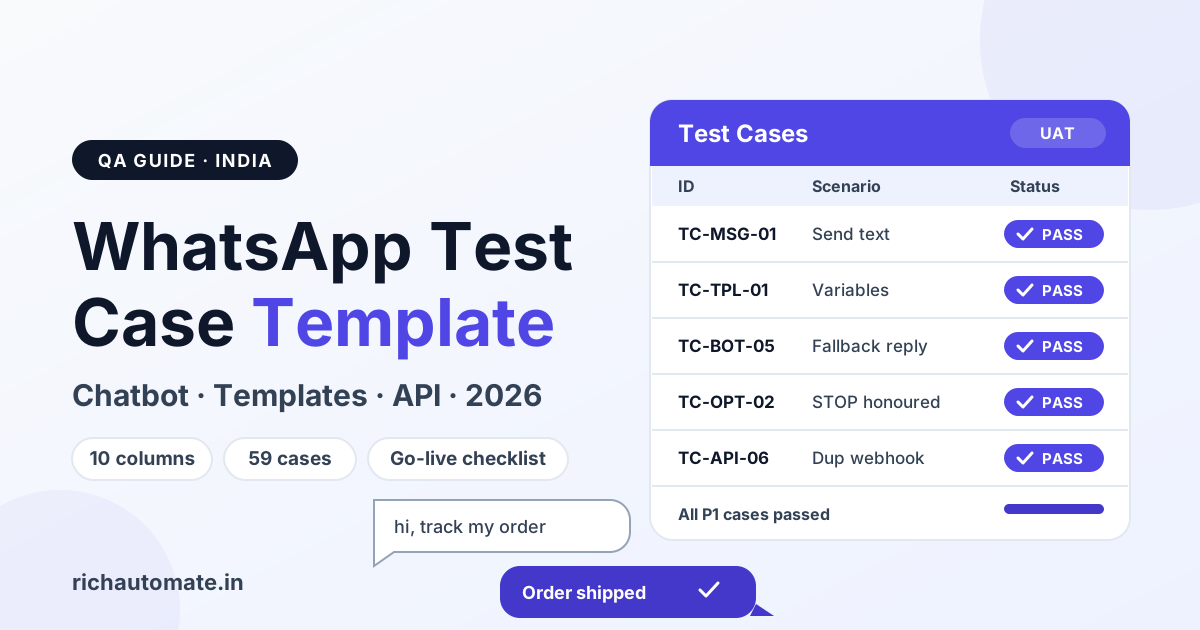
A WhatsApp test case template is a table with the columns Test Case ID, Module, Scenario, Preconditions, Test Steps, Test Data, Expected Result, Actual Result, Status and Priority. For a WhatsApp Business API chatbot, cover at minimum message sending and receiving, templates, chatbot flows and fallbacks, human handover, opt-out, webhooks and edge cases before you go live.
QA engineers get a reusable template, a copy-ready CSV and 59 sample cases by module. Teams launching a chatbot, template campaign or WhatsApp Flow in India get a go-live test plan. Phone numbers use X placeholders; swap in your own test numbers.
The WhatsApp test case template, column by column
A test case is a single, repeatable check that states one condition, the exact steps to trigger it and the one result that counts as a pass. The ten columns below are enough for most WhatsApp projects. Add Device and App Version columns if you test across Android, iPhone and WhatsApp Web.
| Column | What it means | Example value |
|---|---|---|
| Test Case ID | Unique ID with a module prefix, so cases sort and filter cleanly | TC-BOT-05 |
| Module | The feature area under test | Chatbot flow |
| Scenario | One-line description of the single condition being checked | User sends unrecognised text in the main menu |
| Preconditions | State that must be true before the steps start | Bot published; tester opted in; no open session |
| Test Steps | Numbered actions anyone can repeat | 1) Send "hi" 2) Send "asdf" |
| Test Data | Exact inputs used, including the test number | 91 98XXX XXXXX; text "asdf" |
| Expected Result | The observable outcome that counts as a pass | Fallback reply plus main menu within a few seconds |
| Actual Result | What really happened during the run | Fallback received, menu shown |
| Status | Pass, Fail, Blocked or Not Run | Pass |
| Priority | Business impact if this case fails: P1 (launch blocker) to P3 (cosmetic) | P1 |
Copy-ready CSV for Excel or Google Sheets
Paste this into a blank sheet and use it as the header row plus two worked examples.
Test Case ID,Module,Scenario,Preconditions,Test Steps,Test Data,Expected Result,Actual Result,Status,Priority
TC-MSG-01,Messaging,Send text to opted-in user,"User opted in; 24h window open","1) Send text from inbox 2) Check phone","91 98XXX XXXXX; Hello test","Delivered on phone; dashboard shows delivered",,Not Run,P1
TC-BOT-05,Chatbot,Unrecognised text shows fallback,"Bot live; no open session","1) Send hi 2) Send asdf","91 97XXX XXXXX; asdf","Fallback reply plus main menu",,Not Run,P1
Sample filled test cases
| ID | Scenario | Steps | Expected Result | Priority |
|---|---|---|---|---|
| TC-MSG-01 | Send text to an opted-in user | Send "Hello test" from the inbox to 91 98XXX XXXXX | Delivered on the phone; dashboard shows delivered | P1 |
| TC-MSG-04 | Hindi Unicode text | Send "आपका ऑर्डर तैयार है" | Devanagari renders intact on Android, iPhone and Web | P2 |
| TC-MSG-07 | Image with caption | Send a JPG with a caption | Image and caption arrive together | P2 |
| TC-TPL-01 | Approved utility template | Send the order update template to a test number | Delivered with correct header, body and footer | P1 |
| TC-TPL-03 | Missing variable | Trigger a send with the second variable empty | Send blocked or error logged; a raw placeholder never reaches the user | P1 |
| TC-TPL-05 | Quick-reply button | Tap "Track order" on the template | Bot starts the order-tracking path | P1 |
| TC-BOT-01 | Keyword trigger | Send "HI", "hi" and "Hii" | Each starts the main menu | P1 |
| TC-BOT-05 | Unrecognised text | In the main menu, send "asdf" | Fallback reply, then the menu again | P1 |
| TC-BOT-11 | Human handover | Tap "Talk to agent" | Chat assigned to an agent; bot stops replying | P1 |
| TC-OPT-02 | STOP keyword | Send "STOP" | Confirmation sent; contact marked opted out | P1 |
| TC-API-02 | Wrong number format | Call the send API with 098XXXXXXXX | Number normalised or a clear validation error | P2 |
| TC-API-06 | Duplicate webhook | Replay the same inbound event twice | One reply sent, one record stored | P1 |
How to write a good WhatsApp test case
Anyone on the team should be able to run a case and reach the same verdict.
- One condition per case. "Send image with caption" and "send oversize image" are two cases. A case that checks three things hides which one failed.
- A specific expected result. "Works fine" is not a result; "fallback reply with three buttons arrives within a few seconds" is.
- Reusable test data. Keep one shared sheet of internal test numbers, stored in the WhatsApp number format with the 91 country code, so every tester uses the same inputs.
- Record the environment. Note device, OS and WhatsApp version; rendering bugs often appear on one client only.
- Prioritise by impact. Anything that can message the wrong person, skip an opt-out or strand a customer is P1.
- Trace to the flow. Reference the flow step each case covers, so a changed flow tells you what to re-run.
Core messaging test cases
Regional-language and media bugs hide here. Run each case on Android, iPhone and WhatsApp Web.
- TC-MSG-01: Send plain text to an opted-in number; it is delivered and the dashboard shows delivered.
- TC-MSG-02: Inbound text appears in the inbox and webhook log within seconds.
- TC-MSG-03: Emoji, including skin-tone and flag emoji, render in both directions.
- TC-MSG-04: Hindi and regional-script text (Devanagari, Tamil, Bengali) arrives intact, with no boxes.
- TC-MSG-05: *bold*, _italic_, the ₹ symbol, line breaks and URLs survive.
- TC-MSG-06: A message near Meta's documented text limit is not truncated or silently rejected.
- TC-MSG-07: An image and its caption arrive together.
- TC-MSG-08: Video and audio within Meta's documented media limits deliver; an oversize file shows a clear error.
- TC-MSG-09: A PDF keeps its filename and opens on all three clients.
- TC-MSG-10: When a user quotes a bot message, the quoted context reaches your system. Read ticks need the user's read receipts on, so their absence is not a failure.
Template message test cases
Per Meta's current rules, only template messages can start a conversation outside the 24-hour customer-service window, so a broken template means a broken campaign. Test on internal opted-in numbers first.
- TC-TPL-01: An approved template sends with the correct header, body, footer and buttons.
- TC-TPL-02: Variables substitute in order: name first, order ID second.
- TC-TPL-03: An empty variable blocks the send or logs an error; a raw {{2}} never reaches the customer.
- TC-TPL-04: Variable values with Hindi, emoji or commas render correctly.
- TC-TPL-05: A quick-reply tap triggers the matching chatbot path.
- TC-TPL-06: A CTA URL button opens the right page, including any dynamic suffix.
- TC-TPL-07: A call button dials the intended business number.
- TC-TPL-08: Header media loads on every client.
- TC-TPL-09: A paused or rejected template fails gracefully and the operator sees why.
- TC-TPL-10: The template is in the intended category (marketing or utility) and cost reports match.
- TC-TPL-11: Outside the 24-hour window, free-form text is refused while the approved template goes through.
Stuck in review? Work through the WhatsApp template rejection reasons and fixes first; you cannot run TPL cases on an unapproved template.
Chatbot flow test cases
A WhatsApp chatbot is ready for launch only when every branch has a tested exit and every unrecognised input has a fallback reply. Draw the flow as a map first, then write at least one case per branch and one fallback case per input step.
Get a 1-minute BSP audit on WhatsApp
Drop your WhatsApp number — we line-item your current invoice against Meta India rates in under 60 seconds. India-hosted, DPDP-compliant.
- TC-BOT-01: Keywords ("hi", "HI", "Hii", "menu") start the right flow, regardless of case.
- TC-BOT-02: A keyword inside a sentence ("hi, need price") behaves as designed.
- TC-BOT-03: Every list-message option leads to the correct next step.
- TC-BOT-04: Every reply-button path is reachable and ends correctly.
- TC-BOT-05: Unrecognised text at any step gets a fallback reply that re-shows the options.
- TC-BOT-06: Invalid input (letters in a pincode, an impossible date) re-prompts with an example.
- TC-BOT-07: Every branch reaches an exit: resolution, handover or closing message.
- TC-BOT-08: Loop detection: after repeated failed inputs, the bot offers a human.
- TC-BOT-09: Session timeout: a returning user gets a restart or resume, as designed.
- TC-BOT-10: The restart keyword works from any step, including mid-form.
- TC-BOT-11: "Talk to agent" assigns the chat and the bot stops replying.
- TC-BOT-12: When the agent closes the chat, automation resumes on the next message.
- TC-BOT-13: Business hours and after hours each send the right message.
- TC-BOT-14: A photo or voice note where text is expected gets a polite fallback.
For WhatsApp Flows (in-chat forms), test each screen's required fields, validation messages, back navigation and whether submitted data reaches your backend. Bot and agent replying at once is a classic handover defect.
Opt-in, opt-out and consent test cases
A user who says STOP and still gets a campaign is likely to block or report you, which hurts your quality signals.
- TC-OPT-01: Opt-in is captured with its source (website form, QR code, chat) and a timestamp.
- TC-OPT-02: STOP sends a confirmation and marks the contact opted out.
- TC-OPT-03: Variants work: "stop", "Stop", "UNSUBSCRIBE" and any regional-language keyword you advertise.
- TC-OPT-04: An opted-out contact is excluded from the next broadcast audience automatically.
- TC-OPT-05: Re-opt-in (for example "START") is recorded with a new timestamp.
India's Digital Personal Data Protection (DPDP) Act places weight on clear, provable consent. Testing that a timestamped consent record exists and can be exported is sensible preparation, but it is not legal advice; check your obligations with a qualified adviser.
API and webhook test cases
Most "bot randomly stopped" reports trace back to webhooks, number formats or tokens.
- TC-API-01: International format (91, no plus or leading zero, such as 919XXXXXXXXX) is accepted.
- TC-API-02: A wrong format (leading 0, spaces, plus sign, no 91) is normalised or gets a clear validation error.
- TC-API-03: A non-WhatsApp number fails cleanly: check the error code Meta returns, log it, no endless retries.
- TC-API-04: The webhook receives every inbound type you support: text, button reply, list reply, media.
- TC-API-05: Status callbacks arrive for sent, delivered, read and failed.
- TC-API-06: Duplicate webhook delivery is idempotent: one reply, one record, one charge.
- TC-API-07: A request with a missing or wrong signature is rejected.
- TC-API-08: After your endpoint returns 5xx or times out, retried events are processed exactly once.
- TC-API-09: Out-of-order statuses (read before delivered) do not corrupt the final status.
- TC-API-10: A test broadcast paces within your current messaging limits with no dropped sends.
- TC-API-11: An expired access token raises an alert instead of failing silently.
When a case fails, look up the exact code in our guide to WhatsApp Business API error codes, and if inbound events never arrive at all, run the checks in fixing a WhatsApp webhook that is not receiving messages.
Negative and edge cases
Negative cases catch the defects that cost money, such as duplicate orders.
- TC-EDGE-01: User has blocked you: the send fails, status shows failed, no retry loop.
- TC-EDGE-02: Recipient not on WhatsApp: failure logged, contact flagged.
- TC-EDGE-03: Business number disconnected or not registered: sends stop with a visible alert.
- TC-EDGE-04: User's phone loses network: the message delivers on reconnect, once.
- TC-EDGE-05: Three messages in two seconds: the bot answers once, in order.
- TC-EDGE-06: A double-tap on a button creates only one booking, order or payment link.
- TC-EDGE-07: Media links from Meta are temporary, so inbound media is downloaded promptly; an expired link fails gracefully.
- TC-EDGE-08: Emoji-only or very long input does not crash the flow.
UAT and go-live checklist
User acceptance testing (UAT) is the last run before real customers arrive. Go live when every P1 case passes on real devices, not when the flow looks complete in the builder.
Test area, what can break and priority
| Test area | What can break | Priority |
|---|---|---|
| Messaging basics | Messages not delivered; Hindi or regional text garbled | P1 |
| Template messages | Raw placeholders sent; wrong button link; paused template | P1 |
| Chatbot flows | Dead ends, endless loops, no fallback reply | P1 |
| Human handover | Bot and agent reply together; chat never reaches an agent | P1 |
| Opt-out | STOP ignored; opted-out users still get campaigns | P1 |
| Webhooks | Missed inbound messages; duplicate replies | P1 |
| Status callbacks | Wrong delivery numbers in reports | P2 |
| Media | Oversize files fail silently; expired links | P2 |
| Business hours | Wrong after-hours message | P2 |
| Throughput | Queue backlog or dropped sends during a broadcast | P2 |
Go-live steps
- Run every P1 and P2 case on a real Android phone, a real iPhone and WhatsApp Web.
- Do the final round on the production business number with opted-in internal contacts.
- Send the first campaign to a small internal list and compare phones with dashboard reports.
- Brief support on handover: who picks up, how fast, how to return the chat to the bot.
- Know how to pause a campaign or switch the bot off quickly.
- Sign off only with zero open P1 defects and an owner for every P2.
- After launch, watch blocks and your quality rating for the first few days; if it slips, follow WhatsApp quality rating recovery.
Testing cannot guarantee delivery or that a number is never restricted. It catches the defects you control before customers find them.
You can build and test chatbots, template campaigns and webhooks on RichAutomate's WhatsApp Business API platform. Start a WhatsApp Business API free trial with 14 days and 100 free credits, then run the P1 cases before your first real broadcast.
Frequently asked questions
What should a WhatsApp test case template include?
A WhatsApp test case template should include Test Case ID, Module, Scenario, Preconditions, Test Steps, Test Data, Expected Result, Actual Result, Status and Priority. Add Device and App Version columns if you test across Android, iPhone and WhatsApp Web.
How do I test a WhatsApp chatbot before launch?
Map every branch of the flow, write one test case per path and one fallback case per input step, then run them on a real Android phone, an iPhone and WhatsApp Web using internal test numbers. Finish with a small internal send on the production number before opening the bot to customers.
How many test cases does a WhatsApp Business API chatbot need?
There is no fixed number; it depends on how many branches your flow has. As a minimum, plan one case per branch, one fallback case per input step, plus cases for templates, opt-out, webhooks and edge conditions. Even a simple bot usually needs a few dozen.
Can I test WhatsApp template messages without sending to customers?
Yes. Send approved templates to internal test numbers that have opted in, check variables, buttons and header media on each client, and then send to a small internal list. Only after those pass should a template go to a real customer audience.
What are the most common WhatsApp chatbot bugs found in testing?
Typical defects include missing fallback replies for unrecognised text, branches with no exit, raw template placeholders reaching users, duplicate replies caused by repeated webhook deliveries, double-processed button taps and opt-out keywords that are not honoured.