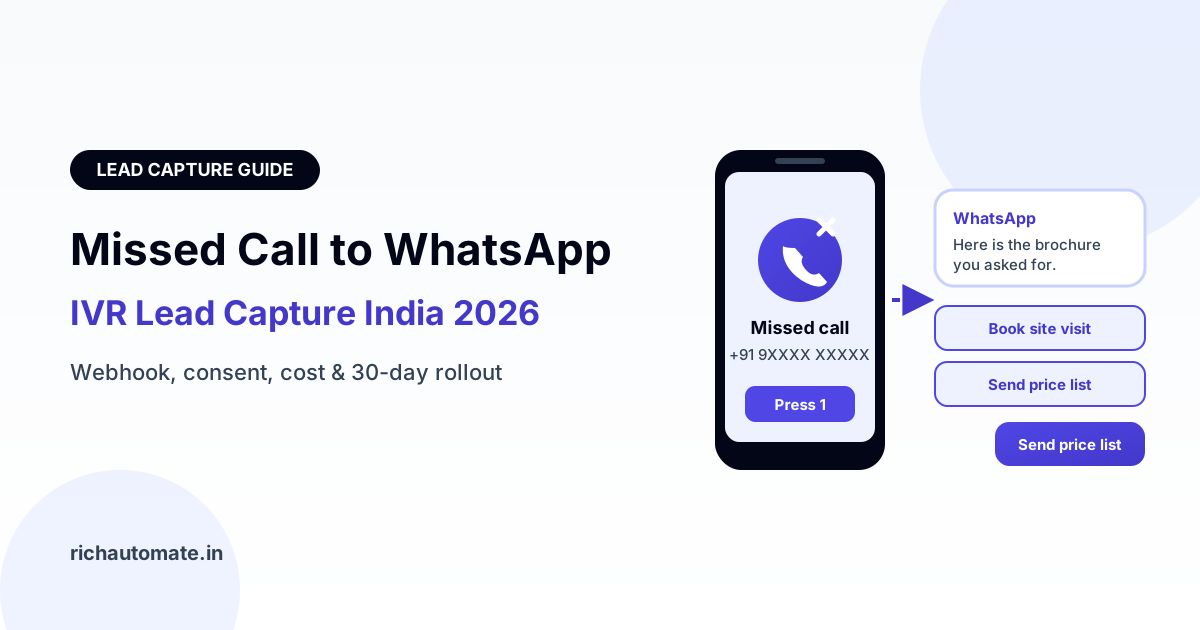
Missed call to WhatsApp lead capture works by connecting a missed-call or virtual number to the WhatsApp Business API: the caller rings, the call is cut, and a webhook triggers an approved WhatsApp template to that number within seconds. Pair it with clear consent text such as "give a missed call to get details on WhatsApp", log every call as opt-in evidence, and you turn India's missed-call habit into a two-way chat you can qualify, track and convert.
Indians have been giving missed calls to brands for years. Newspaper ads, hoardings, product packs and TV spots print a number, the customer rings once, and someone calls back or sends an SMS. The habit is still there. What has changed is the reply. Instead of a callback that gets ignored or an SMS that sits among OTPs, the customer can get a WhatsApp message with a brochure, a price list or a booking link, and reply in the same chat. This guide explains how the setup works, what counts as consent, how IVR menus can push callers to WhatsApp, what each message costs, and how to roll it out in 30 days.
How missed-call to WhatsApp works, step by step
The plumbing is simpler than it sounds. Four pieces talk to each other:
- A missed-call or virtual number. You rent it from a telephony or cloud-telephony provider. Missed-call numbers ring once and disconnect automatically, so the caller is not charged. Most providers offer a webhook or API that fires on every call.
- A webhook receiver. The provider posts the caller number, the number dialled, a timestamp and sometimes a campaign tag. Your WhatsApp platform receives this.
- Rules. Before sending, the platform normalises the number to the +91 format, checks it against your suppression list (anyone who replied STOP), removes duplicates within a set window, and tags the lead with the campaign source.
- A WhatsApp API template send. The platform sends a pre-approved template to that number. Because the customer has not messaged you first, it has to be a template, not a free-form message.
Using a separate virtual number for each ad, city or channel is the cheapest attribution trick available. Calls to the Pune hoarding number and calls to the newspaper number land as different sources, so you know which spend produced leads without asking a single question.
When the customer replies, the conversation moves into your shared inbox or chatbot. From there you can ask two or three qualifying questions, share a WhatsApp Flows lead capture form to collect budget, city and timeline, and route hot leads to sales.
Consent: why a missed call alone is weak opt-in
A missed call tells you a person dialled your number. It does not, by itself, prove they agreed to receive WhatsApp messages. Wrong numbers, curious children and people testing a code all ring missed-call lines. Meta requires that people opt in to hear from your business on WhatsApp before you message them, so the consent has to be built into the prompt, not assumed from the call.
Practical ways to make it solid:
- Say WhatsApp in the call to action. Print "Give a missed call on 9XXXXXXXXX to get the price list on WhatsApp" rather than just "Give a missed call". The customer then knows exactly what will happen.
- Log the evidence. Store the caller number, the timestamp, the number they dialled and the campaign it belongs to. That record is your proof of opt-in if a question ever comes up, and it also matters under India's data protection rules.
- Make the first message confirm the request. Open with "You gave a missed call to receive our brochure on WhatsApp. Here it is." That reminds the customer why they are hearing from you and lowers the chance they block or report you.
- Offer an exit. Include a line such as "Reply STOP to stop messages" and suppress that number the moment they do.
Missed-call lists also go stale. Someone who rang six months ago for a flat brochure did not agree to hear about every project you launch. Our guide to WhatsApp opt-in list hygiene and re-permissioning explains how to refresh consent before reusing older numbers.
IVR deflection: "press 1 to get this on WhatsApp"
The same idea works for inbound calls that do connect. Many callers to a support or sales line want something simple: a location, a fee structure, a menu, an order status or a form. An IVR option that says "Press 1 to get this on WhatsApp" sends a template with that information and ends the call, freeing the agent line for complex queries.
Three situations where deflection helps most:
- Queue overflow. When hold times cross a threshold, the IVR offers WhatsApp instead of waiting. The customer gets an answer and a chat thread; the queue shortens.
- After hours. Calls outside working hours usually hit voicemail. An after-hours prompt that sends the brochure and a booking link on WhatsApp captures the lead instead of losing it until morning.
- Repeat information requests. Directions, documents required, price lists and store timings are asked hundreds of times a week. Sending them on WhatsApp is faster than an agent reading them aloud.
Why this cuts call-centre load: every deflected call is a short chat instead of a multi-minute voice call, and one agent can handle several chats at once. The exact saving depends on your call mix, so measure the share of calls that choose option 1 and how many of those still call back. If you also want customers to reach you by voice from inside WhatsApp, look at the WhatsApp Business Calling API as a next step.
Template category, cost per send and the 24-hour window
Every first message after a missed call is a template, and templates are charged by category. Meta decides the category from the content of the template, not from how the conversation started. A plain message that delivers exactly what the caller asked for, such as a requested appointment slot or a document with no promotion, may be accepted as Utility. Most first-touch messages that pitch a product, offer or discount are categorised as Marketing. Plan for Marketing and treat a Utility approval as a bonus. Our explainer on Marketing vs Utility WhatsApp message categories shows where the line usually falls.
Once the customer replies, a 24-hour customer service window opens. Inside it, you can send free-form replies, images, documents and follow-up questions without a template. Design the first template to earn a reply: end it with a clear question or quick-reply buttons such as "Book a site visit", "Send price list" and "Talk to an expert".
RichAutomate pricing is usage-only, with ₹0 setup and ₹0 monthly, and two ways to pay:
- SaaS Pay: ₹1.20 per Marketing message and ₹0.30 per Utility message, all-inclusive.
- Client Pay: connect your own Meta billing, pay Meta directly, plus a ₹0.10 platform fee per message.
An illustrative example: if a campaign brings 1,000 missed calls a month and each receives one Marketing template, that is 1,000 × ₹1.20 ≈ ₹1,200 in sends on SaaS Pay. If Meta approves your first message as Utility, the same volume would be 1,000 × ₹0.30 = ₹300. On Client Pay, the platform fee would be ₹100 and Meta bills its charges to you directly. Your telephony provider bills the missed-call number separately. Current figures are on the RichAutomate pricing page.
Get a 1-minute BSP audit on WhatsApp
Drop your WhatsApp number — we line-item your current invoice against Meta India rates in under 60 seconds. India-hosted, DPDP-compliant.
Missed call + SMS vs missed call + WhatsApp vs IVR only
Missed-call campaigns have always needed a follow-up channel. The table below compares the three common setups in qualitative terms; your own results will depend on audience and offer.
| Factor | Missed call + SMS | Missed call + WhatsApp | IVR only |
|---|---|---|---|
| Cost per lead touch | Low per SMS, plus DLT registration | Per template, by category | Per call minute, plus agent time |
| Content richness | Text and a link only | Images, PDFs, buttons, catalogue links | Voice only; nothing to keep |
| Reply rate | Low; replies rarely supported | Typically higher; native two-way chat | Only during the call |
| Tracking | Link clicks only | Delivered, read, replied, clicked | Call logs and key presses |
| Follow-up | Another SMS | Chat continues in the 24-hour window | Callback needed |
| Rules | TRAI DLT and DND | Meta opt-in, templates, quality rating | TRAI rules for outbound calls |
A note on DND. TRAI's DND and DLT framework governs commercial SMS and voice calls on telecom networks; it does not directly cover WhatsApp messages. That is not a free pass. Meta applies its own opt-in, template and quality rules, and high block rates will limit your number. If your flow also sends an SMS or places a callback, those parts are covered by TRAI. Our guide on how TRAI DND rules apply to WhatsApp covers the detail.
Use cases by vertical
Missed-call to WhatsApp fits any business where people see an ad offline and want details without talking to a salesperson yet. Here is a vertical playbook with the first message and the follow-up that usually matters.
| Vertical | Where the number appears | First WhatsApp message | Next step |
|---|---|---|---|
| Real estate | Hoardings, newspaper ads, site banners | Project brochure, floor plans, location pin | Book a site visit slot |
| Coaching and admissions | Pamphlets, school fairs, local cable ads | Course list, fee structure, batch dates | Demo class or counselling call |
| Edtech | YouTube, radio, college posters | Free lesson link and programme overview | Qualify goal and budget, then counsellor |
| Healthcare clinics | Clinic boards, health camps, print ads | Available appointment slots and address | Confirm booking, send reminder |
| Auto dealers | Showroom standees, launch ads | Variant list, on-road price enquiry, brochure | Schedule a test ride or test drive |
| D2C brands | Product packs, inserts, influencer videos | Catalogue link and first-order offer | Order on WhatsApp or website |
| FMCG distribution | Retailer schemes, sales-rep visits | Scheme details and retailer sign-up form | Onboard retailer, share order link |
In every row, the value comes after the first reply. Score leads by what they tell you, such as budget, timeline and location, and hand only the ready ones to sales. Our guide to WhatsApp lead qualification and scoring shows a simple scoring model.
WhatsApp Business app vs API for missed-call capture
Small shops sometimes try to run missed-call replies from the free WhatsApp Business app. It breaks quickly, because the app has no webhook and nothing to automate from.
| Capability | WhatsApp Business app | WhatsApp Business API |
|---|---|---|
| Auto-send on missed call | Not possible; someone must message manually | Yes, via webhook and template |
| Volume | A few dozen a day before it becomes a full-time job | Thousands a day within Meta messaging limits |
| Team inbox | Limited linked devices | Shared inbox for many agents |
| Source tracking | None | Campaign tags per virtual number |
| Chatbot and forms | Basic greeting and away messages | Flows, bots, quick replies, CRM sync |
| Opt-in and STOP handling | Manual | Automatic suppression lists |
If you expect more than a handful of missed calls a day, or you run ads in more than one place, the API is the practical choice.
What not to do
- Do not blast the missed-call list later. A missed call for one brochure is not consent for monthly offers. Re-permission older contacts before sending them new campaigns.
- Do not hide the WhatsApp part. If your ad says only "give a missed call", people do not expect a WhatsApp message and are more likely to block you.
- Do not send promotions in a Utility template. Meta re-categorises or rejects them, and repeated misuse can hurt your account.
- Do not send more than one template per call. Deduplicate repeat callers within a day so a nervous customer who rings three times gets one message, not three.
- Do not trust anyone who guarantees your number can never be restricted. No provider can promise that. Quality rating depends on consent, relevance and block rates.
- Do not ignore replies. A customer who replies "price?" at 9 pm is warmer than any cold lead. Use a bot to answer instantly and hand over to a person in working hours.
- Do not treat TRAI DND as irrelevant. It does not govern WhatsApp, but it does govern any SMS or callback you add to the flow.
A 30-day rollout plan
Week 1: set up. Get your WhatsApp Business API number connected and verified. Rent one missed-call number per campaign source from a telephony provider that offers a webhook. Write the consent line for each ad, poster and IVR prompt, and draft two templates: a request-confirming first message and a follow-up with quick-reply buttons.
Week 2: connect and test. Point the provider webhook at your WhatsApp platform, add number normalisation, deduplication and STOP suppression, and submit templates for approval. Test with internal phones only. Check that each call logs number, timestamp and source.
Week 3: soft launch. Put the number on one channel, such as a single newspaper insert or one hoarding. Add the "press 1 for WhatsApp" option to your IVR for after-hours calls. Watch delivery, reply rate, blocks and the questions people ask.
Week 4: scale and qualify. Extend to more channels with separate numbers, add a short qualifying Flow, route hot leads to sales, and compare cost per qualified lead by source. Drop sources that bring calls but no replies.
Keep a simple weekly report: missed calls, templates delivered, replies, qualified leads and cost. That turns a decades-old habit into a channel you can measure like any ad platform.
Ready to turn missed calls into WhatsApp conversations? Start your 14-day RichAutomate trial with 100 free credits, with ₹0 setup and ₹0 monthly, and connect your missed-call webhook to approved WhatsApp templates this week.