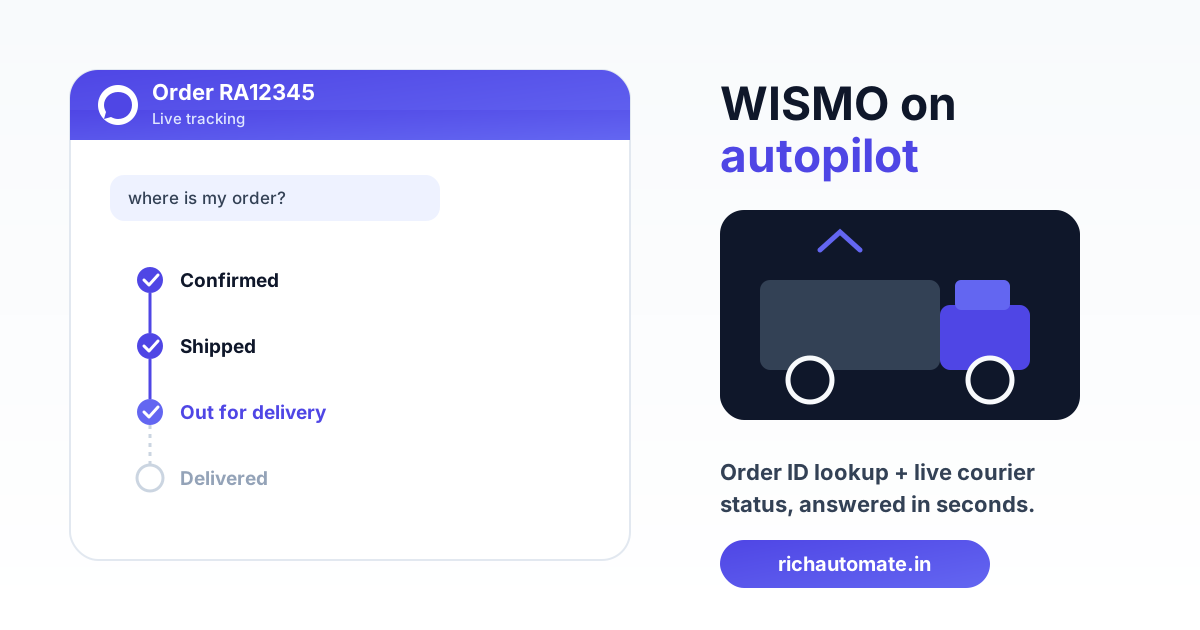
When a customer messages "where is my order?" on WhatsApp, an automation should answer within seconds with the current status and a live tracking link, no agent involved. This is inbound WISMO deflection: the shopper starts the conversation, the bot looks up the order by ID or phone number, injects the courier tracking status, and hands off to a human only for genuine exceptions.
WISMO ("Where Is My Order") queries are the single most repetitive support load in Indian e-commerce. In most Indian D2C cohorts we see, they account for roughly 30 to 50 percent of inbound support tickets, and almost none of them need a human once the order and courier data are wired in. This guide is about that specific inbound flow: recognising the intent, resolving the order, and returning a useful status on WhatsApp.
What inbound WISMO deflection actually means
Inbound WISMO is different from the delivery alerts you push out. A push notification tells the customer "your order shipped" on your schedule. Inbound WISMO answers a question the customer asks on their schedule, usually because the push alert was missed, the estimated date passed, or the package is stuck at a hub. The customer types something like "order status", "track", "kaha hai mera order", or pastes an order number, and expects an answer now.
If you already send proactive alerts, this is the natural companion flow. Our separate write-up on WhatsApp delivery notifications for Indian e-commerce covers the push side; inbound WISMO catches everyone who did not read those alerts or whose order slipped past its promised date. The two together close the loop.
| Dimension | Push delivery alert | Inbound WISMO reply |
|---|---|---|
| Who starts it | You, on courier events | Customer, on demand |
| Template category | Utility template | Session reply inside 24h window |
| Trigger | Shipment webhook | Intent + order lookup |
| Main goal | Keep customer informed | Deflect the ticket |
Detecting the WISMO intent reliably
The flow starts by recognising that a message is a status query, and Indian customers phrase it in at least four ways. They type English keywords ("status", "tracking", "where"), Hinglish ("order kaha hai", "kab aayega"), a bare order ID, or a bare phone number. Your intent layer needs to match all of these, not just a clean English phrase.
Keep the matcher generous on the way in and strict on the way out. Match loosely so "whr is my ordr" still routes to WISMO, then confirm the specific order before you quote any status. A good pattern is: detect intent, then ask "Please share your order ID (it looks like RA12345) or the phone number used at checkout" if the customer has not already pasted one. That single clarifying question resolves the majority of ambiguous openers.
Order IDs pasted into chat are messy. Customers add spaces, drop the prefix, or send the courier AWB instead of your order number. Normalise aggressively: strip spaces, upper-case, try the order-number index first, then fall back to matching the AWB or the sender's WhatsApp number against recent orders. Most lookups succeed on the phone number alone because WhatsApp already gives you a verified mobile identity.
Resolving the order: ID lookup and phone fallback
Once you have an identifier, the bot queries your order system and returns exactly one order or a short pick-list. When the sender's number maps to a single open order, skip the ID question entirely and show it. When it maps to several recent orders, present a compact list ("You have 2 recent orders, reply 1 or 2") rather than dumping everything.
The lookup should read from your live commerce backend, not a nightly export. A day-old snapshot is the fastest way to tell a customer their delivered order is "in transit" and trigger the exact escalation you were trying to avoid. If your store runs on Shopify, WooCommerce, or a custom stack, connect the order API so the status is read at query time.
| Identifier customer sends | Lookup strategy | Typical match rate |
|---|---|---|
| Order ID (clean) | Direct order-number index | Very high |
| Order ID (messy) | Normalise, then index | High |
| Nothing (bare intent) | Match WhatsApp number to recent orders | High for single-order buyers |
| Courier AWB | AWB-to-order reverse lookup | Medium, depends on mapping |
Injecting live courier status and the tracking link
The status you quote should come from the courier or aggregator, not from your own order stage. Your order table might still say "shipped" while the package is already out for delivery or stuck in an RTO scan at the courier's end. Pull the current shipment state from your courier or aggregator and map their raw scan codes to a few clean customer-facing states: Confirmed, Packed, Shipped, In transit, Out for delivery, Delivered, and the exception states like undelivered or returning.
Get a 1-minute BSP audit on WhatsApp
Drop your WhatsApp number — we line-item your current invoice against Meta India rates in under 60 seconds. India-hosted, DPDP-compliant.
There are two ways to get that courier data, and they trade freshness against effort. A courier webhook pushes each scan to you as it happens, so a WISMO query reads a status that is minutes old. Manual or polled status means you fetch on demand or on a schedule, which is simpler to build but can lag the real world. For high-volume stores, webhook ingestion is worth the setup because it also powers your proactive alerts. This overlaps heavily with connecting your logistics and delivery stack to the WhatsApp API.
Always include a live tracking link, not just a text status. Inject the courier's tracking URL (or your branded tracking page) so a customer who wants the full scan history can self-serve without a second message. The reply that deflects best is one clean line of status plus a tappable link plus the expected delivery window.
Handling the exception states without lying
WISMO automation earns trust by being honest about bad news, so exception states need explicit handling rather than a generic "in transit". When the courier reports an out-for-delivery attempt that failed, an address issue, a weather or hub delay, or an order sliding into RTO, the bot should name the state plainly and offer the next action. "Your order attempted delivery today and could not be completed; reply CALLBACK to reschedule" is far better than pretending everything is fine.
RTO and undelivered orders deserve their own branch because they need a decision, not just information. If a package is returning to origin, this is your last cheap chance to save the sale before it becomes a refund and a reverse-logistics cost. Our deeper piece on reducing returns and RTO on WhatsApp covers the recovery flows; from the WISMO reply, the minimum is to detect the RTO state and route it to an agent or a reschedule prompt rather than closing the conversation.
Agent handoff: the fallback that keeps trust
Automation should resolve the common case and get out of the way for the rest, so every WISMO flow needs a clean human escape hatch. Roughly the exceptions, the disputes ("it says delivered but I did not receive it"), and anything the bot cannot map to a known order are the moments a customer wants a person. Detect those and hand off with full context: the order, the last courier scan, and the customer's message, so your agent does not restart the conversation.
The handoff should be one tap or one keyword, never a maze. If the bot cannot confidently answer, or the customer types "agent", "talk to human", or "complaint", route straight to your team inbox with the order context attached. A WISMO bot that traps frustrated customers in a loop does more damage than no bot at all.
| Situation | Bot action | Handoff? |
|---|---|---|
| Order in transit, on schedule | Status + tracking link + ETA | No |
| Out for delivery today | Confirm window, offer callback | No |
| Failed attempt / address issue | Name state, offer reschedule | Optional |
| "Delivered" but not received | Capture claim, pass context | Yes |
| No order match | Ask once, then escalate | Yes |
The 24-hour window economics of WISMO replies
Inbound WISMO is cheap to run because the customer opens the conversation, and that changes the billing. When a customer messages you first, you get a 24-hour service window in which your replies are free-form session messages, not paid template sends. A status answer delivered inside that window carries no per-template marketing charge, which is exactly why inbound deflection is more economical than chasing customers with paid alerts.
Where template pricing does matter is the follow-up. If you need to message the customer again after the window closes (say, to confirm a rescheduled delivery the next day), that is a utility-category template send. On RichAutomate, utility templates are ₹0.30 per message and the platform charges usage only, with ₹0 setup and ₹0 monthly, so the cost maps directly to genuine order events. To design flows that stay inside the free window as much as possible, read our breakdown of WhatsApp 24-hour window cost optimisation and the full pricing details.
One practical note: because the customer started the thread, you can also answer adjacent questions in the same free session, cancellations, address edits, or an abandoned-cart nudge if they mention a pending order. The WISMO opener frequently becomes your cheapest support and retention touchpoint of the day.
Measuring whether the automation is working
Track deflection rate as your headline metric: the share of WISMO conversations resolved without an agent. If your bot answers the status, shares the link, and the customer leaves satisfied, that is a deflected ticket. Watch it alongside handoff rate and repeat-query rate, because a bot that answers but does not satisfy shows up as customers immediately re-asking or escalating.
Also watch order-match rate and status-freshness. A low match rate usually means your ID normalisation or phone fallback is too strict, and stale statuses almost always trace back to a polled feed instead of a courier webhook. Fix those two and deflection climbs on its own, because the bot is finally answering with something the customer can trust.
Get your WISMO flow live on WhatsApp
Automating "where is my order?" is one of the highest-return, lowest-risk WhatsApp automations an Indian D2C brand can ship, because the customer starts the conversation, the answer is data you already hold, and the billing stays inside the free service window. Wire up intent detection, order lookup with phone fallback, live courier status, and a clean agent handoff, and a large slice of your daily ticket load answers itself.
You can build this flow on RichAutomate with usage-only pricing, no setup fee, and utility-template rates that match real order events. Create your RichAutomate account to connect your store, map your courier feed, and turn WISMO from your busiest queue into a self-service reply.