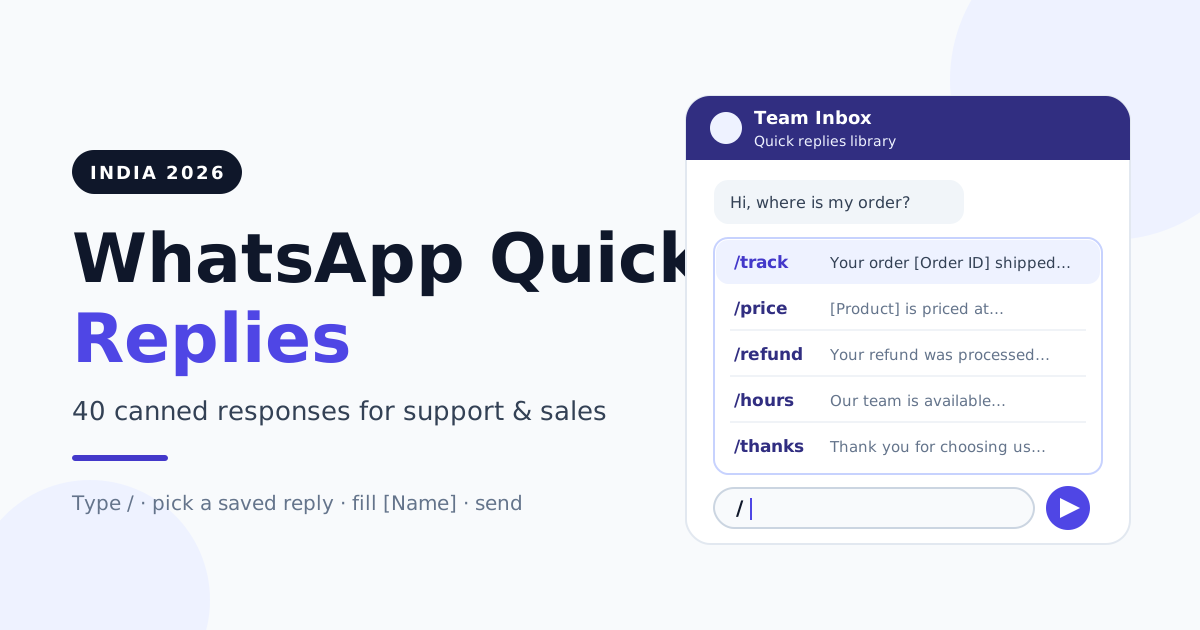
WhatsApp quick replies are saved messages you send with a shortcut, usually by typing "/" in the chat box and picking the reply you need. To set them up, open Business tools and then Quick replies in the WhatsApp Business app (or the quick replies library in your team inbox), save each message with a short shortcut like /price or /track, and fill in the blanks before you hit send.
For a busy Indian support or sales desk, the same questions arrive all day: price, delivery, payment link, refund, timings. Below: the three features people confuse, the 24-hour rule, and 40 ready-to-copy responses.
Quick replies, saved replies and quick-reply buttons: three different things
The phrase "quick reply" covers three separate features. App quick replies and team-inbox saved replies are shortcuts your agents use; quick-reply buttons are tappable options your customer taps inside a template or interactive message.
| Feature | Business app quick replies | Team-inbox saved replies (API) | Quick-reply buttons |
|---|---|---|---|
| Who uses it | The one person holding the phone | All agents working the number | The customer taps it |
| How it's triggered | Type "/" in the chat box | Type "/" in the composer and search by title | Customer taps a button on your message |
| Shared across the team | No, stored on that device | Yes, one library for everyone | Defined per template or message |
| Needs Meta approval | No | No, but only sendable inside an open 24-hour window | Yes, when part of a template |
| Best for | Solo owners and very small shops | Support and sales teams of 2 or more | Guiding customers to the next step |
If you are still on the app and wondering when to move, our WhatsApp Business app vs API comparison walks through the switch. For button-based menus, see the guide to WhatsApp reply buttons, list messages and flow templates.
How to set up quick replies
In the WhatsApp Business app
Open the app, go to Settings, then Business tools, then Quick replies. Tap add, write the message, and give it a shortcut word. In any chat, type "/" and the saved replies appear; tap one to drop it into the message box, edit it, and send.
In a shared team inbox
Once several people answer one number, phone shortcuts break down. A shared WhatsApp team inbox fixes this with one central library.
In RichAutomate, several agents work one WhatsApp number from the same inbox. The chat composer has a quick replies library: the agent types "/", searches saved replies by title, and inserts the one they need. Replies are shared tenant-wide, so a reply saved once is available to the whole team. The library also tracks how often each reply is used, which makes it easy to spot and retire the ones nobody touches. If your team is growing, read how multiple agents can share one WhatsApp number without stepping on each other.
Placeholders like [Name] and [Order ID] are not filled in automatically. Train every agent to replace every bracket before sending. A message that goes out with "[Name]" in it looks careless and hurts trust.
The 24-hour rule: when a saved reply can be sent
This is the part most teams miss. On the WhatsApp Business API, a free-form message, including any saved reply, can only be sent inside an open customer service window. That window opens when the customer messages you and stays open for 24 hours from their latest message.
Outside that window, you cannot paste a canned response. You must send a pre-approved message template, and Meta charges for templates by category: marketing, utility or authentication. Replies inside an open customer service window are free from Meta.
| Situation | What you can send | Meta charge |
|---|---|---|
| Customer messaged in the last 24 hours | Any saved reply, free text, media or interactive buttons | Free service reply |
| Customer's last message was over 24 hours ago | Approved template only | Charged by template category |
| Chasing an unpaid payment link after the window closed | Approved utility template, e.g. a payment reminder | Utility template rate |
| Re-engaging an old lead with an offer | Approved marketing template, to opted-in contacts only | Marketing template rate |
So answer while the window is open: the same follow-up the next day needs a paid template. Our guide on 24-hour window cost optimization goes deeper, and if chats are slipping past the window, see how to recover missed WhatsApp messages.
Naming and shortcut conventions
Agents should find the right reply in two keystrokes. Agree on a naming pattern on day one.
- Start with the topic word. /price, /track, /refund, /pay, /book, /hours. Agents think in topics, not in sentences.
- Add a short suffix for variants. /track-packed, /track-ofd, /pay-remind. Typing "/track" then shows every tracking reply together.
- Add a language tag. /track-hi for Hindi, /track-hng for Hinglish. Keep the English version as the base name.
- One reply, one job. Don't build a "mega reply" covering price, delivery and returns together. Split it.
The library: 40 India-ready canned responses
Copy these into your quick replies library, swap in your business details, and adjust the tone to match your brand. Every word in square brackets is a placeholder: fill it in before sending, every single time.
Get a 1-minute BSP audit on WhatsApp
Drop your WhatsApp number — we line-item your current invoice against Meta India rates in under 60 seconds. India-hosted, DPDP-compliant.
| Scenario | Shortcuts |
|---|---|
| Greeting and first response | /hi, /hi-back, /hi-ad, /hi-busy |
| Pricing asked | /price, /price-bulk, /price-list, /price-offer |
| Order status (WISMO) | /track, /track-packed, /track-ofd, /track-done |
| Delivery delay | /delay, /delay-rush, /delay-escalate |
| Payment and UPI follow-up | /pay-link, /pay-upi, /pay-remind, /pay-got |
| Refund and return | /return, /refund, /refund-photo, /exchange |
| Complaint acknowledgement | /sorry, /sorry-details, /sorry-ticket, /sorry-fixed |
| Appointment and booking | /book, /book-ok, /book-remind, /book-move |
| After hours | /hours, /hours-holiday, /hours-urgent |
| Handover to a human | /handover, /handover-senior, /handover-call |
| Closing and feedback | /thanks, /feedback, /review |
Greeting and first response
- /hi — Hi [Name], thanks for messaging [Business Name]! I'm [Agent Name] and I'll help you today. What can I do for you?
- /hi-back — Welcome back, [Name]! Good to hear from you again. Is this about your last order [Order ID] or something new?
- /hi-ad — Hi [Name], thanks for reaching out from our ad. Tell me which product caught your eye and I'll share the details right away.
- /hi-busy — Hi [Name], thanks for your message. We're handling a lot of chats right now, so I'll get back to you within [Time]. Your query is safely in the queue.
Pricing asked
- /price — Thanks for asking, [Name]. [Product] is priced at ₹[Amount] including GST. Would you like me to share the order link?
- /price-bulk — For bulk orders of [Quantity]+ units we offer special pricing. Could you share the quantity and delivery city so I can send an exact quote?
- /price-list — Here is our full price list: [Link]. Tell me which item you're interested in and I'll confirm availability.
- /price-offer — Right now we have [Offer] on [Product], valid till [Date]. Shall I reserve one for you?
Order status (WISMO)
- /track — Hi [Name], your order [Order ID] was shipped on [Date] via [Courier]. You can track it here: [Tracking Link].
- /track-packed — Your order [Order ID] is packed and will be handed to the courier by [Date]. I'll share tracking as soon as it's live.
- /track-ofd — Good news! Order [Order ID] is out for delivery today. Please keep your phone reachable for the delivery partner.
- /track-done — Our records show order [Order ID] was delivered on [Date]. If you haven't received it, reply here and I'll raise it with the courier right away.
Delivery delay
- /delay — Sorry, [Name], your order [Order ID] is delayed because of [Reason]. The new expected date is [Date]. I'll keep you posted.
- /delay-rush — Deliveries to [City] are running slow because of [heavy rain / festive rush]. Your order is safe and should reach you by [Date]. Thank you for your patience.
- /delay-escalate — I've escalated order [Order ID] with our courier partner. I'll update you by [Time] today, even if there's no change.
Payment and UPI link follow-up
- /pay-link — Here is your secure payment link for ₹[Amount]: [Payment Link]. It works with any UPI app, cards and net banking.
- /pay-upi — You can also pay via UPI to [UPI ID]. Please share the screenshot or UTR number here once done.
- /pay-remind — Hi [Name], a gentle reminder that your payment of ₹[Amount] for [Order ID] is pending. Here's the link again: [Payment Link].
- /pay-got — Payment of ₹[Amount] received, thank you! Your order [Order ID] is confirmed and we'll share dispatch details soon.
Refund and return
- /return — Sorry the product didn't work out, [Name]. You can request a return within [Days] days here: [Return Link]. Pickup is usually arranged within [Days] working days.
- /refund — Your refund of ₹[Amount] for [Order ID] was processed on [Date]. It usually reflects in [Days] working days, depending on your bank.
- /refund-photo — To process this quickly, please share a photo of the product and the packing label. That helps us approve the return faster.
- /exchange — We can exchange [Product] for a different size or colour. Which one would you like? I'll check stock for you.
Complaint acknowledgement
- /sorry — I'm really sorry about this, [Name]. That's not the experience we want you to have. Let me look into it right now.
- /sorry-details — Could you share your order ID and a photo of the issue? I want to make sure this gets fixed, not just noted.
- /sorry-ticket — I've logged your complaint as [Ticket ID]. You'll hear back from me by [Time/Date] with a resolution.
- /sorry-fixed — Update on [Ticket ID]: [Resolution]. Please let me know if this solves it for you.
Appointment and booking
- /book — Happy to book you in, [Name]! We have slots on [Date] at [Time 1] or [Time 2]. Which works better?
- /book-ok — Your appointment is confirmed for [Date] at [Time] at [Location]. Reply here if you need to reschedule.
- /book-remind — Reminder: your appointment is tomorrow, [Date], at [Time]. Reply YES to confirm or tell us a better time.
- /book-move — No problem, we can reschedule. The next available slots are [Slots]. Which one should I block for you?
After hours
- /hours — Thanks for messaging, [Name]! Our team is available [Days], [Start Time] to [End Time]. We'll reply first thing when we're back.
- /hours-holiday — We're closed today for [Festival/Holiday]. We'll be back on [Date] and will reply to every message in order. Happy [Festival]!
- /hours-urgent — If this is urgent, please call us at [Phone Number] during [Hours], or leave your details here and we'll call you back.
Handover to a human or specialist
- /handover — Let me connect you with [Team/Colleague], who handles [Topic]. They'll reply in this same chat shortly, so there's no need to repeat yourself.
- /handover-senior — I've shared your chat with a senior team member. They'll review everything and reply here by [Time].
- /handover-call — This will be easier to sort out on a quick call. Is it okay if our team calls you at [Time] on this number?
Closing and feedback ask
- /thanks — Thank you for choosing [Business Name], [Name]! Is there anything else I can help you with today?
- /feedback — Glad we could help! Could you rate your experience from 1 to 5? It takes five seconds and helps us improve.
- /review — If you're happy with [Product/Service], a quick review here would mean a lot to us: [Review Link]. Thank you!
The after-hours replies above are meant for an agent to send manually. If you want them to go out on their own when the office is closed, set up a proper after-hours and holiday auto-reply instead.
Hindi and Hinglish variants
Many Indian customers write in Hinglish or Hindi, and replying in their style feels warmer. Start with your five most used replies and add a language tag to the shortcut.
- /hi-hng — Hi [Name], [Business Name] mein message karne ke liye thank you! Bataiye, main aapki kaise help kar sakta/sakti hoon?
- /track-hng — [Name] ji, aapka order [Order ID] ship ho gaya hai. Track karne ke liye yeh link dekhiye: [Tracking Link].
- /pay-remind-hng — Hi [Name], aapka ₹[Amount] ka payment abhi pending hai. Yeh raha link: [Payment Link]. Koi dikkat ho toh bataiye.
- /sorry-hi — [Name] जी, इस परेशानी के लिए हमें बहुत खेद है। कृपया अपना ऑर्डर नंबर भेजें, हम तुरंत देखते हैं।
- /thanks-hi — [Business Name] चुनने के लिए धन्यवाद, [Name] जी! क्या हम और किसी चीज़ में आपकी मदद कर सकते हैं?
Match the customer, not the agent. If the customer writes in English, reply in English even if the agent is more comfortable in Hindi.
Keep replies human, and the tone mistakes to avoid
Canned responses save time, but customers spot copy-paste instantly. Aim for speed with a human touch.
- Edit before you send. Insert the reply, then change at least one detail so it fits this customer's exact question.
- Keep it short. Two or three lines per message. If the answer is long, split it into two messages or share a link.
- Answer what was asked first. If the customer asked "where is my order", lead with the status, not with a greeting paragraph.
Common tone mistakes seen on Indian support desks:
- Over-formal language like "Kindly do the needful" or "Your esteemed query". Write the way you would speak to a customer at the counter.
- Blame-shifting such as "That is the courier's fault". The customer bought from you; own the problem.
- Empty apologies with no next step. Every "sorry" should come with an action and a time.
Governance: keep the library clean
Libraries rot: prices and policies change, but old replies keep getting sent. A little governance prevents that.
- One owner. Pick one person, usually the support lead, who approves every new or edited reply. Agents suggest; the owner publishes.
- Quarterly review. Every three months, read the whole library. Update prices, policies, links and festival dates.
- Retire unused replies. If a reply hasn't been used in a quarter, delete or merge it. A shorter library is faster to search.
- Measure usage. Usage counts show which replies carry your support load. The most used ones deserve the most polish, and a Hindi or Hinglish version.
Measuring the impact of canned responses
Record a one-week baseline before rollout, then compare.
- First-response time: how long a customer waits for the first human reply. This is where quick replies help most.
- Resolution time: how long from first message to issue closed. Good handover and ticket replies shorten this.
- Replies inside the 24-hour window: the share of follow-ups sent while the window is still open, which avoids paid templates.
- Reply usage: which saved replies are used most and which are never used.
- Repeat questions: if customers keep asking the same thing after your reply, the reply isn't clear enough. Rewrite it.
7-day rollout plan
- Day 1: Collect. Scroll through the last few weeks of chats and list the questions that come up again and again.
- Day 2: Draft. Adapt the 40 replies above to your business, prices and policies. Cut the ones that don't apply.
- Day 3: Name. Apply the shortcut convention (/topic-variant-language) and have the library owner approve every reply.
- Day 4: Load. Add the replies to your WhatsApp Business app or shared team inbox library.
- Day 5: Train. Walk agents through the "/" shortcut, the fill-every-bracket rule and the 24-hour window.
- Day 6: Go live. Use the library on real chats. Ask agents to note any reply that felt wrong or missing.
- Day 7: Review. Compare first-response time with your baseline, fix weak replies, and add Hinglish versions of the top five.
Ready to give your whole team one shared quick replies library? Start your RichAutomate free trial: 14 days, 100 free credits, ₹0 setup and ₹0 monthly. Connect your number, add agents and load your replies in an afternoon.