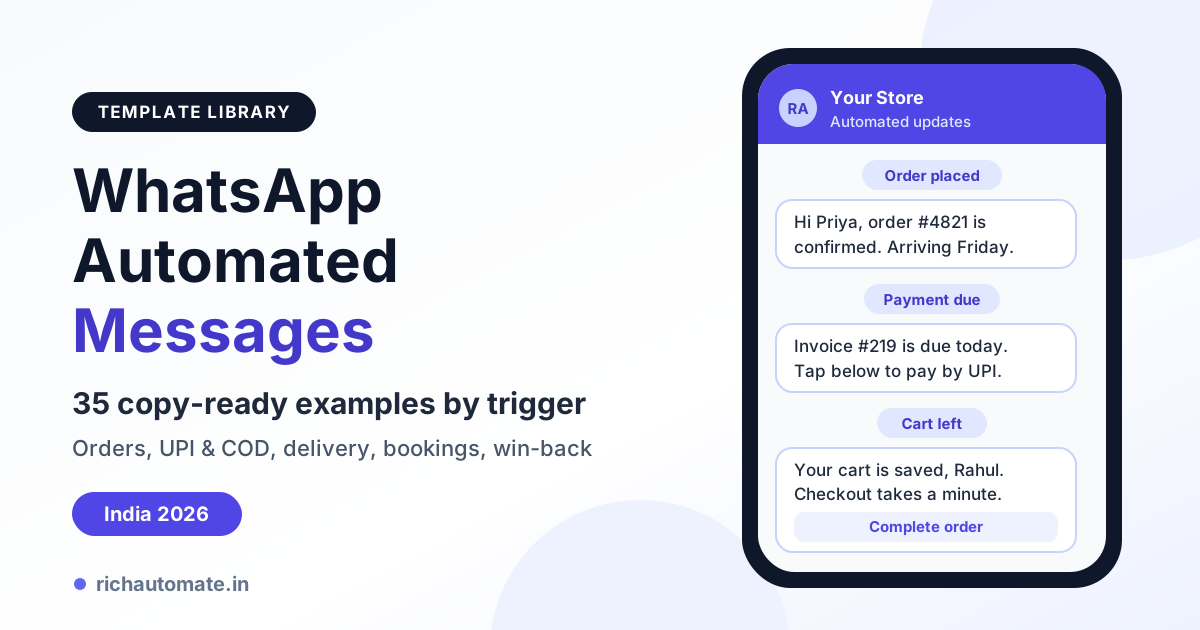
A WhatsApp automated message is a pre-written message your system sends by itself when a trigger fires: an order is placed, a UPI payment fails, a parcel ships or a cart is abandoned. Below are 35 copy-ready WhatsApp automated message examples for Indian businesses, grouped by trigger, with the template category each needs and the Meta rules for approval.
For keyword bots and greetings, see our WhatsApp auto-reply setup guide. This post is the library: copy a message, swap the {{1}} variables for your fields, submit it and connect it to its trigger.
What is a WhatsApp automated message?
Every automated WhatsApp message has three parts: a trigger (the event), a message (an approved template or a free-form reply) and a rule (who receives it, when and how often).
Automated messages come in two kinds:
- Event-triggered messages start from your side (order, payment, delivery, appointment). The customer usually has not messaged you in the last 24 hours, so these must be Meta-approved templates.
- Conversation-triggered replies start from the customer (greetings, keyword replies, menus). The customer wrote first, so you are inside the 24-hour window and free-form text is allowed.
WhatsApp has more than 500 million users in India, according to Meta, but it is a personal inbox. An automated message has to be expected, useful and opted into, or customers block the number and your quality rating falls.
Template or free-form: which automated messages need Meta approval?
One rule governs every automated message: the 24-hour customer-service window. After a customer messages you, you can send free-form messages (text, media, lists, buttons) for 24 hours. Outside that window, only a Meta-approved template can go out.
Templates fall into three categories (see our guide to WhatsApp message template categories):
- Utility: updates on a transaction the customer started: order, payment, shipment, booking or account change.
- Marketing: offers, sales, cart recovery, win-back and anything meant to drive a sale.
- Authentication: one-time passwords in a fixed format Meta controls.
A utility template that slips in a discount code gets treated as marketing, so keep promotions in their own templates.
| Factor | Free-form message | Approved template |
|---|---|---|
| When it can be sent | Within 24 hours of the customer's last message | Any time, including outside the window |
| Meta approval | Not needed | Required before first use |
| Content | Any text, media, list or button | Fixed text with {{1}} variables and optional buttons |
| Consent | Customer started the chat | Opt-in required for business-initiated messages |
Trigger map: category, approval and best send time
Use this map to pick the category and timing for each trigger. Send times are starting points; test your own.
| Trigger | Message | Category | Best send time | |
|---|---|---|---|---|
| Signup or form fill | Welcome and opt-in confirmation | Marketing or Utility, depending on content | Within 1 minute | |
| Order placed | Confirmation, COD verification | Utility | Yes | Instantly |
| Payment received or failed | Receipt, retry link | Utility | Yes | Instantly |
| Shipped or out for delivery | Tracking update | Utility | Yes | On each status change, 8 am to 8 pm |
| Cart abandoned | Recovery nudge | Marketing | Yes | After 1 hour, then 24 and 48 hours |
| Appointment booked | Confirmation and reminders | Utility | Yes | On booking, then 24 hours and 2 hours before |
| Delivered or service completed | Feedback request | Utility if tied to the order, otherwise Marketing | Yes | 2 to 24 hours after delivery |
| Inactive for 30 to 90 days | Win-back or replenishment offer | Marketing | Yes | Evenings or weekends, low frequency |
| Customer replies to any message | Bot or agent follow-up | Free-form, no template | Immediately |
Meta makes the final call on category during review.
Transactional triggers: order, payment and delivery messages
Customers actually want these messages, so they are the safest place to start. For longer variants, see our order confirmation and shipping message templates.
Order placed
1. Prepaid order confirmation (Utility)
Hi {{1}}, thank you for shopping with {{2}}! Your order #{{3}} for ₹{{4}} is confirmed and will be packed within 24 hours. Tracking details will follow here.
Button: View order
2. COD order verification (Utility)
Hi {{1}}, you placed a Cash on Delivery order #{{2}} for ₹{{3}}. Please confirm it so we can ship today.
Buttons: Confirm order · Cancel order
For Indian D2C brands, holding unconfirmed COD orders cuts fake orders and return-to-origin (RTO) costs.
3. COD-to-prepaid nudge (Marketing, because it carries a discount)
Hi {{1}}, pay for order #{{2}} online now and save ₹{{3}}. Prepaid orders are dispatched first.
Button: Pay now
4. Order cancelled (Utility)
Hi {{1}}, your order #{{2}} has been cancelled as requested. Any online payment of ₹{{3}} will be refunded within 5–7 working days.
5. B2B purchase order received (Utility)
Hello {{1}}, we have received purchase order {{2}} from {{3}}. Dispatch is planned for {{4}}; the GST invoice will follow here.
Payment and UPI
6. Payment received (Utility, receipt PDF as header)
Hi {{1}}, we have received your payment of ₹{{2}} via {{3}} against invoice #{{4}}. Your receipt is attached.
7. UPI payment failed (Utility)
Hi {{1}}, your UPI payment of ₹{{2}} for order #{{3}} did not go through. If money was debited, your bank usually reverses it. Tap below to retry.
Button: Retry payment
8. Invoice due in 3 days (Utility)
Hi {{1}}, a friendly reminder that invoice #{{2}} for ₹{{3}} is due on {{4}}. Pay by UPI or bank transfer below. Ignore this if already paid.
Button: Pay invoice
9. Invoice overdue (Utility)
Hi {{1}}, invoice #{{2}} for ₹{{3}} is now {{4}} days overdue. Please clear it soon, or reply here to discuss a payment plan.
10. Coaching fee instalment (Utility)
Hi {{1}}, the next fee instalment of ₹{{2}} for {{3}}'s {{4}} course is due on {{5}}. Paying on time keeps batch access uninterrupted.
Button: Pay fees
For a polite escalation sequence, see our guide to WhatsApp payment reminders for overdue invoices.
Shipping and delivery
11. Order shipped (Utility)
Hi {{1}}, your order #{{2}} has shipped with {{3}} (AWB {{4}}) and should reach you by {{5}}. Tap below for live updates.
Button: Track order
12. Out for delivery (COD) (Utility)
Hi {{1}}, your order #{{2}} is out for delivery today. Keep ₹{{3}} ready or pay the delivery partner by UPI.
13. Delivery attempt failed (NDR) (Utility)
Hi {{1}}, our courier could not deliver order #{{2}} today. Choose an option below or reply with an updated address.
Buttons: Reattempt tomorrow · Change address · Cancel order
14. Delivered (Utility)
Hi {{1}}, your order #{{2}} was delivered today. We hope you love it! For help with returns, just reply here.
15. Refund processed (Utility)
Hi {{1}}, your return for order #{{2}} has reached our warehouse. A refund of ₹{{3}} to your {{4}} should reflect within 5–7 working days.
Pull courier name, AWB and expected date from Shiprocket, Delhivery or your logistics panel so each status change fires the right template automatically.
Growth triggers: signup, abandoned cart, win-back and festive messages
Growth triggers mostly use marketing templates, so they need cleaner opt-in and lighter frequency than transactional ones.
Signup and opt-in
16. Website signup welcome (usually Marketing)
Hi {{1}}, welcome to {{2}}! You will get order updates and occasional member offers here. Reply STOP at any time to opt out.
17. Login OTP (Authentication)
{{1}} is your verification code. For your security, do not share this code. This code expires in 10 minutes.
Button: Copy code
Authentication templates use Meta's preset wording; you only pick options like expiry and the copy-code button.
Get a 1-minute BSP audit on WhatsApp
Drop your WhatsApp number — we line-item your current invoice against Meta India rates in under 60 seconds. India-hosted, DPDP-compliant.
18. Real estate enquiry follow-up (usually Marketing)
Hi {{1}}, thanks for your interest in {{2}}. Our advisor will call you within 2 hours. Want the brochure meanwhile?
Buttons: Send brochure · Book site visit
19. Free demo class registration (Utility)
Hi {{1}}, your seat for the free {{2}} demo class on {{3}} at {{4}} is confirmed. The joining link arrives here 30 minutes before.
Greetings sent when someone messages you first are free-form; see our WhatsApp welcome message automation guide for scripts.
Abandoned cart
20. One hour after abandonment (Marketing)
Hi {{1}}, you left {{2}} in your cart at {{3}}. Your items are saved for quick checkout.
Button: Complete order
21. Question-led nudge at 24 hours (Marketing)
Hi {{1}}, still deciding on {{2}}? Reply with any question about size, delivery time or COD and our team will help you choose.
A reply opens the 24-hour window, so your bot or team can continue free-form.
22. Incentive at 48 hours (Marketing)
Hi {{1}}, here is ₹{{2}} off your saved cart with code {{3}}, valid until midnight tonight. Prepaid orders ship the same day.
Button: Use my discount
23. COD and returns reassurance (Marketing)
Hi {{1}}, COD is available for pincode {{2}} and returns are free within 7 days. Your cart is still saved.
Our playbook on WhatsApp abandoned cart recovery covers timing and discount depth.
Win-back and festive
24. Replenishment reminder (Marketing)
Hi {{1}}, it has been about {{2}} days since you ordered {{3}}. Reorder in one tap with free delivery this week.
Button: Reorder now
25. Festive early access (Marketing)
Hi {{1}}, our Diwali sale opens to everyone on {{2}}, but as a returning customer you can shop from {{3}}. Your early access is ready.
Button: Shop early
26. Birthday offer (Marketing)
Happy birthday, {{1}}! A small gift from {{2}}: {{3}}% off your next order with code {{4}}, valid for the next 7 days.
27. Back in stock (Marketing)
Hi {{1}}, good news: {{2}} is back in stock in size {{3}}. Order soon before it sells out again.
Button: Buy now
Space marketing triggers out: a cart nudge, festive blast and birthday offer in one week invites blocks.
Service triggers: booking, reminder and feedback messages
Clinics, salons, coaching institutes and builders lose money to no-shows. One-tap confirmations fix that.
Bookings and appointments
28. Clinic appointment confirmation (Utility)
Hi {{1}}, your appointment with Dr. {{2}} at {{3}} is confirmed for {{4}} at {{5}}. Please arrive 10 minutes early.
29. 24-hour reminder (Utility)
Hi {{1}}, your appointment at {{2}} is tomorrow at {{3}}. Tap below to confirm or change it.
Buttons: Confirm · Reschedule · Cancel
30. Two-hour reminder for salons and spas (Utility)
Hi {{1}}, your {{2}} session at {{3}} starts in 2 hours. Running late? Reply here to adjust your slot.
31. Real estate site visit (Utility)
Hi {{1}}, your site visit to {{2}} is confirmed for {{3}}. Our executive {{4}} will meet you at the sales office.
Button: Get location
32. Coaching class rescheduled (Utility)
Hi {{1}}, the {{2}} class scheduled for {{3}} has moved to {{4}}. The joining link stays the same.
Our guide to WhatsApp appointment reminders that cut no-shows covers timing in detail.
Feedback and reviews
33. Post-delivery rating (Utility when tied to the order)
Hi {{1}}, how was your experience with order #{{2}}? Tap a rating below.
Buttons: Loved it · It was okay · Not happy
34. Support ticket closed (Utility)
Hi {{1}}, your support request #{{2}} has been marked as resolved. Was your issue fully fixed?
Buttons: Yes, all good · No, still facing it
35. Google review request (free-form, no template needed)
Thank you, {{1}}! A quick Google review helps others find us: {{2}}. It means a lot to our small team.
Send example 35 only after a "Loved it" tap on example 33; that tap opens the 24-hour window, so no template is needed. Route "Not happy" taps to a human. For survey design, read our guide to WhatsApp feedback and CSAT survey automation.
WhatsApp Business App auto-reply vs API automation
The free WhatsApp Business App has a greeting message, an away message and quick replies. It cannot react to events in other systems, which most examples above depend on.
| Capability | WhatsApp Business App | WhatsApp Business API (RichAutomate) |
|---|---|---|
| Greeting and away messages | Yes, built in | Yes, plus keyword replies, menus and chatbot flows |
| Event triggers (order, payment, cart, booking) | No | Yes, via integrations, webhooks or API |
| Messages outside the 24-hour window | Broadcast lists, only to contacts who saved your number | Approved templates to any opted-in customer |
| Personalisation | Typed by hand | {{1}}-style variables filled from your data |
| Cost | Free app | Meta's per-message charges plus a platform fee |
For away messages, see after-hours and holiday auto-replies; for live chat, set up WhatsApp quick replies and canned responses. Once messages depend on events elsewhere, you need the API.
How to set up trigger-based automated messages
- Pick three triggers. Start with events that cause support calls: order status, payments and appointments.
- Collect opt-in. Add a WhatsApp consent checkbox at checkout, signup or booking and log when each customer agreed; Meta requires opt-in.
- Write and submit templates. Pick the right category, add realistic sample values, never start or end the body with a variable or place two side by side, and keep offers out of utility. Review often takes minutes, sometimes longer.
- Connect the event source. In RichAutomate, map each event to its template via an integration, webhook or the Developer API, passing values like name, order ID and amount.
- Add buttons and a handover. A quick-reply tap opens the 24-hour window, where the flow builder or team inbox takes over.
- Test, then watch. Send every template to your own number first, then track delivered, read, replied and blocked counts for the first week.
More starting points: the free WhatsApp template library.
What it costs. Meta charges per delivered template, by category; free-form replies inside the window are free, and so are utility templates sent while it is open. On RichAutomate, pay-as-you-go has ₹0 setup and ₹0 monthly fee: Client Pay is Meta's charge plus ₹0.10 per message, and SaaS Pay is ₹1.50 per marketing and ₹0.50 per utility message. Plans: Starter ₹499/month, Pro ₹899/month, White-label ₹1,199/month (see our WhatsApp API pricing page). GST registration is required to go live.
Rules that protect your number and quality rating
- Opt-in first, opt-out fast. Never import a purchased contact list, and remove anyone who replies STOP from every marketing automation the same day.
- Watch your quality rating. Meta rates each number green, yellow or red from recent feedback like blocks and reports. A falling rating can restrict messaging limits or pause templates.
- Cap marketing frequency. As a general guide, keep marketing to one or two a week per customer, and pause it for anyone with an open complaint.
- Expect some marketing messages not to land. Meta limits how many marketing templates a person receives, so even opted-in customers may not get every promotion. No provider can guarantee delivery.
- Respect the clock. Send transactional updates when the event happens; schedule marketing between roughly 10 am and 8 pm.
Put your first three automated messages live this week
You do not need all 35 on day one. Pick one transactional, one reminder and one feedback trigger, get them approved and run them for a fortnight before adding marketing. Every RichAutomate account starts with a 14-day free trial and 100 credits. Start your free trial and set up your first automated WhatsApp message today.