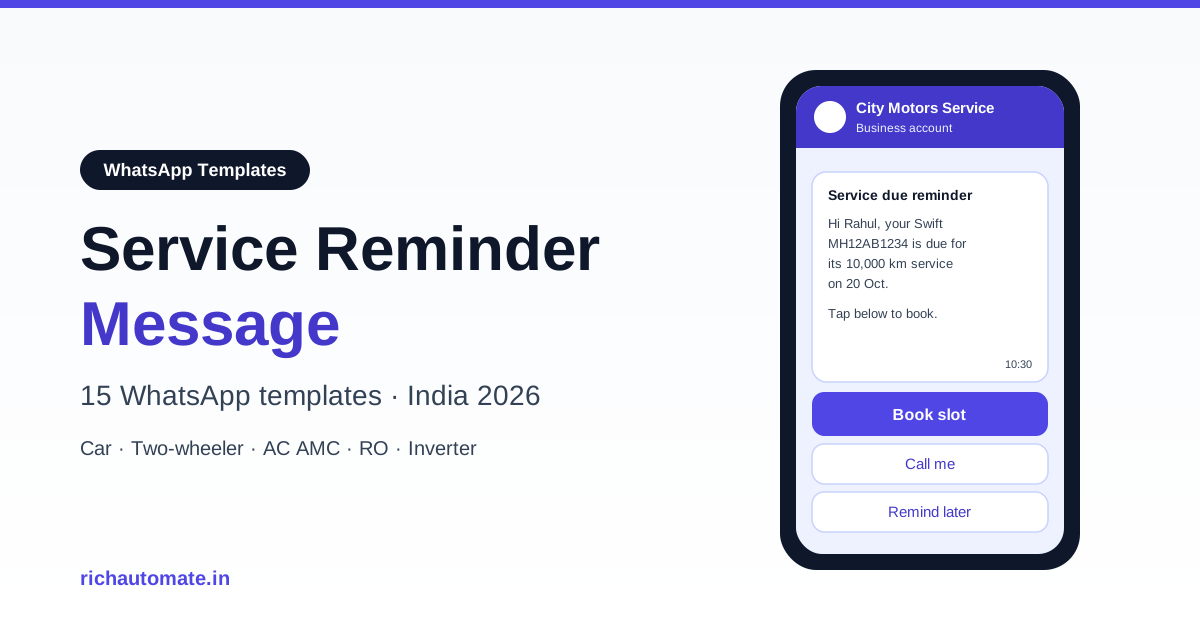
A service reminder message is a short WhatsApp notification that tells an existing customer which service is due, on which vehicle or appliance, by what date or kilometre reading, and gives them a one-tap way to book. The cadence that works best in India is 15 days before due, 7 days before, 1 day before the appointment, and one overdue nudge 3 to 7 days after the due date.
This guide gives you 15 copy-ready WhatsApp templates for car service, two-wheeler service, AC and appliance AMC, RO water purifier filter changes, and inverter or generator maintenance, plus the category rules, the data you need, typical costs and the setup steps on RichAutomate.
Why WhatsApp beats SMS and calls for service reminders
Periodic-service businesses live on repeat visits. A workshop, an AC AMC provider or an RO dealer earns most of its margin from the second, third and fifth service, not the first sale. The problem is that customers forget, and the old reminder channels are weak: SMS gets lost among OTPs and bank alerts, and calls are expensive and often unanswered during working hours.
WhatsApp fixes three things at once. The message shows the business name and verified profile, so it looks trustworthy. It can carry buttons, so the customer books with one tap instead of calling back. And the reply lands in a shared inbox where your service advisor can answer in the same thread. In our experience, workshops that move reminders from SMS to WhatsApp see noticeably higher booking rates because the friction between "I should get that done" and "booked" drops to a single tap.
If you run a workshop, also read our playbook on retaining vehicle service customers from year 2 to year 5, which is where reminders pay off the most.
What every service reminder message should include
A good service reminder answers five questions in under 60 words: whose asset, what service, when, where, and how to book.
- Customer name so the message feels personal, not broadcast.
- Asset identifier: vehicle model and registration number, or appliance model and serial number.
- Service type: periodic service, oil change, AMC visit, filter replacement, battery check.
- Due trigger: a date, a kilometre reading, or both ("due on 20 Oct or at 10,000 km, whichever is earlier").
- Location or technician: service centre name, or "our technician will visit your address".
- Action: quick-reply buttons such as Book slot, Call me, Remind later.
Leave out anything that is not about this service. Offers, new product launches and festival greetings belong in separate marketing templates, which we explain below.
The service reminder cadence: when to send each message
One reminder is rarely enough. A short, stoppable sequence gets far more bookings without annoying customers. Every message after the first should be skipped automatically if the customer has already booked.
| Trigger | Timing | Message goal | Suggested buttons |
|---|---|---|---|
| Heads-up | 15 days before due | Make the customer aware the service is coming | Book slot / Remind later |
| Booking push | 7 days before due | Get a date and time locked | Book slot / Call me |
| Appointment confirmation | Immediately after booking | Confirm slot, address, documents | Reschedule / Get directions |
| Day-before reminder | 1 day before appointment | Reduce no-shows | Confirm / Reschedule |
| Overdue nudge | 3 to 7 days after due | Recover customers who missed it | Book slot / Already done |
| Post-service feedback | Same day or next day after service | Rating, issues, next due date | Good / Needs attention |
For kilometre-based vehicle service, estimate the due date from the customer's average daily running (last odometer reading divided by days since last service) and send the heads-up when the projected date is 15 days away. For AMC and RO, the due date is usually fixed by the contract or filter life, so the schedule is simpler.
Utility vs marketing: how Meta categorises service reminders
Every business-initiated WhatsApp message outside the 24-hour customer service window must use a pre-approved template, and every template has a category. The category decides the price and the rules. For a deeper breakdown, see our guide to WhatsApp message template categories in India.
Utility templates are messages that relate to a specific, agreed transaction or an existing account, such as an order update, a payment reminder or a scheduled service. A reminder that the 10,000 km service on a customer's own scooter is due, or that the AMC visit on their AC is scheduled, fits that description because the customer already has the relationship and the message is informational.
Marketing templates are anything promotional: discounts, offers, upsells, new products, or general "come back to us" messages. If your reminder says "Get 20% off on your next service" or "Upgrade to our premium AMC", expect it to be categorised as marketing.
Meta reviews each template and can re-categorise it, so nobody can promise a particular outcome. What you can control is the wording. Keep utility reminders factual, specific to the customer's asset, and free of promotional language. The same logic applies to other renewal-style messages, as covered in our insurance renewal reminder message templates.
| Wording | Likely category | Why |
|---|---|---|
| "Your Activa MH12AB1234 is due for its 6,000 km service on 18 Oct." | Utility | Factual, about the customer's own vehicle |
| "Your AMC visit for the Split AC at Flat 302 is scheduled for 22 Oct." | Utility | Tied to an existing contract |
| "Service due soon. Book this week and get free car wash!" | Marketing | Contains an offer |
| "Upgrade to our 3-year comprehensive AMC today." | Marketing | Upsell of a new product |
15 copy-ready service reminder message templates
Each template below uses numbered variables like {{1}} that you map to fields from your data source. Button suggestions are quick replies unless stated. All of these are written to be submitted as utility templates; review the wording against your own process before submitting.
Car service
1. Periodic service heads-up (15 days)
Hi {{1}}, this is a reminder from {{2}}.
Your {{3}} ({{4}}) is due for its periodic service on {{5}} or at {{6}} km, whichever comes first.
Tap below to book a convenient slot.

Buttons: Book slot | Remind later
2. Booking push (7 days)
Hi {{1}}, your {{2}} ({{3}}) service is due in 7 days on {{4}}.
Slots at {{5}} are open this week. Pick one below or ask us to call you.

Buttons: Book slot | Call me | Remind later
3. Kilometre-based oil change
Hi {{1}}, based on your last reading of {{2}} km, your {{3}} ({{4}}) is close to its engine oil change interval of {{5}} km.
Would you like to schedule it at {{6}}?

Buttons: Book slot | Not yet
Two-wheeler service
Two-wheeler owners respond best to short, mobile-first messages. More ideas are in our guide to WhatsApp for two-wheeler service workshops.
4. Free or paid service due
Hi {{1}}, your {{2}} ({{3}}) is due for its {{4}} service.
Due date: {{5}}
Service centre: {{6}}
Book in one tap below.

Buttons: Book slot | Call me
5. Day-before appointment reminder
Hi {{1}}, reminder: your {{2}} ({{3}}) is booked for service tomorrow, {{4}} at {{5}}.
Location: {{6}}
Please carry your service booklet.

Buttons: Confirm | Reschedule
AC and appliance AMC service
AMC businesses have fixed visit schedules, which makes reminders easy to automate. See also the best WhatsApp Business API setup for AC and appliance repair.
6. AMC visit due
Hi {{1}}, your AMC service visit {{2}} of {{3}} for the {{4}} at {{5}} is due on {{6}}.
Choose a time window for our technician.

Buttons: Book slot | Call me | Remind later
7. AMC visit scheduled (technician assigned)
Get a 1-minute BSP audit on WhatsApp
Drop your WhatsApp number — we line-item your current invoice against Meta India rates in under 60 seconds. India-hosted, DPDP-compliant.
Hi {{1}}, your {{2}} AMC service is scheduled for {{3}} between {{4}}.
Technician: {{5}}, contact {{6}}.
Please ensure someone is available at the address.

Buttons: Confirm | Reschedule
8. AMC expiry notice
Hi {{1}}, the AMC for your {{2}} (serial {{3}}) ends on {{4}}.
{{5}} service visits remain unused. Reply if you would like to schedule them before expiry.

Buttons: Schedule visit | Call me
RO water purifier filter change
9. Filter replacement due
Hi {{1}}, the {{2}} filter in your {{3}} water purifier was last changed on {{4}} and is now due for replacement.
Book a visit to keep your water quality consistent.

Buttons: Book visit | Remind later
10. Periodic RO service visit
Hi {{1}}, your RO purifier ({{2}}) is due for its periodic service on {{3}} under plan {{4}}.
Our technician can visit {{5}}. Pick a slot below.

Buttons: Book slot | Call me
Inverter, battery and generator
11. Inverter battery check
Hi {{1}}, your {{2}} inverter battery (installed {{3}}) is due for its periodic check and distilled water top-up on {{4}}.
Shall we schedule a technician visit?

Buttons: Book visit | Remind later
12. DG set service by running hours
Hello {{1}}, the {{2}} generator at {{3}} has logged about {{4}} running hours and is due for its scheduled service.
Please choose a date for our service engineer.

Buttons: Book slot | Call me
Overdue nudge
13. Overdue service
Hi {{1}}, the scheduled service for your {{2}} ({{3}}) was due on {{4}} and is not yet recorded with us.
If it is already done, tap Already done. Otherwise, book a slot below.

Buttons: Book slot | Already done | Call me
Booking confirmation
14. Service booking confirmed
Hi {{1}}, your service booking is confirmed.
Asset: {{2}}
Date and time: {{3}}
Location: {{4}}
Booking ID: {{5}}

Buttons: Reschedule | Get directions
Post-service feedback
15. Feedback and next due date
Hi {{1}}, your {{2}} service was completed on {{3}}.
Next service due: {{4}}.
How was your experience?

Buttons: Good | Needs attention
Template 15 does double duty: it collects feedback and records the next due date in the customer's mind, which makes the next cycle of reminders feel expected rather than random.
Buttons and the booking flow
Buttons are where reminders turn into revenue. Three quick replies cover almost every case:
- Book slot starts a chatbot flow: pick a date, pick a time window (for example 10-12, 12-2, 2-4, 4-6), confirm the address or centre, then send template 14 as confirmation.
- Call me creates a task for your service advisor and tags the conversation so nobody misses it.
- Remind later reschedules the next reminder by 3 to 5 days instead of ending the sequence.
Because the customer replied, a 24-hour customer service window opens, and inside it your team can chat freely without sending another template. Keep slot options to four or five at most; long lists reduce completion.
The data you need and how to trigger reminders
Service reminders are only as good as the data behind them. At minimum you need, per asset:
- Customer name and WhatsApp number with consent to receive service updates
- Vehicle or appliance model, registration or serial number
- Last service date and type
- Last odometer reading (vehicles) or running hours (generators)
- Next due date or due kilometres, and the service interval rule
- Service centre or technician area
Most businesses already hold this in a dealer management system (DMS), a CRM, billing software or a plain Google Sheet. There are three common ways to trigger sends:
- Scheduled campaign from a sheet or CSV: export the contacts whose due date falls in the next 15 days, upload, map columns to variables, and schedule. Simple and good for small workshops.
- API trigger from your DMS or CRM: your system calls the WhatsApp API when a record crosses the 15, 7 or 1 day threshold. Best for dealers with volume.
- Chatbot flow with delays: enrol the customer after each service and let timed steps send the next reminder automatically.
Whichever route you choose, update the record the moment a customer books or completes service, so the remaining reminders stop.
Cost comparison: SMS vs WhatsApp vs calls
Costs vary by vendor, volume and category, so treat the figures below as typical ranges rather than quotes.
| Channel | Typical cost per reminder | Can customer book in one tap? | Two-way conversation |
|---|---|---|---|
| SMS (DLT transactional) | Typically ₹0.15 to ₹0.30 | No, link only | Limited |
| WhatsApp utility template | Typically well under ₹1 (on RichAutomate SaaS Pay, flat ₹0.50) | Yes, quick-reply buttons | Yes, in the same chat |
| Outbound call by staff | Typically ₹5 to ₹20 including staff time | Only if answered | Yes, but not recorded in writing |
SMS is cheaper per send, but the comparison that matters is cost per booked service. A reminder that converts better with one-tap booking usually wins even at a higher unit price. See full details on our RichAutomate pricing page.
Common mistakes with service reminder messages
- Mixing offers into utility templates. It risks re-categorisation to marketing and higher cost. Keep offers separate.
- Not stopping the sequence after booking. Sending a "service due" reminder to someone who booked yesterday looks careless and invites blocks.
- Generic copy with no asset detail. "Your service is due" without the model or registration feels like spam.
- Messaging numbers without consent. Collect WhatsApp opt-in at job card, invoice or installation time.
- Too many reminders. More than four or five messages per service cycle increases blocks and reports, which hurts your quality rating.
- No human fallback. Customers who tap Call me must get a call the same day, or the automation loses trust.
- Wrong due dates. Bad data produces wrong reminders. Clean the last-service field before you automate.
How to set up service reminders on RichAutomate
RichAutomate is a WhatsApp Business API platform built for Indian businesses. Getting service reminders live takes a few steps:
- Sign up and connect your number. Start a 14-day free trial with 100 free credits. A GST number is required to go live on the API.
- Create and submit templates. Copy the templates above into the template manager, choose the utility category, add quick-reply buttons and submit for Meta review.
- Import customers. Upload a CSV or sheet with name, number, asset, last service and due date, or push records from your DMS or CRM through the developer API.
- Build the booking flow. Use the visual flow builder to handle Book slot, Call me and Remind later, and to send the confirmation.
- Schedule the cadence. Set campaigns or flow delays for 15, 7 and 1 day before due, plus the overdue nudge.
- Work replies in the shared inbox. Your service advisors answer questions in the same chat.
On pricing, there is ₹0 setup and ₹0 monthly on pay-as-you-go. You can choose Client Pay, which is Meta's rate plus ₹0.10 per message, or SaaS Pay, a flat ₹1.50 per marketing message and ₹0.50 per utility message. Plans are Starter at ₹499/mo, Pro at ₹899/mo and White-label at ₹1,199/mo.
Start sending service reminders this week
A service reminder message is the cheapest retention tool a periodic-service business has: one factual message per due date, a one-tap booking button, and a short follow-up for anyone who misses it. Pick the five templates that match your business, submit them as utility, and connect them to your due-date data.