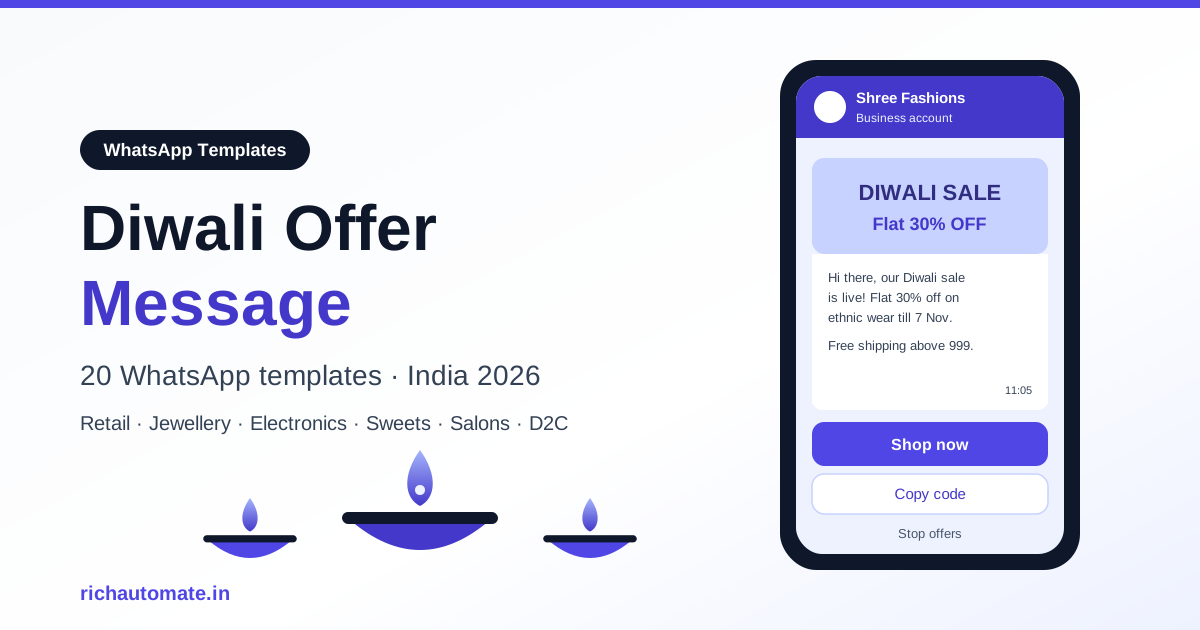
A Diwali offer message is a promotional WhatsApp template that tells opted-in customers about a festive discount, bundle, early-access sale or free-shipping deal, with a button to shop, book or claim a code. For Diwali 2026 (Sunday 8 November, with Dhanteras on 6 November), send the first offer 2 to 3 weeks early, peak around Dhanteras, keep Diwali day for greetings, and close with a post-Diwali clearance.
This guide gives you 20 copy-ready Diwali offer message templates for retail and fashion, jewellery, electronics and appliances, sweets and corporate gifting, salons and home services, and D2C e-commerce. It also covers the template category rules, a day-by-day send calendar, frequency caps, Meta marketing limits and what it costs to run the campaign on RichAutomate. For the full festive strategy, read our Diwali 2026 WhatsApp marketing playbook.
What is a Diwali offer message?
Definition: a Diwali offer message is a business-initiated WhatsApp marketing template, sent to customers who have opted in, that announces a time-bound festive deal and gives the customer one clear action, such as Shop now, Copy code, Book slot or Reserve.
It is different from a Diwali greeting. A greeting wishes the customer well and asks for nothing; an offer message sells. Mixing the two weakens both, which is why we recommend separate templates. If you need greeting copy, use our Diwali wishes messages for customers instead.
A strong Diwali offer message answers four questions in under 60 words: what is the offer, who is it for, until when, and how to claim it. Everything else, including long lists of products and multiple discount tiers, belongs on the landing page or catalogue the button opens.
Diwali offer messages are Marketing templates
Every business-initiated WhatsApp message outside the 24-hour customer service window must use a template approved by Meta, and every template is placed in a category. Any template that promotes a discount, sale, coupon, bundle, free delivery or early access is a Marketing template. Meta reviews the wording and can re-categorise a template, so a "festive update" that contains a discount will be treated as marketing whatever you label it.
Marketing templates have two practical rules. First, the customer must have opted in to receive WhatsApp messages from your business, for example through a checkbox at checkout, a store QR code, a click-to-WhatsApp ad or an earlier chat. Second, every message must give the customer an easy way to stop, such as a "Stop offers" quick-reply button. Customers who block or report you lower your quality rating, which can limit how many people you can message.
| Message type | Category | Example | RichAutomate SaaS Pay cost |
|---|---|---|---|
| Diwali discount, bundle, coupon, early access, clearance | Marketing | "Flat 30% off till 7 Nov" | Flat ₹1.50 per message |
| Order confirmation, shipping and delivery update for a festive order | Utility | "Your order #4521 ships today" | Flat ₹0.50 per message |
| Reply to a customer who messaged you first (within 24 hours) | Service window, free-form | "Yes, size M is in stock" | No template needed; see WhatsApp API pricing |
On Client Pay instead of SaaS Pay, you pay Meta's rate plus ₹0.10 per message. Either way, the cheapest Diwali campaign is a well-segmented one: a message sent to 2,000 interested buyers usually earns more than the same message sent to 20,000 random contacts.
Diwali 2026 offer send calendar
Indian festive shopping starts well before Diwali day. Gifting buyers, corporate procurement teams and jewellery customers plan weeks ahead, while impulse buyers act in the last 48 hours. Spread your offers across that window rather than firing everything on one day.
| Window (2026) | Goal | Message to send | Best for |
|---|---|---|---|
| 18 to 25 Oct (2 to 3 weeks before) | Build anticipation, capture pre-orders | Early access, pre-booking, corporate hamper catalogue | Jewellery, gifting, corporate, D2C |
| 26 Oct to 4 Nov | Main sale launch | Flat discount, bundles, exchange offers, free shipping | Retail, fashion, electronics, D2C |
| 5 to 6 Nov (Dhanteras on 6 Nov) | Auspicious-purchase push | Gold, silver, utensils, appliances, vehicles | Jewellery, electronics, home |
| 7 Nov (eve of Diwali) | Last-day urgency | Last day, delivery cutoff, last salon slots | All verticals |
| 8 Nov (Diwali) | Goodwill | Greeting only, no hard sell | All verticals |
| 10 to 20 Nov | Clear stock, reward buyers | Post-Diwali clearance, thank-you coupon | Retail, fashion, D2C, sweets |
Dhanteras deserves its own campaign. Our Dhanteras offer message templates cover gold, silver, utensil and appliance offers for 6 November in detail.
Send between 10 am and 1 pm or between 6 pm and 9 pm, when most customers are free to browse. Avoid late-night sends: a 11 pm discount alert reads as spam even when the offer is good.
WhatsApp vs SMS vs email for Diwali offers
Most Indian businesses use all three channels during the festive season. They do different jobs.
| Factor | WhatsApp marketing template | Promotional SMS | |
|---|---|---|---|
| Rich media | Image, video, product carousel, catalogue | Text only | Full HTML |
| Buttons | Quick replies, URL, call, copy code | Link only | Links and buttons |
| Sender trust | Business name and profile visible | DLT header, often ignored | Brand name, often in Promotions tab |
| Two-way chat | Yes, in the same thread | Limited | Slow |
| Consent rule | WhatsApp opt-in required | DLT registration and TRAI preferences | Unsubscribe link |
| Best use in Diwali | Conversion: offers, codes, bookings | Reach to non-WhatsApp contacts | Long catalogues, corporate quotes |
WhatsApp typically costs more per message than SMS, but it usually wins on cost per order because the customer sees the product image, taps one button and can ask a question in the same chat before buying.
20 copy-ready Diwali offer message templates
Each template uses numbered variables like {{1}} that you map to your contact data. Submit them as marketing templates, attach a festive header image where it helps, and always include an opt-out button. Edit the offers to match what you actually sell; never promise a discount you cannot honour.
Retail and fashion
1. Early access (2 to 3 weeks before)
Hi {{1}}, our Diwali sale opens to everyone on {{2}}, but you get in early.
Shop the new festive collection from {{3}} with {{4}}% off for our regular customers.

Buttons: Shop early (URL) | Stop offers
2. Sale is live
The {{1}} Diwali Sale is live!
Flat {{2}}% off on ethnic wear, kurtas and sarees till {{3}}.
Visit our {{4}} store or shop online.

Buttons: Shop now (URL) | Store location | Stop offers
3. Last-day urgency
Hi {{1}}, today is the last day of our Diwali offer.
{{2}}% off ends at {{3}} tonight. Your saved items are still in stock.

Buttons: Shop now (URL) | Stop offers
Jewellery
4. Making-charge offer
Namaste {{1}}, celebrate Diwali with {{2}}.
Get {{3}}% off on making charges on gold and diamond jewellery from {{4}} to {{5}}.
Book a store visit to see the festive collection.

Buttons: Book visit | View collection (URL) | Stop offers
5. Pre-booking for Dhanteras
Hi {{1}}, planning a Dhanteras purchase?
Pre-book your jewellery at {{2}} before {{3}} and pick it up on Dhanteras with {{4}}.

Buttons: Pre-book | Call me | Stop offers
6. Silver coins and gifting
Hi {{1}}, looking for Diwali gifts?
Silver coins and gift sets start at {{2}} at {{3}}. Free gift box on orders above {{4}}.

Buttons: See gift sets (URL) | Stop offers
Electronics and appliances
7. Exchange offer
Get a 1-minute BSP audit on WhatsApp
Drop your WhatsApp number — we line-item your current invoice against Meta India rates in under 60 seconds. India-hosted, DPDP-compliant.
Hi {{1}}, upgrade this Diwali.
Exchange your old {{2}} and get up to {{3}} off on a new one at {{4}}. Offer valid till {{5}}.

Buttons: Check exchange value | Store location | Stop offers
8. Bank and EMI offer
Diwali deals at {{1}}!
Extra {{2}} off with {{3}} cards and easy EMI options on TVs, ACs and refrigerators till {{4}}.
T&C apply.

Buttons: View deals (URL) | Talk to us | Stop offers
9. Appliance bundle
Hi {{1}}, our Diwali kitchen combo is back.
Buy {{2}} with {{3}} and save {{4}}. Free installation in {{5}}.

Buttons: Buy combo (URL) | Stop offers
Sweets, gifting and corporate hampers
10. Pre-order sweet boxes
Hi {{1}}, Diwali orders are open at {{2}}.
Pre-order mithai and dry-fruit boxes before {{3}} and get {{4}}% off plus guaranteed delivery on {{5}}.

Buttons: Pre-order (URL) | See menu | Stop offers
11. Corporate hamper catalogue (B2B)
Hello {{1}}, planning Diwali gifts for your team or clients?
Our {{2}} corporate hampers start at {{3}} per box, with custom branding on orders of {{4}}+ boxes.
Last date for bulk orders: {{5}}.

Buttons: Get catalogue | Request quote | Stop offers
12. Delivery cutoff
Hi {{1}}, last call for Diwali delivery!
Order before {{2}} today for delivery by {{3}} in {{4}}.

Buttons: Order now (URL) | Stop offers
Salons and home services
13. Pre-Diwali grooming package
Hi {{1}}, get festive-ready at {{2}}.
Our Diwali package ({{3}}) is {{4}} off when booked before {{5}}.

Buttons: Book slot | View services | Stop offers
14. Home deep-cleaning offer
Hi {{1}}, Diwali cleaning made easy.
Book a full-home deep clean with {{2}} before {{3}} and save {{4}}. Slots are filling fast in {{5}}.

Buttons: Book slot | Call me | Stop offers
15. Last slots
Hi {{1}}, only {{2}} slots are left at {{3}} on {{4}}.
Your festive offer of {{5}} still applies. Grab one before they go.

Buttons: Book now | Stop offers
D2C e-commerce
16. Free shipping and free COD
Hi {{1}}, Diwali special at {{2}}:
Free shipping and no COD charges on all orders above {{3}} till {{4}}.

Buttons: Shop now (URL) | Stop offers
17. Copy-code coupon
Hi {{1}}, here is your Diwali gift from {{2}}.
Use code {{3}} for {{4}}% off on your next order. Valid till {{5}}.

Buttons: Copy code | Shop now (URL) | Stop offers
18. Festive cart nudge
Hi {{1}}, the {{2}} in your cart is part of our Diwali sale.
Complete your order before {{3}} to get it at {{4}}.

Buttons: Complete order (URL) | Stop offers
Template 18 is a marketing message because it carries a sale price. For the full recovery sequence and timing, see our guide to WhatsApp abandoned cart recovery.
Post-Diwali
19. Post-Diwali clearance
Hi {{1}}, our post-Diwali clearance is on at {{2}}.
Up to {{3}}% off on festive stock till {{4}}, while sizes last.

Buttons: Shop clearance (URL) | Stop offers
20. Thank-you coupon for Diwali buyers
Hi {{1}}, thank you for celebrating Diwali with {{2}}.
Here is {{3}} off on your next purchase, valid till {{4}}.

Buttons: Copy code | Stop offers
Frequency caps and Meta marketing limits
The biggest Diwali mistake is sending too much. Every business is broadcasting in the same three weeks, and customers block the noisiest ones first. In our experience, 4 to 5 offer messages per customer across the whole season, spaced at least 3 days apart, is a sensible upper limit. Most customers should get fewer, chosen by what they bought before.
Meta also limits marketing messages on its side. It caps how many marketing templates an individual user receives from businesses over a period, and it holds back messages it predicts the user will not engage with. When that happens your send returns error 131049, which means Meta withheld delivery to maintain healthy ecosystem engagement. You are not charged for those messages, but resending immediately does not help. Treat a high 131049 rate as a sign to cut frequency and tighten targeting.
- Segment first: jewellery buyers get jewellery offers; past sweets customers get pre-order messages.
- Skip recent buyers: do not send a "sale is live" message to someone who ordered yesterday.
- Honour opt-outs instantly: wire the "Stop offers" button to remove the contact from all marketing lists.
- Watch quality: if blocks rise after a send, pause the next one.
- Never promise deliverability: no platform can guarantee your number will not be restricted if customers report it.
How to write a Diwali offer message that converts
- Lead with the offer: "Flat 30% off till 7 Nov" in the first line beats a paragraph of festive wishes.
- One offer per message: pick the strongest deal; link to the rest.
- Use a real deadline: a specific date creates urgency without sounding desperate.
- Personalise with data: name, last purchase category, nearest store.
- Add an image header: a product or festive banner lifts attention in a busy chat list.
- Keep the language consistent: create Hindi or regional-language versions as separate templates rather than mixing scripts in one message.
- Staff the inbox: every reply opens a 24-hour window, and fast answers close sales.
How to run your Diwali offer campaign on RichAutomate
RichAutomate is a WhatsApp Business API platform built for Indian businesses. A Diwali campaign takes a few steps:
- Start a free trial and connect your number. You get 14 days and 100 credits. A GST number is required to go live on the API.
- Submit your templates early. Copy the templates above, choose the marketing category, add buttons and submit at least a week before your first send so approvals are not a bottleneck.
- Import and segment contacts. Upload a CSV or sync from your store, then tag customers by category, city and last purchase.
- Schedule by the calendar. Set each campaign to the send windows above, with recent buyers excluded.
- Automate replies. Use the flow builder for Book slot, Pre-order and Request quote buttons, and route the rest to your team inbox.
- Track results. Watch delivered, read, clicked, replies, opt-outs and 131049 counts after every send.
Pricing is simple: ₹0 setup and ₹0 monthly on pay-as-you-go. Choose Client Pay (Meta's rate plus ₹0.10 per message) or SaaS Pay (flat ₹1.50 per marketing message and ₹0.50 per utility message). Plans are Starter at ₹499/mo, Pro at ₹899/mo and White-label at ₹1,199/mo. Full details are on our WhatsApp API pricing page.
Launch your Diwali offers this week
A Diwali offer message works when it is short, specific, sent to people who asked to hear from you, and timed to the festive calendar. Pick the templates that fit your business, get them approved in October, and plan no more than four or five touches per customer between mid-October and the post-Diwali clearance.