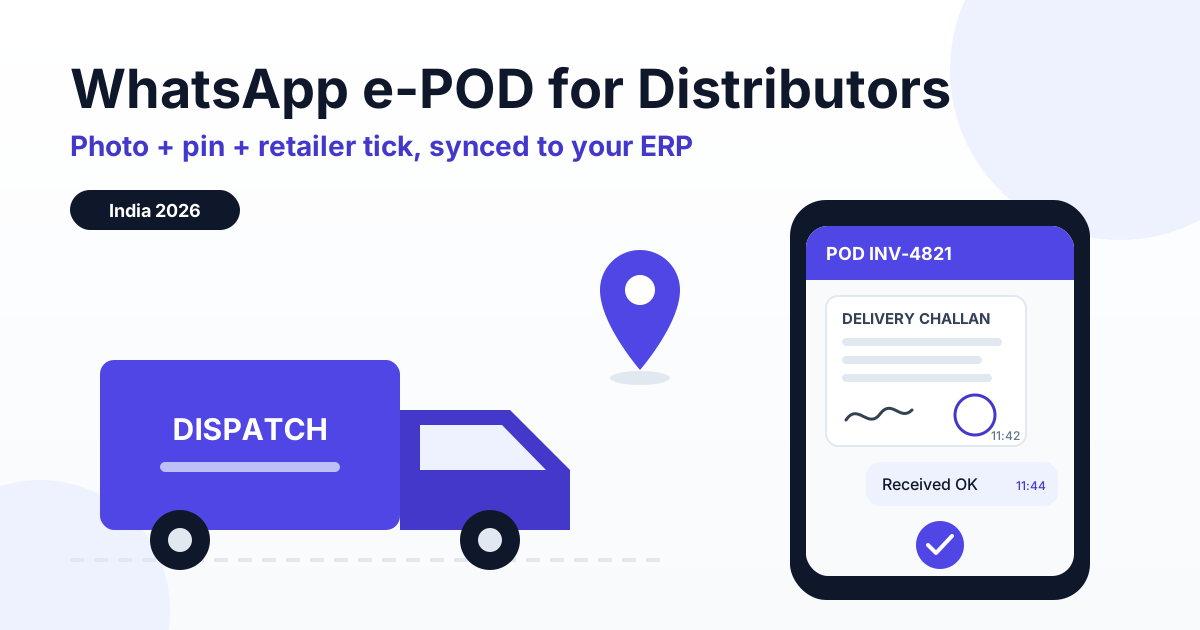
A WhatsApp proof of delivery (e-POD) is captured when the driver sends your business number a photo of the signed challan or invoice, a live location pin and the delivery time, and the retailer confirms receipt with a one-tap reply to a utility template. That acknowledgement is matched to the invoice and pushed to Tally, Busy or SAP B1 by webhook, so short-delivery and damage disputes get settled with evidence and the payment clock starts on the day of confirmed delivery.
This guide is for the people who actually run dispatch: FMCG and pharma distributors, building-material dealers, cement and tile stockists, and 3PL fleet operators moving goods to hundreds of retailers a day. It covers why paper PODs break, the exact message flow, which Meta message type each step uses, how the data reaches your ERP, and the reports that keep POD pendency near zero.
Why paper POD fails Indian distributors
The paper process looks fine on a whiteboard. The driver gets the retailer's stamp and signature on the duplicate copy of the challan, brings the bundle back in the evening, and accounts files it. In practice, signed copies come back two to seven days late, get torn or smudged in the monsoon, and never show what the counter looked like when the retailer claims 18 cases arrived instead of 20. The retailer's accountant will not release payment against an invoice they cannot match to a received delivery, and your collections team cannot prove one.
For a distributor billing a few crore a month, even a small share of invoices stuck in "delivered but not acknowledged" can mean lakhs of rupees of working capital sitting idle. The fix does not need a new driver app. Almost every delivery boy in India already uses WhatsApp every day.
| Factor | Paper POD | WhatsApp e-POD |
|---|---|---|
| Time for proof to reach office | Typically 2 to 7 days | Seconds after the drop |
| Evidence captured | Stamp and signature only | Signed challan photo, location pin, timestamp, retailer's own confirmation |
| Short or damaged goods | Handwritten note, often missing | Photo of the goods plus a structured issue reply at the counter |
| Retailer acknowledgement | Implied by stamp | Explicit button reply from the retailer's registered number |
| ERP update | Manual entry, if at all | Webhook to Tally, Busy or SAP B1 via your connector |
| Pendency tracking | Counting bundles at month-end | Daily report by vehicle, route and driver |
What a WhatsApp e-POD actually captures
A good e-POD is a bundle of four pieces of evidence, each captured by a different person or system, so no single party can fake the whole record.
1. Photo of the signed challan or tax invoice
The driver photographs the delivery challan or invoice after the retailer signs and stamps it. The photo should show the invoice number, the e-way bill number and, for e-invoiced businesses, the IRN and QR code printed on the document. Those numbers let you match the photo to the exact invoice in your ERP without anyone typing.
2. Location pin and timestamp
The driver shares a live or current location pin from the counter. WhatsApp attaches a server timestamp to every message, so you get where and when in one step.
3. Retailer confirmation
This is the piece that turns a driver's claim into a mutual record. Your system sends the retailer a utility template such as "Invoice INV-4821 for 20 cases delivered at 11:42. Please confirm." with quick-reply buttons: Received OK, Short / Damaged, Not received. The reply comes from the retailer's own registered number, which is far stronger than a stamp anyone could carry.
Some distributors prefer a receiver OTP: the retailer reads a short code to the driver, who types it into the chat. It works, but be aware that Meta treats one-time passcodes as an authentication use case, so an OTP-style template may be classified differently from a plain utility confirmation. The button approach is simpler, stays in the utility category and needs no code handling at the counter.
4. Exceptions: short supply, breakage and returns
If the retailer taps Short / Damaged, the flow asks which SKU, how many units, and a photo. For building materials that might be two broken tiles out of 40 boxes; for pharma it could be a strip with a damaged seal or a near-expiry batch. The driver can record a saleable return or a breakage note in the same chat, so the credit note request reaches accounts the same day.
The e-POD message flow, step by step
Here is a flow that works for most distributors. It assumes the driver has saved your business number and each retailer has opted in to receive delivery updates, usually captured at onboarding or on the first invoice.
| Step | Who sends | Message type | Meta cost |
|---|---|---|---|
| 1. Driver types POD and the invoice number | Driver to business | Inbound message, opens a 24h window | No charge |
| 2. Bot asks for challan photo and location pin | Business to driver | Free-form reply inside the window | Free (service conversation) |
| 3. Driver sends photo and pin | Driver to business | Inbound media and location | No charge |
| 4. Confirmation request to retailer | Business to retailer | Utility template with quick-reply buttons | Per-message utility rate, or free if the retailer's window is already open |
| 5. Retailer taps Received OK or Short / Damaged | Retailer to business | Button reply, opens the retailer's window | No charge |
| 6. Thank-you, issue form or credit note acknowledgement | Business to retailer | Free-form inside the window | Free (service conversation) |
| 7. Signed POD copy or invoice PDF to retailer | Business to retailer | Free-form document inside the window | Free |
Notice that the only step Meta can bill is step 4, and only when the retailer has not messaged you in the last 24 hours. If the retailer placed the order on WhatsApp that morning, or replied to a payment reminder, the window is open and even the confirmation template is free. Driver conversations are always driver-initiated, so they cost you nothing on Meta's side.
If you already send dispatch alerts, fold the e-POD into the same thread. Our guide to WhatsApp order status tracking automation shows how to sequence order confirmed, dispatched and out-for-delivery messages so the delivery confirmation feels like the natural last step.
What e-POD costs on RichAutomate
RichAutomate is usage-only: ₹0 setup and ₹0 monthly fee. You pick one of two billing modes.
- Client Pay: you pay Meta directly for template messages, and RichAutomate charges a platform fee of ₹0.10 per message.
- SaaS Pay: all-in pricing of ₹0.30 per utility message and ₹1.20 per marketing message.
An illustrative example: a pharma distributor making 400 drops a day, 26 days a month, sends about 10,400 retailer confirmation templates. On SaaS Pay, if every one went outside an open window, that is 10,400 × ₹0.30 = ₹3,120 a month. On Client Pay it is 10,400 × ₹0.10 = ₹1,040 in platform fees plus Meta's utility rate billed to you directly. In practice a chunk of retailers will have an open window from ordering or payment chats, and those confirmations cost less. Compare that to one disputed ₹60,000 invoice sitting unpaid for two months. The full model is on our pricing page; confirm current Meta rates before you budget.
Connecting e-POD to Tally, Busy or SAP B1
The e-POD is only useful if accounts and collections can see it without opening WhatsApp. RichAutomate fires a webhook when the flow completes, carrying the invoice number, driver number, retailer number, timestamp, location coordinates, media link and the retailer's reply.
Get a 1-minute BSP audit on WhatsApp
Drop your WhatsApp number — we line-item your current invoice against Meta India rates in under 60 seconds. India-hosted, DPDP-compliant.
How the data lands in your ERP
- Tally Prime: most distributors use a Tally connector or a small middleware service that receives the webhook and updates a custom field or voucher narration on the sales invoice, such as "POD OK 28-09 11:42".
- Busy: same pattern, with the connector writing POD status and date against the invoice or a user-defined field.
- SAP Business One: the webhook maps to a user-defined field on the A/R invoice or delivery document through the Service Layer, and the photo link is stored as an attachment reference.
RichAutomate provides the webhook and the WhatsApp side. The ERP mapping is done by your integration partner or in-house developer, and it is usually a small job because the payload is just a handful of fields keyed on the invoice number.
Matching on e-way bill and e-invoice numbers
If you generate e-invoices, each invoice already carries an IRN, and consignments above the threshold move on an e-way bill. Asking the driver to confirm the invoice number at step 1, and keeping the e-way bill number and IRN visible on the challan photo, gives you a three-way match between the ERP record, the GST documents and the delivery evidence. That is useful when an auditor or a retailer's accounts team asks for proof months later.
Disputes: what evidence settles which argument
Most delivery disputes in distribution fall into a few repeat patterns. The point of e-POD is not to win arguments, it is to settle them in minutes instead of weeks.
| Dispute | Typical claim | Evidence e-POD captures |
|---|---|---|
| Short delivery | "We got 18 cases, not 20" | Retailer's Received OK reply against the quantity in the template, plus challan photo with counted quantity |
| Damaged goods | "Two boxes of tiles were broken" | Short / Damaged reply with SKU, units and a photo taken at the counter, timestamped |
| Non-delivery | "The material never came" | Location pin at the shop, timestamp and signed challan photo |
| Payment start date | "Your invoice is only 10 days old for us" | Date and time of the retailer's acknowledgement, synced to the ERP invoice |
e-POD, collections and the MSME 45-day rule
Collections teams live and die by the question "when did the goods arrive?" Under the MSMED Act, payment to a micro or small supplier is due within the agreed period, capped at 45 days from the day of acceptance or deemed acceptance of the goods, and within 15 days where nothing is agreed. Section 43B(h) of the Income Tax Act then disallows the buyer's deduction for dues to micro and small enterprises paid after that period. A timestamped retailer acknowledgement gives both sides an undisputed acceptance date.
Two cautions from practice. First, the delayed-payment protections apply to Udyam-registered micro and small manufacturers and service providers; retail and wholesale traders are generally outside them, so a pure trading distributor should not assume 43B(h) helps its collections. Second, this is operational guidance, not legal advice, so confirm your position with your CA. For the fuller picture, read our explainer on the MSME 45-day payment rule and Section 43B(h).
Once delivery is acknowledged, the natural next message is a payment reminder that references the acknowledgement date and invoice. Our guide to WhatsApp payment reminders for overdue invoices covers the cadence and template wording.
The daily POD pendency report
E-POD turns pendency from a month-end surprise into a daily checklist. Every evening, dispatch and accounts should see a simple report built from the webhook data.
- Invoices dispatched today versus e-POD received: anything missing is chased with the driver before the vehicle is unloaded.
- Retailer confirmations pending over 24 hours: one reminder, then a call from the salesperson who owns the account.
- Short / Damaged claims opened and closed: by SKU, route and vehicle, so a repeated breakage on one route points to a loading or packing problem.
- POD rate by driver: drivers who routinely skip the pin or photo need a two-minute refresher, not a lecture.
For 3PL fleets serving multiple principals, split the same report by client. If you run last-mile or line-haul operations, our wider guide to WhatsApp API for logistics and delivery covers driver onboarding and route alerts around the POD step.
Common e-POD mistakes to avoid
Pilot with two vehicles and 40 to 60 retailers for a week before rolling out, and watch for these problems.
- Adding promotions to the confirmation template: a line about a new scheme can push the template into marketing, costing more and risking rejection. Send offers separately, to opted-in retailers only.
- Using a personal number for drivers: when the phone changes hands, the records go with it. Keep every POD on the business number.
- Skipping retailer opt-in: message only retailers who agreed to receive delivery updates. Reports and blocks lower your number's quality rating for every customer, and no tool can guarantee your number will never be restricted.
- Treating a missing pin as fraud: GPS drifts in crowded markets and basements. Use mismatches as prompts for a check, not automatic penalties.
Frequently asked questions
What is a WhatsApp e-POD?
A WhatsApp e-POD is an electronic proof of delivery captured on WhatsApp at the retailer's counter. The driver sends a photo of the signed challan or invoice, a live location pin and the delivery time to your business number, and the retailer confirms receipt with a button tap. The record is matched to the invoice number and pushed to your ERP, so accounts, sales and dispatch all see the same delivery status.
Is a WhatsApp photo of a signed challan valid proof of delivery?
It is strong evidence, not a magic legal instrument. A clear photo of the stamped and signed challan, combined with the retailer's own WhatsApp confirmation, a GPS pin and a server timestamp, is far harder to dispute than a paper copy that reaches the office a week later. State in your trade terms that WhatsApp acknowledgement counts as receipt, retain the records, and take legal advice for high-value or contested cases.
Does the retailer confirmation message cost money?
The confirmation request you send the retailer is a utility template. Meta charges a per-message utility rate when no customer-service window is open, but utility templates sent inside an open window are free, and service conversations are free. On RichAutomate SaaS Pay a utility message costs ₹0.30 all-in; on Client Pay you pay Meta directly plus a ₹0.10 per message platform fee. Confirm current Meta rates before budgeting.
How does e-POD help with the MSME 45-day payment rule?
Under the MSMED Act, the payment period to a micro or small supplier runs from the day of acceptance or deemed acceptance of goods, capped at 45 days where agreed in writing, and Section 43B(h) links the buyer's tax deduction to paying on time. A timestamped retailer acknowledgement fixes that start date. Pure traders are generally outside these delayed-payment provisions, so confirm your position with your CA.
Do drivers need a special app to send an e-POD?
No special app is needed. Drivers use their normal WhatsApp to message your business number, which runs on the WhatsApp Business API through RichAutomate. A keyword such as POD starts a short flow that asks for the invoice number, the challan photo and a location pin. Because the driver starts the chat, your replies inside the 24-hour window are free-form, and those service conversations are free.
Start capturing e-POD on WhatsApp with RichAutomate
RichAutomate gives distributors and 3PL fleets the WhatsApp Business API with driver POD flows, utility confirmation templates with quick-reply buttons, a shared inbox for exceptions, webhooks for Tally, Busy and SAP B1 connectors, and usage-only pricing with ₹0 setup and ₹0 monthly fee.
Pilot it on two vehicles this week and see how many disputes simply stop happening. Create your RichAutomate account and send your first e-POD confirmation today.