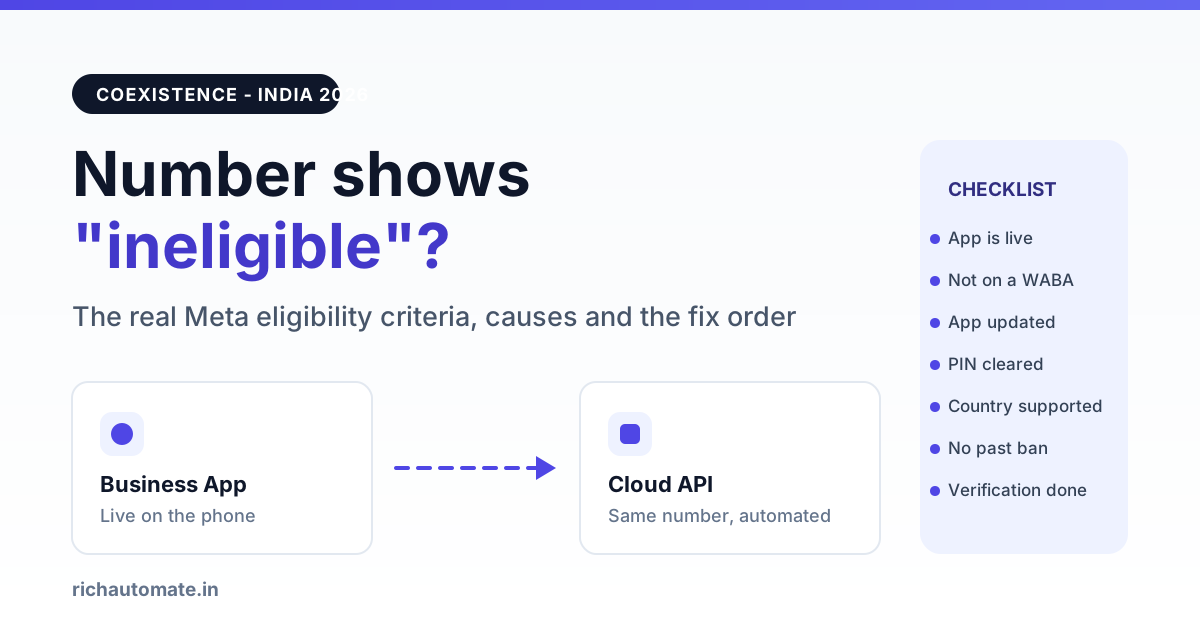
If your WhatsApp Business number shows ineligible or not eligible during Coexistence registration, the number is failing one of Meta's pre-checks: it is not actually live on the WhatsApp Business App right now, it is already attached to a Cloud API account or another WABA, the app build is too old, or the account sits in a state Meta will not duplicate such as previously deleted, restricted, or mid business verification. Fix the failing pre-check on the phone first, then re-run registration, because in most Indian cases the number turns eligible on its own within hours and never needs a support ticket.
Update, October 2026: Meta changed the coexistence signup flow. The popup now opens on "Add your WhatsApp phone number" and there is no separate "Connect your existing WhatsApp Business app" screen. See why the WhatsApp coexistence option is missing and the new 2026 steps.
The error message is deliberately vague. Meta reports a single eligibility verdict and does not tell you which criterion broke, so the only reliable method is to test each criterion yourself in a fixed order. This guide covers what Coexistence really does to your number, the full criteria list, a cause and fix table, the remediation order, realistic waiting times, and the point at which a full migration is the cheaper decision.
What Coexistence actually changes about your number
Coexistence keeps the WhatsApp Business App working on the phone while the same number is also connected to the WhatsApp Cloud API through a provider. Incoming chats still arrive in the app, and your automations, broadcasts, chatbot and CRM run through the API on the same number at the same time. Meta syncs a limited slice of recent chat history and your contact list into the cloud so the API side has context from day one.
This is not a trial mode. The moment registration succeeds, that number is a real API sender: messaging limits, template approval rules, per-conversation pricing and quality ratings all apply to it. It is also not the same thing as a full migration, where the app stops working on the number and every conversation moves to the API. The distinction matters for eligibility, and we break it down fully in our WhatsApp Business App and API Coexistence guide for India.
The checks exist because Meta has to be certain the number is on exactly one live app install before it mirrors that number into the cloud.
Meta's eligibility criteria for Coexistence registration
A number qualifies only when every one of these is true at the same moment you run registration:
- The number is currently active on the WhatsApp Business App. Not the consumer WhatsApp app, not a number you deleted last month, and not a number sitting on a device that has been logged out.
- The number is not already registered on the Cloud API or any other WABA. A half-finished setup from an earlier provider is the single most common blocker in India.
- The WhatsApp Business App is updated to a version that supports Coexistence. Older builds do not expose the linking flow at all, and registration will read the number as unsupported.
- Coexistence is available in the number's country and for that account type. Meta has rolled the feature out in stages and availability still varies by market and by app build.
- The number was never deleted, banned or restricted on WhatsApp. A number that previously carried a policy strike may stay ineligible even after the restriction lapses.
- The business account is in a clean verification state. A Business Manager stuck mid verification, or one that failed verification, commonly blocks the linking step.
- Two-step verification PIN is known or cleared. If an old six digit PIN is set on the number and nobody remembers it, the registration step cannot complete.
- One device owns the app install. A number being juggled across a reinstall, a new phone, or a pending chat transfer reads as unstable to Meta's check.
Why registration says ineligible: causes and fixes
Match the symptom you see to the most likely cause before touching anything. Changing three things at once makes the next attempt impossible to diagnose.
| What you see | Most likely cause | Fix |
|---|---|---|
| Number ineligible immediately, no OTP sent | Number already attached to another WABA or a stale Cloud API setup | Find the old Business Manager, remove the number from that WABA, wait for the release to propagate, retry |
| No Coexistence or linking option inside the app | App build too old, or feature not yet enabled for that install | Update the WhatsApp Business App from the store, force close, reopen, check again after a day |
| Ineligible after a recent reinstall or phone change | Account state still settling on Meta's side | Use the app normally for a day, send and receive real chats, then retry |
| Registration fails at the PIN step | Old two-step verification PIN set on the number | Disable or reset two-step verification in app settings, then start registration again |
| Eligible on one number, ineligible on another in the same business | That specific number has a past deletion, ban or restriction | Check the number's standing, and if it was restricted before, plan around a different number |
| Ineligible while Business Manager shows verification pending | Business verification incomplete or failed | Complete verification with GST and registration documents that match the legal entity name exactly, then retry |
| Number works on consumer WhatsApp only | Not on the WhatsApp Business App at all | Move the number to the WhatsApp Business App first, use it for a day, then register |
The remediation order that saves the most time
Work top to bottom and retry registration after each step. Stop as soon as the number turns eligible.
Get the India 2026 WhatsApp BSP price comparison
Wati vs AiSensy vs Interakt vs RichAutomate: Meta rates, platform fees and hidden costs, side by side. We send it to your WhatsApp in a minute.
- Confirm the number is live on the WhatsApp Business App on one phone, with recent sent and received messages.
- Update the app from Play Store or App Store and reopen it fully.
- Clear any existing API attachment. If the number ever touched another provider, remove it from that WABA in Business Manager. Numbers released from an old account are not always instantly free, so allow a little time before retrying. If you are coming off another provider, our guide to switching WhatsApp BSP in India covers the release sequence.
- Reset two-step verification so no unknown PIN blocks the final step.
- Check business verification status in Business Manager and finish it if it is pending or rejected.
- Retry once, then wait. Repeated back to back attempts do not speed anything up and can leave the number in a temporarily locked retry state.
Want the eligibility checks run for you? Start a 14 day trial with 100 free credits and our onboarding team will read the registration response, tell you which criterion failed, and sequence the fix. Create your account.
How long Meta's eligibility checks take
Meta does not publish a service level for this check, so treat any exact hour count you read online with suspicion. In practice the pattern looks like this: an app update or a PIN reset usually clears within minutes to a few hours, while releasing a number from an old WABA and having it read as free typically takes a few hours to a couple of days. Business verification is the slow one and runs on its own review queue, which can stretch considerably longer when documents do not match the legal entity name.
Make one change, retry once, then leave the number alone for the rest of the day. Eligibility is re-evaluated on every attempt, so patience costs less than churn.
When to migrate fully instead of coexisting
Coexistence is worth fighting for when a real human team still answers chats on the phone every day and you only want automation layered on top. If that is not your situation, a full migration is usually faster to get live and simpler to support.
Choose a full migration when the number is stuck ineligible for reasons you cannot change, when nobody actually uses the phone app any more, when you need multi agent inboxes and routing rather than one device, or when the app install itself is the unstable part. The trade is that the WhatsApp Business App stops working on that number once migration completes, so exports and chat history need planning first. Our walkthrough on how to migrate a WhatsApp Business App number to the API covers the export, downtime window and template setup.
One more case for migrating: a number with a history of user reports. Coexistence does nothing to repair quality signals, and a number already carrying complaints will hit the same walls on the API. If that sounds familiar, read what to do when a WhatsApp Business number gets blocked or reported by users before you register anything.
What to send support if the number stays ineligible
If the number is still ineligible after the full remediation order, a ticket is reasonable. Vague tickets get vague answers, so include every one of these:
- The number in full international format, with country code.
- A screenshot of the exact ineligible message, with the timestamp visible.
- The Business Manager ID and WABA ID you are registering into.
- Whether the number has ever been on the Cloud API before, and with which provider.
- The WhatsApp Business App version number from app settings.
- Your business verification status, with the date of the last submission.
- A list of what you already tried and the result of each attempt.
Be honest about past restrictions. Meta reviewers can see the account history anyway, and a ticket that omits a previous deletion just adds a round trip. No provider can guarantee that a number will be approved, and anyone promising that a number can never be banned is not describing how WhatsApp policy works.
If fixes like this take days with your current provider, compare a Gupshup alternative and a Wati alternative, and estimate your monthly bill with the WhatsApp API cost calculator.
What Coexistence costs to run in India
Eligibility is free to attempt, and the cost only starts once the number is live and sending. Our model is usage only: Rs 0 setup, Rs 0 monthly floor, and no per seat charge for keeping the app running alongside the API.
On Client Pay you are billed Rs 0.10 per message by us while Meta bills your conversation charges directly to your own payment method. On SaaS Pay we handle the Meta side and bill Rs 1.50 per marketing message and Rs 0.50 per utility or authentication message. Every new account gets a 14 day trial with 100 free credits, which is enough to finish registration, approve a first template and test real delivery before spending anything. Model your own volume with the WhatsApp API cost calculator, or compare both billing modes on our WhatsApp API pricing page.
Stuck on an ineligible number this week?
Run the eligibility checks with a team that reads the registration response for a living. Trial is 14 days with 100 free credits, and there is no setup fee.
The short version: ineligible is a state, not a verdict. Work the criteria in order, change one thing per attempt, and give Meta's checks a day before escalating. Most numbers clear on their own, and the ones that do not are usually telling you that a full migration was the right call from the start.