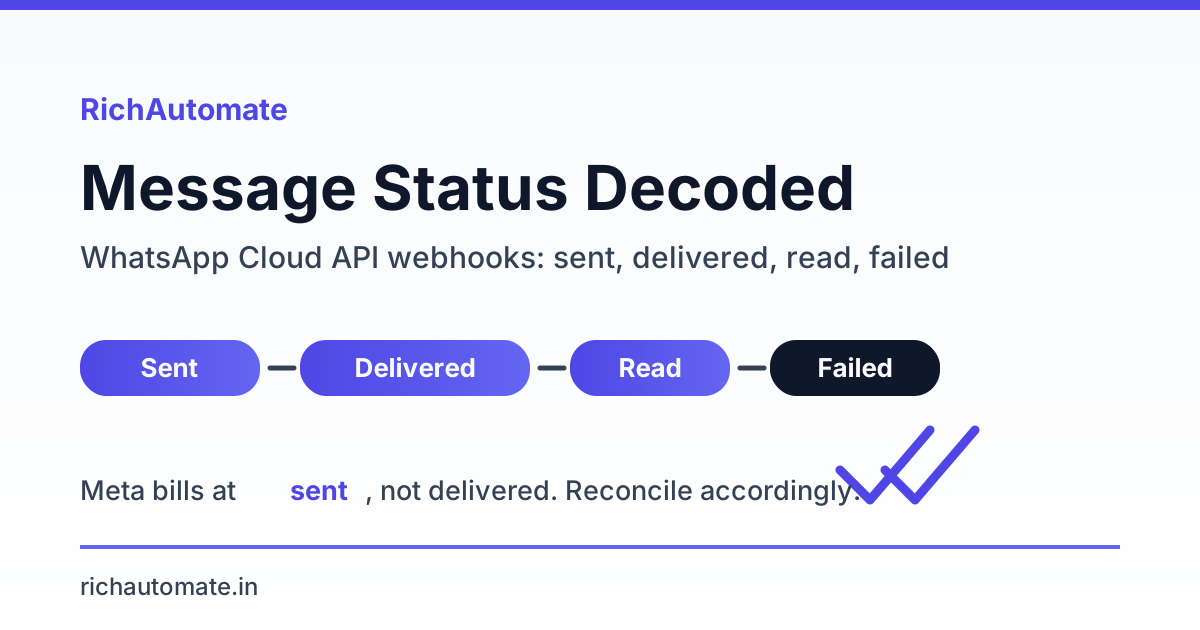
On the WhatsApp Business Cloud API, every message emits four possible statuses on Meta's webhook: sent (accepted by Meta and a conversation charge already opened), delivered (reached the recipient's device), read (opened, only if the user has read receipts on), and failed (rejected, with an error code that tells you why). The status you see in a dashboard is only a snapshot of the last webhook your server processed, which is exactly why a message can sit on sent while Meta has already billed the conversation and the handset never buzzed.
This guide is for developers and ops leads running the Cloud API at scale, not for the person wondering why one chat is stuck on a single grey tick. We cover the status lifecycle as it actually arrives on the webhook, the billing-versus-status mismatch that trips up reconciliation, how to match callbacks against your own message log, and the failed error-code families you will meet most often in an India cohort.
The four statuses, and what each one really means
Meta sends status objects to your webhook asynchronously, each carrying the message ID, a timestamp, the recipient, and a status string. They do not always arrive in order, and read may never arrive at all. Treat each webhook as an append-only event, not as an overwrite of the message's single "current" state.
| Status | What it actually means | Billing implication |
|---|---|---|
| sent | Meta accepted the message and is routing it. The handset has not confirmed receipt yet. | The conversation charge is already committed. You pay even if delivery later fails silently or the device is offline for the message's validity period. |
| delivered | The message reached the recipient's device. One tick becomes two. | No additional charge beyond the conversation already opened at sent. |
| read | The user opened the chat. Only fires if the recipient has read receipts enabled. | No charge. Absence of read is normal, not a delivery failure. |
| failed | Meta could not deliver. Always accompanied by an error object with a numeric code. | Genuine failures are generally not charged, but the code decides. Read the error, do not assume a refund. |
The most common operational mistake is treating the last-seen status as truth. Because webhooks can be delayed or retried, your log needs to record the timestamp on each event and only advance the state forward, never backward. A late sent arriving after a delivered should not overwrite delivered.
Why your dashboard shows "sent" while Meta already billed you
Meta charges per conversation the moment a message is accepted, which corresponds to the sent event, not delivery or read. So the billing clock and the delivery clock start at different points, and your dashboard reflects whichever webhook last landed. If the delivered callback is delayed, dropped by your endpoint, or the device is unreachable, the row stays on sent forever while your invoice already counts the conversation.
This is the single biggest source of reconciliation confusion for teams scaling the Cloud API. "Sent" is not a pending state you are waiting to pay for; the money is already spent. If you want to understand the throughput limits that shape how fast those charges accrue, our WhatsApp Cloud API rate limits and throttling guide maps the pacing tiers that govern send volume.
Two practical consequences follow. First, never build billing forecasts off delivered counts, forecast off sent. Second, a stubborn sent-only row is a delivery diagnostic, not a billing dispute, so treat it as a troubleshooting signal. Our walkthrough of why WhatsApp status stays stuck on sent covers the device-side and validity-window causes in depth.
The status lifecycle timeline
A healthy utility message in an India cohort typically walks the full ladder within seconds, but each rung is optional after sent. Here is the normal progression and where it can stall.
| Stage | Webhook event | Typical gap | If it stalls here |
|---|---|---|---|
| 1. Accepted | sent | Immediate | No sent at all means the API call itself errored, check the send response, not the webhook. |
| 2. On device | delivered | Seconds to minutes | Phone offline, message queued for its validity period, or a soft undeliverable state. |
| 3. Opened | read | Seconds to hours, or never | Read receipts off, or the user simply has not opened the chat. Not an error. |
| X. Rejected | failed | Any point | Policy, window, pacing, or payload problem. The error code names the family. |
In practice, delivered rates for well-formed utility templates to valid Indian numbers commonly land in the 88 to 96 percent band, and read rates for utility content run roughly 55 to 75 percent depending on the vertical and how transactional the message feels. Marketing content reads lower. If your delivered rate sits well below that band, the problem is usually number quality or a pacing limit, not the API. Our message delivery troubleshooting guide breaks down how to isolate which one.
The failed-status error-code families
Every failed webhook carries an error code, and at scale you will see the same handful repeatedly. Grouping them into families is the fastest way to route each one to the right fix instead of debugging case by case.
| Code | Family | Cause | Fix |
|---|---|---|---|
| 131026 | Undeliverable | The recipient cannot receive the message: not on WhatsApp, number invalid, or a device-side block. | Validate numbers before send, suppress hard-bounces, do not retry blindly. |
| 131047 | Re-engagement window | More than 24 hours since the user's last inbound message, so a free-form (session) message is not allowed. | Send an approved template to reopen the window instead of a session message. |
| 131049 | Healthy-ecosystem pacing | Meta is throttling marketing-type messages to this user to protect the ecosystem. It is pacing, not a hard reject. | Reduce marketing frequency to that user, spread sends, prioritise utility content. Retry later. |
| 470 | Template paused | The template hit quality or pacing thresholds and was paused, so sends against it fail. | Switch to an alternate approved template and fix the paused template's content or targeting. |
| 132000 | Parameter mismatch | The number of variables you supplied does not match the approved template body. | Align your payload's parameter count and order with the exact registered template. |
The distinction that saves the most engineering time is hard versus soft failure. 131026 and 132000 are yours to fix in code, bad number, bad payload. 131047, 131049, and 470 are window, pacing, and quality signals, meaning the send is structurally fine but the timing or template health is wrong. Retrying a 132000 without changing the payload just burns quota; retrying a 131049 after a delay can succeed.
Get a 1-minute BSP audit on WhatsApp
Drop your WhatsApp number — we line-item your current invoice against Meta India rates in under 60 seconds. India-hosted, DPDP-compliant.
How to reconcile status webhooks against your message log
Reconciliation means every message you dispatched can be matched to its latest authoritative status, with no orphans on either side. Anchor the join on the message ID Meta returns in the send response, store it before you expect any webhook, and update forward-only as events arrive.
- Persist the send-response ID first. The synchronous API response gives you the message ID. Write that row before the webhook can arrive, or you risk a delivered event with no matching record.
- Make webhook processing idempotent. Meta retries webhooks. Key on message ID plus status plus timestamp so a duplicate delivered event is a no-op.
- Advance state forward only. Order is sent, then delivered, then read. Never let a late lower-rank event overwrite a higher one.
- Sweep for stuck rows. Any row on sent past your delivery-timeout window is a reconciliation exception, flag it, do not silently assume delivery.
- Reconcile billing off sent, not delivered. Your cost ledger should count conversations opened at sent, matching Meta's invoice.
Idempotency is not optional at volume. Because Meta re-sends webhooks on any doubt about your acknowledgement, a naive handler that increments counters will double-count delivered events and corrupt your delivered-rate metric.
Status webhook payload anatomy
Before you can reconcile anything, you have to read what Meta actually sends. Each status object arrives nested under entry[].changes[].value.statuses[], and the fields inside it are what your handler keys on. Knowing every field, and which ones are optional, is the difference between a robust parser and one that throws on the first authentication conversation.
| Field | What it carries | How you use it |
|---|---|---|
id | The message ID (the same wamid the send response returned). | The join key against your message log. Everything hangs off this. |
status | One of sent, delivered, read, failed. | The forward-only state you advance the row to. |
timestamp | Unix epoch seconds when the event occurred. | Order events by this, not by arrival order, since webhooks land out of sequence. |
recipient_id | The recipient's WhatsApp number in wa_id form. | Cross-check against the row you sent, and use for per-number deliverability rollups. |
conversation.id | The conversation this message belongs to. | Group messages into the billed conversation window. |
conversation.origin.type | marketing, utility, authentication, or service. | Attribute the conversation charge to the right category in your ledger. |
pricing.category / pricing.billable | The billing category and whether this conversation is billable. | Reconcile against Meta's invoice, and skip charge accrual when billable is false. |
errors[].code / errors[].title | Present only on failed. The numeric family code and a human title. | Route the failure to its fix; never assume a refund without reading the code. |
Two fields quietly matter most for money. conversation.origin.type tells you whether Meta counted a send as marketing, utility, or authentication, the split that drives your pass-through cost, and pricing.billable is the authoritative flag for whether a conversation is charged at all. Parse both defensively: they are absent on early sent events for some flows.
Reconciling status callbacks at scale
The naive mental model, one message walks sent then delivered then read in order, breaks the moment you cross real volume in an India cohort. Callbacks arrive out of order, arrive twice, and sometimes arrive impossibly, a read can land before the delivered webhook for the same message. A reconciliation layer that survives production is built on four rules.
- Store the wamid at send, not at first webhook. The synchronous send response hands you the message ID. Persist the row then, so an out-of-order delivered or read event always finds a parent record instead of creating an orphan.
- Rank the states and upgrade idempotently. Assign an ordinal, sent 1, delivered 2, read 3, failed as a terminal branch. On each webhook, move the row to the higher rank only. A duplicate delivered is a no-op; a late sent arriving after read changes nothing. This one rule absorbs both out-of-order and duplicate events without special-casing either.
- Handle read-before-delivered explicitly. When read lands first, upgrade straight to read, and when the delayed delivered then arrives, the rank check silently drops it. Do not treat the missing intermediate delivered as a gap to backfill; the user demonstrably received and opened the message.
- Run a stuck-on-sent sweep. A periodic job scans for rows still at sent past a delivery-timeout window (a few minutes for utility, longer for messages sent into off-hours). Those are your genuine reconciliation exceptions, worth a delivery diagnostic, distinct from the billing charge that already committed at sent.
The sweep is what turns silence into signal. Meta never sends a "this will never be delivered" webhook for a phone that stays offline through the validity window, so the only way a permanently-stuck row surfaces is a timer on your side. Size the window to the message category, alert only when the stuck-rate crosses a baseline, and every undelivered message becomes a counted exception instead of a row rotting on one grey tick.
Reading the ticks against the API status
The grey and blue ticks a user sees map loosely onto the webhook, but they are not identical, and conflating them causes support-ticket noise. One tick is roughly sent, two ticks is delivered, and two blue ticks is read, however the webhook is the authoritative source for automation because it carries codes and timestamps the UI never shows. We cover the consumer-facing tick semantics in our WhatsApp ticks and read receipts explainer.
For anything programmatic, trust the webhook payload, not a screenshot of ticks. A user with read receipts disabled will never move past two ticks even after reading, so your automation must not treat a missing read as a delivery problem.
What this means for billing accuracy at scale
Because the conversation charge lands at sent, your cost model is only as accurate as your capture of sent events, and your margin depends on matching Meta's conversation accounting rather than your own delivery counts. Under a usage-only setup on RichAutomate there is ₹0 setup and ₹0 monthly, with Meta's conversation pricing passed through separately, so clean sent-based reconciliation is what keeps your per-message economics honest. Compare the pass-through and platform-fee structures on the RichAutomate pricing page before you model volume.
The takeaway for a team scaling sends: build your ledger on sent, use delivered and read for deliverability health, and route every failed code to its family. Do that and a webhook saying "sent" while the handset stays quiet becomes a diagnosed exception instead of an accounting mystery.
Start reconciling your WhatsApp status webhooks with RichAutomate and get sent-accurate billing from day one.