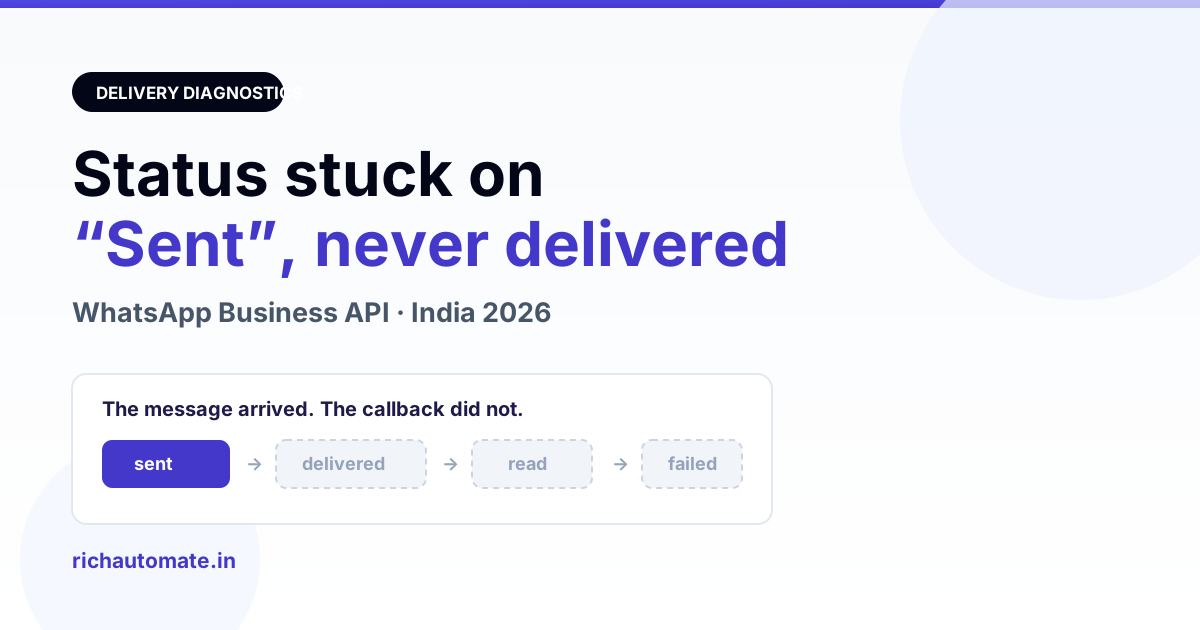
sent, delivered, read and failed as four separate webhook callbacks to your endpoint, and only the first one is written at send time by your own code. So a permanent sent means the later callbacks never reached your database: an unsubscribed messages webhook field, a handler that silently drops status payloads, a queue worker running stale code, or a webhook endpoint returning a non-200. Open WhatsApp on the recipient's phone and you will usually find the message sitting there, delivered, while your panel still says sent.This is one of the most common support tickets an Indian WhatsApp API operator raises, and it is almost always misread as a delivery failure. This guide separates the two things that look identical from the outside — a message that did not arrive, and a message that arrived but whose status never came back — then walks through the six causes in the order they actually occur, a ten-minute diagnosis you can run yourself, and what each status genuinely proves. All figures here are illustrative; verify current Meta rates and behaviour against Meta's own documentation before acting on them.
What "sent" actually means on the Cloud API
The word is doing less work than most dashboards imply. When you call the Cloud API send endpoint and get back a messages[0].id (the wamid), Meta has accepted the message for delivery. That is all. Nearly every platform writes the row as sent at that moment, from its own code, without hearing anything further from Meta.
Everything after that arrives asynchronously, as separate status webhooks posted to the callback URL registered on your Meta app:
- sent — Meta has the message and is attempting delivery. Also posted as a webhook, which is why some platforms show it twice in an audit trail.
- delivered — the message reached the recipient's device. This is the double grey tick.
- read — the recipient opened the chat, and has read receipts switched on. Blue ticks.
- failed — delivery was abandoned, with an error code and title attached explaining why.
The crucial consequence: your database only advances past sent if a webhook arrives and your handler writes it. Break any link in that chain — subscription, network, signature check, queue worker, database write — and every message in the system freezes at sent forever, regardless of whether recipients are happily reading them.
Delivery failure or status failure? Tell them apart first
Before touching any code, establish which of the two problems you have. They need completely different fixes and the test takes two minutes.
| Check | Status webhook problem | Genuine delivery problem |
|---|---|---|
| Message visible on recipient's phone | Yes — it is there | No |
| How many messages are stuck | All of them, from a specific point in time onward | Only some, often to specific numbers |
Any failed rows appearing | None at all — the whole status stream is silent | Yes, usually with an error code |
| Inbound replies still arriving | Often also broken (same webhook) | Working normally |
| Started after | A deploy, a token change, an app or URL change | A quality-rating drop, a template issue, or a bad number |
| Where to look | Webhook subscription, handler logs, queue workers | Template status, quality rating, opt-in, number validity |
If the message is on the recipient's phone and every send since Tuesday is stuck on sent, stop investigating deliverability. You have a status-callback problem. If instead messages are genuinely not arriving, work through WhatsApp message delivery troubleshooting instead, which covers the arrival side properly.
Cause 1: the messages webhook field is not subscribed
This is the single most frequent cause, and the most frequently missed, because sending keeps working perfectly while it is broken. In the Meta app dashboard, the WhatsApp product has a webhook configuration with a callback URL, a verify token, and a list of fields you subscribe to. Status callbacks ride on the messages field — the same field that carries inbound messages.
If messages is not ticked, Meta accepts and delivers everything you send and tells you nothing about any of it. Your outbound works, your status stream is dead, and your inbound is dead too. The tell-tale signature is that outbound is fine but nobody's replies are reaching your inbox either.
It also silently un-subscribes in real situations: when you migrate a number to a new Meta app, when a system user token is rotated, or when the callback URL fails Meta's verification often enough that Meta stops sending. If you are on the inbound side of this problem too, WhatsApp webhook not receiving messages covers the subscription checks in detail.
Cause 2: the webhook arrives but the handler drops it
The second most common cause is a handler that only understands inbound messages. A status callback has a very different shape from a message callback — it arrives as entry[].changes[].value.statuses[], not value.messages[]. A handler written for inbound first, with statuses bolted on later, frequently does something like read value.messages, find it empty, and return 200 without ever looking at value.statuses.
From Meta's side this looks perfect: it posted the callback, it got a 200, it will never resend. From your side the message never moves. The giveaway is that your webhook log shows incoming requests but your message rows never change.
Three variants of the same bug we see repeatedly in Indian deployments:
- Matching on the wrong id. The status payload identifies the message by its wamid, not your internal row id. If your send path never stored the wamid Meta returned, the status arrives, finds no matching row, and is discarded quietly.
- Status downgrade protection missing or too aggressive. Webhooks can arrive out of order, so a
readcan land before adelivered. Sensible code refuses to move a status backwards — but code that compares the wrong way round will refuse to move it forward. - Exception swallowed. The handler throws on one malformed payload, the catch block logs at debug level, and the process returns 200. Everything after that looks silent rather than broken.
Cause 3: the endpoint is unreachable or slow
Meta expects a webhook endpoint to answer quickly with a 200. If the endpoint returns 4xx or 5xx, times out, or presents a certificate problem, Meta retries for a while with backoff and then gives up. Sustained failures can get the subscription disabled outright.
Get the India 2026 WhatsApp BSP price comparison
Wati vs AiSensy vs Interakt vs RichAutomate: Meta rates, platform fees and hidden costs, side by side. We send it to your WhatsApp in a minute.
Realistic Indian causes, in rough order of how often they turn out to be the answer:
| What went wrong | What you see | Where to check |
|---|---|---|
| Expired or misconfigured TLS certificate | Total silence, starting on an exact date | Certificate expiry on the callback domain |
| Firewall or Cloudflare rule blocking Meta | Silence, endpoint fine from your browser | Edge logs for POSTs to the callback path |
| Signature verification rejecting valid calls | 403s in your access log | App secret matches the app that owns the number |
| Handler slow (synchronous work inline) | Intermittent gaps, worse at peak | Response time on the callback route |
| Endpoint 500s on one payload shape | Some statuses land, others never do | Error log around the first stuck message |
The fix pattern is always the same: acknowledge with a 200 immediately, push the payload onto a queue, and process it out of band. A webhook handler that does database writes, billing and broadcasting inline is the usual reason the endpoint gets slow enough to be dropped. The design principles are covered in the WhatsApp webhook reliability engineering guide.
Cause 4: the queue worker is running stale code
This one is specific to teams that queue their webhook processing, which is most serious deployments. The callback arrives, the endpoint returns 200, the job is pushed onto Redis — and then the worker that picks it up is a long-lived process that was started before your last deploy. It is running the old handler, the old status mapping, and possibly the old config cache.
Restarting PHP-FPM or the web server does not restart queue workers. If your status handling stopped working on the day you shipped a change, and the code on disk is obviously correct, this is very likely the cause. Restart the workers, then re-test with a single message.
Cause 5: it genuinely has not been delivered yet
Not everything is a bug. A message sits legitimately at sent when the recipient's device cannot receive it: the phone is off, out of coverage, has no data, or the number is no longer on WhatsApp. Meta holds the message and keeps trying for up to 30 days before marking it failed.
The way to distinguish this from the webhook problem is scope. Genuine non-delivery affects some recipients; a broken status stream affects every message after a particular moment. If ninety-eight of your last hundred messages went to delivered and two are still sent, nothing is broken — two phones are off.
Cause 6: read receipts off, or the campaign never left the queue
Two smaller cases worth naming because they get mistaken for the big one. First, if your messages reach delivered but never read, that is usually not a fault at all — the recipient has read receipts disabled in WhatsApp privacy settings, and Meta will never send a read callback for them. Do not build reporting that treats missing read events as a delivery problem.
Second, if the row never even reaches Meta — no wamid, status still pending or queued rather than sent — you have a different problem entirely, on the outbound side rather than the callback side. That is covered in WhatsApp campaign stuck on queued or processing.
The ten-minute diagnosis
- Open the recipient's WhatsApp. Is the message there? If yes, this is a status problem and nothing else. Do not skip this step; it eliminates half the possibilities in thirty seconds.
- Find the last message that did reach delivered. Its timestamp is the moment your status stream broke, and whatever you deployed, rotated or changed around then is your prime suspect.
- Check whether inbound still works. Send a message to your business number from a personal phone. If it does not appear in your inbox, the whole
messageswebhook is down, not just statuses — go straight to the subscription. - Check the webhook subscription in the Meta app dashboard. Confirm the callback URL is right, the
messagesfield is ticked, and the app that owns the subscription is the app whose app secret your signature check uses. - Look at your access log for POSTs to the callback path. No requests at all means Meta is not calling you. Requests returning 200 with nothing changing in the database means your handler is dropping statuses. Requests returning 403 or 500 mean the handler is failing.
- Confirm the wamid is stored on the outbound row. If it is null, the status callback has nothing to match against and every status is being discarded as unknown.
- Restart the queue workers and send one test message to a number you control. Watch the row move.
- Backfill nothing. Once the stream is fixed, messages sent while it was broken will stay at
sentpermanently — Meta does not replay old callbacks. Note the window in your audit trail rather than guessing at statuses you never received. An audit log of who sent what is what makes that window explainable afterwards.
What each status actually proves
| Status | Proves | Does not prove |
|---|---|---|
| queued / pending | Your own system accepted the request | That Meta has seen it at all |
| sent | Meta accepted it for delivery | That any device received it |
| delivered | It reached the recipient's device | That a human saw it |
| read | The chat was opened with receipts on | That the content was read or understood |
| failed | Delivery was abandoned, with an error code | That the number is invalid — read the code |
Two operational consequences follow. Never report a send as successful on the strength of a sent row alone — re-read the row in a separate query afterwards and check it moved. And never treat an absent read as a failure, because a large share of Indian users keep read receipts off by default.
Does a stuck status affect billing?
No. Meta bills on conversation opening, not on your dashboard's status column, so a broken status webhook does not change what you are charged — it only changes what you can see. The practical risk is the opposite one: with no delivered data you cannot tell a genuine deliverability problem from a reporting gap, so a real quality-rating slide can go unnoticed for days.
On cost itself, RichAutomate runs at ₹0 setup and ₹0 monthly platform fee, usage only: Client Pay at ₹0.10 per message where Meta bills your own account directly, or SaaS Pay at roughly ₹1.50 per marketing and ₹0.50 per utility conversation, with service messages inside the 24-hour customer-care window free. Full detail is on the pricing page. Verify current Meta rates yourself before budgeting.
Messages stuck on sent and not sure which half is broken?
Tell us when the last message reached delivered, whether inbound replies still arrive, and what you deployed or rotated around that time. That is usually enough to name the cause without touching your system. We will tell you plainly if it is a webhook subscription, a handler bug, or simply two phones that were switched off. WhatsApp us at 918160311319 or book a 30-minute walkthrough at https://richautomate.in/book/demo.
Bottom line
A WhatsApp status that never advances past sent is a reporting failure far more often than a delivery failure. Your own code writes sent; everything after it depends on Meta's status webhooks reaching your endpoint and your handler writing them. Check the recipient's phone first, find the last message that did reach delivered, then work outward from that timestamp through the subscription, the endpoint, the handler and the queue workers. Once fixed, accept that the messages sent during the outage will stay at sent permanently, because Meta does not replay callbacks — record the window instead of inventing statuses for it. This is general technical guidance, not a guarantee about any specific account or number.