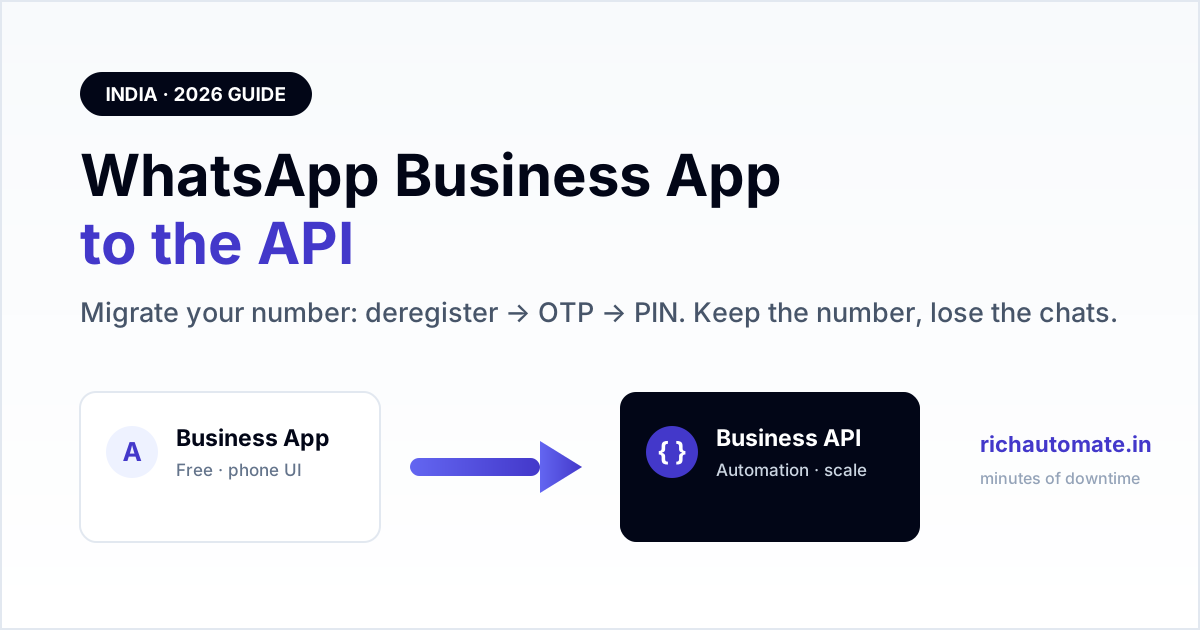
To move a number from the free WhatsApp Business App to the WhatsApp Business API you must first delete (deregister) the number from the app, then register that same number on the API with a fresh OTP — the two cannot run on one number at the same time. You keep the phone number and your verified business identity, but old chat threads do not carry over and there is a short window where the number can neither send nor receive.
This guide is the India-2026 runbook for that switch: what actually breaks, the exact order of steps, how to keep downtime to minutes, and what changes the day after you are live on the API.
Can one number run on the Business App and the API at once?
No. A WhatsApp phone number can be active on exactly one platform — the consumer app, the WhatsApp Business App, or the WhatsApp Business API. Meta ties the number to a single registration. So migrating is not "adding" the API alongside your app; it is a hand-off. The number leaves the app and re-registers on the API. If your team still needs a human, phone-based chat surface, the answer is a shared inbox on top of the API, not the old app — see the trade-offs in our WhatsApp Business API vs Business App decision guide.
What you lose (and keep) when you migrate
- Chat history does not move. The API does not import past conversations from the app. Threads exist only as the app's local/Google-Drive backup on that phone — the API starts clean.
- The phone-app UI goes away. After migration you send and reply through a BSP inbox or Cloud API, not the green WhatsApp app on a handset.
- You keep the number. Same number, same customers' saved contact.
- You keep your business name and profile once re-set on the API side; Meta Business verification carries across.
- Broadcast lists and app "labels" do not transfer — the API uses templates and its own tagging.
Because history is lost, migrate on a low-traffic day and export anything you need for records first.
Prerequisites before you touch the app
Line these up so the number is only "dark" for minutes, not days:
- A Meta Business account with your business added, ideally already verified for the green tick (verification is separate from migration and can be applied for after).
- A WhatsApp Business Account (WABA) created under that business, via Meta Cloud API or a BSP.
- The destination inbox/BSP ready to accept the number.
- The number reachable for an OTP by SMS or voice call at migration time.
- A two-step verification PIN chosen (you will set it during API registration — store it safely).
If you are already on the API but leaving one provider for another, that is a different, no-downtime path — follow the BSP migration guide that keeps your WABA instead of this app-to-API flow.
Get a 1-minute BSP audit on WhatsApp
Drop your WhatsApp number — we line-item your current invoice against Meta India rates in under 60 seconds. India-hosted, DPDP-compliant.
Step-by-step migration runbook
- Prep the destination. Create the WABA and add the phone number in your BSP/Cloud API console so it is queued for verification.
- Announce a short maintenance window to staff who reply on the app.
- Delete the number from the WhatsApp Business App. On the phone: Settings → Account → Delete my account. This deregisters the number from the app so the API can claim it. (Simply logging out is not enough — the number must be fully deregistered.)
- Trigger registration on the API. In your BSP/Cloud API console, request the verification code for the number.
- Enter the OTP received by SMS or voice to prove ownership.
- Set the two-step PIN when prompted.
- Send a test message from the API to your own second number and reply back to confirm two-way flow.
- Re-upload your display name, logo and business profile on the API side and submit the display name for approval if changed.
Once the test round-trips, the number is live on the API and your automations, templates and routing take over.
Keeping downtime to minutes
The only true outage is between step 3 (delete from app) and step 6 (PIN set). Shrink it by having the WABA, business verification and BSP inbox fully ready before you delete the app account, so the OTP is the only thing you are waiting on. Do it outside business hours. Have the phone in hand with good signal so the SMS/voice OTP lands immediately.
The day after: limits, pricing and the green tick
A freshly migrated number starts in a lower messaging tier and climbs as it sends quality traffic — plan your first campaigns around that ramp using our messaging limits and tiers guide. Billing also changes: the app was free, the API is per-message by category, so model your costs with the 2026 per-message pricing breakdown. The green tick (official business account) is a separate application you file after the number is stable on the API.
Common mistakes that cause a failed or long migration
- Deleting the app account before the WABA is ready — the number sits dark while you scramble. Prep the destination first.
- Expecting chats to appear on the API — they never do; brief your team so nobody thinks history was "lost by the tool".
- Forgetting the two-step PIN — losing it later blocks re-registration and support changes.
- Number still active somewhere — a lingering session on the personal or Business app fails the OTP step until fully deregistered.
- Treating verification as part of migration — green-tick review runs on its own timeline; do not block go-live on it.
Done in the right order, an app-to-API number migration is a minutes-long window, not a risky project. Get the WABA and inbox ready, deregister, OTP, PIN, test — and your existing number is running full WhatsApp automation the same day.
Thinking of a cheaper "unofficial" gateway instead? Read why that gamble backfires in our guide to the unofficial WhatsApp API ban risk.